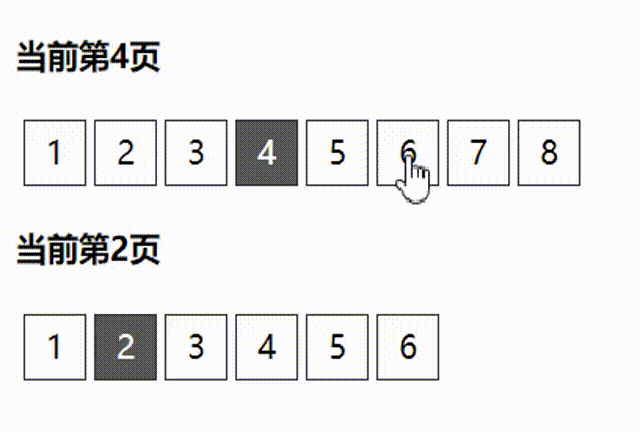
效果图如下:
<!DOCTYPE html>
<html lang="en">

<head>
    <meta charset="UTF-8">
    <meta name="viewport" content="width=device-width, initial-scale=1.0">
    <title>分页组件</title>
    <style>
        [v-cloak] {
            display: none;
        }

        .pager {
            height: 30px;
            width: 100%;
            padding: 0px 2px;
            /* border: 1px solid #000; */
            display: flex;
            list-style: none;
        }

        .pager li {
            min-width: 30px;
            height: 30px;
            line-height: 30px;
            text-align: center;
            margin: 0px 2px;
            border: 1px solid #333;
            color: #000;
            cursor: pointer;
            user-select: none;
        }

        .pager li.active {
            background-color: rgb(88, 88, 88);
            color: #fff;
        }
    </style>
</head>

<body>
    <div id="app" v-cloak>
        <h4>当前第{{pageIndex}}页</h4>
        <pager :total="40" :pagesize="5" v-model="pageIndex"></pager>
        <h4>当前第{{pageIndex2}}页</h4>
        <pager :total="30" :pagesize="5" v-model="pageIndex2"></pager>
    </div>

    <script src="./js/vue.js"></script>
    <script>
        Vue.component("pager", {
            props: {
                value: {
                    type: Number,

                },
                pagesize: {
                    type: Number,

                },
                total: {
                    type: Number,

                }
            },
            template: `
            <ul class="pager">
            <li v-for="item in pageCount" @click="curr=item" :class="{active:curr===item}">{{item}}</li>
            </ul>
            `,
            data() {
                return {
                    curr: this.value,
                    pageCount: Math.ceil(this.total / this.pagesize),
                }
            },
            watch: {
                curr(val) {
                    this.$emit("input", val);
                }
            },
        })
        var app = new Vue({
            el: "#app",
            data() {
                return {
                    pageIndex: 1,
                    pageIndex2: 2
                }
            },
        })
    </script>
</body>

</html>