flutter_swipe_action_cell
一个可以提供iOS原生效果的列表侧滑库
Example 1:最简单的例子---删除
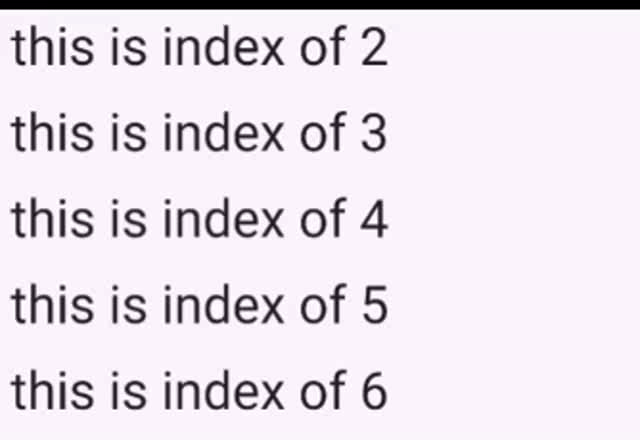
Tip:你把下面的放在你ListView的itemBuilder里面返回就行
 SwipeActionCell(
      ///这个key是必要的
      key: ObjectKey(list[index]),
      actions: <SwipeAction>[
        SwipeAction(
            title: "delete",
            onTap: (CompletionHandler handler) async {
              list.removeAt(index);
              setState(() {});
            },
            color: Colors.red),
      ],
      child: Padding(
        padding: const EdgeInsets.all(8.0),
        child: Text("this is index of ${list[index]}",
            style: TextStyle(fontSize: 40)),
      ),
    );
Example 2:拉满将会执行第一个action
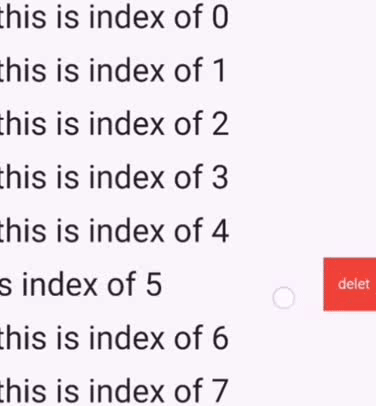
SwipeActionCell(
       ///这个key需要
      key: ObjectKey(list[index]),

      ///参数名和iOS原生相同
      performsFirstActionWithFullSwipe: true,
      actions: <SwipeAction>[
        SwipeAction(
            title: "delete",
            onTap: (CompletionHandler handler) async {
              list.removeAt(index);
              setState(() {});
            },
            color: Colors.red),
      ],
      child: Padding(
        padding: const EdgeInsets.all(8.0),
        child: Text("this is index of ${list[index]}",
            style: TextStyle(fontSize: 40)),
      ),
    );
Example 3:伴随动画的删除(按照iOS原生动画做的)
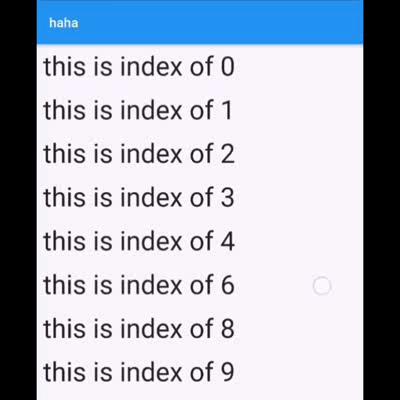
SwipeActionCell(
     ///这个key是必要的
     key: ObjectKey(list[index]),
     performsFirstActionWithFullSwipe: true,
     actions: <SwipeAction>[
       SwipeAction(
           title: "delete",
           onTap: (CompletionHandler handler) async {

             /// await handler(true) : 代表将会删除这一行
            ///在删除动画结束后,setState函数才应该被调用来同步你的数据和UI

             await handler(true);
             list.removeAt(index);
             setState(() {});
           },
           color: Colors.red),
     ],
     child: Padding(
       padding: const EdgeInsets.all(8.0),
       child: Text("this is index of ${list[index]}",
           style: TextStyle(fontSize: 40)),
     ),
   );
Example 4:多于一个action
SwipeActionCell(
     ///这个key是必要的
     key: ObjectKey(list[index]),

     ///这个参数名以及其含义和iOS 原生的相同
     performsFirstActionWithFullSwipe: true,
     actions: <SwipeAction>[
       SwipeAction(
           title: "delete",
           onTap: (CompletionHandler handler) async {
             await handler(true);
             list.removeAt(index);
             setState(() {});
           },
           color: Colors.red),

       SwipeAction(
           widthSpace: 120,
           title: "popAlert",
           onTap: (CompletionHandler handler) async {
             ///false 代表他不会删除这一行,默认情况下会关闭这个action button
             handler(false);
             showCupertinoDialog(
                 context: context,
                 builder: (c) {
                   return CupertinoAlertDialog(
                     title: Text('ok'),
                     actions: <Widget>[
                       CupertinoDialogAction(
                         child: Text('confirm'),
                         isDestructiveAction: true,
                         onPressed: () {
                           Navigator.pop(context);
                         },
                       ),
                     ],
                   );
                 });
           },
           color: Colors.orange),
     ],
     child: Padding(
       padding: const EdgeInsets.all(8.0),
       child: Text(
           "this is index of ${list[index]}",
           style: TextStyle(fontSize: 40)),
     ),
   );
关于 CompletionHandler
它代表你在点击action之后如何操纵这个cell,如果你不想要任何动画,那么就不执行handler,而是直接更新你的数据,然后setState就行
如果你想要动画:
hander(true) :代表这一行将会被删除(虽然UI上看不到那一行了,但是你仍然应该更新你的数据并且setState)
await handler(true) :代表你将会等待删除动画执行完毕,你应该在这一行之后去执行setState,否则看不到动画(适合同步删除,也就是删除这个cell在业务上不需要服务器的参与)
handler(false) : 点击后内部不会有删除这一行的动作,默认地,他只会关闭这个cell
await handler(false) : 相比上面来说,他只会等待关闭动画结束