让你明明白白学知识,有代码,有讲解,抄的走,学的会!
在实际的业务开发中,如果使用iframe又要设置iframe内外背景一致的情况,就犯难了
常规的理解就是 iframe不是一个封闭的吗,背景应该会断层吧! 今天来解决一下
废话不多说,上代码 index.html
<style>
    * {
      margin: 0;
      padding: 0;
    }
    <!--就实现简单的左右布局-->
    .box {
      display: flex;
      width: 100%;
      height: 100vh;
    }

    .left {
      width: 200px;
      height: 100vh;
      background-color: blue;
    }

    .main {
      flex: 1;
      height: inherit;
      background: url(https://t8.baidu.com/it/u=2247852322,986532796&fm=79&app=86&size=h300&n=0&g=4n&f=jpeg?sec=1595578924&t=6957d1155ecac519fee8fc7fa797ce06);
      background-repeat: no-repeat;
      background-size: cover;
    }

    .right-top-text {
      width: 100%;
      height: 50px;
      line-height: 50px;
      text-align: center;
      border-bottom: 2px solid red;
      overflow: hidden;
    }

    /* 设置iframe 并 去掉默认样式 */
    #iframe-container {
      /* 手动设置display */
      display: block;
      width: 100%;
      /* 设置 iframe占据剩余高度,上面内容50px border 2px */
      height: calc(100vh - 50px - 2px);
      border: none;
    }
  </style>
<div class="box">
    <div class="left">
      左侧位置
    </div>
    <div class="main">
      <div class="right-top-text">这里有一些iframe外部的内容</div>

     <iframe id='iframe-container' scrolling ='no'  allowtransparency="true"
        src="./main.html"></iframe>
    </div>
</div>
main.html
<body>
  右侧的地址
  <h3>背景 是 iframe的外部设置的</h3>
</body>
效果图
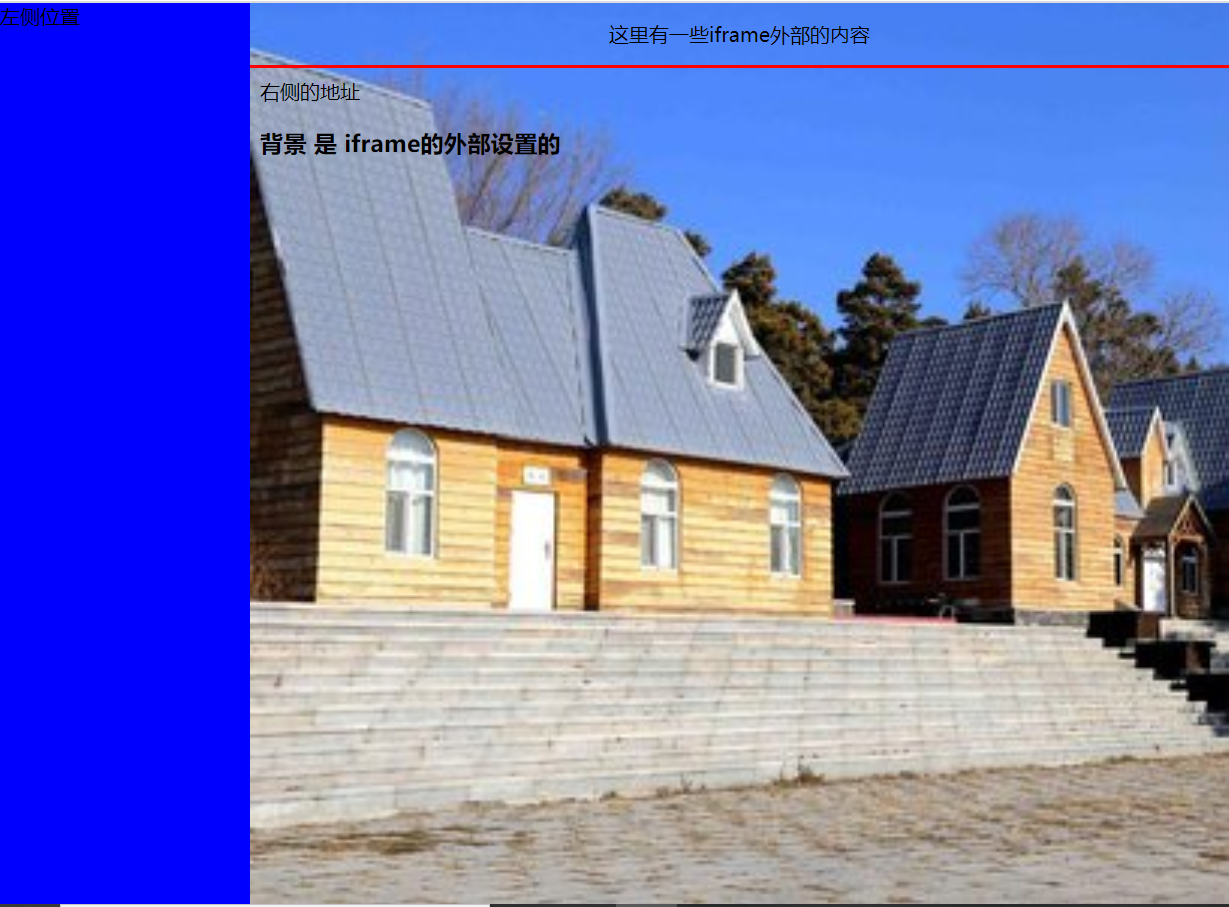
重点:
- 设置allowtransparency="true" 背景添加在 iframe的外部即可
- 请手动给iframe添加一个 display: block; 以前浏览器有个小bug iframe默认会有1-2px 的一个间隙,调试页面,看不到这个数据, iframe 默认是 inline元素
- 如果右侧的iframe上面有内容,请不要添加 height: 100%; 使用 calc计算一下高度