技术选型
- 把文件转换成base64传送给前端
- pdf选用pdf.js技术
- 图片直接用img标签
- pdf.js 源码地址:github.com/mozilla/pdf…
实现简介
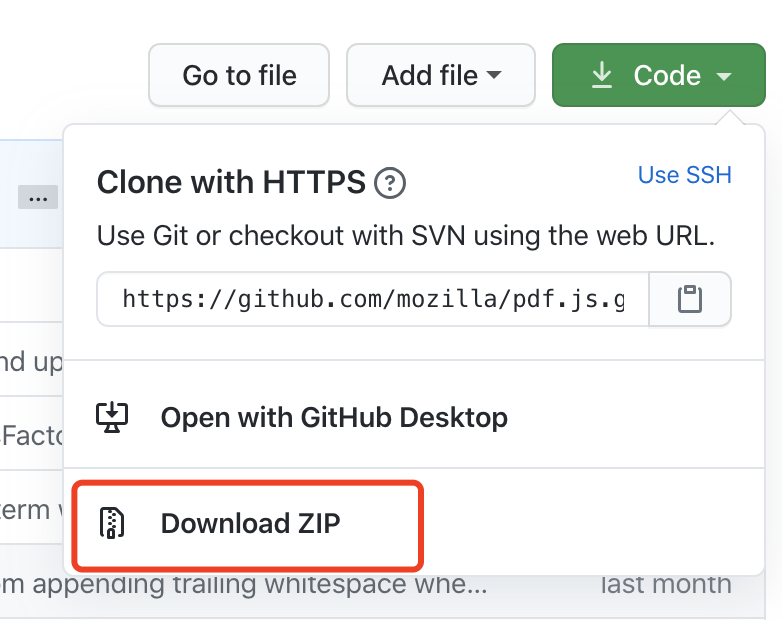
可以直接下载压缩文件
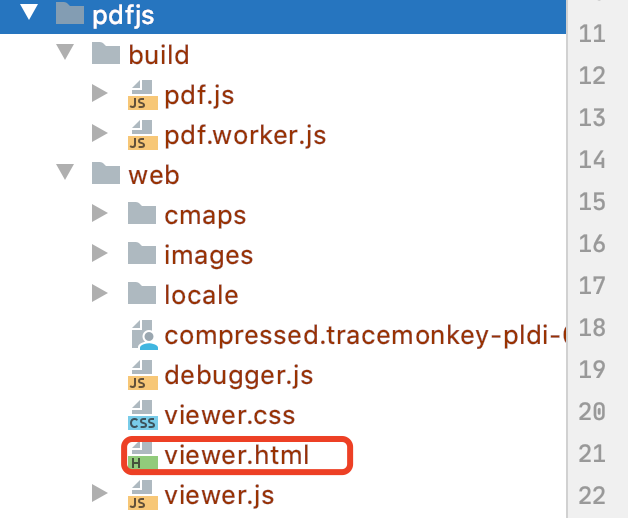
找到如下文件目录,拷贝到项目的相应位置
代码实现
后端控制类,获取base64文件
    @RequestMapping("/getBase64")
    @ResponseBody
    public Response getBase64(String fileId, HttpServletRequest request, HttpServletResponse response) {
        NewsFile file = newsService.getNewsFile(fileId);
        byte[] bytes = file.getContent();
        String strBase64  = new BASE64Encoder().encode(bytes);
        return new Response(ResponseCode.OK,"ok",strBase64);
    }
前端 show_pdf_img.jsp
<%@ page language="java" contentType="text/html; charset=utf-8" pageEncoding="utf-8"%>
<%
  String path = request.getContextPath();
  String basePath = request.getScheme()+"://"+request.getServerName()+":"+request.getServerPort()+path;
  request.setAttribute("basePath",basePath);
%>
<html>
<head>
  <title>招租公告</title>
  <meta charset="utf-8">
  <meta http-equiv="Content-Type" content="text/html;charset=utf-8" />
  <link rel="stylesheet" href="${basePath}/resources/static/jt/images/style.css" type="text/css" media="all" />
  <link rel="stylesheet" href="${basePath}/resources/static/jt/themes/flat/style.css" type="text/css" media="all" />
  <script type="text/javascript">var contextPath='';</script>
  <script type="text/javascript" src="${basePath}/resources/static/jt/js/jt.js" theme="flat"></script>
  <script type="text/javascript" src="${basePath}/resources/static/jt/js/common.js"></script>
  <script type="text/javascript" src="${basePath}/resources/static/js/jquery-1.8.3.js"></script>
  <script type="text/javascript" src="${basePath}resources/static/help_poor/js/encryption.js"></script>
  <script type="text/javascript">
    function init(){
      var fileId = '${fileId}';
      var fileType = '${fileType}';
      getFileBase64(fileId,fileType);
    }

    function getFileBase64(fileId,fileType) {
      $.ajax({
        type    : 'get',
        url : "${basePath}/helpPool/news/getBase64",
        data : {
          "fileId" : fileId
        },
        cache   : false,
        async : false,
        dataType: 'json',
        success : function(data) {
          debugger
          if (data.code == '200') {
            var pdf64 = data.data;
            if("pdf" == fileType){
              sessionStorage.setItem('_imgUrl',"data:application/pdf;base64,"+pdf64);
              $("#pdfview_box_").attr("src","${basePath}/resources/component/pdfjs/web/viewer.html");
               $("#img_box").hide();
            }else{
              pdf64 = "data:image/"+ fileType +";base64,"+pdf64;
              $("#img_box").attr("src",pdf64);
              $("#pdfview_box_").hide();
            }
          } else {
            console.log(data.message);
          }
        },
        error   : function() {
          console.log('请求错误')
        }
      })
    }
  </script>
</head>

<body class="BodyEdit">
<div class="wrap" style="height: 900px">
  <iframe id="pdfview_box_" :src="`viewer.html`"  width="100%" height="500%" frameborder="0"></iframe>
  <div style="margin:0 auto; width:1000px">
     <img src="" id="img_box" style="text-align: center;max-width: 999px">
  </div>
</div>
</body>
</html>
<script type="text/javascript">
  jt.FormatUI();
  if (typeof(init)=='function') init(); //初始化
  if (typeof(initPage)=='function') initPage();
</script>
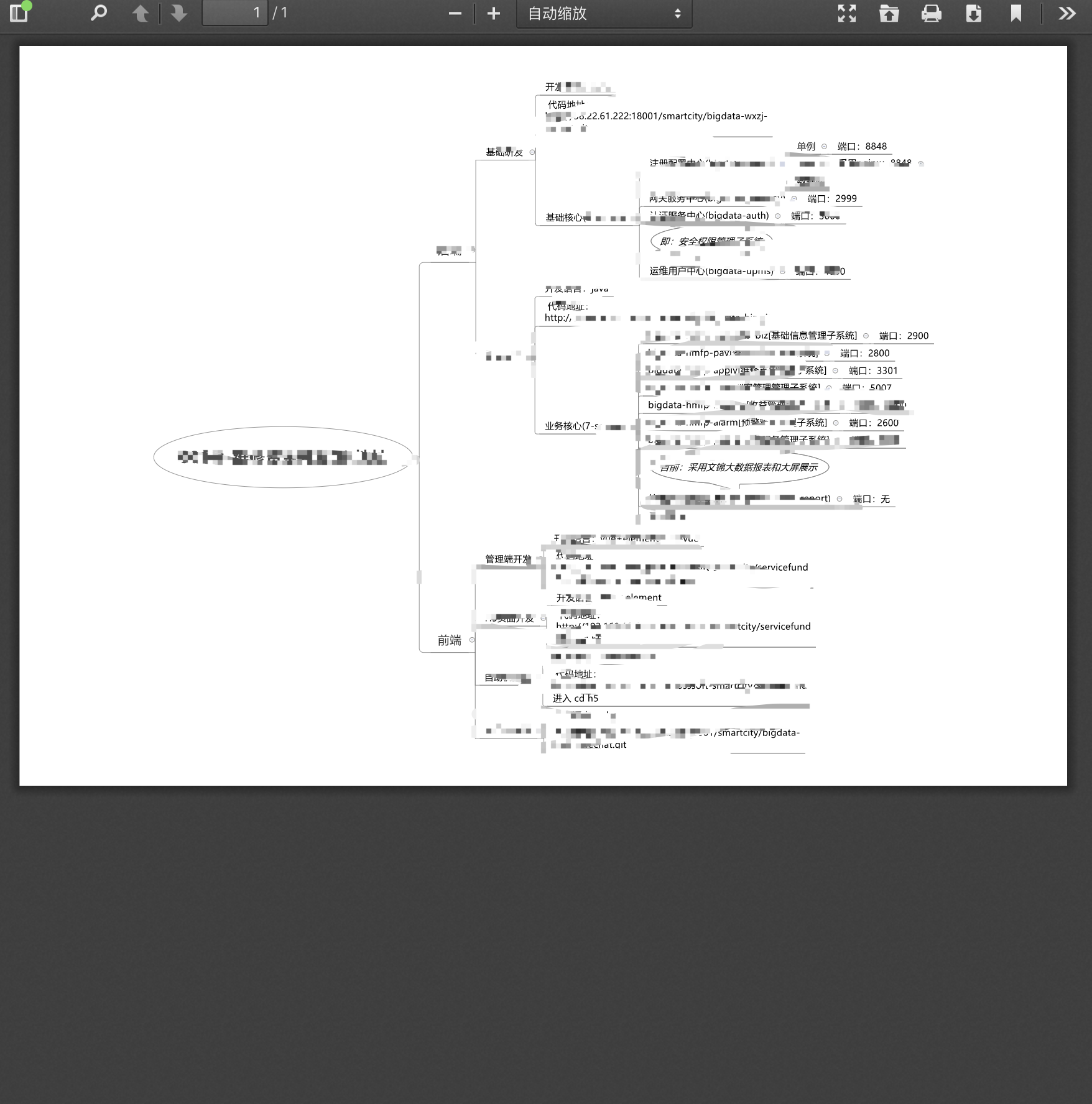
效果展示

参考文献
- JS通过使用PDFJS实现基于文件流的预览功能: www.cnblogs.com/xiaxianfei/…
- pdf.js使用base64编码展示pdf: www.cnblogs.com/andrezheng/…
- 关于pdf.js在线预览base64格式的实现以及出现的问题: blog.csdn.net/zyqgt960812…