1.Tomcat
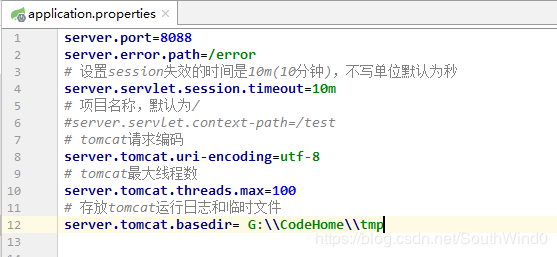
spring boot项目可以内置Tomcat,Jetty等容器。
2.HTTPS
使用java的工具keytool生成一个数字证书,命令如下:
keytool -genkey -alias southwind0 -keyalg RSA -keysize 2048 -keystore sw.pl2 -validity 1000
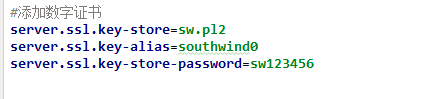
这就生成了一个别名是southwind0、使用RSA算法加密、密钥长度2048、密钥存放位置当前目录下sw.pl2、密钥有效期1000天的数字证书,在cmd中需要填写信息,设置口令为sw12346。之后将sw.pl2放到根目录,在application.properties中配置如下:
由于spring boot同时不支持http和https,所以我们需要添加一个http跳转https。
HttpJumpConfig.java package com.sw.demo.config;
import org.apache.catalina.Context; import org.apache.catalina.connector.Connector; import org.apache.tomcat.util.descriptor.web.SecurityCollection; import org.apache.tomcat.util.descriptor.web.SecurityConstraint; import org.springframework.boot.web.embedded.tomcat.TomcatServletWebServerFactory; import org.springframework.context.annotation.Bean; import org.springframework.context.annotation.Configuration;
@Configuration public class HttpJumpConfig { @Bean TomcatServletWebServerFactory servletContainer(){ TomcatServletWebServerFactory factory = new TomcatServletWebServerFactory(){ @Override protected void postProcessContext(Context context){ SecurityConstraint constraint = new SecurityConstraint(); constraint.setUserConstraint("CONFIDENTIAL"); //confidential SecurityCollection collection = new SecurityCollection(); collection.addPattern("/*"); constraint.addCollection(collection); context.addConstraint(constraint); } };
    factory.addAdditionalTomcatConnectors(httpConnector());
    return factory;
}

private Connector httpConnector(){
    //访问http的80端口,跳转到8088
    Connector connector = new Connector("org.apache.coyote.http11.Http11NioProtocol");
    connector.setScheme("http");
    connector.setPort(80);
    connector.setSecure(true);
    connector.setRedirectPort(8088);
    return connector;
}
}
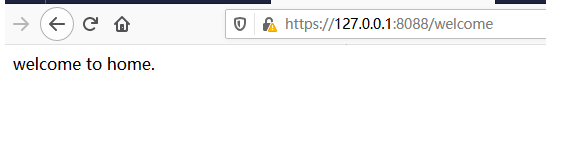
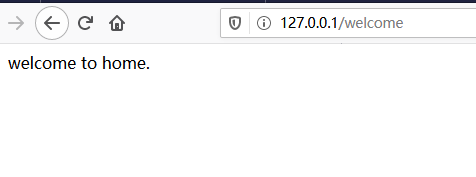
测试如下:
https://127.0.0.1:8088/welcome