在routes里面的keepAlive设置为true,页面组件状态缓存为什么会失效?
原因:路由配置文件里面设置keepAlive的层级导致的。

解决:项目中设置统一keepAlive的层级。
keepAlive设置为true,导航页签关闭后内存不被回收,浏览器缓存持续增加,最终导致浏览器崩溃
原因:keepAlive缓存是组件,也就是vue虚拟dom → vNode 这个比较大,当缓存页面过多的情况下会存在内存泄漏。

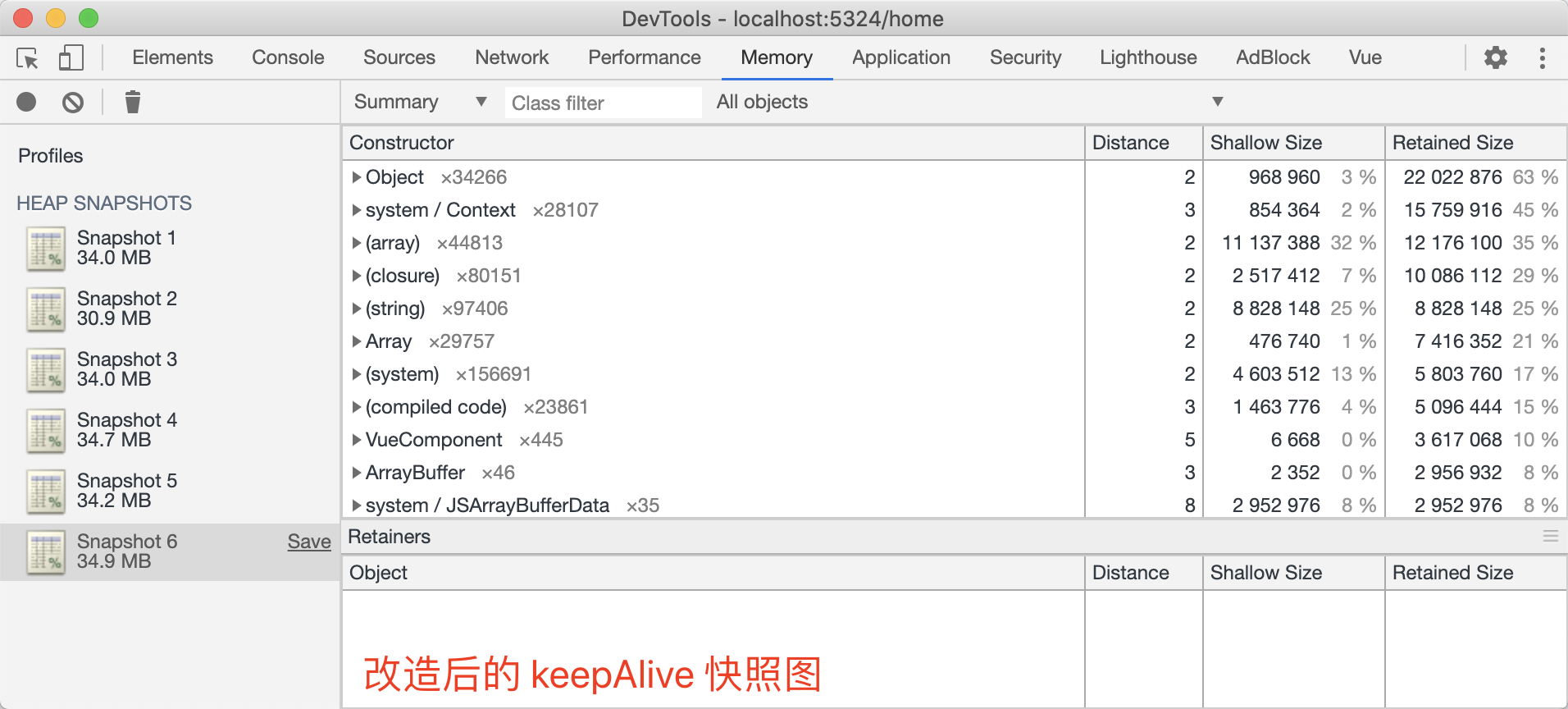
下面做一个demo:同样的操作,打开子菜单,关闭页签:
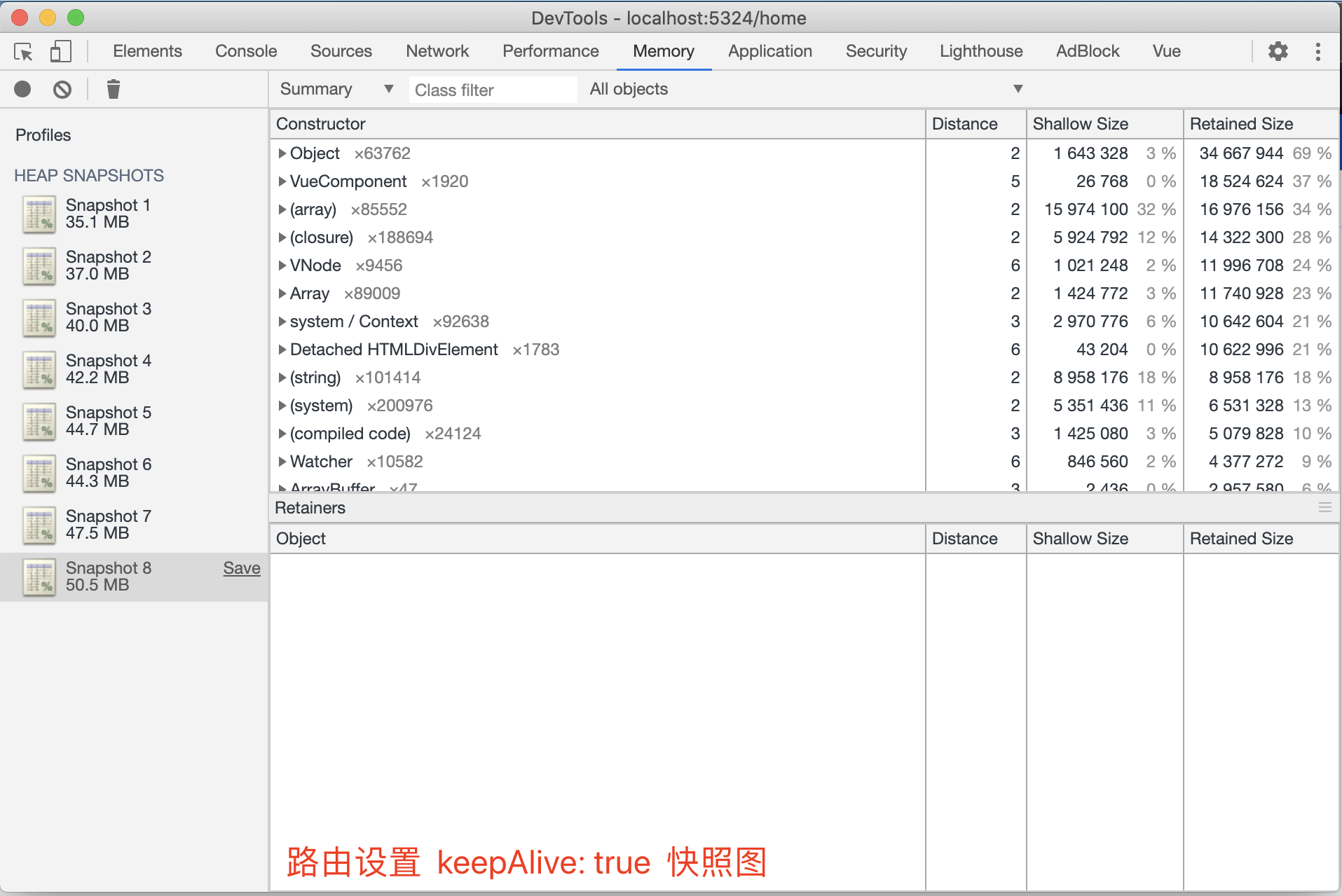
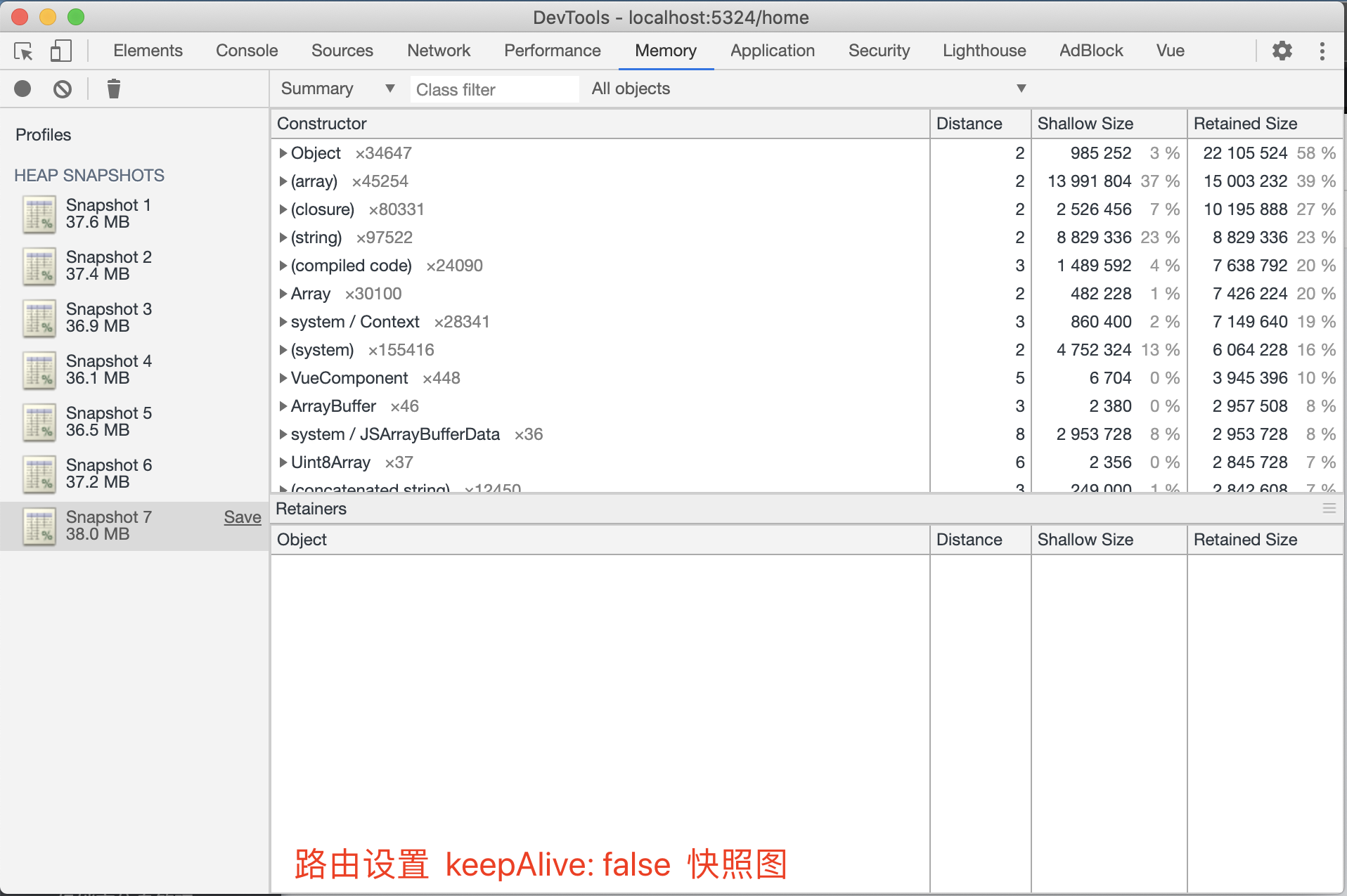
由上图可以看出 keepAlive 是存在由内存泄漏的情况
keep-alive 替代方案:
思路:keep-alive 缓存的虚拟 dom 内存占用比较高,可以尝试利用浏览器 sessionStorage 进行缓存页签的 data 数据

1. 在 RouteView 组件 watch 中 监听 $route 发生变化时根据 keepAlive 状态进行当前页签 data 数据缓存;
2. 在 RouteView 组件 updated 钩子中判断即将跳转路由页面的 keepAlive 状态,进行同步缓存 data 数据到当前页面;
3. 在 MutiTab 组件中的 removeTab 方法末,清除当前页签缓存的 data 数据;
代码实现:RouteView.vue
<script>
import { mapState } from 'vuex';
export default {
name: 'RouteView',
  computed: {
...mapState('app', ['keepAliveNames']),
cachedViews() {
  return this.keepAliveNames.map(x => x.value);
},
key() {
  return this.$route.fullPath;
}
},
watch: {
$route(to, from) {
  console.log(to, from);
  const childNode = this.$children[0];
  // 缓存当前操作页面的 data
  if (childNode.$options.name !== 'RouteView' && from.meta.keepAlive) {
    sessionStorage.setItem(this.key, JSON.stringify(childNode.$data));
  }
}
},
updated() {
const childNode = this.$children[0];
if (childNode.$options.name !== 'RouteView' && this.$route.meta.keepAlive) {
  const state = JSON.parse(sessionStorage.getItem(this.key));
  // 页面渲染完成后,将缓存 data 同步到当前页面
  !!state && Object.assign(childNode.$data, state);
}
},
render() {
return (
  <router-view />
);
  }
};
</script>
MutiTab.vue
methods:{
    removeTab(targetKey){
    // 删除组件状态数据缓存
     sessionStorage.removeItem(targetKey);
     }
}
改善后的效果: