接上篇phaser3之飞机大战(一) 本篇包含游戏场景的部分逻辑,包括飞机拖拽,边界检测,发射子弹,敌机碰撞检测。
写在前面
该飞机大战素材来源于phaser小站:
www.phaser-china.com/tutorial-de…
原文使用phaser2进行实现,本文用phaser3将飞机大战重构一遍,在实战中学习一下phaser3的api
源码:github.com/YUPENG12138…
1、添加游戏场景,设置背景板滚动
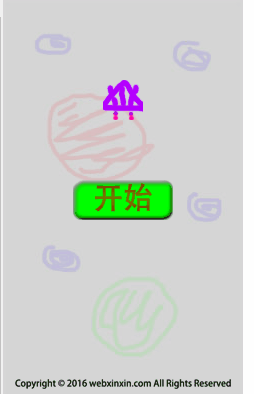
1.首先要新增一个play场景;
2.在点击开始按钮的时候切换场景;
3.添加飞机及背景,设置背景循环滚动,视觉上产生飞机向前飞行的感觉。
//  plane/src/index.js
...
// 在start场景中,startbutton抬起的时候设置跳到游戏场景
startButton.on('pointerup', () => {
  startButton.setFrame(1);
  console.log('start game');
  this.scene.start('play');
})

...

// 新增play场景
gameSenceCenter.play = {
  key: 'play',
  create() {

    // 添加背景
    this.bg = this.add.tileSprite(0, 0, this.game.config.width, this.game.config.height, 'bg').setOrigin(0);
    // 引入飞机精灵
    const plane = this.add.sprite(this.game.config.width / 2, 100, 'myplane');

    // 创建飞行帧动画
    this.anims.create({
      key: 'fly',
      frames: this.anims.generateFrameNumbers('myplane', { start: 0, end: 3 }),
      frameRate: 10,
      repeat: -1
    })
    // 飞机调用飞行动画
    plane.anims.play('fly');
  },
  update() {
    // 设置垂直滚动
    // api链接: https://photonstorm.github.io/phaser3-docs/Phaser.GameObjects.TileSprite.html
    this.bg.tilePositionY -= 1;
  },
}
...
const config = {
  type: Phaser.AUTO,
  width: 240,
  height: 400,
  // 将新增的play场景加进来
  scene: [gameSenceCenter.boot, gameSenceCenter.start, gameSenceCenter.play],
};
2、添加飞机移动到底部
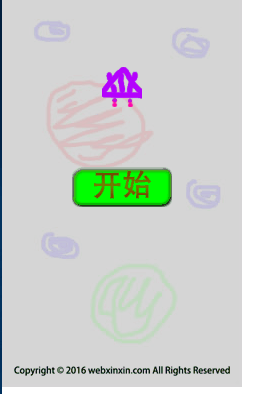
现在飞机在顶部飞行,我们需要在游戏开始后让它自动飞行到底部。
// plane/src/index.js

// 飞机调用飞行动画
plane.anims.play('fly');

// 新增补间动效
// api: https://photonstorm.github.io/phaser3-docs/Phaser.Tweens.TweenManager.html#add__anchor
this.tweens.add({
  targets: plane,
  y: this.game.config.height - plane.height,
  duration: 1000,
});
3、设置飞机拖拽,发射子弹计分文案
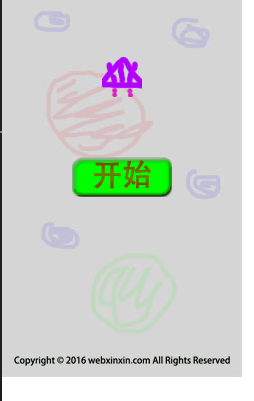
1.在飞机自动飞行飞行到底部时,我们设置飞机可拖拽; 2.进入play场景后,飞机开始发射子弹,左上角添加计分文案;
// 添加计分文本
this.add.text(0, 0, 'Score: 0', {color: '#ff0000', fontSize: '16px'});.

// 为了保证plane实例可在create,update生命周期中都访问得到,我们将plane实例挂到this中;
// 这里用到了`setInteractive`方法,是用来设置精灵可输入配置
// api链接: https://photonstorm.github.io/phaser3-docs/Phaser.GameObjects.Sprite.html#setInteractive__anchor
// draggable: true 表示可拖拽
this.plane = this.add.sprite(this.game.config.width / 2, 100, 'myplane').setInteractive({ draggable: true });
...

// 在飞机的补间动效完成的回调里,我们设置飞机跟随鼠标位置进行移动
this.tweens.add({
  ...
  onComplete: () => {
    this.plane.on('drag', function(pointer, dragX, dragY) {
      this.x = dragX;
      this.y = dragY;
    });
  },
});

// 这里我们记录一个初始的时间,用来存每个子弹的生成时间
this.beforeTime = 0;

...
// 在update生命周期中,我们创建子弹
// 这里我们用到了物理引擎,用来处理子弹的移动,所以我们需要在总的配置中添加上物理引擎的配置
update() {
    const time = new Date().getTime();
    // 引入子弹
    if (time - this.beforeTime > 500) {
      const bullet = this.add.sprite(this.plane.x, this.plane.y - this.plane.height / 2, 'mybullet');
      this.beforeTime = time;

      // 给子弹添加物理引擎
      // api链接: https://photonstorm.github.io/phaser3-docs/Phaser.Physics.Arcade.Factory.html#existing__anchor
      this.physics.add.existing(bullet);

      // 在将精灵添加到物理引擎后,它就被赋予一个body对象
      // setVelocity设置子弹的移动速度
      // api链接: https://photonstorm.github.io/phaser3-docs/Phaser.Physics.Arcade.Body.html#setVelocity__anchor
      bullet.body.setVelocity(0, -300);
    }
    this.bg.tilePositionY -= 1;
},

const config = {
  type: Phaser.AUTO,
  width: 240,
  height: 400,
  scene: [gameSenceCenter.boot, gameSenceCenter.start, gameSenceCenter.play],
  physics: {
    default: 'arcade',
  }
};
4、飞机拖拽边界检测
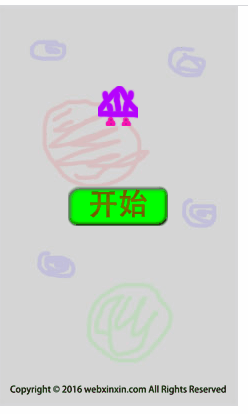
我们发现上面虽然可以拖拽了,但是飞机会拖拽出我们的画面,这里我们处理一下。
// 这里我们只要给飞机添加物理引擎,然后设置一下它和世界碰撞检测就好了
// 在onComplete回调里做处理
// setCollideWorldBounds用来设置与世界边界碰撞检测
// api链接: https://photonstorm.github.io/phaser3-docs/Phaser.Physics.Arcade.Body.html#setCollideWorldBounds__anchor
 onComplete: () => {
    ...
    this.physics.add.existing(this.plane);
    this.plane.body.setCollideWorldBounds(true);
}
5、添加子弹组,创建敌机 检测子弹与敌机碰撞
我们创建一个子弹组,将所有的子弹都添加到这个组里,用组来和敌机进行碰撞检测,统一处理。
// 在craete生命周期中,我们创建子弹组和一个敌机,并设置它们进行碰撞检测
// 创建一个子弹组
// api链接: https://photonstorm.github.io/phaser3-docs/Phaser.GameObjects.GameObjectFactory.html#group__anchor
this.bullets = this.add.group();

// 创建一个敌机
this.enemySmall = this.add.sprite(30, 30, 'enemy1');
this.physics.add.existing(this.enemySmall);
// 设置默认时间为0
this.beforeTime = 0;

// overlap碰撞检测方法
// api链接: https://photonstorm.github.io/phaser3-docs/Phaser.Physics.Arcade.Factory.html#overlap__anchor
this.physics.add.overlap(this.bullets, this.enemySmall, function (bullet, enemy) {
  bullet.destroy();
  enemy.destroy();
}, null, this);

...
// 在update生命周期中,我们将创建的子弹添加到子弹组中
// api链接: https://photonstorm.github.io/phaser3-docs/Phaser.GameObjects.Group.html#add__anchor
this.bullets.add(bullet);
本期就到这里了,下期会处理子弹的性能优化,制作敌机生成逻辑