

setState的特性
- 只能在contructor函数内定义state
- 状态更新只能在setState上,状态更新,重新render(元素是不变的,更新是新元素替换老元素)
- setState更新可能是异步的,状态更新会合并,会将一些状态更新放入到队列中,集中更新,提高性能
import React from 'react'
import ReactDOM from 'react-dom'
class Counter extends React.Component {
    constructor(props) {
    	super(props)
    	this.state = { number: 0 }
    }

    add() {

    	this.setState({ number: this.state.number + 1 })
    	console.log(this.state) //0
    	this.setState({ number: this.state.number + 1 })
    	console.log(this.state) //0
    	setTimeout(() => {
    		this.setState({ number: this.state.number + 1 })
    		console.log(this.state) //2
    		this.setState({ number: this.state.number + 1 })
    		console.log(this.state) //3
    	})
    }
    render() {
    	return (
    		<button onClick={this.add.bind(this)}>{this.state.number}</button>
    	)
    }
}
ReactDOM.render(<Counter />, document.getElementById('root'))
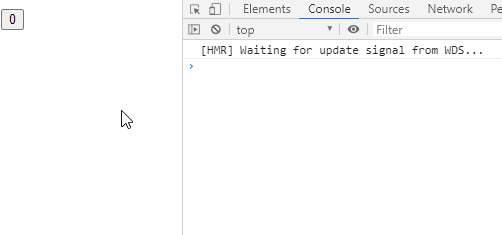
代码执行效果如下:
代码实现
1. 实现DOM元素的挂载
- 因为state只能在构造函数中定义赋值,所以必须是类组件
- 类组件的render函数返回的是html结构,根据html结构我们可以生成dom元素,挂载到container上
这里我们以计数器为例:(代码基于原生)
class Component {
    constructor(props) {
    	this.props = props
    }

    // 根据render返回的html字符串生成dom结构
    createDomFromHtmlString() {
    	let htmlString = this.render()
    	let divDom = document.createElement('div')
    	divDom.innerHTML = htmlString
    	let domElement = divDom.children[0]
    	// 给dom元素,这里就是指button的click事件绑定方法
    	domElement.addEventListener('click', this.add.bind(this))
    	return domElement
    }

    // 将dom结构挂载到指定container上
    mounted(container) {
    	container.appendChild(this.createDomFromHtmlString())
    }
}
class Counter extends Component {
    constructor(props) {
    	super(props)
    	this.state = { number: 0 }
    }
    add = () => {
    	console.log('add')
    }
    render() {
    	return `<button>${this.state.number}</button>`
    }
}

new Counter().mounted(document.getElementById('root'))
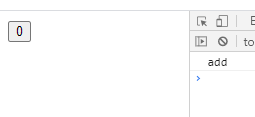
代码执行效果如下图
2. 实现状态的更新
-
实现setState方法,将新状态复制到旧状态上
-
实现updateComponent方法,新元素替换老元素
-
针对dom的事件绑定方法的处理
- 由于render的返回值是一个模板字符串,使用行内属性给事件绑定方法时,不能映射到组件实例上
- 我们这里提供的解决方案:事件委托,将dom元素的事件方法全部委托给全局dom元素(window)上 window.trigger(event,method)
- 我们在创建dom元素时,给dom元素添加一个component属性,属性值为当前实例 this.domElement.component = this 方便后续在委托的方法中找到事件方法触发的实例
class Component {
    constructor(props) {
    	this.props = props
    }

    // 根据render返回的html字符串生成dom结构
    createDomFromHtmlString() {
    	let htmlString = this.render()
    	let divDom = document.createElement('div')
    	divDom.innerHTML = htmlString
    	// 保存生成的元素到实例上,作为老元素
    	this.domElement = divDom.children[0]
    	// 2. 将当前组件的实例复制给创建的真实dom的component上
    	this.domElement.component = this
    	return this.domElement
    }

    setState(partialState) {
    	//状态更新:更新的是部分状态,将新状态复制到旧状态上
    	Object.assign(this.state, partialState)
    	//重新渲染
    	this.updateComponet()
    }

    updateComponet() {
    	// 新元素替换老元素
    	let oldElement = this.domElement
    	let newElement = this.createDomFromHtmlString()
    	oldElement.parentElement.replaceChild(newElement, oldElement)
    }

    // 将dom结构挂载到指定container上
    mounted(container) {
    	container.appendChild(this.createDomFromHtmlString())
    }
    }

    window.trigger = (event, method) => {
    // 3. 获取当前dom所在的实例,进而获取事件绑定的方法
    let component = event.target.component
    component[method].call(component)
    }
    class Counter extends Component {
    constructor(props) {
    	super(props)
    	this.state = { number: 0 }
    }
    add = () => {
    	this.setState({
    		number: this.state.number + 1
    	})
    }
    render() {
    	// 1. 因为是模板字符串,无法映射到实例上,所以在此使用事件委托机制,将其委托到全局dom(window)元素上
    	return `<button onclick="trigger(event,'add')">${this.state.number}</button>`
    }
}

new Counter().mounted(document.getElementById('root'))
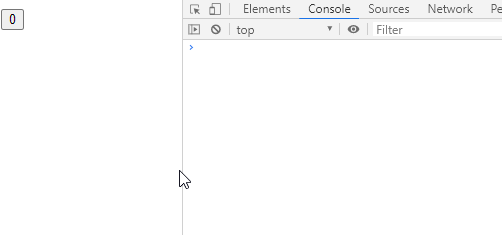
代码执行效果如下:
3. 实现setState更新队列
- 定义一个批量更新策略 batchingStrategy,默认批量更新:false
- 定义一个更新器,updater,保存需要更新的状态(addState)
- $updater.addState 保存需要更新的状态时,首先判断是否需要批量更新,如果需要,则将当前需要更新状态的组件保存到batchingStrategy.dirtyComponent中,否则,直接更新当前组件,this.component.updateComponent()
- 事件绑定的方法被触发的时候,batchingStrategy.isBatchingUpdate = true
- 方法执行,进行状态保存等一系列操作,此时状态为更新
- 方法执行结束,batchingStrategy.isBatchingUpdate = false,所有需要更新状态重新渲染的脏组件重新渲染 batchingStrategy.batchUpdate()
- component.updateComponet() 组件重新渲染,保存的需要更新的状态进行合并,取最后一次需要更新的状态
// 批量更新策略
const batchingStrategy = {
	isBatchingUpdate: false, // 是否需要批量更新
	dirtyComponents: [], //脏组件:组件的状态和界面上显示不一致
	batchUpdate() {
		this.dirtyComponents.forEach((component) => {
			component.updateComponet()
		})
	}
}
// 更新器
class Updater {
	constructor(component) {
		this.component = component
		this.pendingStates = []
	}

	// 将需要更新的状态保存起来
	addState(partialState) {
		this.pendingStates.push(partialState)
		// 判断是否是批量更新,如果是将需要更新状态的组件添加到了dirtyComponnet中,否则直接更新组件
		batchingStrategy.isBatchingUpdate
			? batchingStrategy.dirtyComponents.push(this.component)
			: this.component.updateComponet()
	}
}

class Component {
	constructor(props) {
		this.props = props
		this.$updater = new Updater(this)
	}

	// 根据render返回的html字符串生成dom结构
	createDomFromHtmlString() {
		let htmlString = this.render()
		let divDom = document.createElement('div')
		divDom.innerHTML = htmlString
		// 保存生成的元素到实例上,作为老元素
		this.domElement = divDom.children[0]
		// 2. 将当前组件的实例复制给创建的真实dom的component上
		this.domElement.component = this
		return this.domElement
	}

	setState(partialState) {
		//状态更新:更新的是部分状态,将新状态复制到旧状态上
		//Object.assign(this.state, partialState)
		//重新渲染
		//this.updateComponet()

		// 将需要更新的状态保存起来
		this.$updater.addState(partialState)
	}

	updateComponet() {
		// 批量更新状态,实现更新合并
		this.$updater.pendingStates.forEach((partialState) => {
			Object.assign(this.state, partialState)
		})
		// 将保存的状态情况
		this.$updater.pendingStates.length = 0
		// 新元素替换老元素
		let oldElement = this.domElement
		let newElement = this.createDomFromHtmlString()
		oldElement.parentElement.replaceChild(newElement, oldElement)
	}

	// 将dom结构挂载到指定container上
	mounted(container) {
		container.appendChild(this.createDomFromHtmlString())
	}
}

window.trigger = (event, method) => {
	// 方法执行之前,把批量更新置为true
	batchingStrategy.isBatchingUpdate = true
	// 3. 获取当前dom所在的实例,进而获取事件绑定的方法
	let component = event.target.component
	component[method].call(component)

	// 方法执行之后,把批量更新置为false
	batchingStrategy.isBatchingUpdate = false
	batchingStrategy.batchUpdate() // 进行批量更新,所有的脏组件根据各自的状态进行重新渲染
}
class Counter extends Component {
	constructor(props) {
		super(props)
		this.state = { number: 0 }
	}
	add = () => {
		this.setState({ number: this.state.number + 1 })
		console.log(this.state) //0
		this.setState({ number: this.state.number + 1 })
		console.log(this.state) //0
		setTimeout(() => {
			this.setState({ number: this.state.number + 1 })
			console.log(this.state) //2
			this.setState({ number: this.state.number + 1 })
			console.log(this.state) //3
		})
	}
	render() {
		// 1. 因为是模板字符串,无法映射到实例上,所以在此使用事件委托机制,将其委托到全局dom(window)元素上
		return `<button onclick="trigger(event,'add')">${this.state.number}</button>`
	}
}

new Counter().mounted(document.getElementById('root'))
代码执行效果如下:
transaction 事务
- 事务:将需要执行的method使用wrapper封装起来,在通过transaction的perform方法进行执行
- preform之前,先执行initialize方法,perform之后,执行close方法
- 我们对于上述代码进行的委托方法中的批量更新状态的改变进行改造,使用事物
class Transaction {
	constructor(wrappers) {
		this.wrappers = wrappers
	}

	perform(method) {
		this.wrappers.forEach((wrap) => wrap.initialize())
		method()
		this.wrappers.forEach((wrap) => wrap.close())
	}
}

// 批量更新策略
const batchingStrategy = {
	isBatchingUpdate: false, // 是否需要批量更新
	dirtyComponents: [], //脏组件:组件的状态和界面上显示不一致
	batchUpdate() {
		this.dirtyComponents.forEach((component) => {
			component.updateComponet()
		})
	}
}
// 更新器
class Updater {
	constructor(component) {
		this.component = component
		this.pendingStates = []
	}

	// 将需要更新的状态保存起来
	addState(partialState) {
		this.pendingStates.push(partialState)
		// 判断是否是批量更新,如果是将需要更新状态的组件添加到了dirtyComponnet中,否则直接更新组件
		batchingStrategy.isBatchingUpdate
			? batchingStrategy.dirtyComponents.push(this.component)
			: this.component.updateComponet()
	}
}

class Component {
	constructor(props) {
		this.props = props
		this.$updater = new Updater(this)
	}

	// 根据render返回的html字符串生成dom结构
	createDomFromHtmlString() {
		let htmlString = this.render()
		let divDom = document.createElement('div')
		divDom.innerHTML = htmlString
		// 保存生成的元素到实例上,作为老元素
		this.domElement = divDom.children[0]
		// 2. 将当前组件的实例复制给创建的真实dom的component上
		this.domElement.component = this
		return this.domElement
	}

	setState(partialState) {
		//状态更新:更新的是部分状态,将新状态复制到旧状态上
		//Object.assign(this.state, partialState)
		//重新渲染
		//this.updateComponet()

		// 将需要更新的状态保存起来
		this.$updater.addState(partialState)
	}

	updateComponet() {
		// 批量更新状态,实现更新合并
		this.$updater.pendingStates.forEach((partialState) => {
			Object.assign(this.state, partialState)
		})
		// 将保存的状态情况
		this.$updater.pendingStates.length = 0
		// 新元素替换老元素
		let oldElement = this.domElement
		let newElement = this.createDomFromHtmlString()
		oldElement.parentElement.replaceChild(newElement, oldElement)
	}

	// 将dom结构挂载到指定container上
	mounted(container) {
		container.appendChild(this.createDomFromHtmlString())
	}
}

let wrappers = [
	{
		initialize() {
			// 方法执行之前,把批量更新置为true
			batchingStrategy.isBatchingUpdate = true
		},
		close() {
			batchingStrategy.isBatchingUpdate = false
			batchingStrategy.batchUpdate() // 进行批量更新,所有的脏组件根据各自的状态进行重新渲染
		}
	}
]

const transaction = new Transaction(wrappers)
window.trigger = (event, method) => {
	// 方法执行之前,把批量更新置为true
	// batchingStrategy.isBatchingUpdate = true
	// 3. 获取当前dom所在的实例,进而获取事件绑定的方法
	let component = event.target.component
	// component[method].call(component)
	transaction.perform(component[method].bind(component))

	// 方法执行之后,把批量更新置为false
	//batchingStrategy.isBatchingUpdate = false
	//batchingStrategy.batchUpdate() // 进行批量更新,所有的脏组件根据各自的状态进行重新渲染
}
class Counter extends Component {
	constructor(props) {
		super(props)
		this.state = { number: 0 }
	}
	add = () => {
		this.setState({ number: this.state.number + 1 })
		console.log(this.state) //0
		this.setState({ number: this.state.number + 1 })
		console.log(this.state) //0
		setTimeout(() => {
			this.setState({ number: this.state.number + 1 })
			console.log(this.state) //2
			this.setState({ number: this.state.number + 1 })
			console.log(this.state) //3
		})
	}
	render() {
		// 1. 因为是模板字符串,无法映射到实例上,所以在此使用事件委托机制,将其委托到全局dom(window)元素上
		return `<button onclick="trigger(event,'add')">${this.state.number}</button>`
	}
}

new Counter().mounted(document.getElementById('root'))
总结
- setState就是状态更新导致组件重新渲染
- 组件重新渲染就是重新创建dom元素替换
- setState存在批量更新
- 批量更新就是将需要更新的状态保存到当前组件实例上的pendingStates上,将需要重新渲染的组件保存在dirtyComponents上
- 批量更新时,遍历脏组件数组,各自根据其的状态进行重新渲染
- 重新渲染时,进行状态合并,将取最后一次提交的需要更新的状态(针对状态的单个属性而已,新旧状态是进行合并,不是完全覆盖)
