

box-sizing:content-box | border-box 默认值:content-box
-
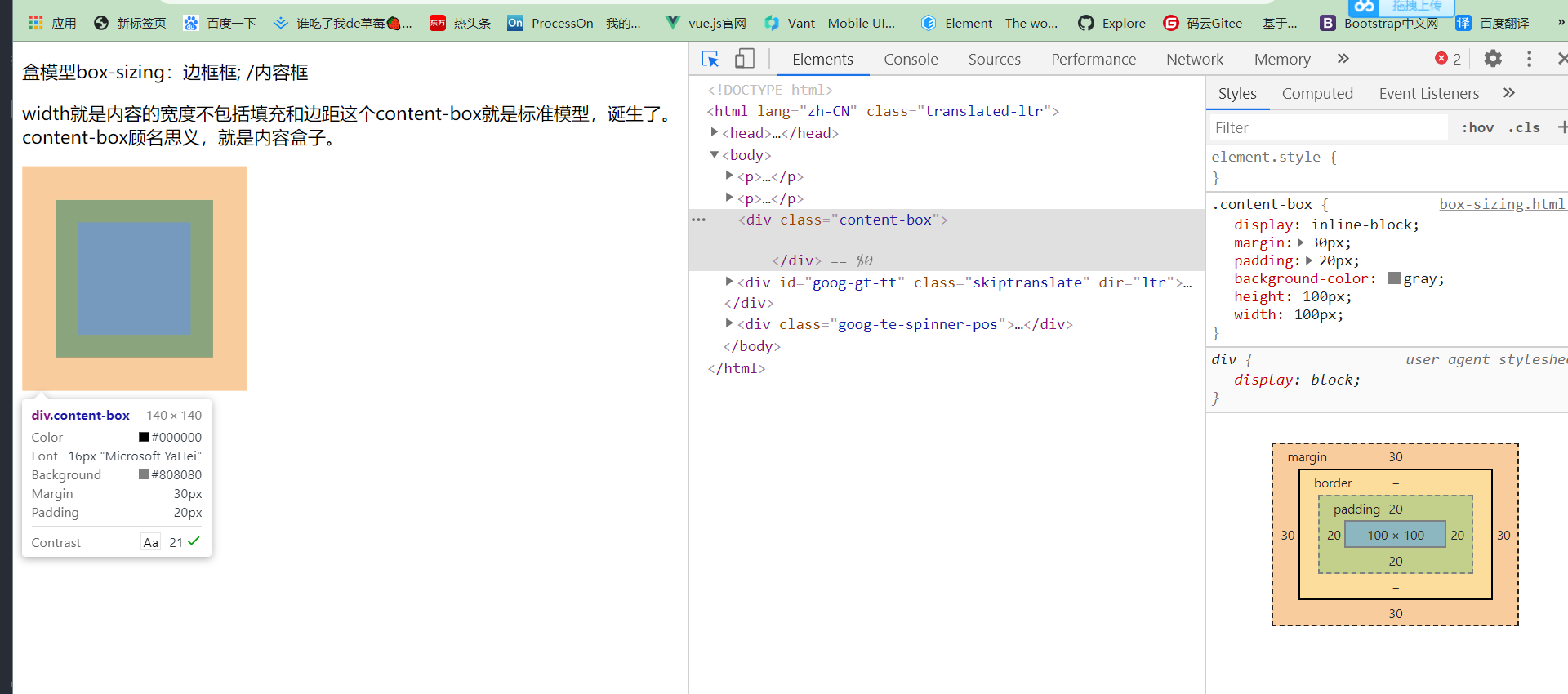
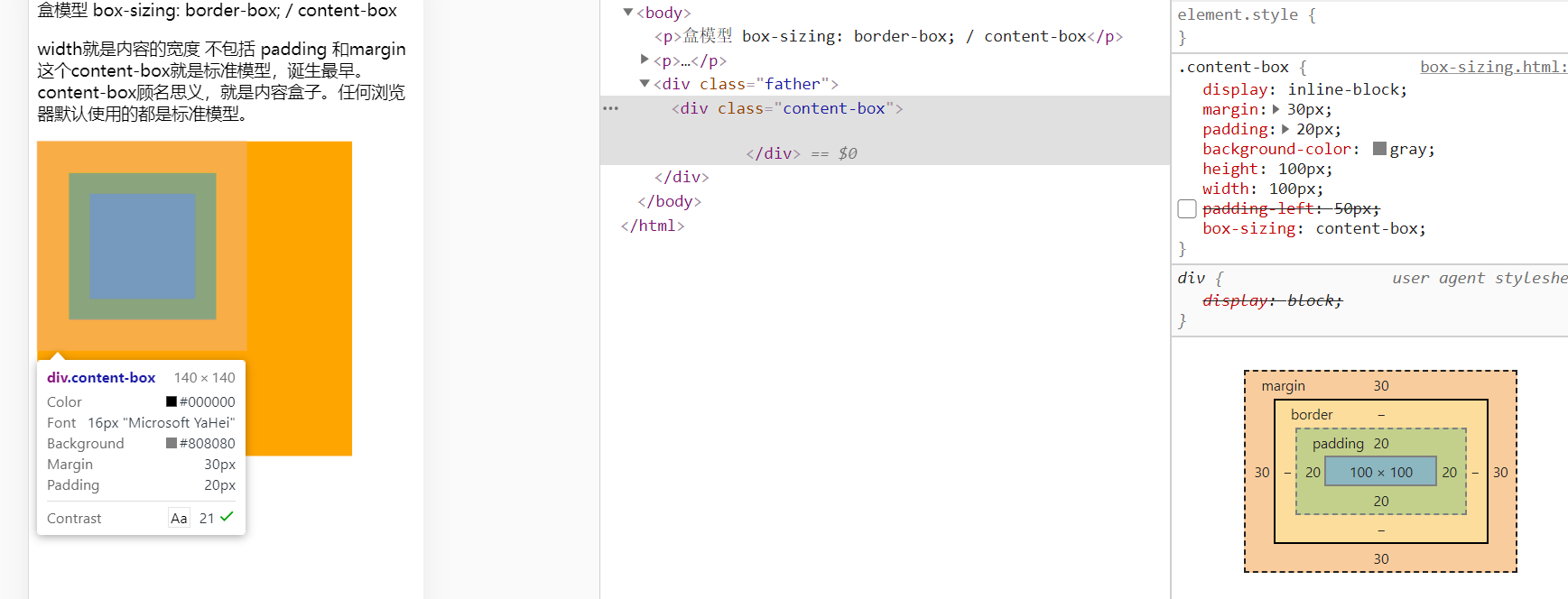
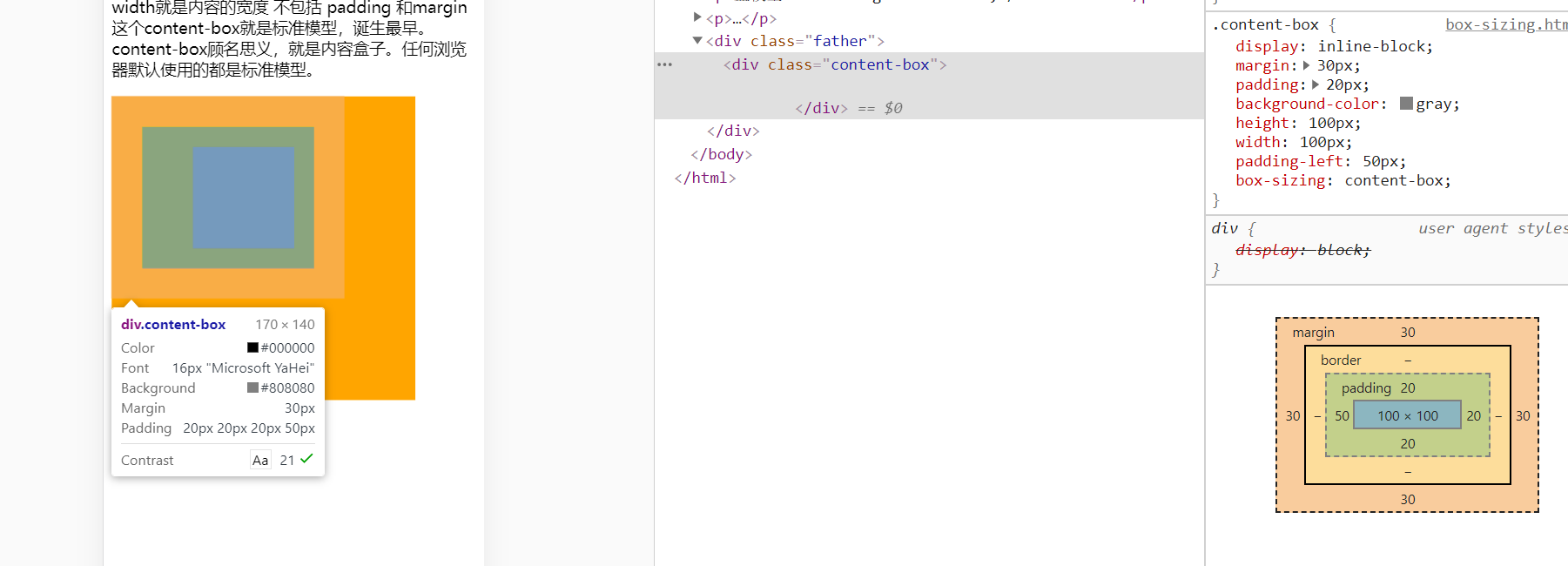
- content-box: padding和baiborder不被包含在定义的width和height之内。对象的实际宽度等du于设置的width值和zhiborder、padding以及margin之和,即 ( Element width = width + border + padding+margin ) 此属性表现为标准模式下的盒模型。
-
- border-box:
padding和border被包含在定义的width和height之内。对象的实际宽度就等于设置的width值,即使定义有border和padding也不会改变对象的实际宽度,即 ( Element width = width )
- border-box:
padding和border被包含在定义的width和height之内。对象的实际宽度就等于设置的width值,即使定义有border和padding也不会改变对象的实际宽度,即 ( Element width = width )
<!DOCTYPE html>
<html lang="en">
<head>
    <meta charset="UTF-8">
    <meta name="viewport" content="width=device-width, initial-scale=1.0">
    <title>Document</title>
    <style>
        .content-box{
            display: inline-block;
            margin: 30px;
            padding: 20px;
            background-color: gray;
            height: 100px;
            width: 100px;
        }
    </style>
</head>
<body>
    <p>盒模型 box-sizing: border-box; / content-box</p>
    <p>width就是内容的宽度 不包括 padding 和margin 这个content-box就是标准模型,诞生最早。content-box顾名思义,就是内容盒子。任何浏览器默认使用的都是标准模型。
    </p>

    <div class="content-box">

    </div>
</body>
</html>
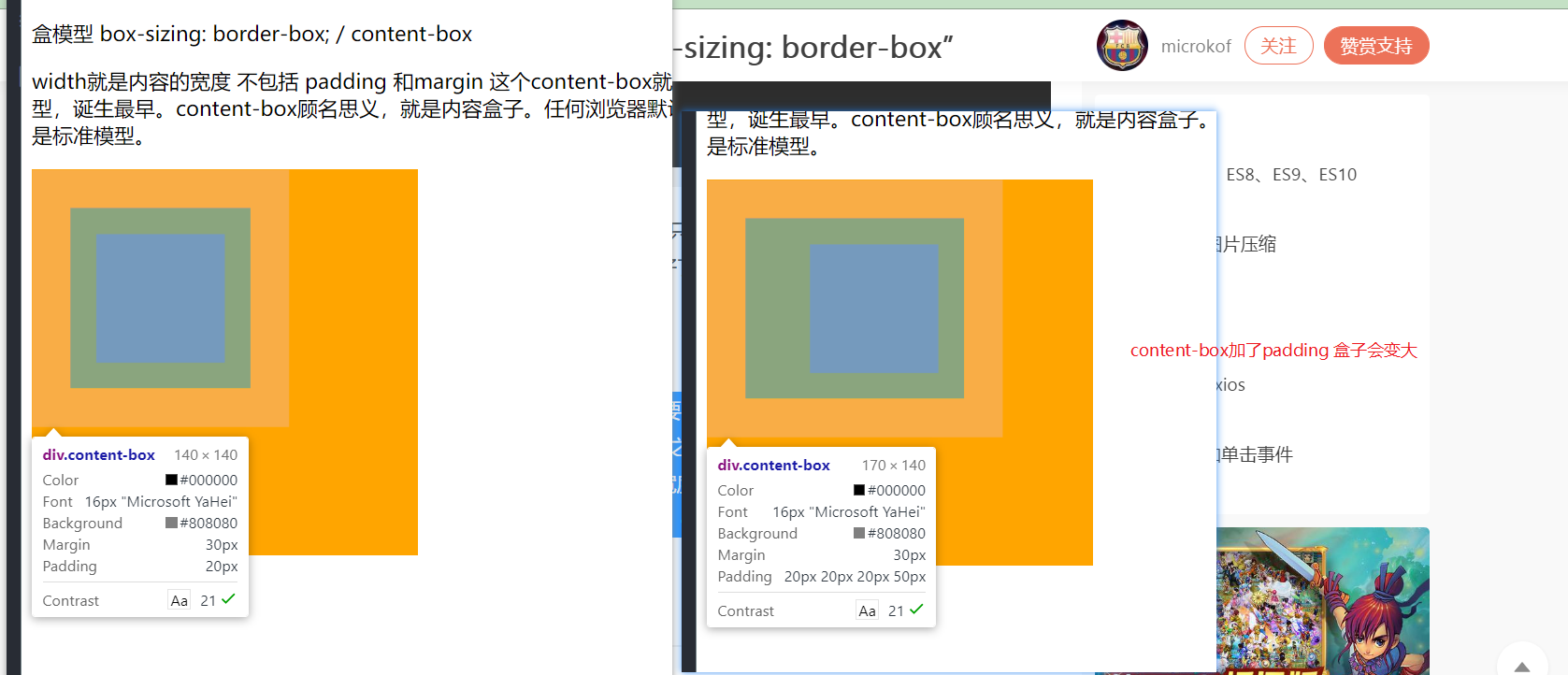
上面是没有加 box-sizing
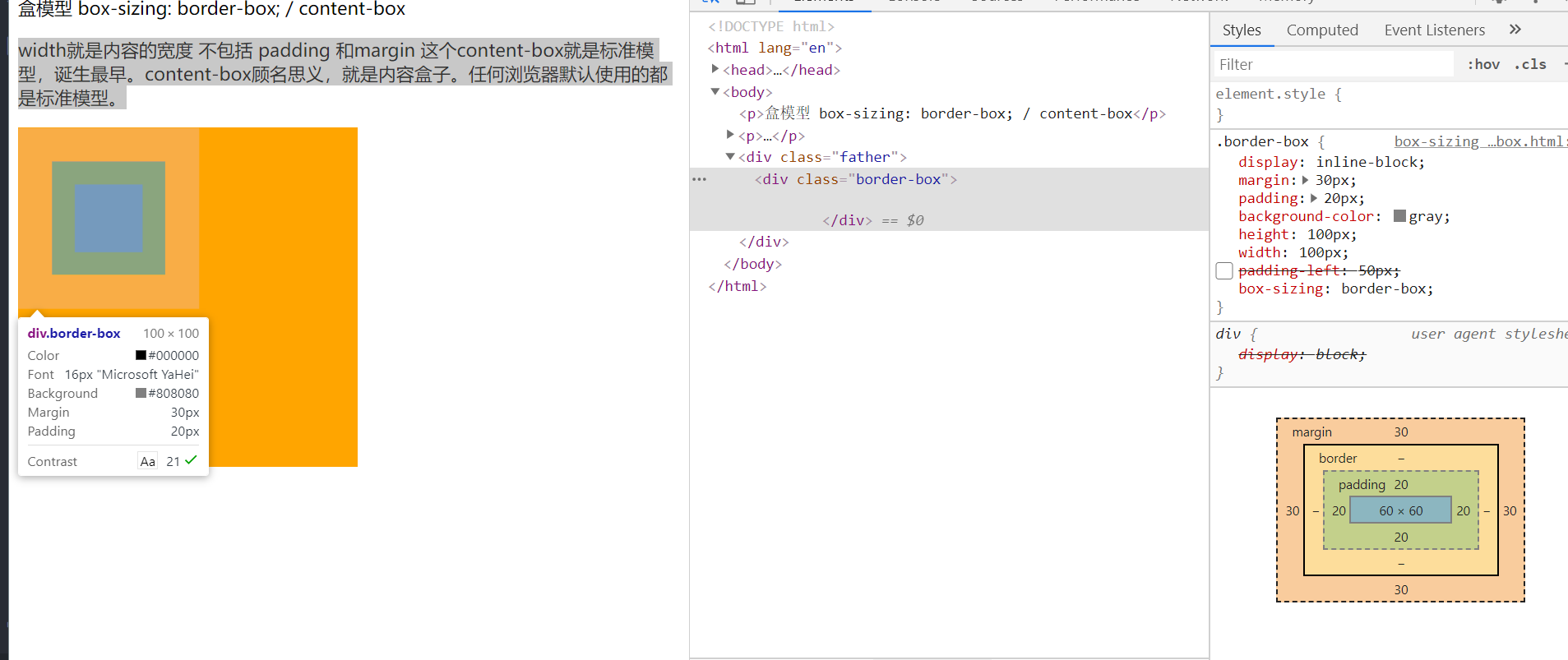
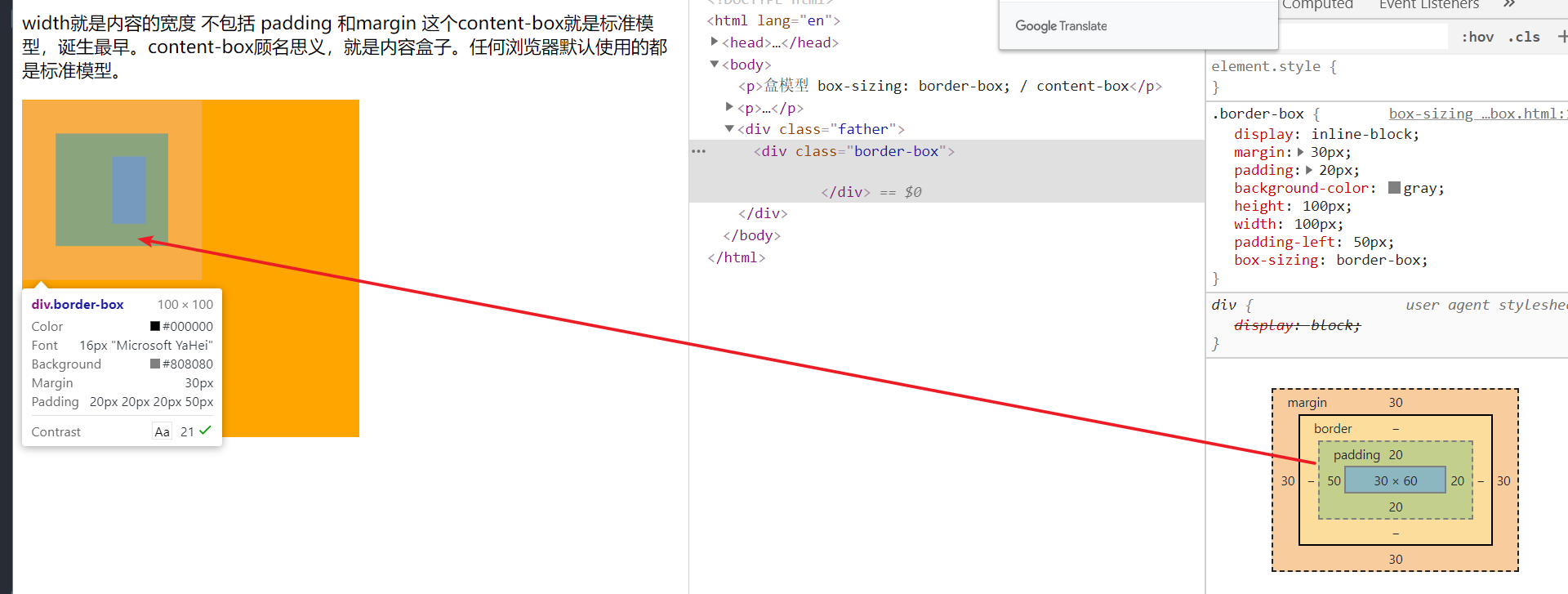
border-box 宽度不会会溢出
<!DOCTYPE html>
<html lang="en">
<head>
    <meta charset="UTF-8">
    <meta name="viewport" content="width=device-width, initial-scale=1.0">
    <title>Document</title>
    <style>
        .father{
            display: inline-block;
            height: 300px;
            width: 300px;
            background-color: orange;
        }
        .border-box{
            display: inline-block;
            margin: 30px;
            padding: 20px;
            background-color: gray;
            height: 100px;
            width: 100px;
            padding-left:50px ;
            box-sizing: border-box;

        }
    </style>
</head>
<body>
    <p>盒模型 box-sizing: border-box; / content-box</p>
    <p>width就是内容的宽度 不包括 padding 和margin 这个content-box就是标准模型,诞生最早。content-box顾名思义,就是内容盒子。任何浏览器默认使用的都是标准模型。
    </p>

    <div class="father">
        <div class="border-box">

        </div>
    </div>


</body>
</html>
只在盒子里面伸缩,不影响整体的宽高
content-box 添加padding 宽度必然会溢出
<!DOCTYPE html>
<html lang="en">
<head>
    <meta charset="UTF-8">
    <meta name="viewport" content="width=device-width, initial-scale=1.0">
    <title>Document</title>
    <style>
        .father{
            display: inline-block;
            height: 300px;
            width: 300px;
            background-color: orange;
        }
        .content-box{
            display: inline-block;
            margin: 30px;
            padding: 20px;
            background-color: gray;
            height: 100px;
            width: 100px;
            padding-left:50px ;
            box-sizing: content-box;
        }
    </style>
</head>
<body>
    <p>盒模型 box-sizing: border-box; / content-box</p>
    <p>width就是内容的宽度 不包括 padding 和margin 这个content-box就是标准模型,诞生最早。content-box顾名思义,就是内容盒子。任何浏览器默认使用的都是标准模型。
    </p>

    <div class="father">
        <div class="content-box">

        </div>
    </div>


</body>
</html>

