

如果我的文章对您有所帮助,欢迎 👍 , 我的Github.
最近在写 仿网易云音乐app ,需要弄一个短信验证码输入控件。
大概长这样子:
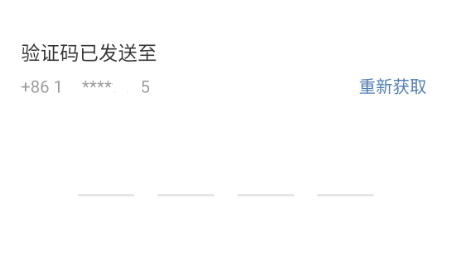
需要实现的功能
- 可以任意选中某个TextField
- 选中后可以输入,输入完自动跳转到下一个未输入的TextField(循环)
- 全部输入完之后触发事件,消除TextField焦点
- 输入删除键可以删除当前值,如果当前值为空则自动跳转上一个TextField(循环)
初步思路
- 4个TextField
- FocusScope.of(context) 改变TextField焦点
- 监听删除按键
由于flutter的"限制"
- TextField的onChanged在空值时按下删除键并不会进行回调
- flutter提供的RawKeyboardListener监听事件,只能对硬件按键事件有效果,而大多数移动端手机软键盘并没有模拟硬件事件。
google一下, 找到了一些解决办法:
pub.flutter-io.cn/packages/pi… 它的思路是放一个隐藏的TextField用于输入,几个Text用于显示,这样就绕开了无法监听键盘删除键的问题。
能不能不用隐藏TextField实现这个组件呢?
思考TextField的onChanged在输入值未空时不能触发,我们可不可用一个空白符来代替这个空,这样就能响应删除按键了。
思路实现
-
定义一个空白符,4个TextField默认值都为空白符
-
第一次按下删除键时替换值为空白符
-
第二次按下删除键时把空白符删除(执行动跳转上一个TextField)
-
TextField在焦点变化时,如果输入值不是空白符也不是正常值,替换成空白符(用于下次直接按下删除键)
import 'package:flutter/material.dart';
import 'package:flutter/services.dart';

class PinInput extends StatefulWidget {
  final ValueChanged<List<String>> pinInputDone;

  PinInput(this.pinInputDone);

  @override
  _PinInputState createState() => _PinInputState();
}

/// 因为flutter没有提供一个完整的按键监听
/// 没有办法知晓在TextField中连续输入删除键
/// 临时方案:
/// 第一次按下删除键时替换值为空白符
/// 第二次按下删除键时把空白符删除
/// TextField在焦点变化时,如果输入值不是空白符也不是正常值,替换成空白符(用于下次直接按下删除键)
class _PinInputState extends State<PinInput> {
  static const _pinSize = 4;
  static const _whiteSpace = ' ';

  /// pin结果
  List<String> _pin;

  /// 控制focus,并且在focus变化时保证_pin值为空白符或者正常值
  List<FocusNode> _focusNodes;

  void _pinChange(index, String str) {
    if (str != _whiteSpace) {
      _pin[index] = str;
      if (isStrEmpty(str)) {
        _moveItem(index, true);
      } else {
        _moveEmptyItemOrDone(index);
      }
    }
  }

  void _moveItem(index, bool pre) {
    FocusScope.of(context)
        .requestFocus(_focusNodes[(index + (pre ? -1 : 1)) % _pinSize]);
  }

  void _moveEmptyItemOrDone(index) {
    var findFocusPin = _pin.sublist(index) + _pin.sublist(0, index);

    var emptyIndex = findFocusPin.indexWhere((str) => isStrEmpty(str));

    if (emptyIndex != -1) {
      FocusScope.of(context)
          .requestFocus(_focusNodes[(emptyIndex + index) % _pinSize]);
    } else {
      FocusScope.of(context).unfocus();
      widget.pinInputDone(_pin);
    }
  }

  bool isStrEmpty(String str) {
    return str.isEmpty || str == _whiteSpace;
  }

  @override
  void initState() {
    super.initState();
    _pin = List.filled(_pinSize, _whiteSpace);
    _focusNodes = List.generate(_pinSize, (index) {
      return FocusNode()
        ..addListener(() {
          if (_pin[index].isEmpty) {
            setState(() {
              _pin[index] = _whiteSpace;
            });
          }
        });
    });
  }

  @override
  Widget build(BuildContext context) {
    return Row(
      mainAxisAlignment: MainAxisAlignment.spaceAround,
      children: buildPinInput(),
    );
  }

  List<Widget> buildPinInput() {
    return List.generate(_pinSize, (index) {
      return SizedBox(
          width: 48,
          child: TextField(
            cursorWidth: 0,
            textAlign: TextAlign.center,
            enableInteractiveSelection: false,
            keyboardType: TextInputType.number,
            inputFormatters: [
              _PinInputFormatter(_whiteSpace),
              WhitelistingTextInputFormatter(RegExp('[\\d$_whiteSpace]*'))
            ],
            decoration: InputDecoration(
              isDense: true,
              enabledBorder: UnderlineInputBorder(
                  borderSide: BorderSide(color: Colors.grey)),
            ),
            textInputAction: TextInputAction.next,
            controller: TextEditingController.fromValue(TextEditingValue(
                text: _pin[index],
                selection: TextSelection.collapsed(
                    offset: _pin[index].length,
                    affinity: TextAffinity.upstream))),
            onSubmitted: (str) {
              _moveItem(index, false);
            },
            autofocus: index == 0,
            focusNode: _focusNodes[index],
            onChanged: (str) {
              _pinChange(index, str);
            },
          ));
    });
  }
}

/// 用来当输入为空时替换为空白符,如果连续出现俩次空白符则替换为空值
class _PinInputFormatter extends TextInputFormatter {
  String _whiteSpace;

  _PinInputFormatter(this._whiteSpace);

  @override
  TextEditingValue formatEditUpdate(
      TextEditingValue oldValue, TextEditingValue newValue) {
    var result = '';
    if (newValue.text == '') {
      if (oldValue.text != _whiteSpace) {
        result = _whiteSpace;
      } else {
        return newValue;
      }
    } else {
      result = newValue.text.substring(newValue.text.length - 1);
    }
    return TextEditingValue(
        text: result, selection: TextSelection.collapsed(offset: 1));
  }
}
效果
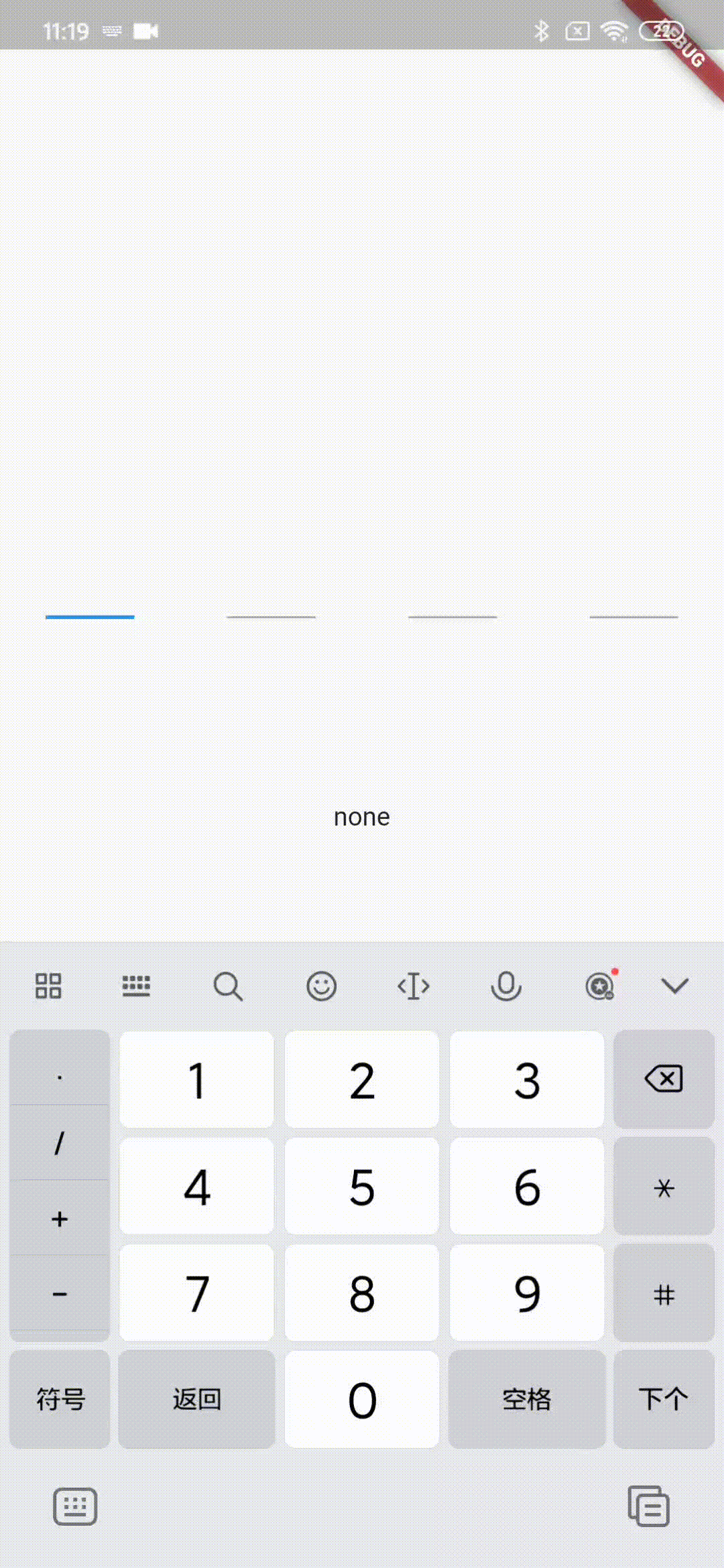
demo源码
这只是一个简单的demo,不具备完整功能。
