

python3 安装
python3.7.7 下载地址 www.python.org/ftp/python/…
下载、解压、编译安装 参考文章:
juejin.cn/post/684490… zhuanlan.zhihu.com/p/95406507
wget 下载python压缩包
wget https://www.python.org/ftp/python/3.7.7/Python-3.7.7.tgz
接压缩 tar -xvzf Python-3.7.7.tgz
cd Python-3.7.7
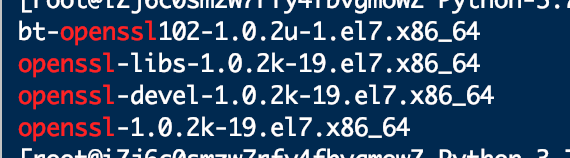
先看一下有没有安装openssl-devel包
rpm -aq|grep openssl
安装过openssl
./configure --prefix=/usr/python37 --with-ssl
yum install openssl-devel -y
添加配置,第一个参数指定安装目录,第二个加上后,安装ssl,不然以后pip3装东西会出错
./configure --prefix=/usr/python37 --with-ssl
添加完配置后,直接make & make install 编译安装
安装完后python3.7 在 /usr/local/sbin 下
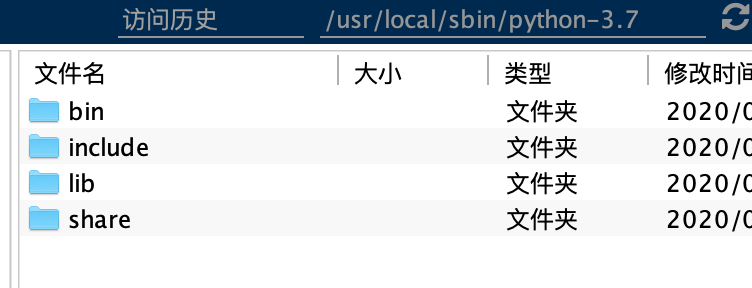
查找python 命令和查看软连接命令
which python
ll /usr/bin/ |grep python
grep 过滤 搜索词
移除系统的python2 的软连接,添加 python3 的软连接
rm -rf /usr/bin/python
ln -sv /usr/local/sbin/python-3.7/bin/python3 /usr/bin/python
查看系统默认python
python -V

使用venv 创建虚拟环境
/usr/local/ 下 创建xxxx文件夹
mkdir xxxx
cd xxxx
执行命令
python -m venv projectname
cd projectname/
mkdir open
就可以使用该文件夹下bin python 和 pip 命令 才执行python 工程和安装 使用库
/usr/local/projectname/open/bin/python xxx.py
/usr/local/projectname/open/bin/pip3 list
