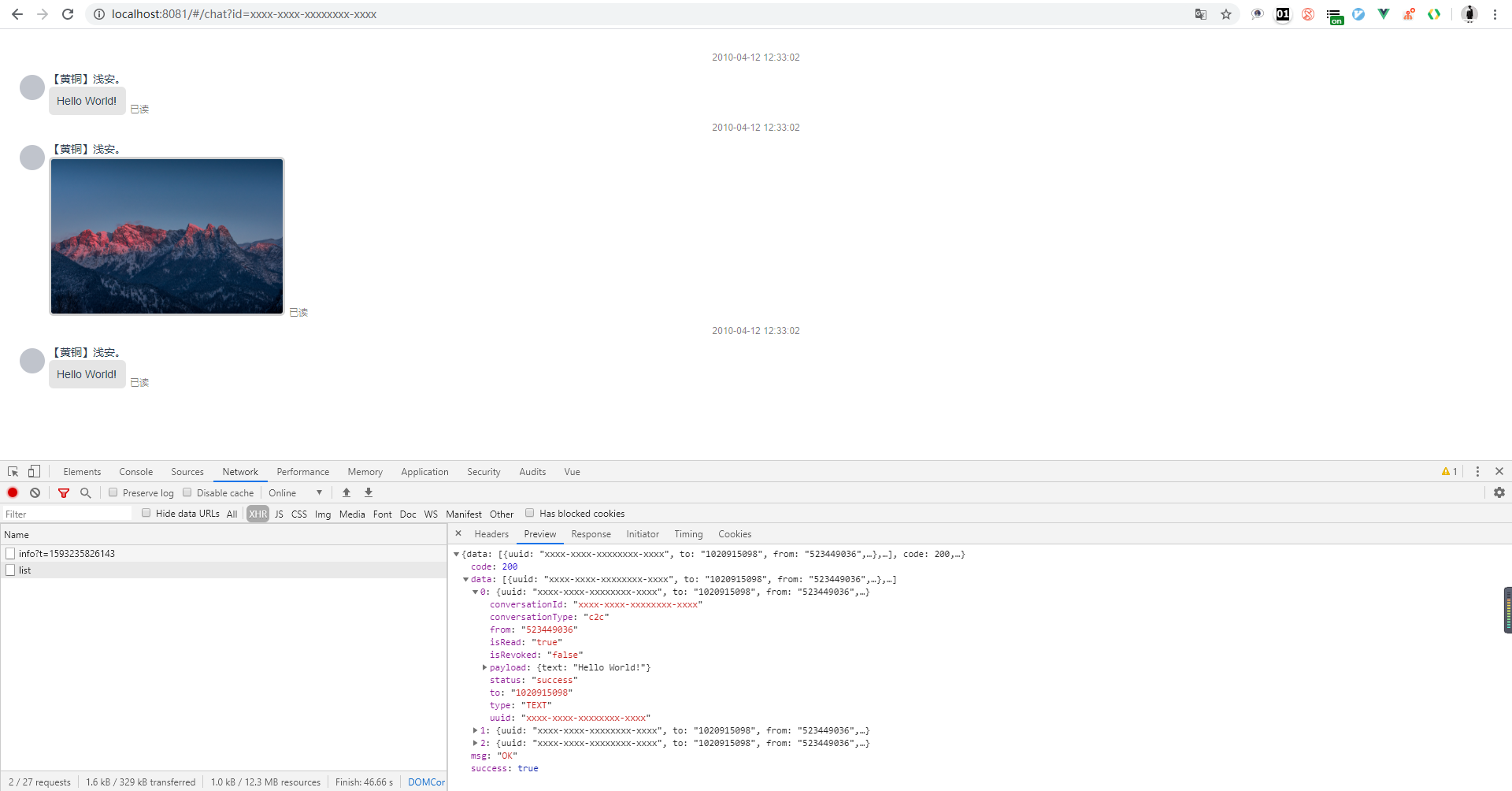
前后端分离的项目中,前端往往需要自己构造假数据进行渲染。作为一名合格且优秀的前端开发人员当然是希望一次性编码,后面前后端联调的时候最好什么都不用做,直接一个文档丢给后端自己就可以愉快的进行下一个项目了。为了写代码能够一泻千里,我们一般在编写代码之前做一个简单的数据格式文档定义,然后前后端就可以开始自己做自己的任务了。
前端渲染页面往往需要假数据,假数据如果放在逻辑代码中去构造或者在 api 管理接口中统一返回假数据都会导致后期需要修改代码,最终会导致工作量增加无心谈恋爱。所以我们前端最好的 mock 数据方式就是写一个 node 服务,模拟真实的交互环境。
目标
使用 node 编写一个微服务,允许各种请求方式,并返回相应的数据。
依赖
node、koa、koa-router、koa-logger、koa-cors、nodemon
我希望:
- 能够模拟各种场景,允许跨域、允许 POST、GET、DELETE、PUT、PATCH 请求
- 只关心数据
- 热响应
思路
- 实现自动遍历目录下的
json文件,作为数据返回 - 根据文件后缀
.get.json、.post.json等自动响应各种请求 - 使用 nodemon 启动服务实现热响应
- 代码写好后,以后只关心
json数据文件 - 随机返回成功和失败(小概率失败,大概率成功。暂时未实现,留给你们自己)
目录结构大致如下:
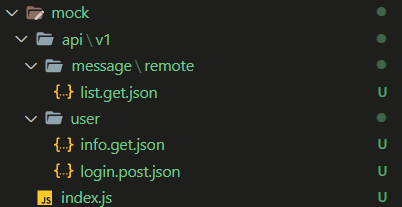
请求方式:
// 模拟用户登录
http://127..0.0.1:8080/api/v1/user/login

// 模拟从远程获取消息记录
http://127..0.0.1:8080/api/v1/message/remote/list
代码
const Koa = require('koa')
const KoaRouter = require('koa-router')
const KoaLogger = require('koa-logger')

const cors = require('@koa/cors')
const { resolve } = require('path')
const fs = require('fs')

const app = new Koa()
const router = new KoaRouter({ prefix: '/api' })

glob.sync(resolve('./api', "**/*.json")).forEach(item => {
    let apiJsonPath = item && item.split('/api')[1];

    // inspect koa-router allowedMethods
    let method = apiJsonPath.endsWith('.get.json')
                    ? 'GET' : apiJsonPath.endsWith('.post.json')
                    ? 'POST' : apiJsonPath.endsWith('.patch.json')
                    ? 'PATCH' : apiJsonPath.endsWith('.put.json')
                    ? 'PUT' : apiJsonPath.endsWith('.delete.json')
                    ? 'DEL' : 'ALL'
    let apiPath = apiJsonPath
                    .replace('.get.json', '')
                    .replace('.post.json', '')
                    .replace('.put.json', '')
                    .replace('.delete.json', '');

    if (method === 'ALL') {
        ctx.body = 'OK'
        return
    }

    router[method.toLowerCase()](apiPath, ctx => {
        try {
            let jsonStr = fs.readFileSync(item).toString();
            ctx.body = {
                data: JSON.parse(jsonStr),
                code: 200,
                msg: 'OK',
                success: true
            }
        } catch(err) {
            ctx.throw('服务器错误', 500);
        }
    });
});

app
    .use(cors({
        origin: ctx => {
            const whiteList = ['http://localhost:8080','http://localhost:8081']
            let url = ctx.header.referer.substr(0,ctx.header.referer.length - 1) // remove '/'
            if(whiteList.includes(url)){
                return url
            }
            return "http://localhost:3000"
        },
        maxAge: 3, // https://zhuanlan.zhihu.com/p/86953757
        credentials: true, // is allowed cookie
        allowMethods: ['GET', 'POST', 'PUT', 'PATCH', 'DELETE', 'OPTIONS'], // set allowed HTTP methods
        allowHeaders: ['Content-Type', 'Authorization', 'Accept', 'Access-Control-Allow-Origin'], // set allowed HTTP fields
    }))
    .use(KoaLogger())
    .use(router.routes())
    .use(router.allowedMethods())

app.on('error', (err, ctx) => {
    console.error('server error', err, ctx)
})

app.listen(3000);
预览