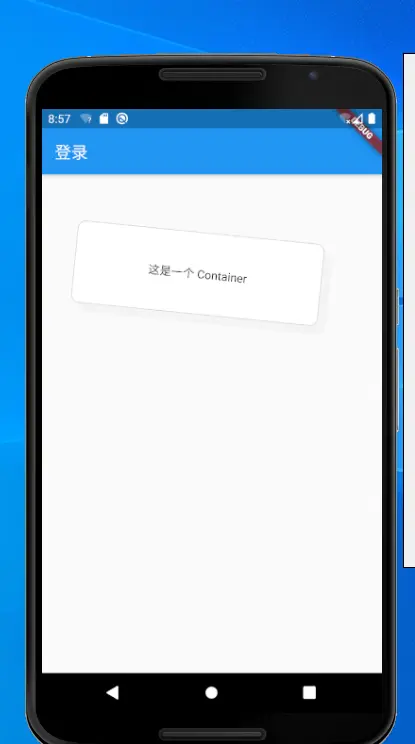
import 'package:flutter/cupertino.dart';
import 'package:flutter/material.dart';

void main() => runApp( MyApp());

class MyApp extends StatelessWidget {
  // This widget is the root of your application.
  @override
  Widget build(BuildContext context) {
    return MaterialApp(
      title: 'Flutter Demo',
      theme: ThemeData(
        primarySwatch: Colors.blue,
      ),
     home: Scaffold(
        appBar: AppBar(
          title: Text("登录"),
        ),
        body:  MyContainer(),
    ),
    );
  }
}


class MyContainer extends StatefulWidget{
  @override
  State<StatefulWidget> createState() => _MyContainerState();
}

class _MyContainerState extends State<MyContainer> {
  @override
  Widget build(BuildContext context) {
    return Container(
      alignment: Alignment.center,//child的对齐方式 Alignment.topLeft,topCenter,topRight,centerLeft,center,centerRight,bottomLeft,bottomCenter,bottomRight
      padding: EdgeInsets.all(3.0),//内部间隔区域,可响应点击
      margin: EdgeInsets.all(50),//外部间隔区域,不响应点击
//      color: Color(0xffffffff), //设置颜色,不能和 decoration一起用
      decoration: new BoxDecoration(//设置装饰器,可设置边框、主体、阴影等
        color:  Color(0xffffffff),
        border:Border.all(color:Color(0xffd9d9d9)),
        borderRadius: BorderRadius.circular(10.0),
        boxShadow:[
          BoxShadow(
              color: Color(0xfff4f4f4),
              offset: Offset(10,10)
          ),
        ],
      ),
      foregroundDecoration: new BoxDecoration(//设置前景装饰器,可设置边框、主体、阴影等
        color: Color(0x00000000),
      ),
      width: 300,//view宽
      height: 100,////view高
      constraints:BoxConstraints(minHeight: 80,minWidth: 80),//约束布局,控制子view的大小
      transform: Matrix4.rotationZ(0.1),//设置矩阵变换
      child: Text('这是一个 Container'),//包含的子view
    );
  }

}
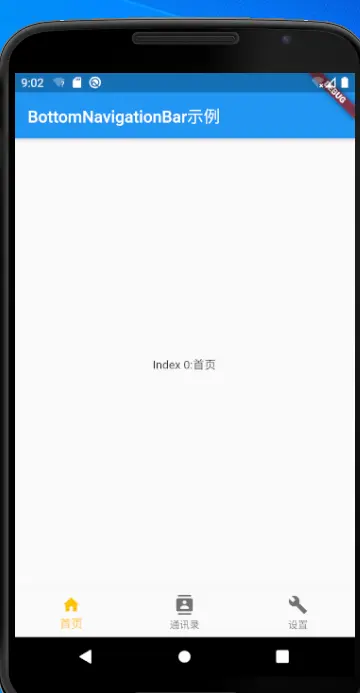
import 'package:flutter/material.dart';

void main() => runApp(MyApp());

class MyApp extends StatelessWidget {
  static const String _title = 'Flutter Code Sample';

  @override
  Widget build(BuildContext context) {
    return MaterialApp(
      home: MyStatefulWidget(),
    );
  }
}

class MyStatefulWidget extends StatefulWidget {
  MyStatefulWidget({Key key}) : super(key: key);

  @override
  _MyStatefulWidgetState createState() => _MyStatefulWidgetState();//1
}

class _MyStatefulWidgetState extends State<MyStatefulWidget> {
  int _selectedIndex = 0;
  static const List<Widget> _widget = <Widget>[
    Text(
      'Index 0:首页',
    ),
    Text(
      'Index 1: 通讯录',
    ),
    Text(
      'Index 2: 设置',
    ),
  ];

  @override
  Widget build(BuildContext context) {
    return Scaffold(
      appBar: AppBar(
        title: Text('BottomNavigationBar示例'),
      ),
      body: Center(
        child: _widget.elementAt(_selectedIndex),
      ),
      bottomNavigationBar: BottomNavigationBar(
        items: const <BottomNavigationBarItem>[
          BottomNavigationBarItem(
            icon: Icon(Icons.home),
            title: Text('首页'),
          ),
          BottomNavigationBarItem(
            icon: Icon(Icons.contacts),
            title: Text('通讯录'),
          ),
          BottomNavigationBarItem(
            icon: Icon(Icons.build),
            title: Text('设置'),
          ),
        ],
        currentIndex: _selectedIndex,
        selectedItemColor: Colors.amber,
        onTap: _onItemTapped, //2
      ),
    );
  }
  void _onItemTapped(int index) {
    setState(() {
      _selectedIndex = index;
    });
  }
}
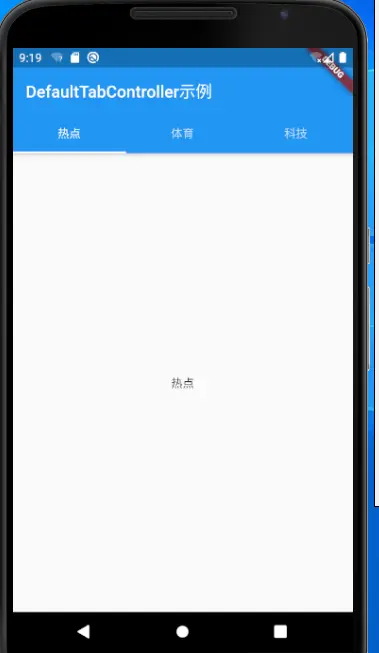
import 'package:flutter/material.dart';

void main() => runApp(MyApp());

class MyApp extends StatelessWidget {
  static const String _title = 'Flutter Code Sample';

  @override
  Widget build(BuildContext context) {
    return MaterialApp(
      home: MyStatefulWidget(),
    );
  }
}

class MyStatefulWidget extends StatefulWidget {
  MyStatefulWidget({Key key}) : super(key: key);

  @override
  _MyStatefulWidgetState createState() => _MyStatefulWidgetState();//1
}

class _MyStatefulWidgetState extends State<MyStatefulWidget> {
  int _selectedIndex = 0;
  static const List<Widget> _widget = <Widget>[
    Text(
      'Index 0:首页',
    ),
    Text(
      'Index 1: 通讯录',
    ),
    Text(
      'Index 2: 设置',
    ),
  ];

  @override
  Widget build(BuildContext context) {
    return Scaffold(
      appBar: AppBar(
        title: Text('BottomNavigationBar示例'),
      ),
      body: Center(
        child: _widget.elementAt(_selectedIndex),
      ),
      bottomNavigationBar: BottomNavigationBar(
        items: const <BottomNavigationBarItem>[
          BottomNavigationBarItem(
            icon: Icon(Icons.home),
            title: Text('首页'),
          ),
          BottomNavigationBarItem(
            icon: Icon(Icons.contacts),
            title: Text('通讯录'),
          ),
          BottomNavigationBarItem(
            icon: Icon(Icons.build),
            title: Text('设置'),
          ),
        ],
        currentIndex: _selectedIndex,
        selectedItemColor: Colors.amber,
        onTap: _onItemTapped, //2
      ),
    );
  }
  void _onItemTapped(int index) {
    setState(() {
      _selectedIndex = index;
    });
  }
}
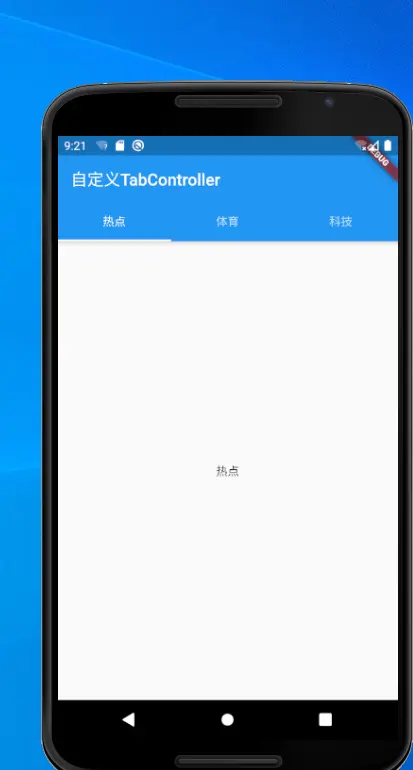
import 'package:flutter/material.dart';

void main() => runApp(MyApp());

class MyApp extends StatelessWidget {
  @override
  Widget build(BuildContext context) {
    return MaterialApp(
      home: MyStatefulWidget(),
    );
  }
}

class MyStatefulWidget extends StatefulWidget {
  MyStatefulWidget({Key key}) : super(key: key);
  @override
  _MyStatefulWidgetState createState() => _MyStatefulWidgetState();
}

class _MyStatefulWidgetState extends State<MyStatefulWidget>
    with SingleTickerProviderStateMixin {
  TabController _tabController;

  void initState() {
    super.initState();
    _tabController = TabController(vsync: this, length: 3);
  }

  @override
  Widget build(BuildContext context) {
    return Scaffold(
      appBar: AppBar(
        title: Text('自定义TabController'),
        bottom: TabBar(
          tabs: <Widget>[
            Tab(
              text: '热点',
            ),
            Tab(
              text: '体育',
            ),
            Tab(
              text: '科技',
            ),
          ],
          controller: _tabController,//1
        ),
      ),
      body: TabBarView(
        controller: _tabController,
        children: <Widget>[
          Center(child: Text('热点')),
          Center(child: Text('体育')),
          Center(child: Text('科技')),
        ],
      ),
    );
  }
  @override
  void dispose() {
    _tabController.dispose();
    super.dispose();
  }
}
import 'package:flutter/material.dart';

void main() => runApp(MyApp());

class MyApp extends StatelessWidget {
  static const String _title = 'Flutter Code Sample';

  @override
  Widget build(BuildContext context) {
    return MaterialApp(
      home: MyStatefulWidget(),
    );
  }
}

class MyStatefulWidget extends StatefulWidget {
  MyStatefulWidget({Key key}) : super(key: key);

  @override
  _DrawerState createState() => _DrawerState();
}

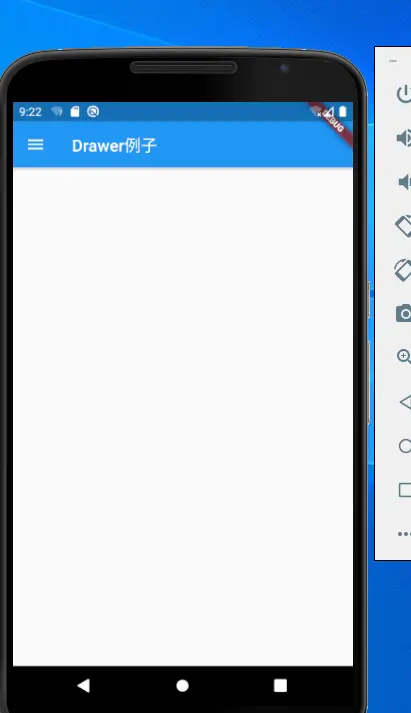
class _DrawerState extends State<MyStatefulWidget> {
  @override
  Widget build(BuildContext context) {
    return Scaffold(
      appBar: AppBar(
        title: Text('Drawer例子'),
      ),
      drawer: _drawer,
    );
  }
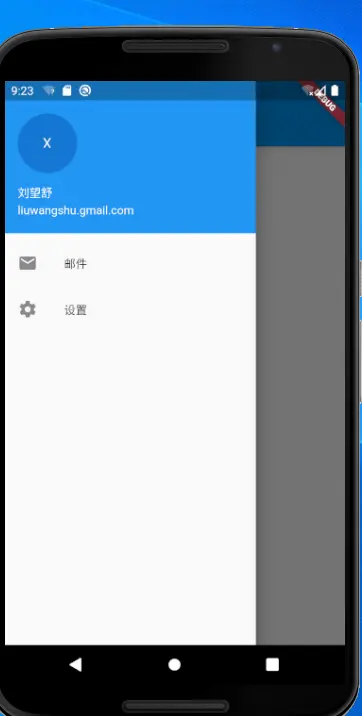
  get _drawer => Drawer(
        child: ListView(//1
          padding: EdgeInsets.zero,
          children: <Widget>[
            UserAccountsDrawerHeader(
              accountName: Text('刘望舒'),
              accountEmail: Text('liuwangshu.gmail.com'),
              currentAccountPicture: CircleAvatar(
                child: Text('X'),
              ),
            ),
            ListTile(
              leading: Icon(Icons.local_post_office),
              title: Text('邮件'),
            ),
            ListTile(
              leading: Icon(Icons.settings),
              title: Text('设置'),
            )
          ],
        ),
      );
}
import 'package:flutter/material.dart';

void main() => runApp(MyApp());

class MyApp extends StatelessWidget {
  @override
  Widget build(BuildContext context) {
    return MaterialApp(
      title: 'Material Components',
      home: FirstPage(),
    );
  }
}

class FirstPage extends StatelessWidget {
  @override
  Widget build(BuildContext context) {
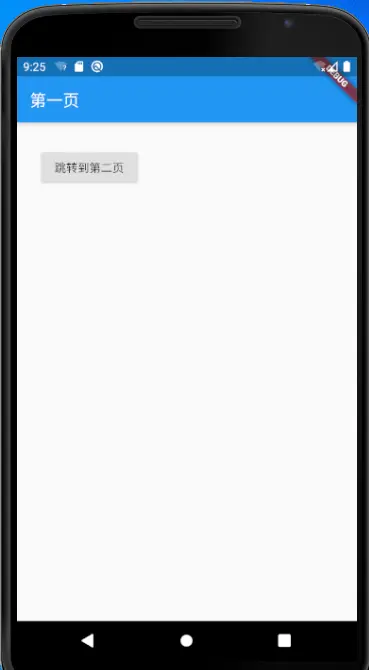
    return Scaffold(
      appBar: AppBar(
        title: Text('第一页'),
      ),
      body: Padding(
        padding: EdgeInsets.all(30.0),
        child: RaisedButton(
          child:  Text('跳转到第二页'),
          onPressed: () {
            Navigator.push(//1
              context,
              MaterialPageRoute(builder: (context) => SecondPage()),
            );
          },
        ),
      ),
    );
  }
}

class SecondPage extends StatelessWidget {
  @override
  Widget build(BuildContext context) {
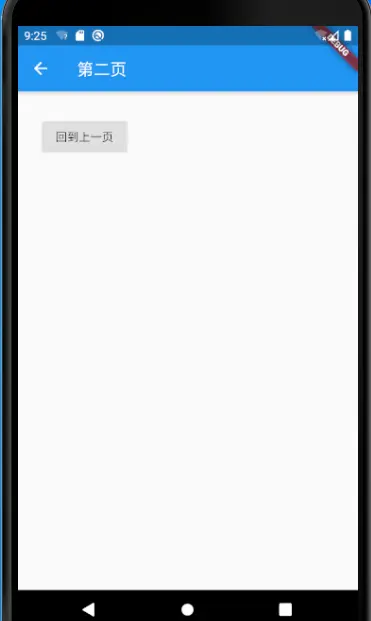
    return Scaffold(
      appBar: AppBar(
        title: Text('第二页'),
      ),
      body: Padding(
        padding: EdgeInsets.all(30.0),
        child: RaisedButton(
            child: Text('回到上一页'),
            onPressed: () {
              Navigator.pop(context);//2
            }),
      ),
    );
  }
}