引用svg图标,报错:
Vue--Module parse failed: Unexpected character '' (1:0) (fonts/element-icons.ttf)
需要配置?
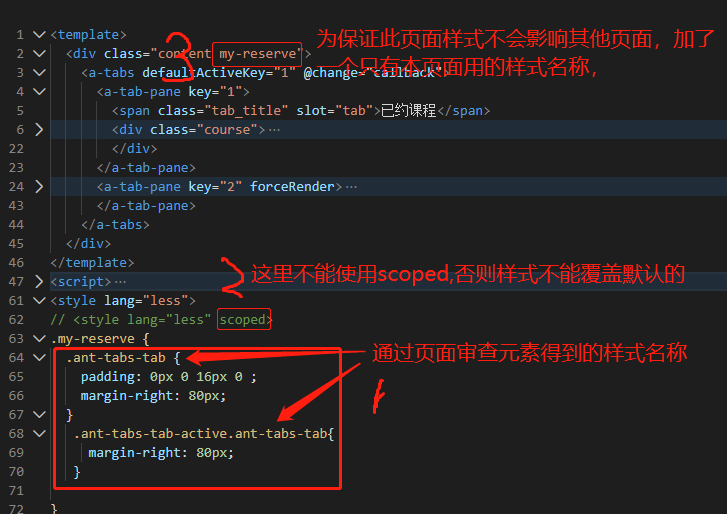
ant 覆盖默认样式
swiper IE11 不支持,用 :
npm install swiper vue-awesome-swiper@3.1.3 --save
li绑定的点击事件不管用,
原因:swiper IE11 不支持,引发报错,导致单击事件不管用,修复swiper后,无此问题。
对接支付宝时,需要新窗口打开支付页面
背景:
在系统中下单>支付,然后打开新窗口,跳转到支付宝页面扫码支付
实现:
- 在点击支付时,调下单接口,返回订单ID
- 拿到订单ID,商品名称,支付金额调后台的支付接口(后台调支付宝后返回一串内容是html的form表单)支付宝,得到字符串的form代码
- 用window.open的方式打开新窗口,url格式为xxx.com?from=xxx
- 在新页面接受from,并用 绑定,这个页面会自动提交,从而打开支付宝页面
遇见问题:
window.open 在各个浏览器的兼容性不好,有的浏览器会因为form参数太长而截断,导致无法跳到支付宝页面
解决:
把1,2的步骤放到3中去
当点击支付按钮时,使用<a href="/pay?goodid=1" target="_blank">支付</a> 这样的的方式打开新窗口,
在新页面中查询商品资料,在调下单,在调支付,将返回的html 用v-html绑定即可
返回的form 字符串类似这样:(因为尾部有一句所以用v-html绑定后会自动跳到支付宝页面)
<form id='alipaysubmit' name='alipaysubmit' action='https://openapi.alipay.com/gateway.do?charset=UTF-8' method='POST'><input type='hidden' name='biz_content' value='{"product_code":"FAST_INSTANT_TRADE_PAY","out_trade_no":"202005231522196239455725","total_amount":"122.00","subject":"实操1对1课程"}'/><input type='submit' value='ok' style='display:none;''></form><script>document.forms['alipaysubmit'].submit();</script>
nuxt 路由中使用params方式传参,需要用name,而不是path
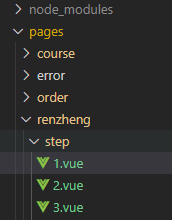
路由名称renzheng-step-2对应的页面是pages/renzheng/step/2.vue
//$nuxt 可以换成this
 $nuxt.$router.push({
       name:'renzheng-step-2',
       params:{
         str:JSON.stringify(this.fData)
       }
     });
对于的页面路径如下:
刷新页面后登录信息丢失
大致就是用登录后将cookie保存到cookie,以后请求都会带上cookie, 刷新页面时通过中间件获取cookie中的登录信息,保存到store,这样的效果就是刷新页面store中的登录信息也不会丢失
关键代码:
//store index.js
const cookieparser = require('cookieparser')
export const state = () => ({
    userInfo: null,
})
export const mutations = {
    userInfoMutations(state, data) {
        state.userInfo = data;
    }
}
export const actions = {
    nuxtServerInit({ commit, state }, { req }) {
        if (req.headers.cookie) {
            if (req.headers.cookie) {
                let userCookie = cookieparser.parse(req.headers.cookie)
                if (userCookie.userInfo) {
                    commit('userInfoMutations', JSON.parse(userCookie.userInfo))
                }

            }

        }
    },


}
//中间件:
const cookieparser = require('cookieparser')
export default function ({ store, route, redirect, req }) {
    if (req) {
        //如果登陆成功后设置了cookie,以后在每次请求时都会带上cookie
        let userCookie = cookieparser.parse(req.headers.cookie)
        if (userCookie.userInfo) {
            let userInfo = JSON.parse(userCookie.userInfo)
            if (userInfo) {
                store.commit('userInfoMutations', userInfo)
            } else {
                return redirect('/')
            }
        } else {
            return redirect('/')
        }
    }
}
视频播放器vue-video-player的使用
"vue-awesome-swiper": "^3.1.3",ssr用法
。。。。
vue-awesome-swiper 不会自动切换
swiperOptions: {
        autoplay: {
          delay: 2000,
          disableOnInteraction: false
        },
        autoplayDisableOnInteraction: false,
        observer: true, //修改swiper自己或子元素时,自动初始化swiper
        observeParents: true, //修改swiper的父元素时,自动初始化swiper
        effect: "fade",
        pagination: {
          el: ".swiper-pagination"
        },
        navigation: {
          nextEl: ".swiper-button-next",
          prevEl: ".swiper-button-prev"
        },
        loop: true
      },
Animate.css 使用
插件方式不管用, 在nuxt.config.js 得 Global CSS 中添加如下: '@/static/css/animate.min.css',
生产环境配置静态资源使用CDN
- 把静态文件上传OSS,记住是上传到了哪个bucket,我的是bucket名称叫:bucket-hsq
- 开启CDN服务,配置加速域名,这里需要注意,我们的网站域名是www.taobao.com,但访问静态资源可能是这样:cdn.taobao.com
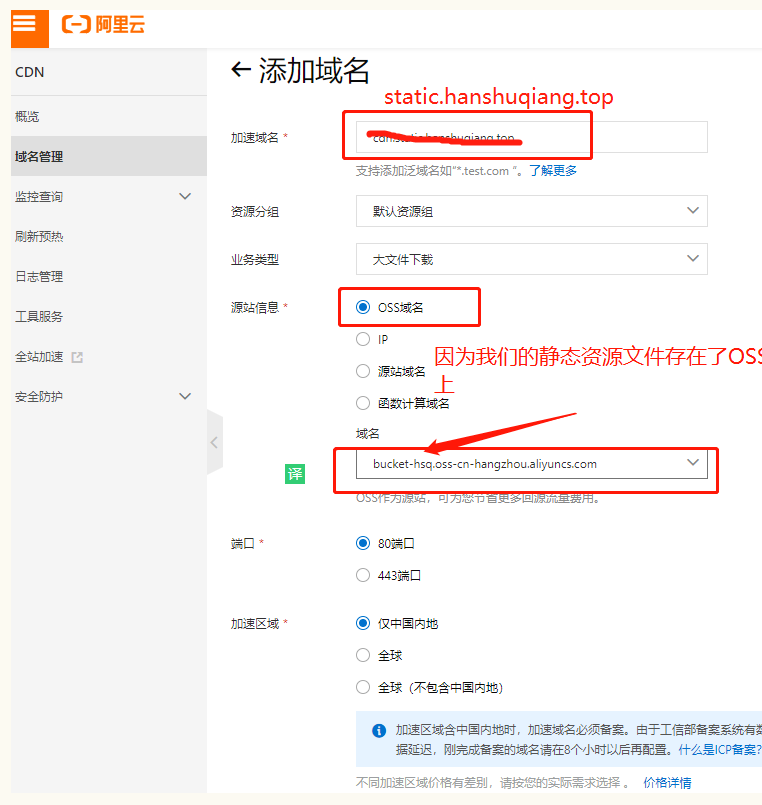
- 给域名配置CNAME解析记录

- 配置CDN 的访问控制
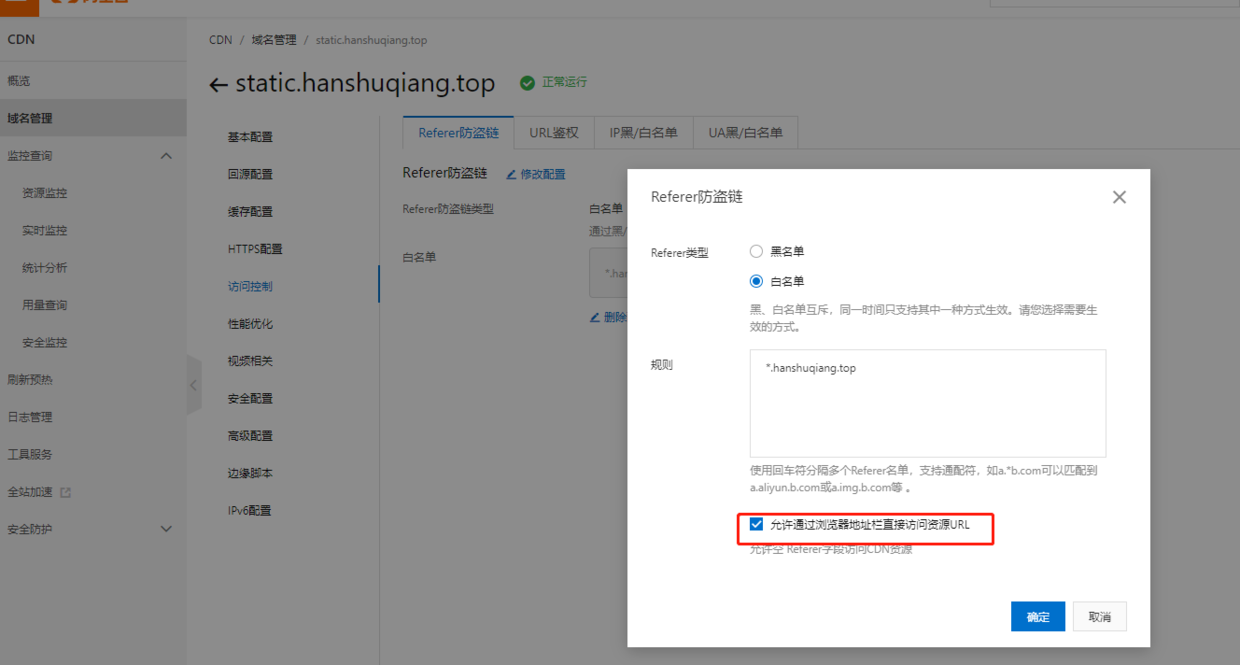
- 验证使用static.hanshuqiang.top 域名 访问刚刚OSS上传的Js文件 oss 中找到文件地址:
https://bucket-hsq.oss-cn-hangzhou.aliyuncs.com/%E8%AF%86%E5%88%AB%E4%BD%A0%E8%BA%AB%E8%BE%B9%E7%9A%84%E5%AD%A4%E7%8B%AC%E7%97%87%E5%84%BF%E7%AB%A5.mp4?Expires=1589138643&OSSAccessKeyId=TMP.3Kjn5gNub7tpvKpjWt82RZtaYFqQeMXr5bc6tAT43ZUE25UNdPDbKUts2ava8pGeY35E32zgKu9bmBm2E9CxU9vefAPVqn&Signature=W6bjDsEOkn7mijxd%2FLzs6EIJDpA%3D
将其中的域名“bucket-hsq.oss-cn-hangzhou.aliyuncs.com” 替换为自己的域名:“static.hanshuqiang.top”
验证通过:
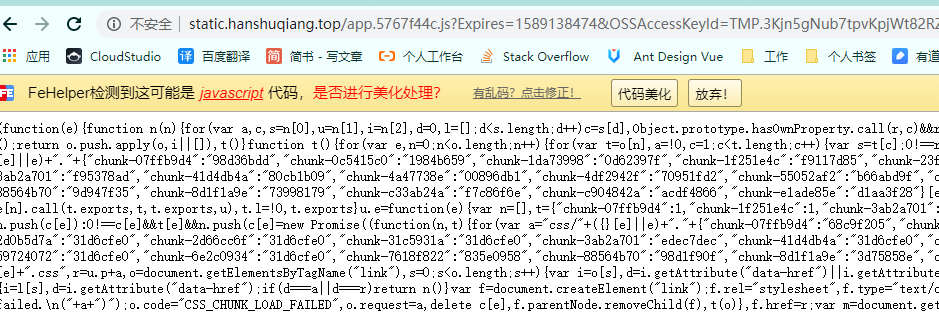
此时的文件访问链接是有时间限制的(oss设置的),只需要在oss中设置文件权限为“公共读”即可使用: static.hanshuqiang.top/app.5767f44… 访问
nuxt 布局页中怎么让数据在服务端渲染?
背景 在layouts 中的header中我加了用户登录后的头像和名称,因为这里不是服务端渲染,数据是从store中取出来的,每次刷新页面头像都会慢半拍显示, 怎么让layouts中的数据也服务端渲染呢?
还没有找到解决方案
百度编辑器的VUE版本
vue-ueditor-wrap, 百度编辑器的后台非node版本,如果用上传视频功能需要自己开发,感觉这个不太适合前端做编辑器
向测试服务器推送代码
怎么忽略某些文件夹? publish-sftp 问题:在后来的使用中,发现推送到8%就上传不了了,不知道什么原因,打算推使用自己写个sftp的方式送代码到开发机
HTTPS
IE 兼容问题
- 报错:对象不支持“entries”属性或方法,对象不支持“includes”属性或方法等类似的错误
先说说作用:
在看看兼容性:
使用babel/polyfill做了什么?
最后看解决办法:
//使用@babel/polyfill
//.babelrc
//主要是polyfills节点下的配置
//在vuecli 4.0中要写:es.object.entries 而不是es7.object.entries还不知道为什么
{
    "presets": [
      [
        "env",
        {
          "modules": false,
          "useBuiltIns": "entry"
        },
        {
          "polyfiljiels": ["es7.object.entries","es.array.includes"]
        }
      ],
      "stage-3"
    ]
  }
2.报错:IE浏览器"TypeError: 对象不支持“find”属性或方法" 原因:ie11不支持Array.find() 解决:和1一样,polyfiljiels中追加一个 es.array.find
使用第三方样式库后,移动端的适配问题(vant)
用的是插件:postcss-pxtorem ,来解决移动端适配问题,但是发现
配置如下:
/*
  ** Build configuration
  */
  build: {

    extend(config, { isDev, isClient }) {

    },
    postcss: {
      plugins: { 'postcss-pxtorem': { rootValue: 16, propList: ['*'] } }, preset: { autoprefixer: true }
    }
  }
预见的问题
设计稿宽是750px ,rootValue设置16,自己写的样式没问题,但是第三方库的适配出现问题了
解决的方案
主要用插件:npm i -S amfe-flexible ,npm i postcss-px2rem-exclude
nuxt配置文件如下:
  /*
** Build configuration
*/
build: {
  extend(config) {
  },
  postcss: {
    plugins: {
      'postcss-px2rem-exclude': {
        remUnit: 75,
        exclude: /node_modules|folder_name/i
      }
    },
    preset: { autoprefixer: true }
  }
},
}
H5海报合成
问题:海报有背景图片,内容图片,内容二维码,内容文字,如下图,红框内是动态得:
需求:再H5中,针对不同商品,合成海报,分享给其他人。浏览器中长按图片能保存到本地。
问题2:海报内的绿色图片是一个网络图片,在使用html2canvas 将div变成图片时没有生成这个图片
解决:
调好样式,使用html2canvas 将dom 转成base64的图片,注意:海报中绿色图片在OSS上,需要提前请求转成base64 在放到海报的img="base64Str" ,才能用html2canvas转换成功,在请求图片时需要加个时间搓参数