String Literals
定义初始化let someString = "Some string literal value"
Multiline String Literals
- 多行字符串可以用
"""开头和结尾。 - 在代码中换行(实际中不换行),可以使用
\。 - 代码中空行在实际中也是会空行的。
- 开头缩紧是以结束的
"""为对照的。 - 如C一样,用
\使用特殊字符 #" line1\nline1Again "#里面的\n并不会重起新行,而是如实打印。#""" string """#也是一样的,会如实打印\
Initializing an Empty String
// 下面是创建空字符串的两种方法
var emptyString = ""
var anotherEmptyString = String()
想要判断字符串是否为空,可以使用propertyisEmpty
if emptyString.isEmpty {
    print("Nothing to see here")
}
// Prints "Nothing to see here"
String Mutability
var的字符串可以用+=拼接,let则不可以更改。
Strings Are Value Types
简单地说,与C不一样,字符串是Value Type而不是指针。是复制一份副本传递给函数的,所以在函数里面修改不会影响到原本的字符串。
Working with Characters
看代码吧,很简单
/* 分解字符串为字符 */
for character in "Dog!🐶" {
    print(character)
}
// D
// o
// g
// !
// 🐶

/* 定义一个字符 */
let exclamationMark: Character = "!"

/* 将字符转换成字符串 */
let catCharacters: [Character] = ["C", "a", "t", "!", "🐱"]
let catString = String(catCharaters)
print(catString)
// Prints "Cat!🐱"
Concatenating Strings and Characters
使用+或+=合并字符串
let string1 = "hello"
let string2 = " there"
var welcome = string1 + string2
// welcome now equals "hello there"

var instruction = "look over"
instruction += string2
// instruction now equals "look over there"
使用String类型的methodappend()拼接字符串:
let exclamationMark: Character = "!"
welcome.append(exclamationMark)
// welcome now equals "hello there!"
// 但是你不可以将append()用在字符上。
注意:多行字符串中的最后一行是没有line break的
String Interpolation
var myage = 25
print("my age is \(myage) years old")
// my age is 25 years old
#的使用,看代码吧
let multiplier = 3
print(#"Write an interpolated string in Swift using \(multiplier)."#)
// 实际打印的是 "Write an interpolated string in Swift using \(multiplier)."

print(#"6 times 7 is \#(6 * 7)."#)
// 实际打印的是 "6 times 7 is 42."
Unicode
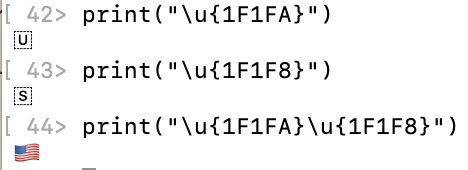
反正就是字符可以组合表示的,叫extended grapheme clusters。
Counting Characters
使用propertycount可以获得字符串的长度。
上面的美国国旗算作一个字符的,不是两个。
Accessing and Modifying a String
String Indices
与C语言不同的是,在Swift中你不可以直接用数字下标去访问数组。
主要是使用两个properties:startIndex与endIndex和三个methods:index(before:)、index(after:)与index(_:offsetBy:)去访问字符串、数组、字典和集合的不同元素。
示例代码:
let greeeting = "Guten Tag!"
greeting[greeting.startIndex] // G

greeting[greeting.index(before: greeting.endIndex] // !
// endIndex指向的是字符串中最后一个字符后面的一个位置。

greeting[greeting.index(after: greeting.startIndex] // u

let index = greeting.index(greeting.startIndex, offsetBy: 7) // 偏移量可以是负数
greeting[index] // a
如果下标超出范围,会有runtime error
indicesproperty可以遍历
for index in greeting.indices {
    print("\(greeting[index]) ", terminator: "")
}
// 实际打印的是 "G u t e n  T a g ! "
插入和移除
插入
insert(_:at:)和insert(contentsOf:at:)两个methods的用法:
var welcome = "hello"
welcome.insert("!", at: welcome.endIndex) // "hello!"

welcome.insert(contentsOf: "there",
               at: welcome.index(before: welcome.endIndex)) // "hello there!"
移除
remove(at:)和removeSubrange(_:)两个methods的用法
welcome.remove(at: welcome.index(before: welcome.endIndex)) // "hello there"

let range =
    welcome.index(welcome.endIndex,
    offfsetBy: -6) ..<welcome.endIndex
welcome.removeSubrange(range) // "hello"
上面的函数一样可以数组、字典和集合中使用。
Substrings
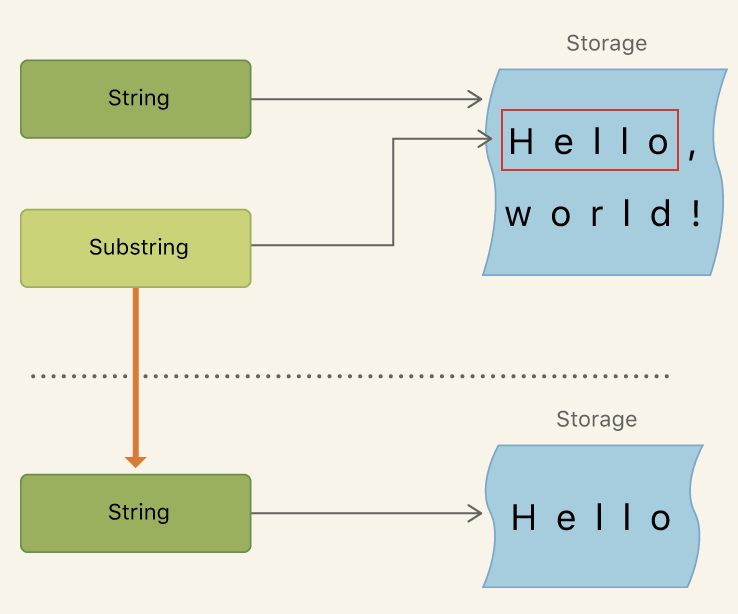
子串的内存是由原字符串共享给它的,如果要长期存储字串,则需要把子串转化成新字符串,也就是开辟新的存储空间。
let greeting = "Hello, world!"
let index = greeting.firstIndex(of: ",")
    ?? greeting.endIndex
let beginning = greeting[..<index]
// beginning is "Hello",它是greeting的字串,没有自己的存储空间

// Convert the result to a String for long-term storage.
let newString = String(beginning)
// 现在newString是独立的字符串,由自己的存储空间。
Comparing Strings
字符串和字符直接用==或!=判断相等或不等即可。
对于extended grapheme clusters只要宗源性(不同的组合合成一样的字符)一样就是一样。
但是美国的字母A和俄罗斯的字母A是被判定为不一样的。
使用methodshasPrefix(_:)和hasSuffix(_:)可以判断字符串是否有某一前缀或后缀,methods返回Bool值
Unicode Representations of Strings
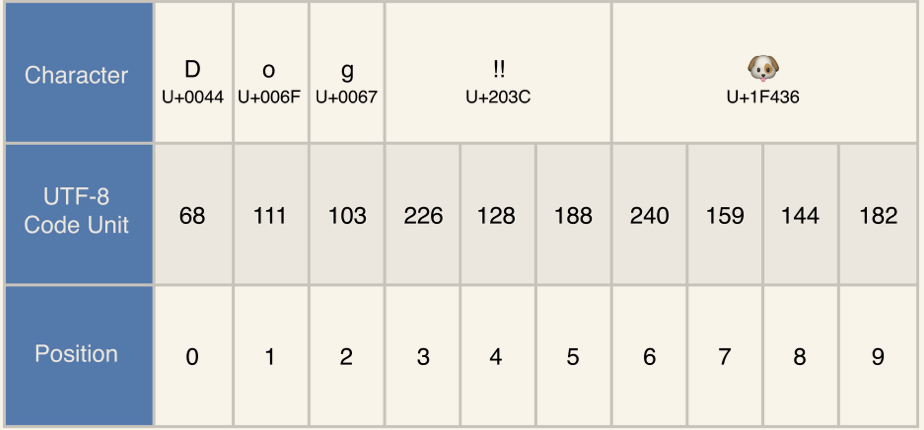
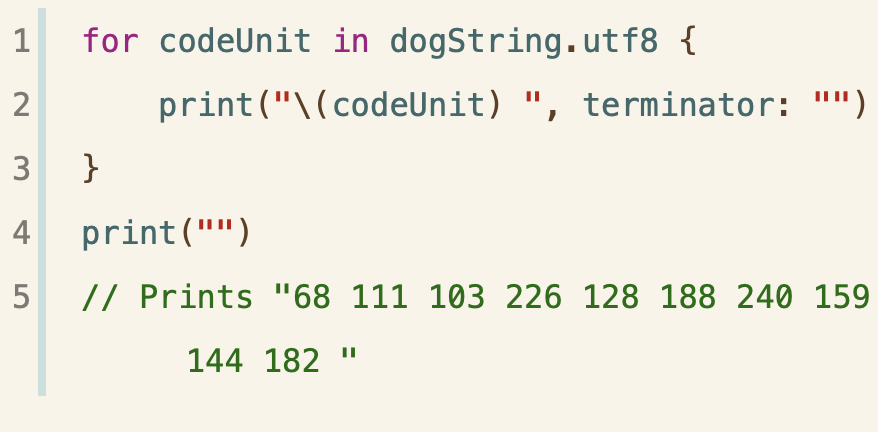
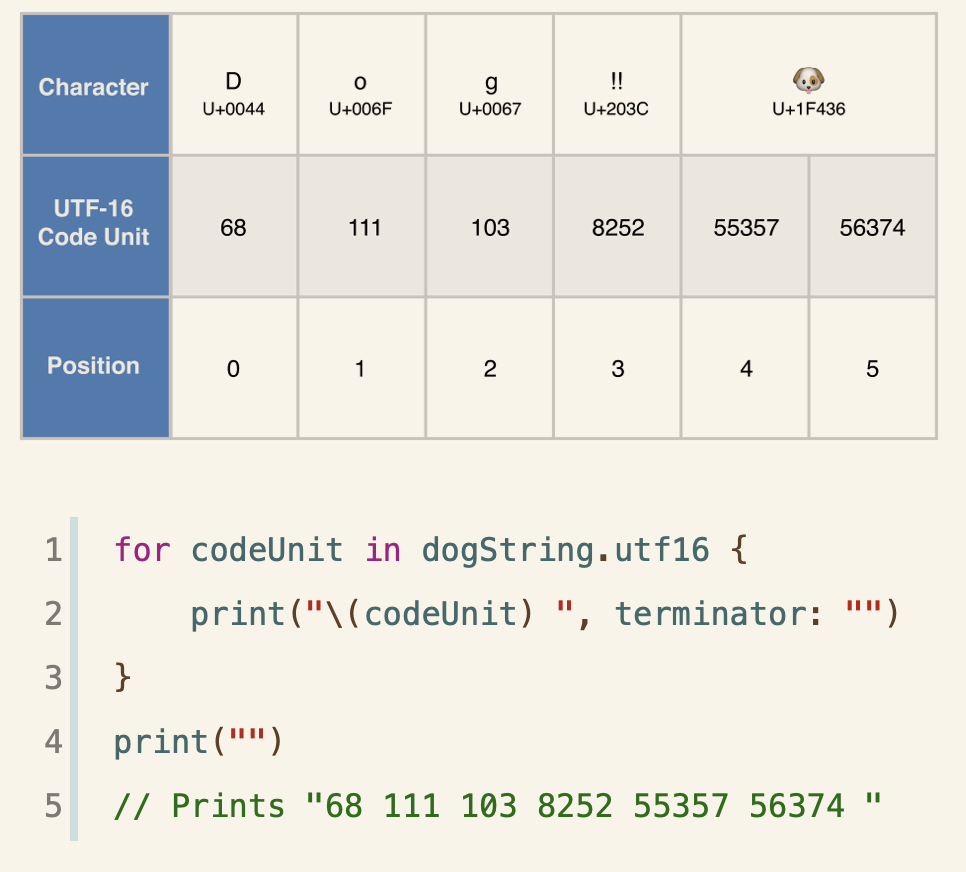
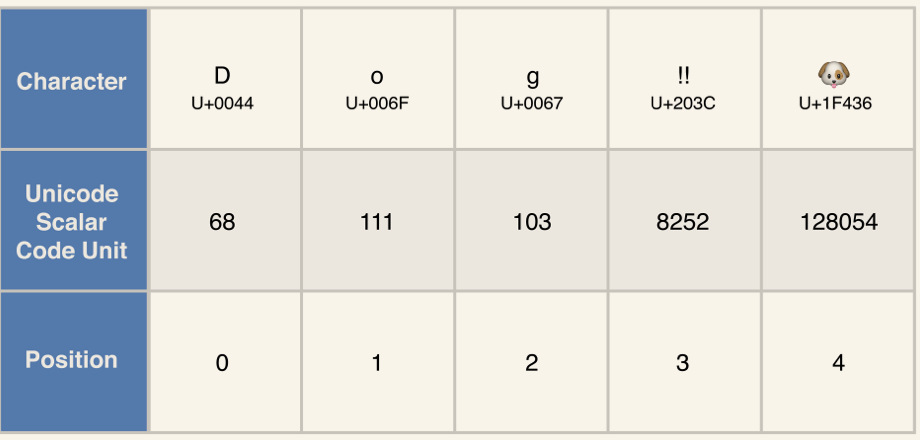
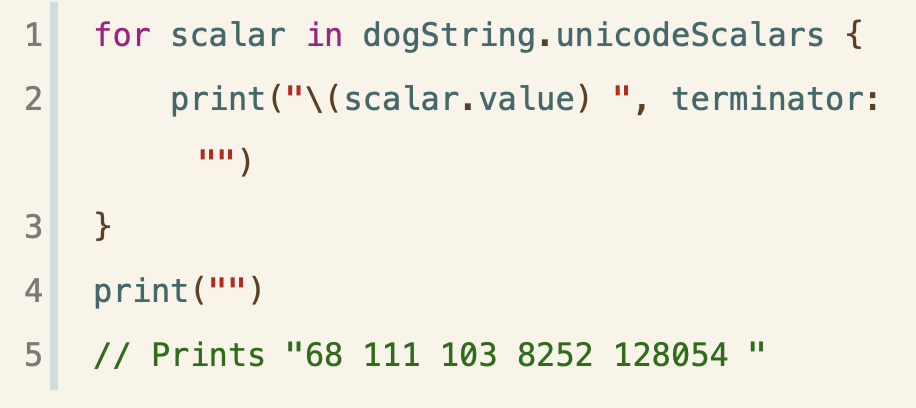
使用propertyutf8、utf16和unicodeScalars可以反向获取字符的Unicode编码值。
let dogString = "Dog!!🐶"
获取8为编码:
获取16为编码:
获取纯量值:
分割字符串为纯量字符:
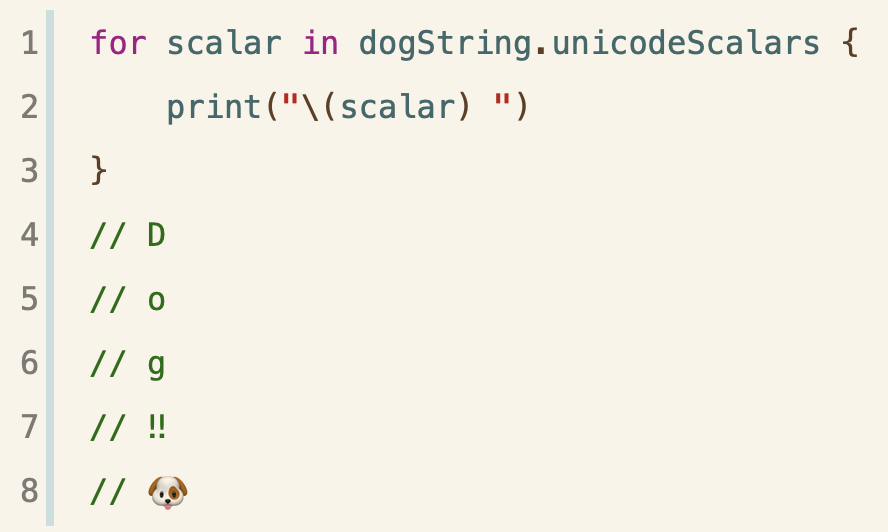
!!是属于同一个Unicode的