1. 存在图片太大而有效显示区域较小

2. 存在 setData 的数据过大
3. 存在可点击元素的响应区域过小
图标宽高最好大于 20
4.存在使用 css ':active' 伪类来实现点击态
使用 css ':active' 伪类来实现点击态,很容易触发,并且滚动或滑动时点击态不会消失,体验较差。建议使用小程序内置组件的 'hover-*' 属性来实现

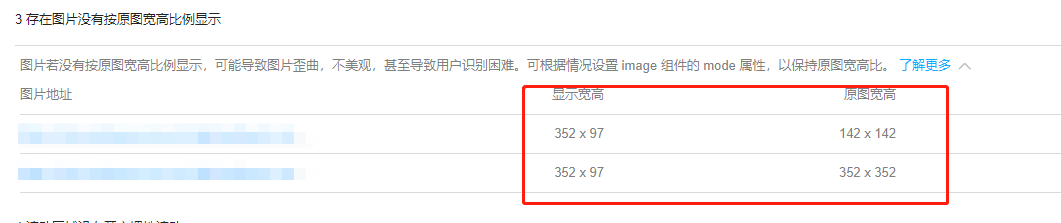
5 .存在图片没有按原图宽高比例显示
6. 滚动区域没有开启惯性滚动

7. 存在将未绑定在 WXML 的变量传入 setData
8. 存在定时器未跟随页面回收
定时器是全局的,并不是跟页面绑定的,当小程序从一个页面路由到另一个页面之后,前一个页面定时器应注意手动回收
1.setInterval
data: {
//存储计时器
setInter:'',
},
startSetInter: function(){
var that = this;
//将计时器赋值给setInter
that.data.setInter = setInterval(function () {
...
}, 2000);
},
销毁
onUnload: function () {
var that =this;
//清除计时器 即清除setInter
clearInterval(that.data.setInter)
},
2.setTimeout 先定义
data: { timer: '' },
组件 销毁 lifetimes: { detached: function () { clearInterval(this.data.timer) } }, 页面销毁 onUnload: function () { clearInterval(this.data.timer) },
let timerTem = setTimeout(() => { ... }, 800) this.setData({ timer: timerTem })