为什么我每次提交完代码,还要手动到服务器上部署我的前端项目,哇,为什么?我作为一个优秀的前端工程师不能总把时间花在这个地方,哪有什么好的方法去解决这个自动化构建部署的问题么?当然有,那就是 webhooks
webhooks
这是一个什么东西呢?其实很简单,就是一个回调函数,什么时候回调呢?就是在我们进行不同的git操作的时候,就会进行webhooks的调用,这里面有一个订阅-发布的设计模式(用过vue的小伙伴应该都知道),当我们在某个项目中声明了某个webhooks,那么当我们进行git push之类的操作之后,就会调用这个webhook,那这个webhook进行什么操作就是我们来定义了。
如此看来,我们可以通过每次提交代码,然后进行自动化构建部署。真是节省人力的好工具啊。
让我们来看看这个webhooks长什么样子吧
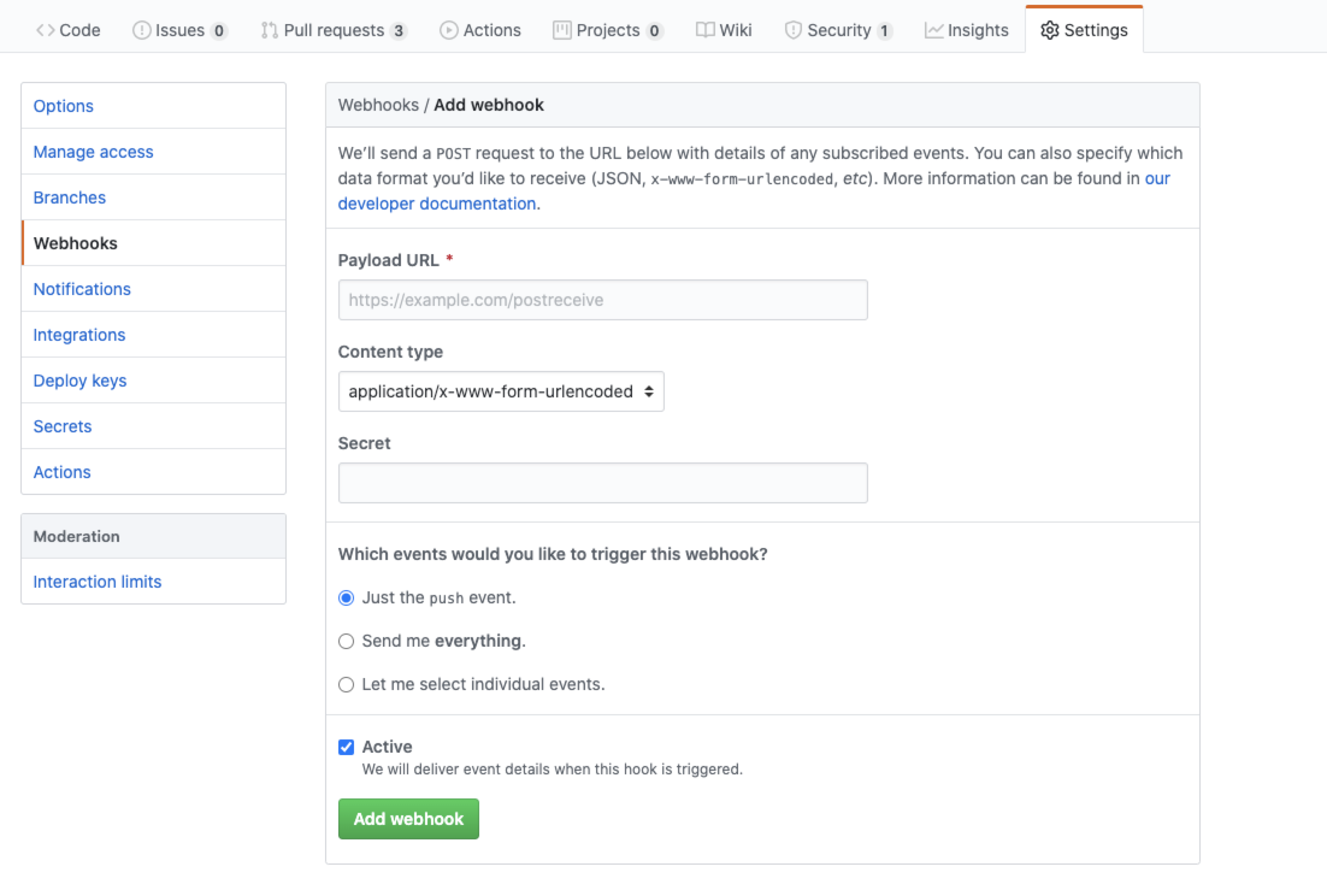
可以看到上面是有一个url的地址,可以选择content type;这个secret是一个相当于验证的东西,在访问地址的时候,会带上这个secret,保证后端不会被乱七八糟的访问干扰,毕竟对外的一个url;
来看看具体怎么用,先新建了一个webhooks:

我用node来写后端,就占用这个6666端口,在github中声明一下 就是一个正常的node服务,这有一个github-webhook-handler 这个插件(我这边使用不上,一直不成功,不知什么情况,如果成功的话 还是建议使用人家的这个插件吧) npm上对这个插件的例子
var http = require('http')
var createHandler = require('github-webhook-handler')
var handler = createHandler({ path: '/webhook', secret: 'myhashsecret' })

http.createServer(function (req, res) {
  handler(req, res, function (err) {
    res.statusCode = 404
    res.end('no such location')
  })
}).listen(7777)

handler.on('error', function (err) {
  console.error('Error:', err.message)
})

handler.on('push', function (event) {
  console.log('Received a push event for %s to %s',
    event.payload.repository.name,
    event.payload.ref)
})

handler.on('issues', function (event) {
  console.log('Received an issue event for %s action=%s: #%d %s',
    event.payload.repository.name,
    event.payload.action,
    event.payload.issue.number,
    event.payload.issue.title)
})
我就简单判断了一下请求头
req.headers['x-github-event'] === 'push'&& req.headers['user-agent'].startsWith('GitHub-Hookshot/')(着实是因为懒,而且测试起来好麻烦)
var http = require('http')
var process = require('child_process');

http.createServer(function (req, res) {
  if (req.headers['x-github-event'] === 'push'&& req.headers['user-agent'].startsWith('GitHub-Hookshot/')) {
    console.log('start build')
    process.exec('./web.sh', function () {
      console.log('部署完成');
    })
  }else {
    console.log('非法访问')
  }
}).listen(6666,()=> { console.log('开始监听github webhook')})
若是通过验证的话,就可以通过node的process来创建一个子线程,去执行我们提前的写好的sh脚本,sh脚本基本就是git pull,然后去除原本项目中的node_modules,重新下载,然后build,然后就是把它放在你的代理服务器中,大概就是这么个流程;
这时候,我们就可以自动化更新自己项目的代码了。