<!DOCTYPE html>
<html lang="en">
<head>
	<meta charset="UTF-8">
	<title></title>
	<style>
		.fl {
			float: left;
		}
		.fr {
			float: right;
		}
		/* 清除浮动 */
		.clearfix:after {
			content: "";
			display: block;
			clear: both;
		}
		.clearfix {
			zoom: 1;
		}
		/*flash弹窗*/
		.flash_box{
			width: 380px;
			background-color: #fff;
			position: absolute;
			top: 50%;
			left: 50%;
			z-index: 10;
			margin: -100px 0 0 -190px;
			border-radius: 5px;
			/*display: none;*/
		}
		.flashHead{
			width: 100%;
			height: 40px;
			border-bottom: 1px solid #EAF5FF;
		}
		.flashHead span{
			color: #0298d4;
			line-height: 40px;
			margin-left: 20px;
		}
		.flashClose{
			width: 18px;
			height: 18px;
			margin: 11px 20px 0 0;
		}
		.flashContent{
			width: 340px;
			padding: 10px 20px;
		}
		.flashContent .flash_item{
			padding: 10px 0 0 20px;
			line-height: 24px;
		}
		.flash_item span, .flash_item em, .flash_item img {
		    float: left;
		}
		.flash_item a{
			display: inline-block;
		    vertical-align: middle;
		    border: 1px solid #999999;
		    border-radius: 3px;
		    padding: 2px;
		    margin: 0 5px;
		    -moz-box-shadow: 0px 1px 1px #999999;
		    -webkit-box-shadow: 0px 1px 1px #999999;
		    box-shadow: 0px 1px 1px #999999;
		    color: #0298d4;
		}
		.flash_item a:visited {
		    text-decoration: none;
		    outline: 0;
		}
	</style>
</head>
<body style="background: #ccc">
	<!--flash提示-->
	<div class="flash_box">
		<div class="flashHead clearfix">
			<span class="fl">温馨提示</span>
			<img src="./sysClose.png" class="flashClose fr" />
		</div>
		<div class="flashContent">
			<div>
	            <i></i>
	            <h5>网页FLASH插件加载不成功,您可以尝试以下操作:</h5>
	        </div>
	        <div class="flash_item">
	        	<span>1、</span>
	        	<em>点击</em>
	        	<a href="http://www.adobe.com/go/getflashplayer">
	        		<img src="icon_flash.png" alt="下载安装" adobe="" flash="" player="" border="0/">
	        		<em>启用flash</em>
	        	</a>
	        	并在提示上选择“允许”
	        </div>
	        <div class="flash_item">
	        	<span>2、</span>
	        	<em>点击</em>
	        	<a href="https://get2.adobe.com/cn/flashplayer/" target="_blank">
	        		<img src="icon_flash.png">
	        		<em>下载flash</em>
	        	</a>
	        	并安装
	        </div>
		</div>
	</div>


	<script>
		function flashChecker() {
			try {
				var hasFlash = false; //是否安装了flash或者启用了flash
			    var flashVersion = 0; //flash版本
			    if (document.all) {
			      var swf = new ActiveXObject('ShockwaveFlash.ShockwaveFlash');
			      if (swf) {
			        hasFlash = true;
			        VSwf = swf.GetVariable("$version");
			        flashVersion = parseInt(VSwf.split(" ")[1].split(",")[0]);
			      }
			    } else {
			      if (navigator.plugins && navigator.plugins.length > 0) {
			        var swf = navigator.plugins["Shockwave Flash"];
			        if (swf) {
			          hasFlash = true;
			          var words = swf.description.split(" ");
			          for (var i = 0; i < words.length; ++i) {
			            if (isNaN(parseInt(words[i]))) continue;
			            flashVersion = parseInt(words[i]);
			          }
			        }
			      }
			    }
			    return { f: hasFlash, v: flashVersion };
			} catch (e) {
				return { f: false, v: "" };
			}
		}

		var result = flashChecker();
		console.log(result)
		// if (!result.f) {// 没有flash
		// 	$(".flash_box").show();
		// }
		// $('flashClose').on('click',function(){
		// 	$(".flash_box").hide();
		// })
	</script>
</body>
</html>
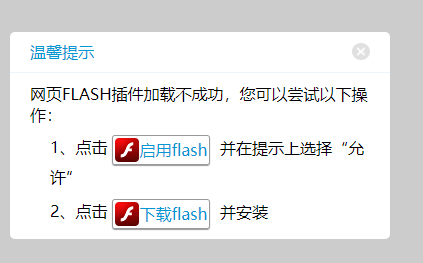
效果如下: