日常业务项目开发的痛点之一便是前端的回归测试,免不了各种手动点点点,但凡改动了某个公用组件、函数,都要漫山遍野地把项目的主要页面都点进去看一遍有没有问题。这样不仅工作量大、重复性高,当项目越来越大、时间越来越久,手动测试愈发不靠谱,很容易遗漏某个页面忘测,造成线上bug。而业务项目里需要自动化测试的场景主要是想覆盖用户的主要使用路径,例如登录注册,加购到购物车,查看操作订单,修改个人信息等等,都是与 UI 界面的渲染逻辑强相关的,需要测试这些页面的表单提交,自动跳转,数据渲染是否有异常等等,因此前端业务项目里最需要的是 E2E (端到端测试-通过测试所谓的用户流来检查web应用程序是否按预期工作)测试。
Cyress介绍
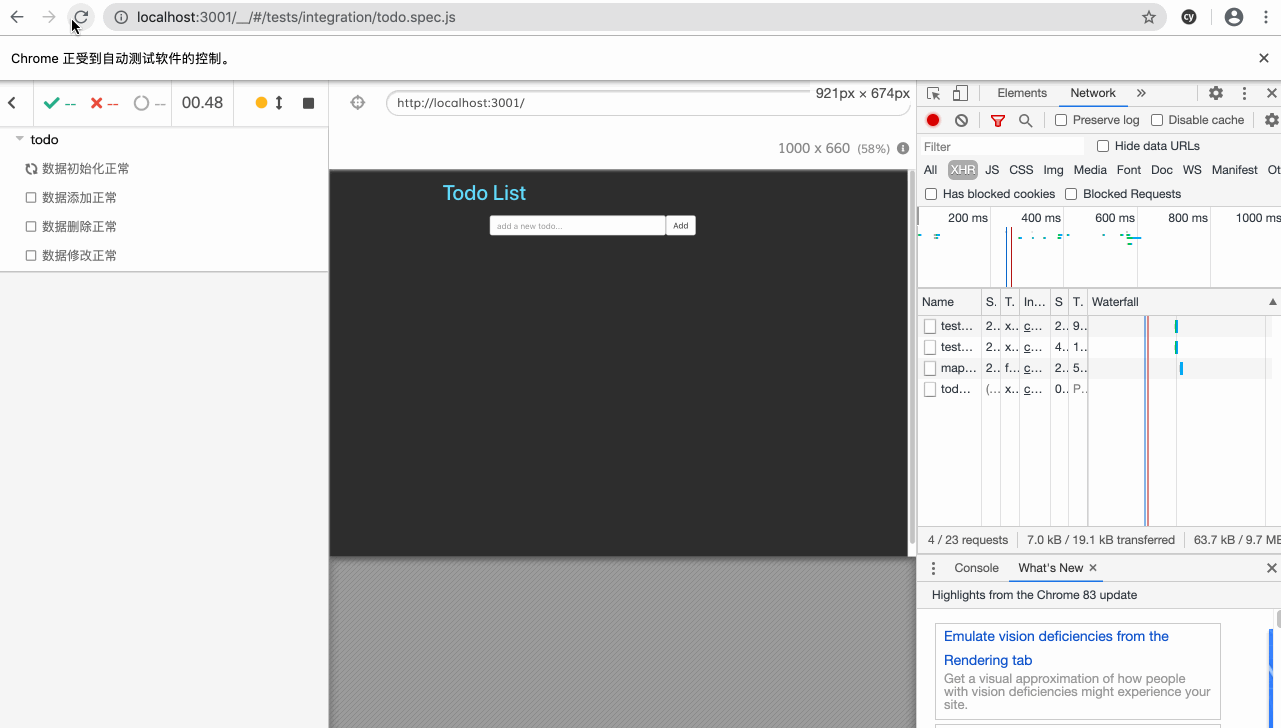
Cypress 是在 Mocha API 的基础上开发的一套开箱即用的 E2E 测试框架,并不依赖前端框架,也无需其他测试工具库,配置简单,并且提供了强大的 GUI 图形工具,可以自动截图录屏,实现时空旅行并在测试流程中 Debug 等等。
优点
- GUI界面美观友好
- API简单易上手
- 支持模拟手机
- 每一步操作截图
- 全程录屏
- 支持debug,随时暂停
- 自带数据mock和请求拦截机制
- 自动等待UI更新,减少异步代码
发展历程
- v1.0.0-2017年10月,基于Electron(Chromium + Node.js),多平台支持,但不支持IE
- v2.0.0-2018年2月,升级至Chromium59
- v3.0.0-2018年5月,支持Node任务,可以用来连接数据库、读文件等
- v4.0.0-2020年2月,支持Firefox和基于Chromium的Edge浏览器
发展现状
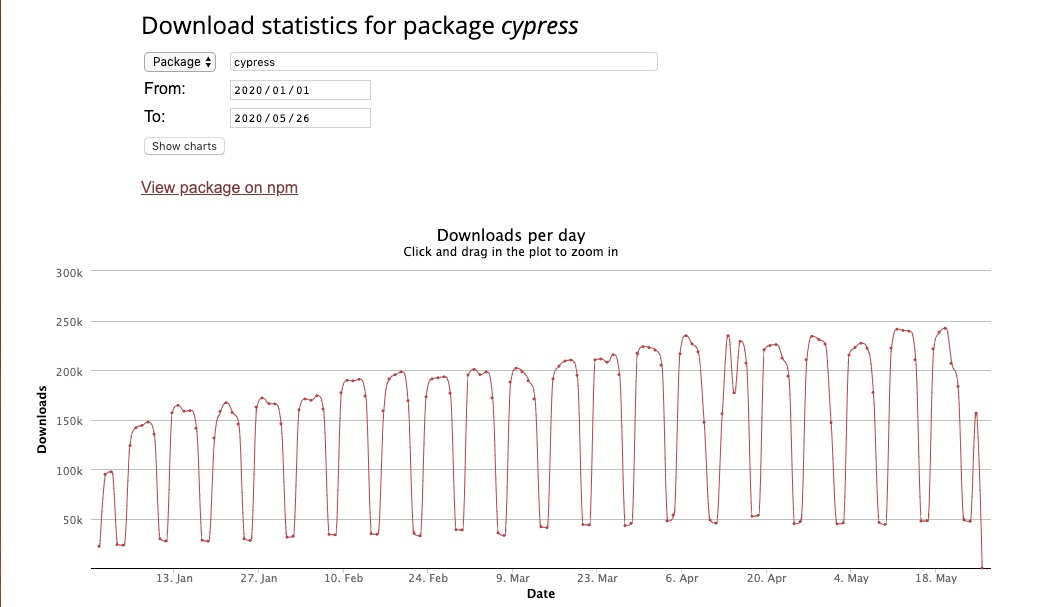
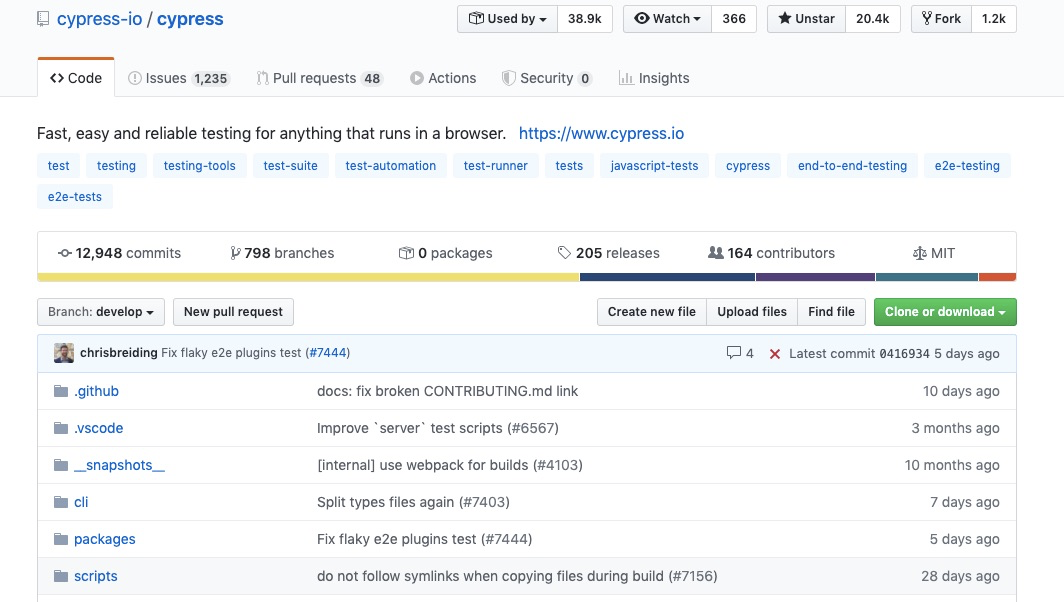
从下载量、commit提交频率、star数来看,cypress的表现都不错。
入门视频
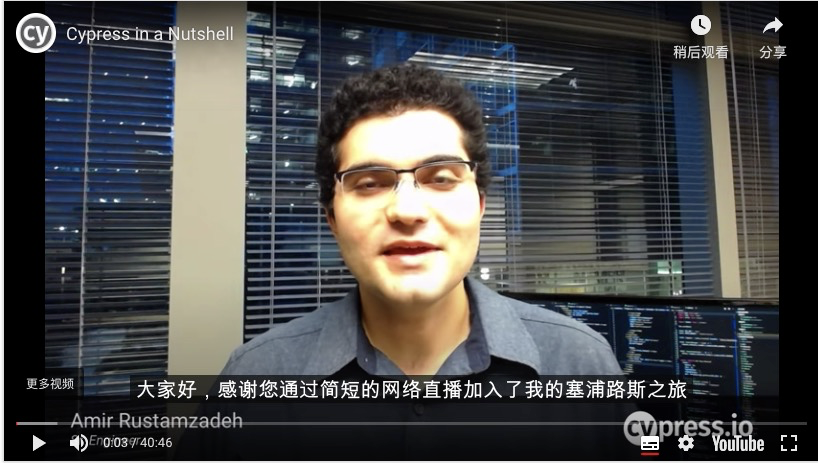
另外关于cypress,官方有一个很好的英文入门视频,虽然是英文的,但是视频是放在youtube上面的,可以借助youtube强大的翻译功能,先点击右下角的自动生成字幕按键,再点击设置按钮,选择自动翻译-中文简体即可,
虽然是机翻,但是准确率能达到80%以上,再配合代码,基本无压力。
开始使用
安装
npm install cypress -D启动
npx cypress open 或 ./node_modules/.bin/cypress open第一次打开的时候,项目会多出以下几个文件:
├── src
├── cypress
        ├── fixtures        // mock 数据
        ├── integration
                ├── examples        // 官方提供的测试案例参考,可删除
                └── YourTest        // 需要自己写的测试案例
        ├── plugins                 // 插件
        ├── support         // 自定义命令
        └── videos                  // 测试结果视频存放
├── cypress.json            //cypress配置文件
└── package.json
测试案例-百度搜索
// search.spec.js
describe('百度', () => {
    beforeEach(() => {
      cy.visit('https://www.baidu.com/')
    })
    it('能搜索', () => {
      cy.get('input#kw').eq(0).type('cypress')
      cy.contains('百度一下').click()
      cy.url().should('include','wd=cypress')     //验证目标url 是否正确包含关键字
      cy.title().should('contain','cypress_百度搜索')  //验证页面 title 是否正确
      cy.get('[id="1"]').should('contain','cypress')   // 验证第一个结果中是否包含cypress
      cy.contains('CYPRESS_百度百科').should('exist').click()
    })
})
启动GUI测试
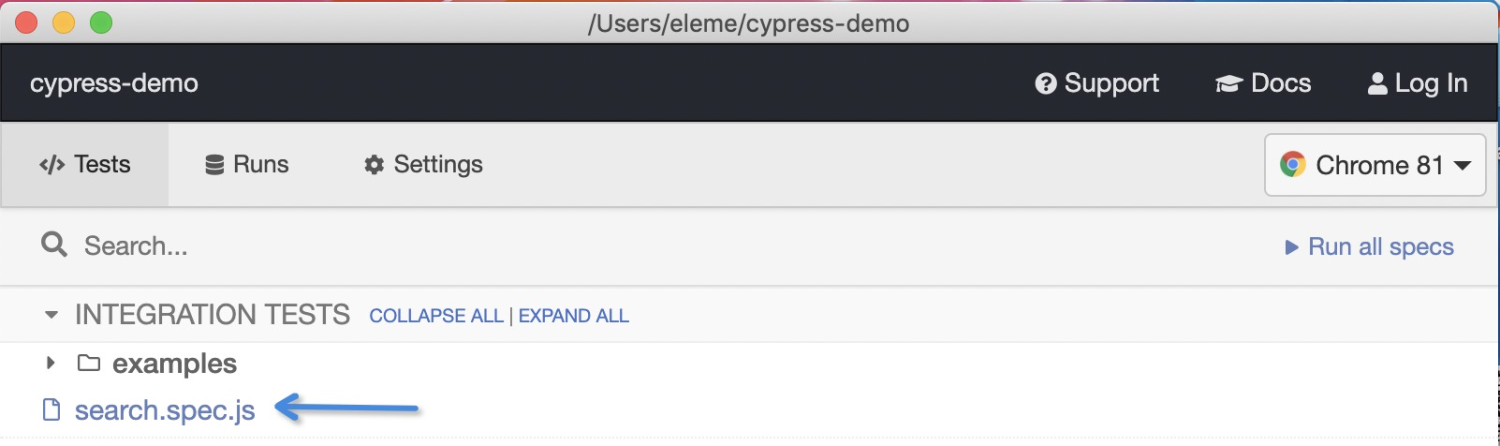
运行刚才 npx cypress open ,就会打开GUI面板,在打开的窗口里选择刚才编写的 search.spec.js 文件:
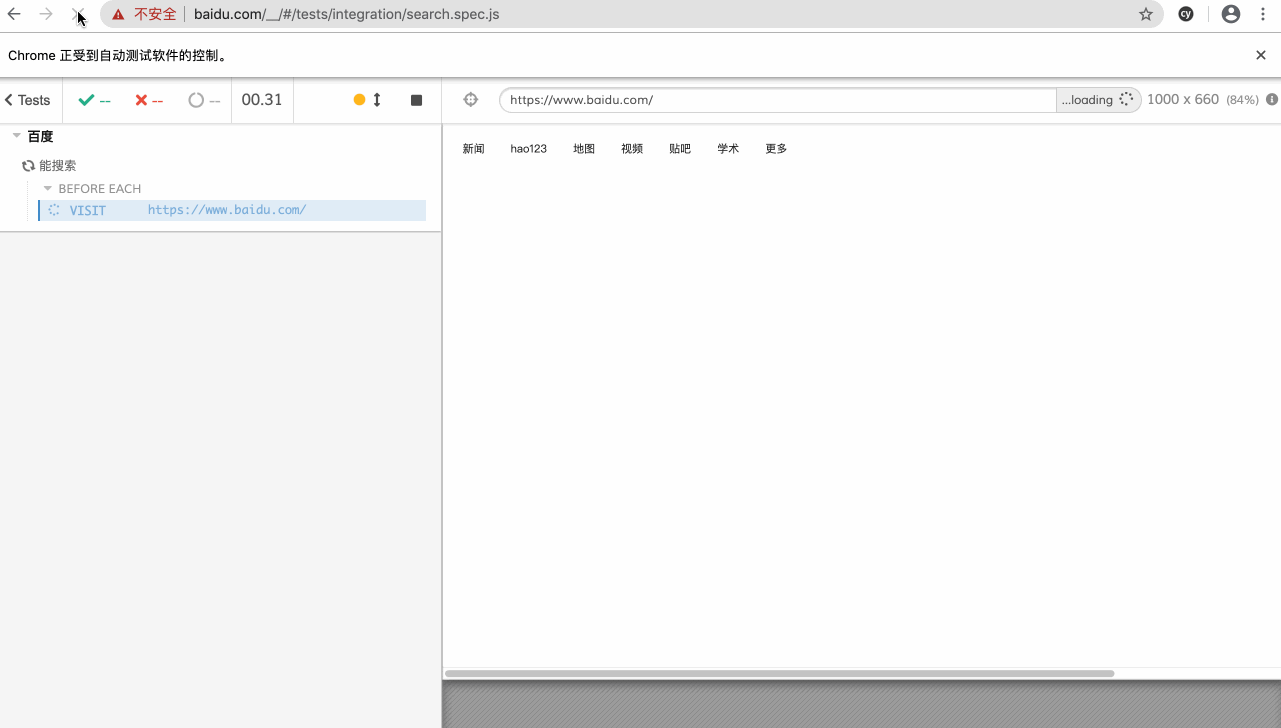
测试过程如下:
时空旅行
左边的DashBoard面板记录了测试过程中浏览器发出的每一次请求、模拟用户的每一次动作行为如输入、点击等、以及断言的结果、包括此次的测试结果,都会形成一个dom快照保存下来,方便用户查看、调试。右边则是一个真实的浏览器,运行着我们的web应用。
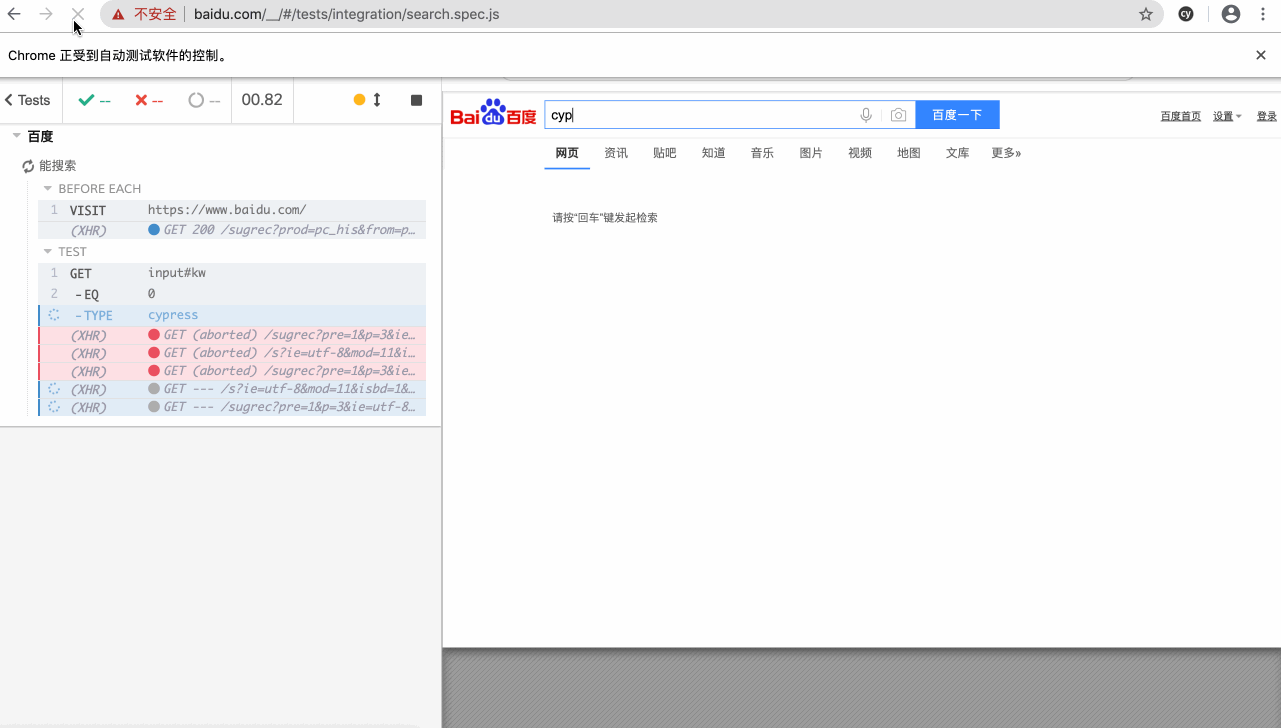
测试结果以mp4的格式保存在了cypress/videos文件夹里。
直接测试
运行 npx cypress run --spec "cypress/integration/search.spec.js" ,直接运行search.spec.js里面的测试案例,如果想集成在ci环境中运行cypress进行测试也是使用该命令,终端可看到测试结果:
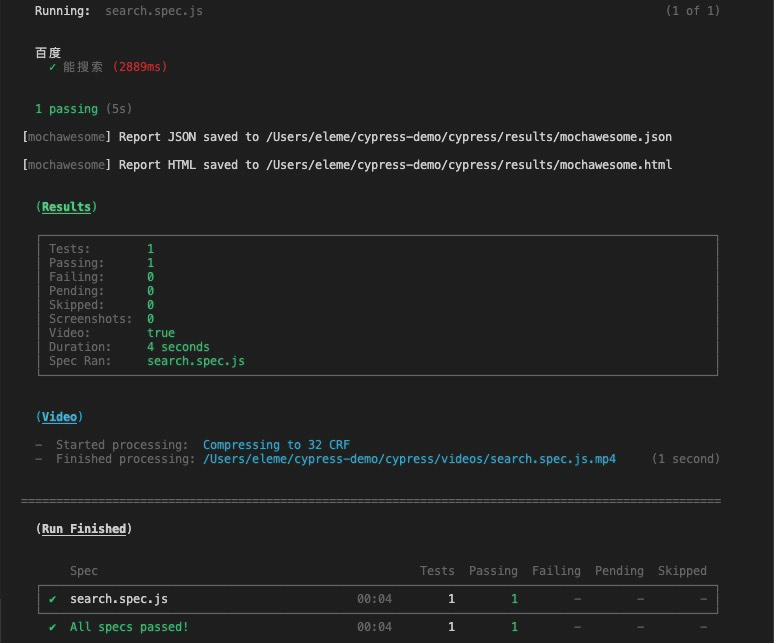
如果直接运行npx cypress run 会把integration下的测试案例都跑一遍
生成HTML报告
npm install --save-dev mocha mochawesome mochawesome-merge mochawesome-report-generator配置cypress.json:
 "reporter": "mochawesome",
    "reporterOptions": {
        "reportDir": "cypress/results",
        "overwrite": false,
        "html": true,
        "json": true
}再重新运行一下刚才的npx cypress run --spec "cypress/integration/search.spec.js"命令,这时候在cypress目录下会新生成一个results文件夹,打开里面的mochawesome.html文件,就能看到测试结果:
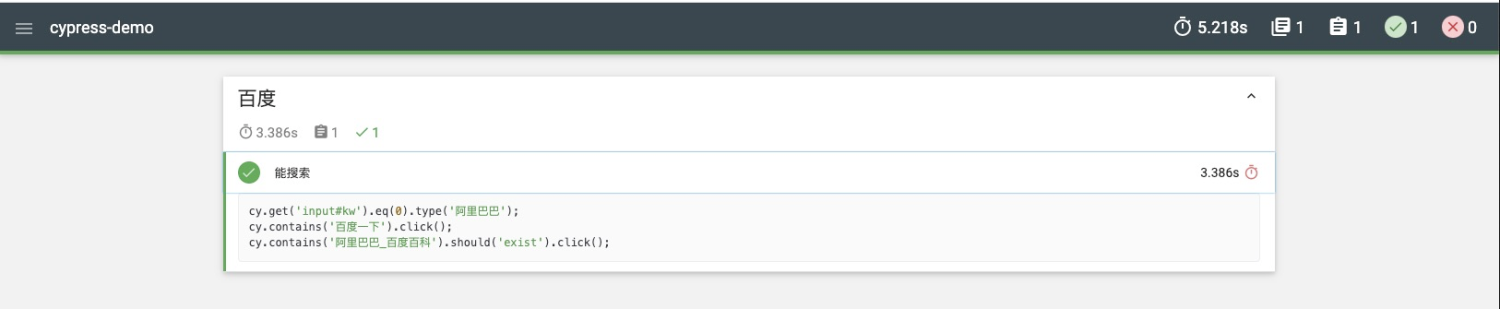
包含测试用例个数、测试结果、测试代码及测试结果。
代码分析
简单的看一下代码,还是很简洁的,使用Cypress提供的不同Command,可以随心所欲的编写测试代码,部分Command解释如下:
- beforeEach:在每个测试function都会执行
- visit:顾名思义,就是访问远程URL,跟 cypress.json 文件中的baseURL组合使用;
- get:通过selectors或者别名,获取一个或者多个Dom元素
- contains:获取包含指定文本的DOM元素
- type:在DOM元素中键入的内容
- click:单击操作
- should: 断言
更多command命令请移步docs.cypress.io/api/command…
优雅的异步处理
像访问网址、操作DOM、发起请求等都属于异步操作,我们需要等上一次的异步结果完成才能进行下一步操作,为了达到上述目的,在写测试代码的时候需要针对异步操作进行特殊处理如promise/await,我们看看cypress是如何处理异步操作的:
    cy.get('input#kw').eq(0).type('阿里巴巴')
    cy.contains('百度一下').click()  // 发起搜索阿里巴巴的请求
    cy.contains('阿里巴巴_百度百科').click() // 请求完成点击跳转到阿里巴巴_百度百科
在cypress里我们写异步代码就跟写同步代码一样,没有区别,因为cypress会自动等待,会主动监听页面的加载、请求结束等事件,这个等待时间默认是6秒,可通过cypress.json进行配置。
对于一些API请求,比如请求时间会比较长,我们也可以通过cy.wait()单独进行处理,保证该请求结束才进行下一步操作。
cypress.json
在cypress.json文件中可设置全局的参数,常见配置内容如下:
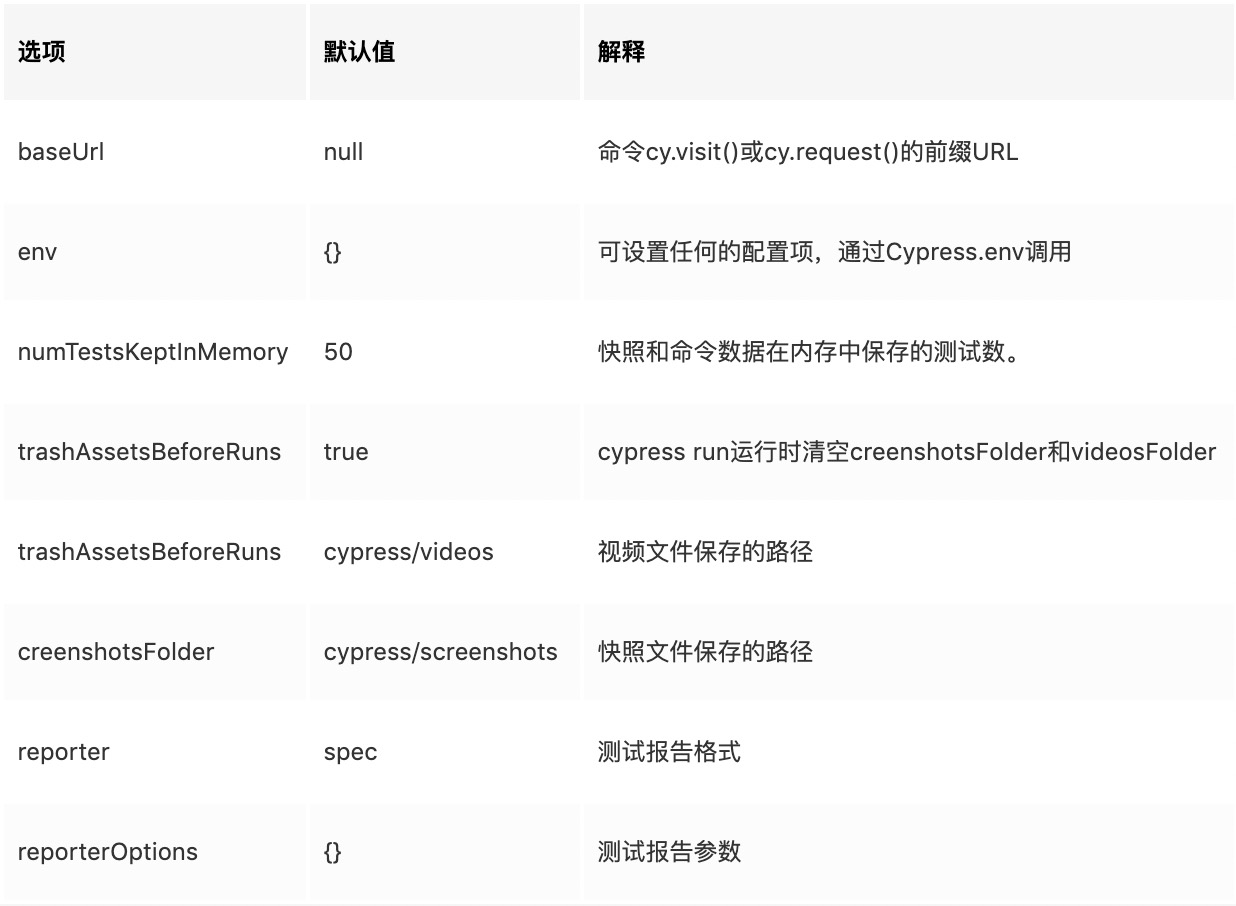
更多cypress.json配置项请移步docs.cypress.io/guides/refe…
测试案例-todo
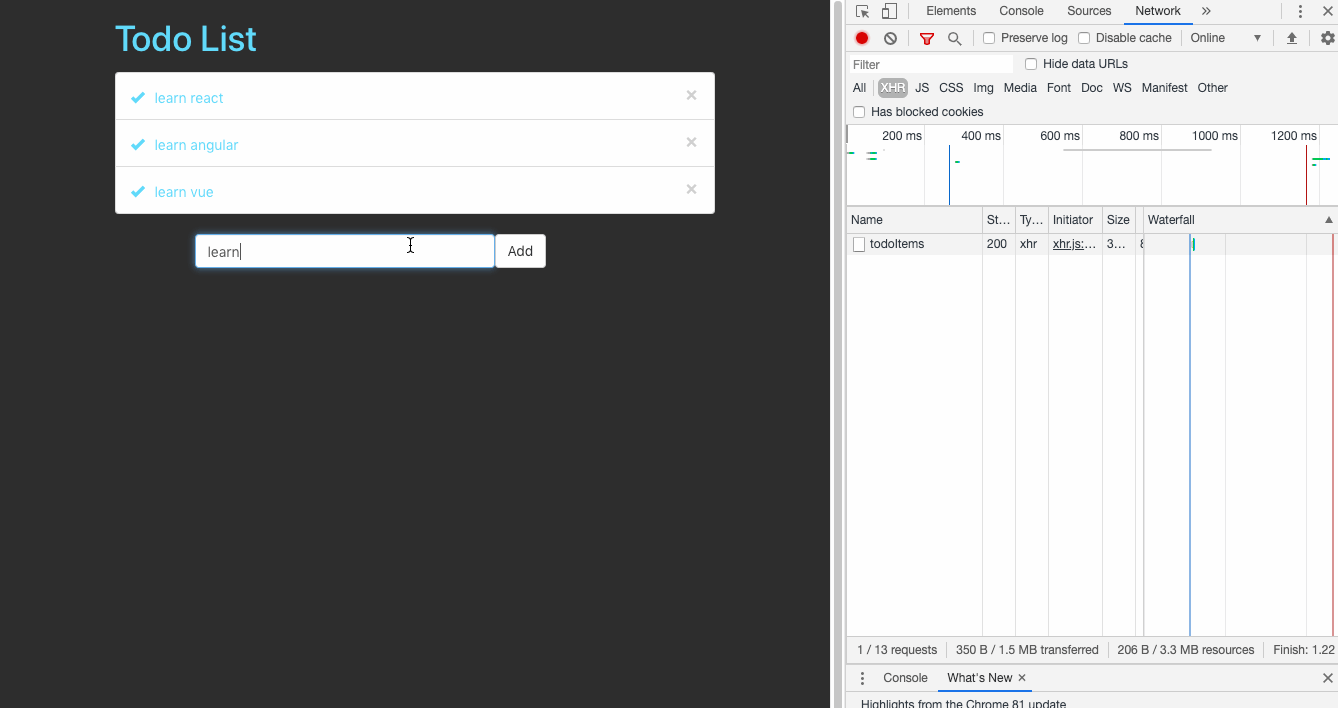
笔者用react+json-server搭建了一个简易的todo web应用,可以进行任务添加、删除、修改:
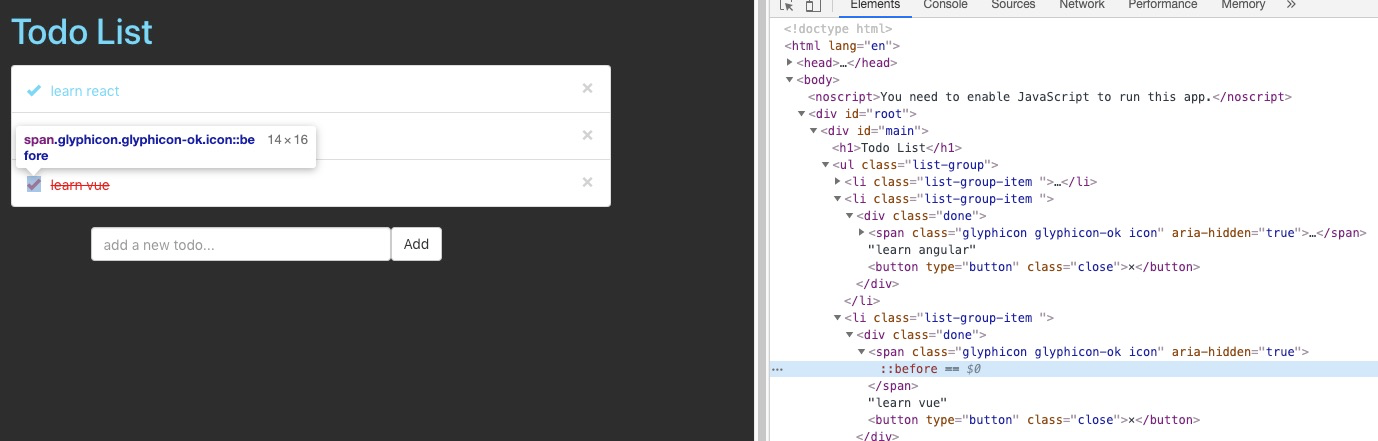
DOM结构图,我们后续需要用css 选择器找到对应的元素并执行相应的操作:
json-server可以直接把一个json文件托管成一个具备全RESTful风格的API,并支持跨域、jsonp、路由订制、数据快照保存等功能的 web 服务器。
拦截请求-stub
正常使用todo的时候,如增删改都会发起api请求和后端进行交互的,但当我们需要测试的时候,会需要各种各样的数据,真实的后端环境不一定能满足要求,这时候就可以用到cypress提供的stub功能,他会拦截应用发出的api请求,并返回用户自定义的数据格式。
在fixtures文件夹下新建一个todoItem.json文件,写下如下内容作为应用的初始化数据:
// todoItems.json
[
    { "id": 0, "value": "xue java", "done": false},
    { "id": 1, "value": "xue python", "done": false},
    { "id": 2, "value": "xue node", "done": false}
]
在integration下新建一个todo.spec.js文件,写下第一个测试用例:
// todo.spec.js
describe('todo', () => {
    beforeEach(() => {
        cy.visit('http://localhost:3001/')
        cy.server()
        cy.route('GET', 'http://localhost:3000/todoItems', 'fixture:todoItems.json')
    })
    it('数据初始化正常', () => {
        cy.get('.list-group-item').should('have.length', 3)
    })
})
代码分析
beforeEach是cypress提供的一个生命钩子,类似的钩子还有:
describe('Hooks', function() {
  before(function() {
    // runs once before all tests in the block
  })
  after(function() {
    // runs once after all tests in the block
  })
  beforeEach(function() {
    // runs before each test in the block
  })
  afterEach(function() {
    // runs after each test in the block
  })
})- cy.server() 开启拦截请求服务
- cy.route() 匹配请求api
- fixture:todoItems.json 响应的内容,就我们刚才写的todoItems.json文件里的内容
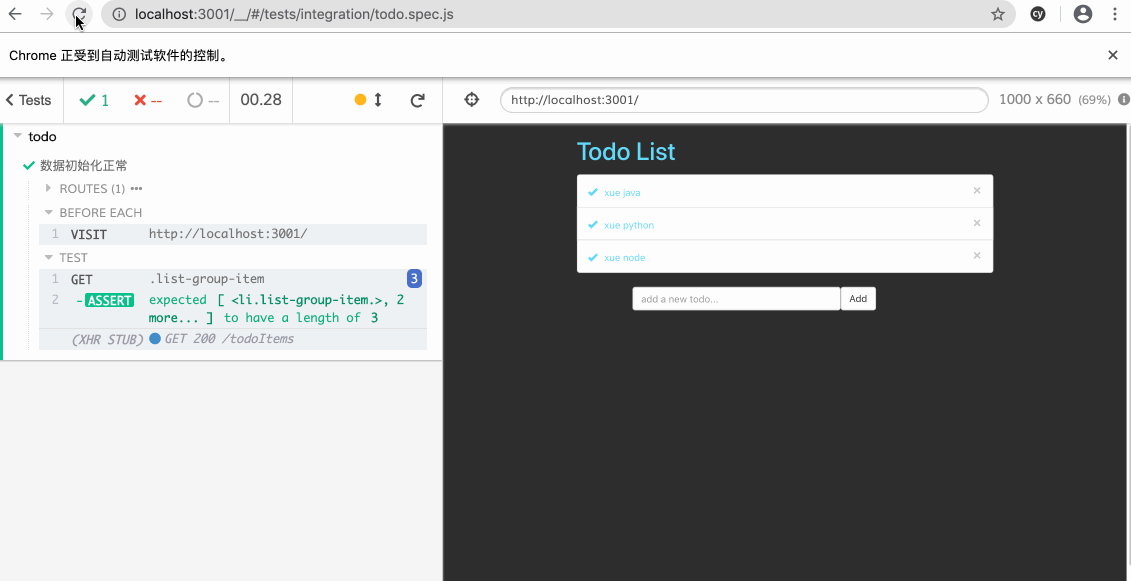
- cy.get('.list-group-item').should('have.length', 3) 预测初始化后有3条原始数据
测试添加数据
代码修改如下:
describe('todo', () => {
    beforeEach(() => {
        cy.visit('http://localhost:3001/')
        cy.server()
        cy.route('GET', 'http://localhost:3000/todoItems', 'fixture:todoItems.json')
        cy.route('POST', 'http://localhost:3000/todoItems', {"id": 3, "value": "xue node", "done": false})
    })
    it('数据初始化正常', () => {
        cy.get('.list-group-item').should('have.length', 3)
    })
    it('数据添加正常', () => {
        cy.fixture('todoItems').then((items)  => {
            items.push({"id": 3, "value": "xue node", "done": false})
cy.route('GET', 'http://localhost:3000/todoItems', items).as('getItems')
          })
        cy.get('input').type('xue node')
                cy.get('button').last().click()     // 找到最后一个add 按键
        cy.wait('@getItems').then(() => {
            cy.get('.list-group-item').should('have.length', 4)
                        cy.get('.list-group-item').last().contains('xue node')
        })
    })
})
添加数据用的是post请求,所以我们添加了一条拦截请求:
cy.route('POST', 'http://localhost:3000/todoItems', {"id": 3, "value": "xue node", "done": false})即用户到时候会添加一条内容为 xue node 的新任务。
另外我们需要把新添加的任务添加到原始的初始化数据里,所以需要对原始数据进行更改:
 cy.fixture('todoItems').then((items)  => {
    items.push({"id": 3, "value": "xue node", "done": false})
        cy.route('GET', 'http://localhost:3000/todoItems', items).as('getItems')
})
后面的代码就比较简单了:
 cy.get('input').type('xue node')
        cy.get('button').last().click()     // 找到最后一个add 按键
    cy.wait('@getItems').then(() => {
        cy.get('.list-group-item').should('have.length', 4)
                cy.get('.list-group-item').last().contains('xue node')
 })
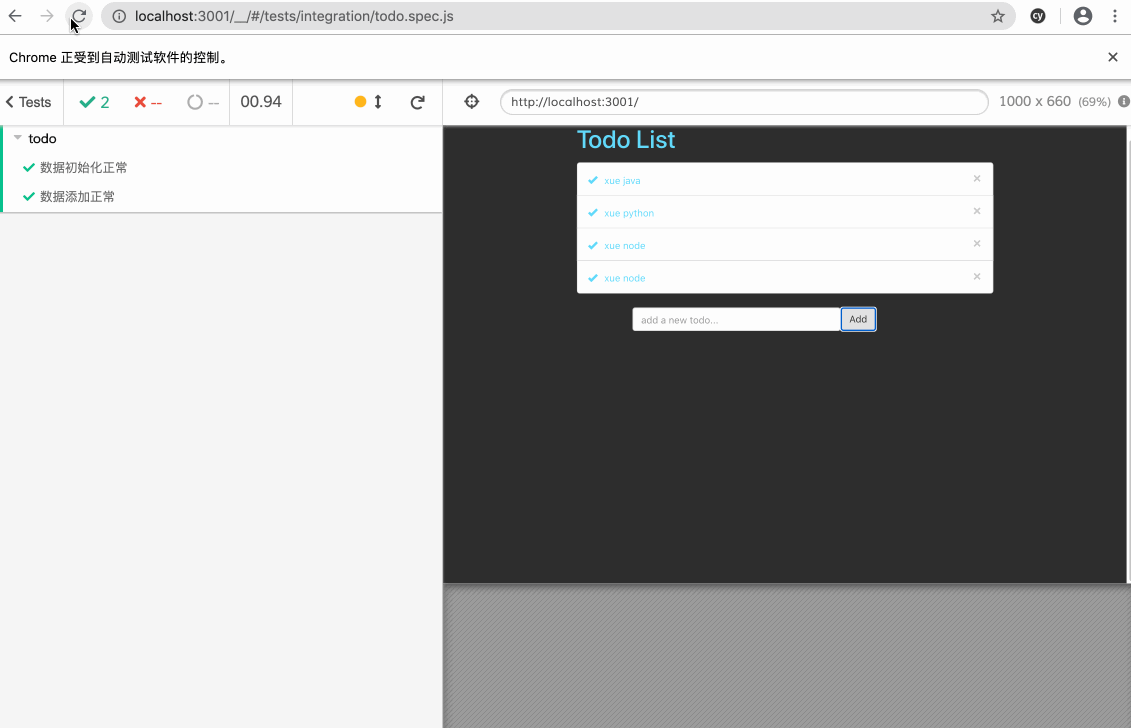
找到input输入框,输入xue node,然后找到最后的add按键点击,cy.wait()等待我们添加数据的操作完成,预测最后有4条数据,并且最后一条数据的内容为xue node,
综合测试
后面的删除、修改数据的测试和添加数据差不多,我们一口气写完,跑一遍测试:
describe('todo', () => {
    beforeEach(() => {
        cy.visit('http://localhost:3001/')
        cy.server()
        cy.route('GET', 'http://localhost:3000/todoItems', 'fixture:todoItems.json')
        cy.route('POST', 'http://localhost:3000/todoItems', {"id": 3, "value": "xue ruby", "done": false})
        cy.route('DELETE', 'http://localhost:3000/todoItems', {"id": 2, "value": "xue node", "done": false})
        cy.route('PUT', 'http://localhost:3000/todoItems/2', {"id": 2, "value": "xue node", "done": true})
    })
    it('数据初始化正常', () => {
        cy.get('.list-group-item').should('have.length', 3)
    })
    it('数据添加正常', () => {
        cy.fixture('todoItems').then((items)  => {
            items.push({"id": 3, "value": "xue ruby", "done": false})
            cy.route('GET', 'http://localhost:3000/todoItems', items).as('getItems')
          })
        cy.get('input').type('xue ruby')
        cy.get('button').last().click()
        cy.wait('@getItems').then(() => {
            cy.get('.list-group-item').should('have.length', 4)
            cy.get('.list-group-item').last().contains('xue ruby')
        })
    })
    it('数据删除正常', () => {
        cy.fixture('todoItems').then((items)  => {
            items.pop()
            cy.route('GET', 'http://localhost:3000/todoItems', items).as('delItems')
          })
        cy.get('.close').last().click()
        cy.wait('@delItems').then(() => {
            cy.get('.list-group-item').should('have.length', 2)
            cy.get('.list-group-item').last().contains('xue python')
        })
    })
    it('数据修改正常', () => {
        cy.fixture('todoItems').then((items)  => {
            items = items.map( v => {
                if (v.id === 2) {
                    v.done = !v.done
                }
                return v
            })
            cy.route('GET', 'http://localhost:3000/todoItems', items).as('updateItems')
          })
        cy.get('.glyphicon-ok').last().click()
        cy.wait('@updateItems').then(() => {
            cy.get('.list-group-item').should('have.length', 3)
            cy.get('.list-group-item > div').last().should('have.class', 'done')
        })
    })
})