前言(好久没有更新文章了,对不住关注者,以后经常更新😁)
最近研究一下react超大数据量渲染dom显示优化问题,不过这不是今天不能全部分享,找个时间我会分享,长列表虚拟加载、横向超大数据伸缩,今天简单的分享一下自己基础知识欠缺在处理大数据渲染dom时进入误区思路。我会按照以下步骤分享,希望大家不要像我一样因思路不对入坑
- 背景
- react处理方式
- 优化处理方式
背景
我最近在测试react,在使用超大数据量去渲染dom,点击某个dom节点A后该节点 显示并辅助线,点击其他dom时A 消失辅助线,被点击的dom高亮这是个简单的需求,数据结构如下
数据格式大致
list =[
    {
        id:'dom_A',
       ...

    },
     {
        id:'dom_B',
       ...

    },
     {
        id:'dom_C',
       ...

    },
    ...

]
看下实现结果

react 思路处理方式
我大概能猜到,会有小伙伴和我一样的思路,我看完动图后我的第一个思路就是- 1 当点击ChildrenComponent的时候去记录ChildrenComponent的id并通过父级setState保存被点击的id,命名为activeId,
- 2 然后对比ChildrenComponent组件的id是否等于activeId 等于的该组件就显示辅助线。
看大致代码
impoer React,{useState} from 'react';
impoer classnames from 'classnames';
impoer styles from './index.scss'
const ChildrenComponent = ({ id, activeId, setActiveId })=>{
    const childerCls = classnames({
        [styles.showAuxiliary]:activeId===id
    })
    // 注意  background:{`#${Math.floor(Math.random() * 1000000)}`} 为了测试
    return (<div
            style={{  background:`#${Math.floor(Math.random() * 1000000)}`}
            onClick ={()=>{setActiveId(id)}}
            className={childerCls}></div>)

}

const ParentComponent = ({ list })=>{
    cosnt [activeId,setActiveId] = useState('')
    return list.map(({id,...other})=>(<ChildrenComponent
    activeId={activeId}
    id={id}
    setActiveId={setActiveId}
    {...other} />))
}
上面代码看上去是没有任何问题,执行起来也能完成需求,但是每次执行setActiveId()方法的时候,所有的ChildrenComponent都会被渲染,在ChildrenComponent组件的style添加 background:{#${Math.floor(Math.random() * 1000000)}}为了测试子组件是否渲染
看动图

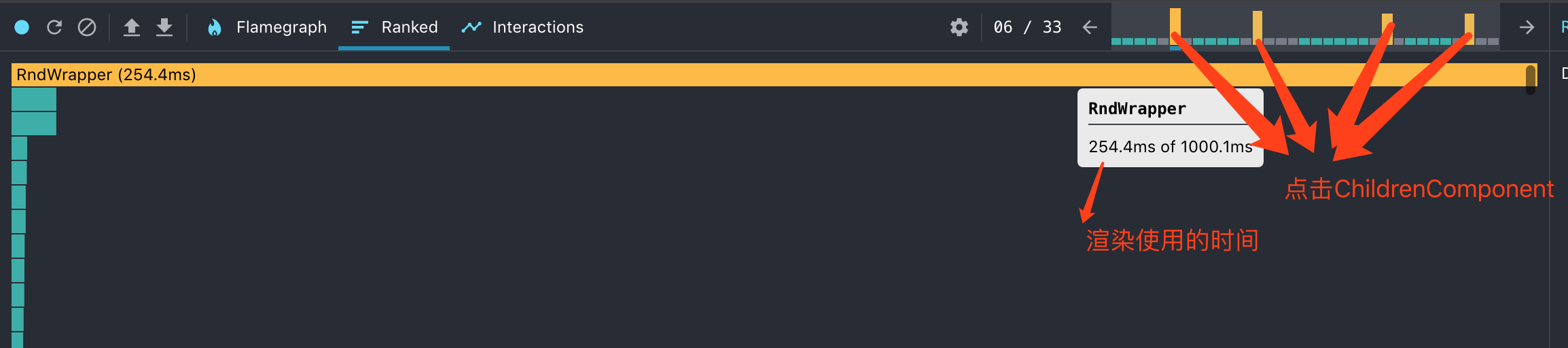
大家可以看到每点击ChildrenComponent,其他的ChildrenComponent也会被渲染,这可不是什么好的结果,我们是不希望得到这个渲染结果,这样每次都会渲染会对消耗大量内存
看图
优化处理方式
上面的动图和性能分析图,告诉我们需要优化,咱们可以借助类似input的onFocus和onBlur的思路来拓展,只改变点击的ChildrenComponent的state直接在div上绑定onBlur是不会成功的,因为使blur事件触发某个元素,该元素需要首先获得焦点。但是div元素默认情况下不会获得焦点。当时我是直接绑定的,并没有给div添加 tabindex || contentEditable 属性,发现触发不了blur事件,这就是我基础知识点的欠缺😌
看代码
impoer React,{useState} from 'react';
impoer classnames from 'classnames';
impoer styles from './index.scss'
const ChildrenComponent = ({ id })=>{
    cosnt [isSelected,setIsSelected] = useState(false)
    const childerCls = classnames({
        [styles.showAuxiliary]:isSelected
    })
    // 注意  background:{`#${Math.floor(Math.random() * 1000000)}`} 为了测试
    return (<div
            tabIndex={0}
            style={{  background:`#${Math.floor(Math.random() * 1000000)}`}
            onClick ={()=>{setIsSelected(true)}}
            onBlur={()=>{setIsSelected(false)}}
            className={childerCls}></div>)

}

const ParentComponent = ({ list })=>{
    return list.map(({id,...other})=>(<ChildrenComponent
    id={id}
    {...other} />))
}
废话不说看动图
现在点击ChildrenComponent 后就会瞬间显示辅助线,因为现在每次点击ChildrenComponent 最多会渲染两个ChildrenComponent 而不是全部
看性能分析图
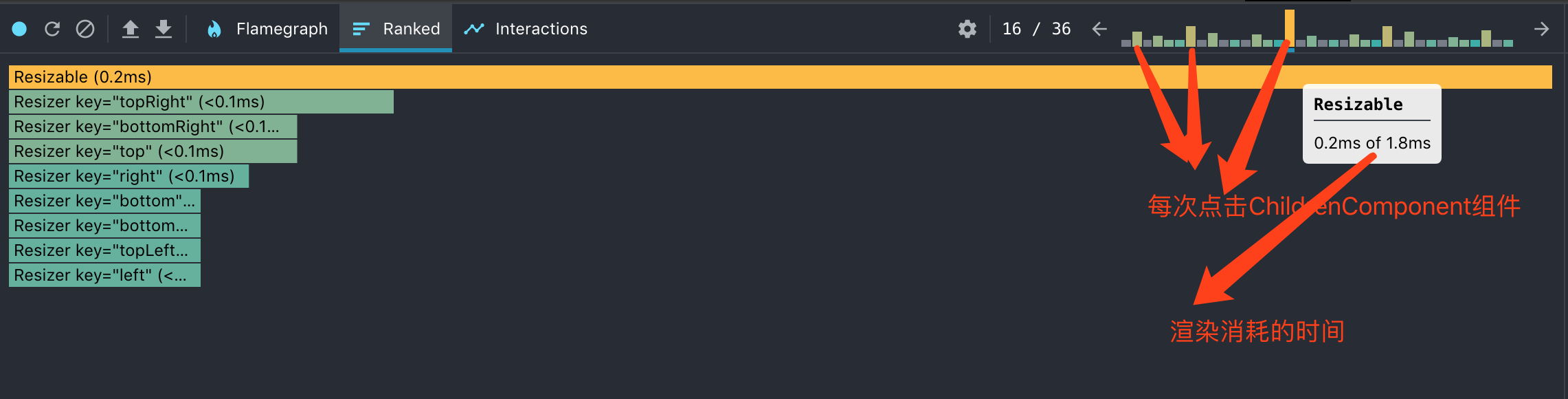
没有优化之前每次点击渲染消耗的时间是254毫秒左右,优化后渲染消耗的时间为0.2毫秒,提升了1000倍左右,我的天😁,大家可以留言互动分享知识点