<!DOCTYPE html>
<html lang="en">
<head>
    <meta charset="UTF-8">
    <meta name="viewport" content="width=device-width, initial-scale=1.0">
    <title>Document</title>
</head>
<body>

</body>
<script>
    // 箭头函数是用来简化定义函数的写法的:
    function add (x,y){
        console.log(x+y);
    }
    add(20,30);//50

    const ret = (x,y) =>{
        return  x+y;
    }
   console.log( ret(50,60));//110

//    返回只有一句代码 就可以把{} return省略掉
const retOne = (x,y) => x+y;
console.log( retOne(60,60));//120

// 只有一个参数就可以()省略掉

function fn(v){
    console.log(v);

}
fn('我爱你!!!');


const fn3 = (v) =>{
    alert(v);
}
fn3('烦恼都跑掉')


const fn2 = v => v;
console.log(fn2('fn2 不是fu2'))
// console.log(fu2('我叫lulu'));


// 箭头函数没有自己的this关键字 箭头函数没有自己的this关键字
// 如果在箭头函数中使用this
// this关键字将指向箭头函数定义位置中的this

function  person(){
    console.log(this);
}

const obj = { name : 'lumingqing'};

person.call(obj);//obj

function  person1(){
    console.log(this);
    return ()=>{
        console.log(this);
    }
}

const obj1 = { name : 'lumingqing'};

// const  newDemo = person.call(obj1);
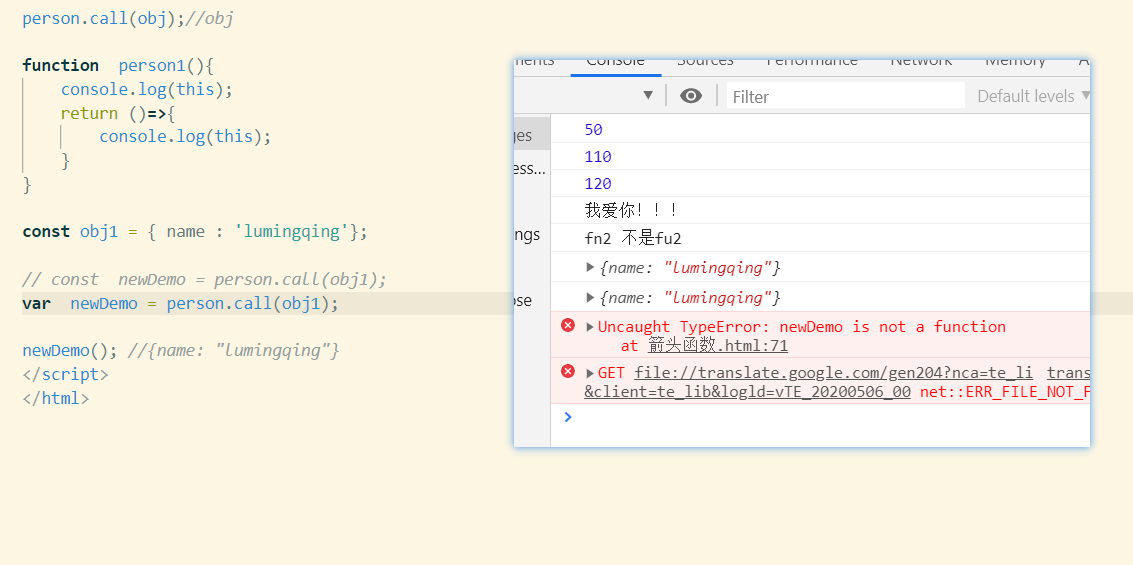
var  newDemo = person1.call(obj1);

newDemo(); //{name: "lumingqing"}


// 面试题 :
// age = 20;
// var obj5 = {
//     name : '憨憨',
//     age:'25',
//     hobby:'backetball',
//     say:function(){
//         console.log(this.age);
//     }
// }

// obj5.say();//25
age = 20;
var obj5 = {
    name : '憨憨',
    age:'25',
    hobby:'backetball',
    say:()=>{
        console.log(this.age);
    }
}

obj5.say();//20  因为obj 不存在作用域的 所以 箭头函数定义是在 window上

//对象没有作用域 现在终于想明白vue中的methods中箭头函数this指向的是vue组件实例了

</script>
</html>
经常犯这种变量名 的错误 害