HTML方面
- 一般情况下,内联元素内是无法放块级元素的
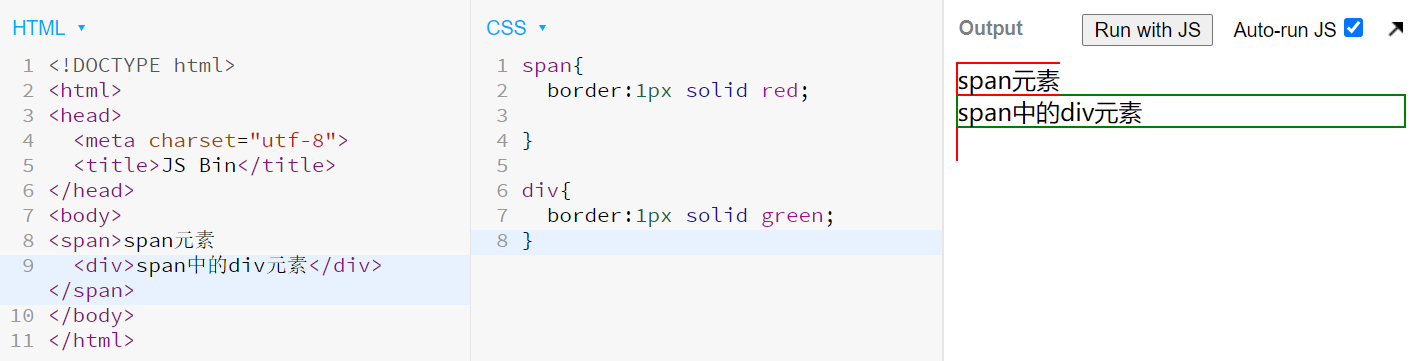
但是a标签除外!
w3c文档:The a element may be wrapped around entire paragraphs, lists, tables, and so forth, even entire sections, so long as there is no interactive content within (e.g., buttons or other links).
//只要在其中没有交互式内容(例如,按钮或其他链接),a元素可以围绕整个段落,列表,表格等,甚至整个部分。
CSS方面
- 移动端在点击button按钮时会有一圈虚线,很丑,我们可以通过以下方法去除
button{
    outline:none
}
- 去除input点击后被一个框框包裹
a,
input {
  outline: none;
}
- 移动端去除长按图标后的蓝色背景
body {
  -webkit-tap-highlight-color: rgba(0, 0, 0, 0);
}
- 在页面有长按事件后,安卓手机可能会跳出长按复制选项干扰,解决方法如下(ios端兼容性有待验证)
* {
  -webkit-touch-callout: none;
  -webkit-user-select: none;
  -khtml-user-select: none;
  -moz-user-select: none;
  -ms-user-select: none;
  user-select: none;
}

input,
textarea {
  -webkit-user-select: auto;
}
- 鼠标放上去后有一个小手
button{
    cursor: pointer;
}
- 当我们写了宽度以后,可以通过margin实现居中
.element{
    margin-left:auto;
    margin-right:auto;
}
JS方面
- replace
const x = (node) =>{
    return node.replace('这里是匹配你要去除的','这里是你要替换的')
}
- localStorage
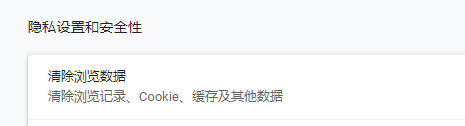
这种方法存储的数据,除非用户去除浏览器数据,否则一般不会消失,且只存储在本地
const x = localStoreage.getItem('name')
// 读

localStore.setItem('name','value')
//写
需要注意的是,localStorage只能存储string,所以需要配合以下api实现读写
JSON.stringify(x)
//将变量x转换为string

JSON.parse(x)
//将变量x(typeof x === 'string')转换为对象
- 在需要在页面关闭前做一些操作的话可以使用这个api
window.onbeforeonload{

}
- 监听键盘事件
$(document).on('keypress',(k)=>{
    console.log(k.key)
})
同时也可以通过冒泡来在特定的地方来阻止该事件
$(document).on('keypress','.input',(event)=>{
    event.stopPropagation();
})
- 移动端长按事件
$('element').on({
    touchstart:function(){
        timeOutEvent = setTimeout((){
            //长按之后需要执行的事件
        },5000)
    },

    touchmove:function(){
        clearTimeout(timeOutEvent)
        //手指移动后不在触发长按事件
    },
})