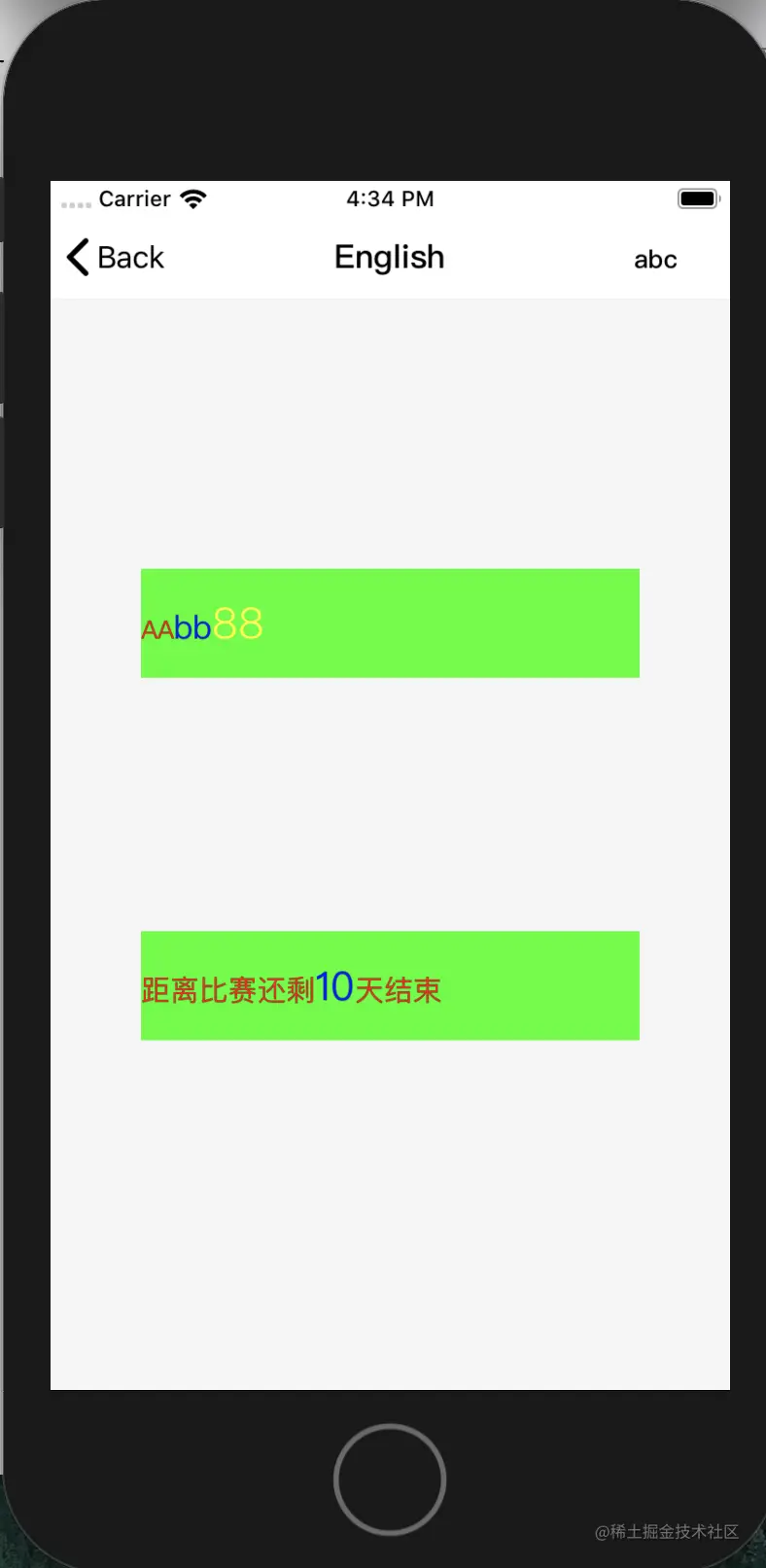
前言:iOS app 页面上 同一段文字不同样式,突出重点内容,这样的需求很普遍。这就产生了快速构建富文本的API的刚需
刚需分为两种使用场景:1. aaBB88 的分段式。 2. aaa****aaaaaa的 插入式
1. aaBB 的分段式,处理方法,将整个内容做成数组,然后拼接。(车牌号:沪A123456 -》["车牌号:", "沪A123456"])
实现:
extension NSMutableAttributedString {
	convenience init?(elements: [(str : String , attr : [NSAttributedString.Key : Any])]) {
        self.init(string: "")
        for ele in elements {
            let eleAttr = NSAttributedString(string: ele.str, attributes: ele.attr)
            self.append(eleAttr)
        }
    }
}
使用方式:
func testAAbb88() {
        let lab = UILabel(frame: CGRect(x: 50, y: 150, width: self.view.width - 100, height: 60))
        view.addSubview(lab)
        lab.backgroundColor = .green
        lab.attributedText = NSMutableAttributedString(elements: [
            (str: "AA", attr: [NSAttributedString.Key.foregroundColor : UIColor.red, NSAttributedString.Key.font : UIFont.systemFont(ofSize: 14)]),
            (str: "bb", attr: [NSAttributedString.Key.foregroundColor : UIColor.blue, NSAttributedString.Key.font : UIFont.systemFont(ofSize: 18)]),
            (str: "88", attr: [NSAttributedString.Key.foregroundColor : UIColor.yellow, NSAttributedString.Key.font : UIFont.systemFont(ofSize: 24)])])
    }
2. aaaaaaaaa的 插入式,处理方法是先设置完整字段的样式,然后用实际内容取代(例如:“比赛将在开始” -》 “比赛将在2020.02.02开始”),// Global.SMEmptyIndicator = "--",Global.SMReplaceIndicator = ""
实现:
extension UILabel {
func setOriginalAttr(str: String, color: UIColor, fontSize: CGFloat) {
setOriginalAttr(str: str, color: color, font: UIFont.systemFont(ofSize: fontSize))
}
func setOriginalAttr(str: String, color: UIColor, font: UIFont) {
self.text = str
self.textColor = color
self.font = font
}
func setPartAttr(partStr: String?, partColor: UIColor, partFontSize: CGFloat) {
setPartAttr(partStr: partStr, partColor: partColor, partFont: UIFont.systemFont(ofSize: partFontSize))
}
func setPartAttr(partStr: String?, partColor: UIColor, partFont: UIFont) {
guard self.text != nil && self.text!.notEmpty else {
return
}
var rightPartStr: String = partStr ?? Global.SMEmptyIndicator
if partStr == nil || partStr!.isEmpty {
rightPartStr = Global.SMEmptyIndicator
}
let tempStr = self.text!.replaceXXXX(newStr: rightPartStr)
let attrS = NSMutableAttributedString(string: tempStr)
guard let tempRange = tempStr.range(of: rightPartStr) else {
return
}
attrS.addAttributes([NSAttributedString.Key.foregroundColor : self.textColor ?? UIColor.black, NSAttributedString.Key.font : self.font ?? UIFont.systemFont(ofSize: 16)], range: NSRange(location: 0, length: tempStr.count))
attrS.addAttributes([NSAttributedString.Key.foregroundColor : partColor, NSAttributedString.Key.font : partFont], range: tempStr.nsRange(from: tempRange))
self.attributedText = attrS
}
}
extension String {
func replaceXXXX(newStr: String?) -> String {
guard newStr != nil else {
return self.replacingOccurrences(of: Global.SMReplaceIndicator, with: Global.SMEmptyIndicator)
}
return self.replacingOccurrences(of: Global.SMReplaceIndicator, with: newStr!)
}
}
使用方式:
func testAAbbAA() {
        let lab = UILabel(frame: CGRect(x: 50, y: 350, width: self.view.width - 100, height: 60))
        view.addSubview(lab)
        lab.backgroundColor = .green
        lab.setOriginalAttr(str: "距离比赛还剩****天结束", color: .red, fontSize: 16.0)
        lab.setPartAttr(partStr: "10", partColor: .blue, partFontSize: 22)
    }
效果图: