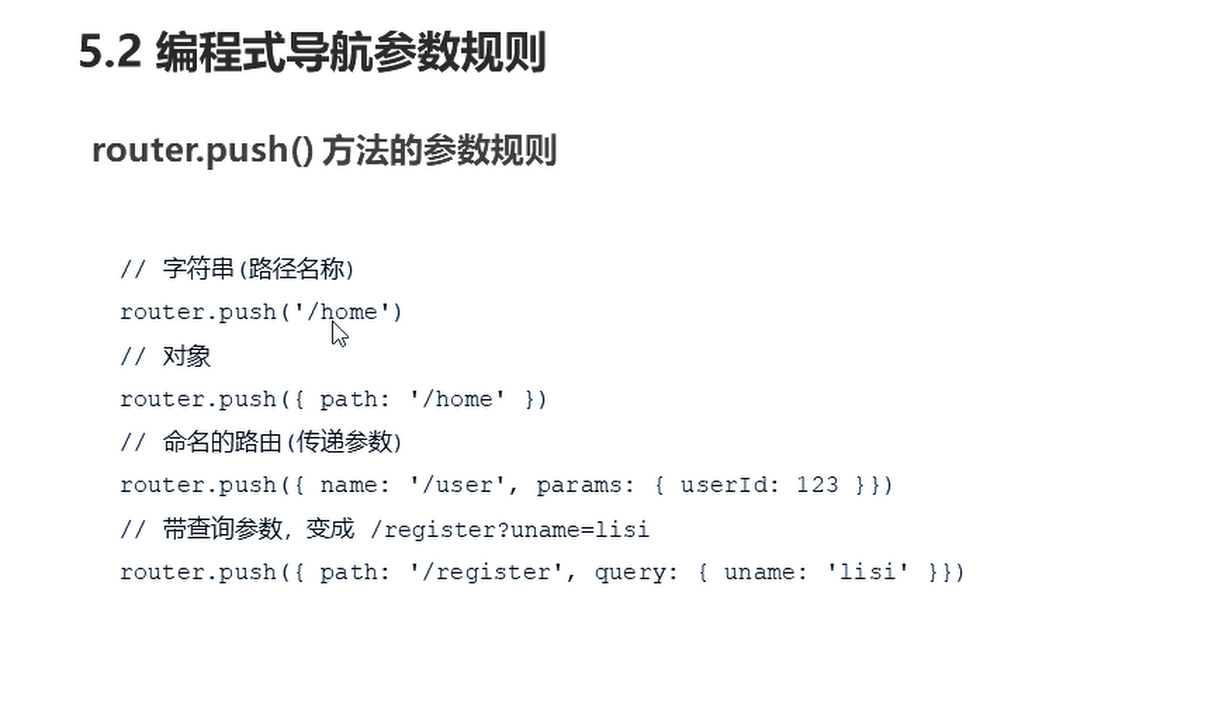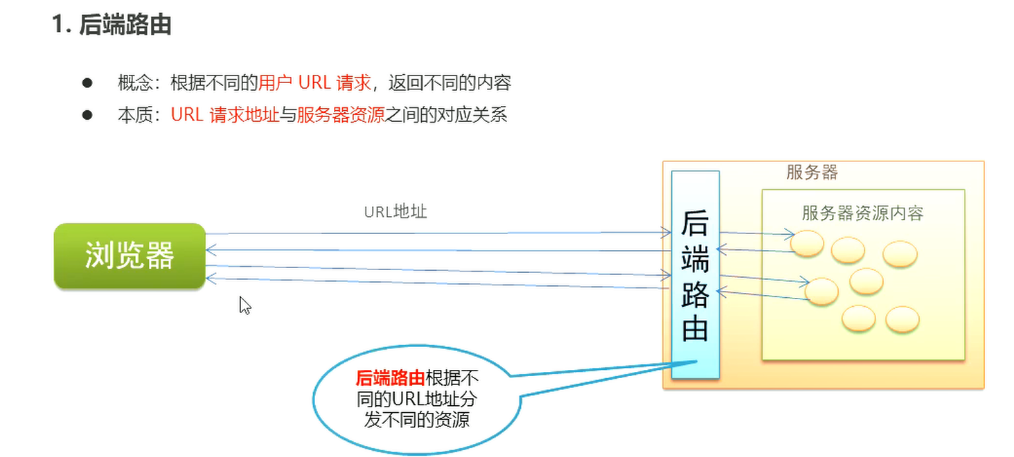
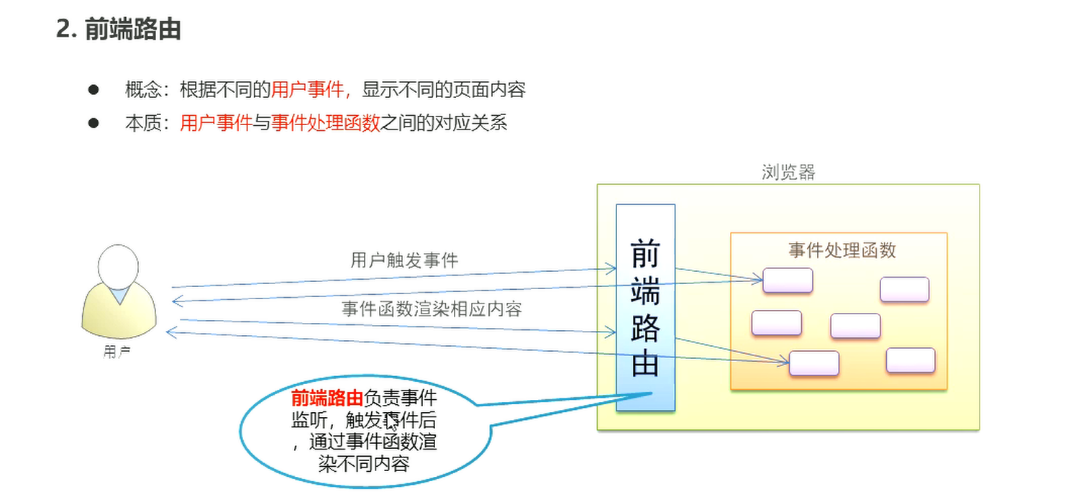
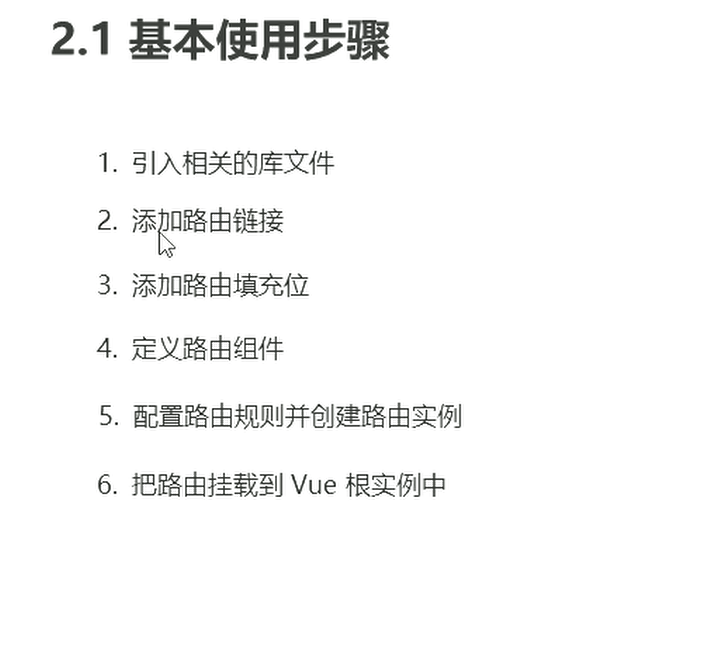
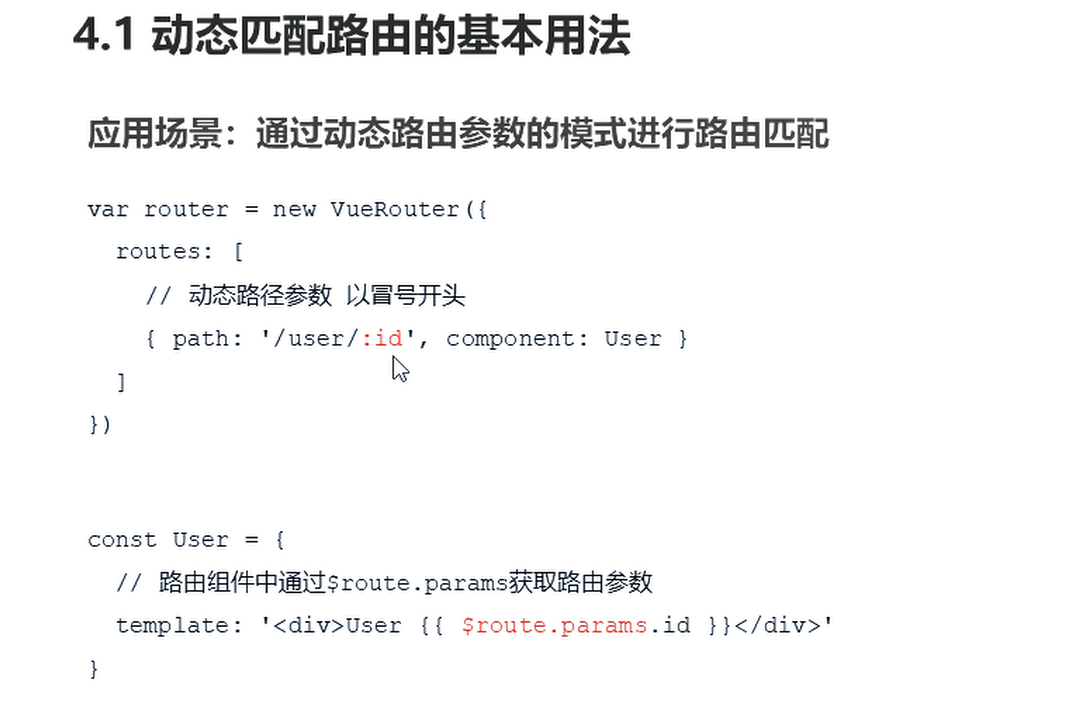
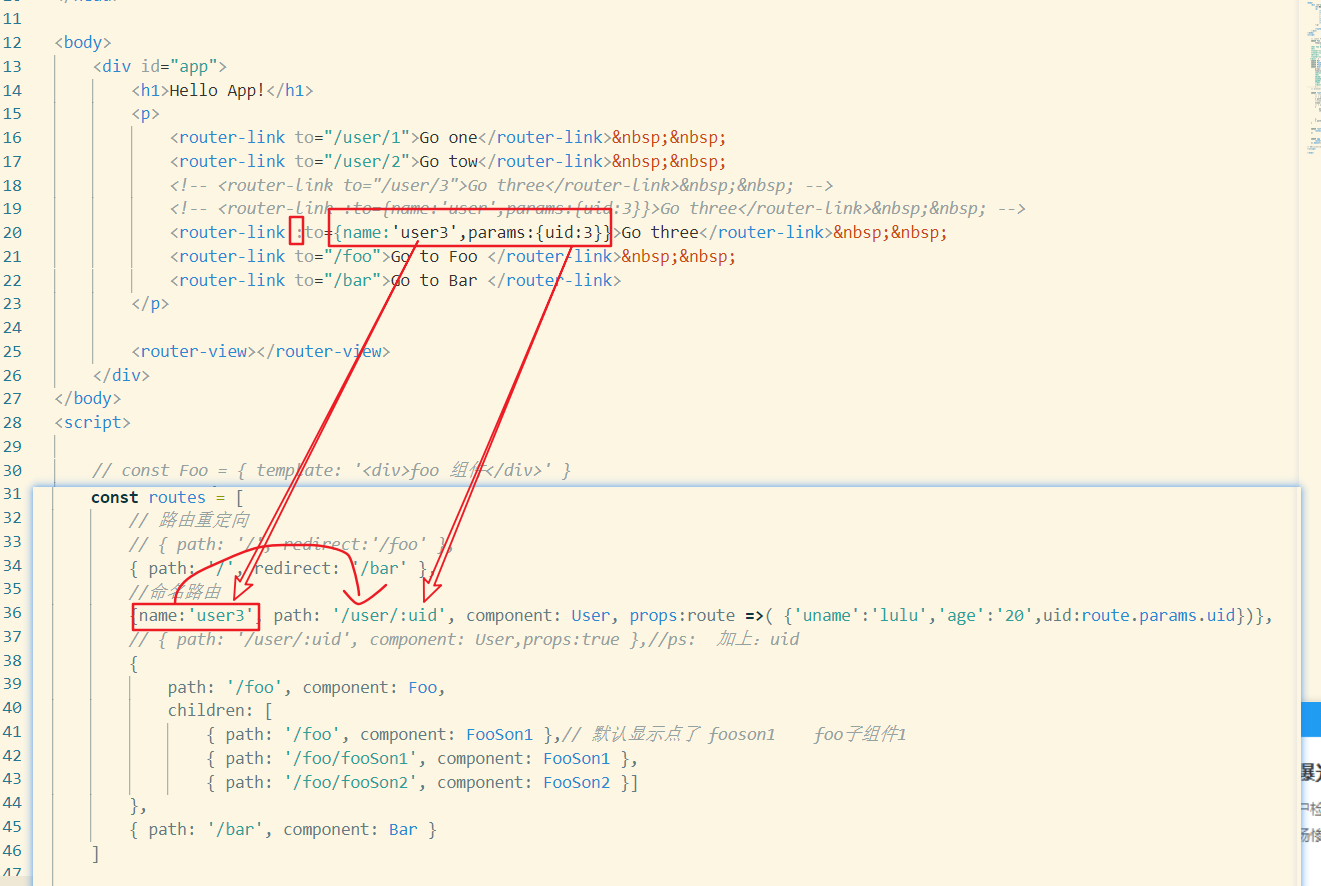
props :路由传参
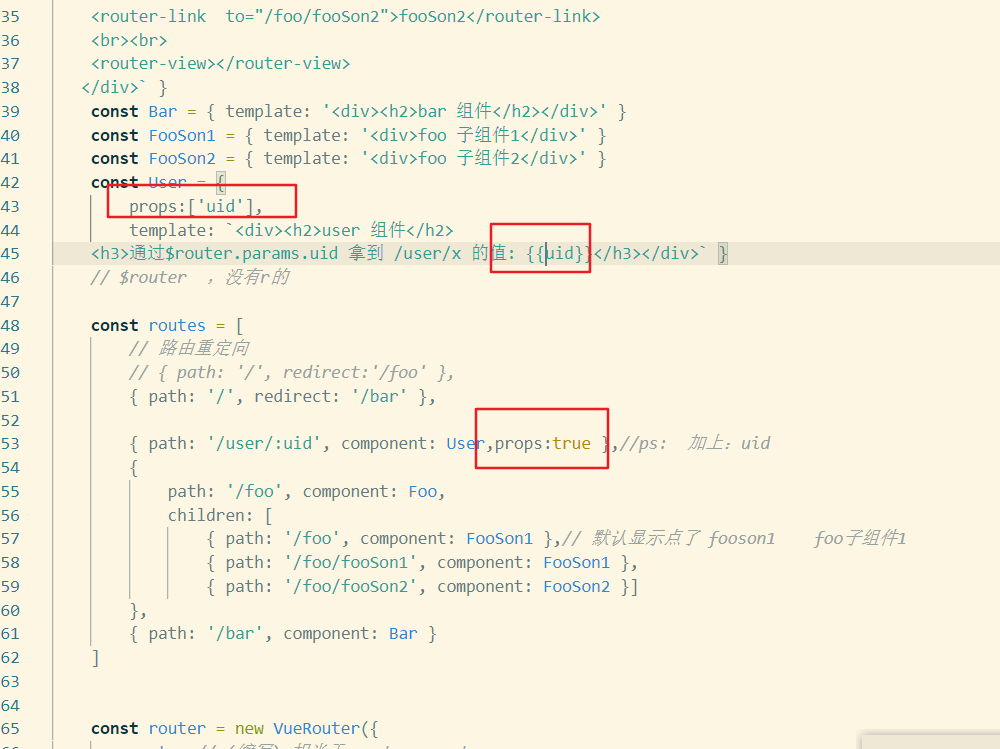
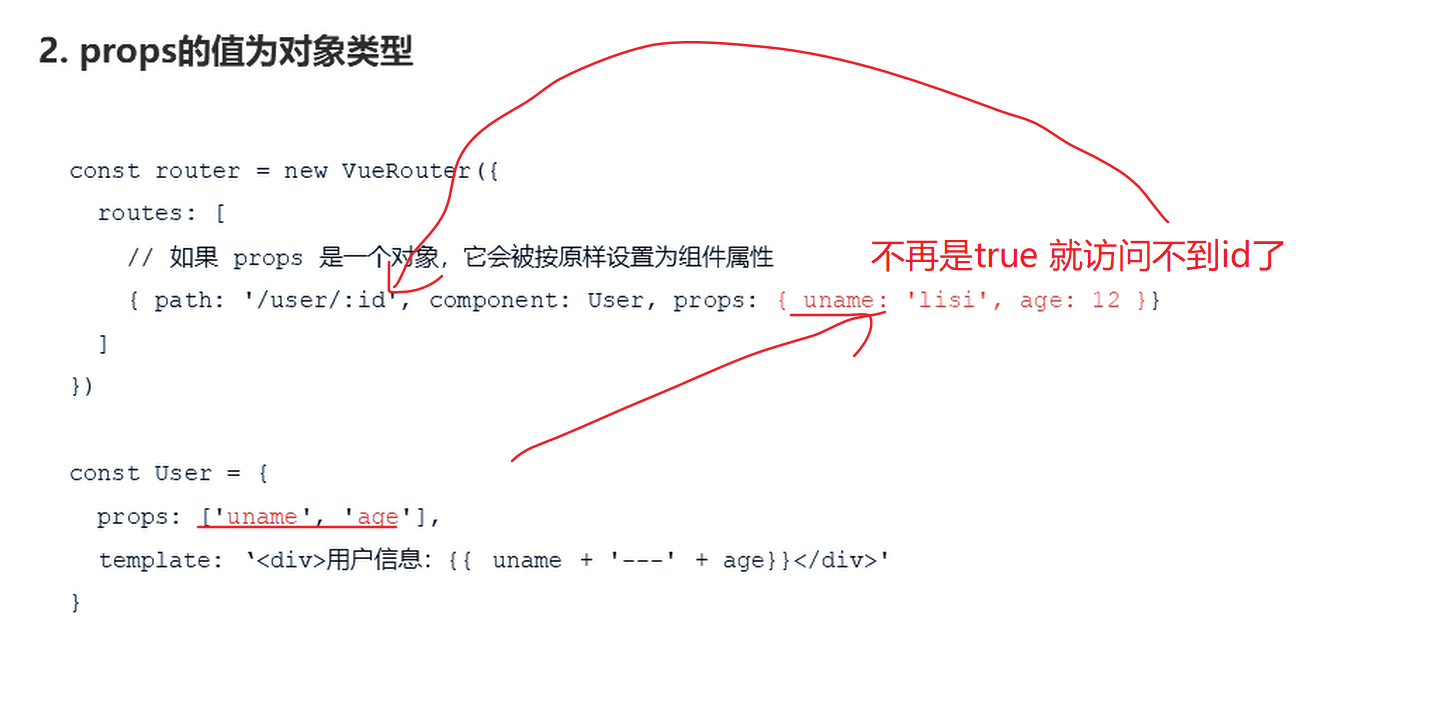
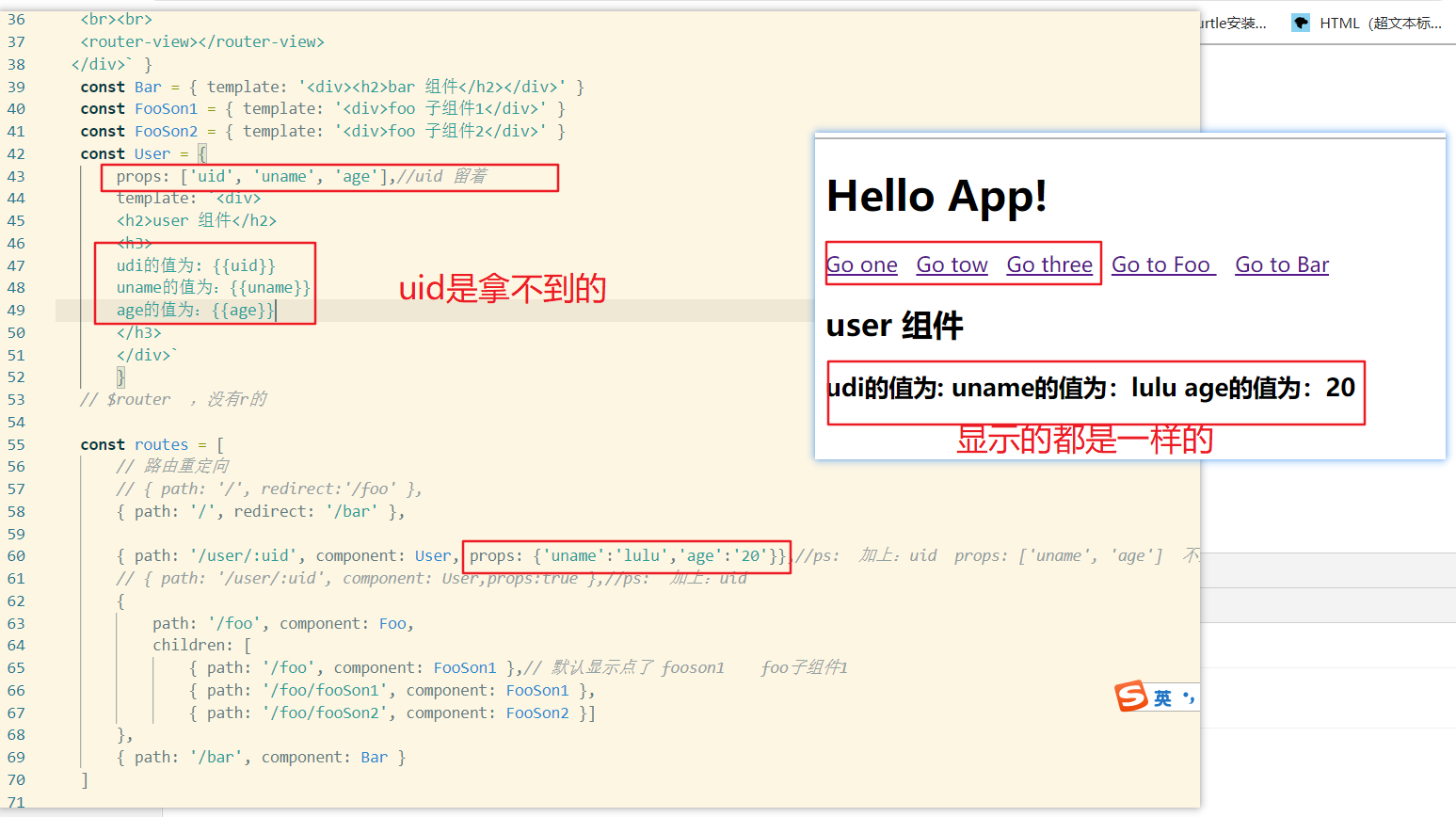
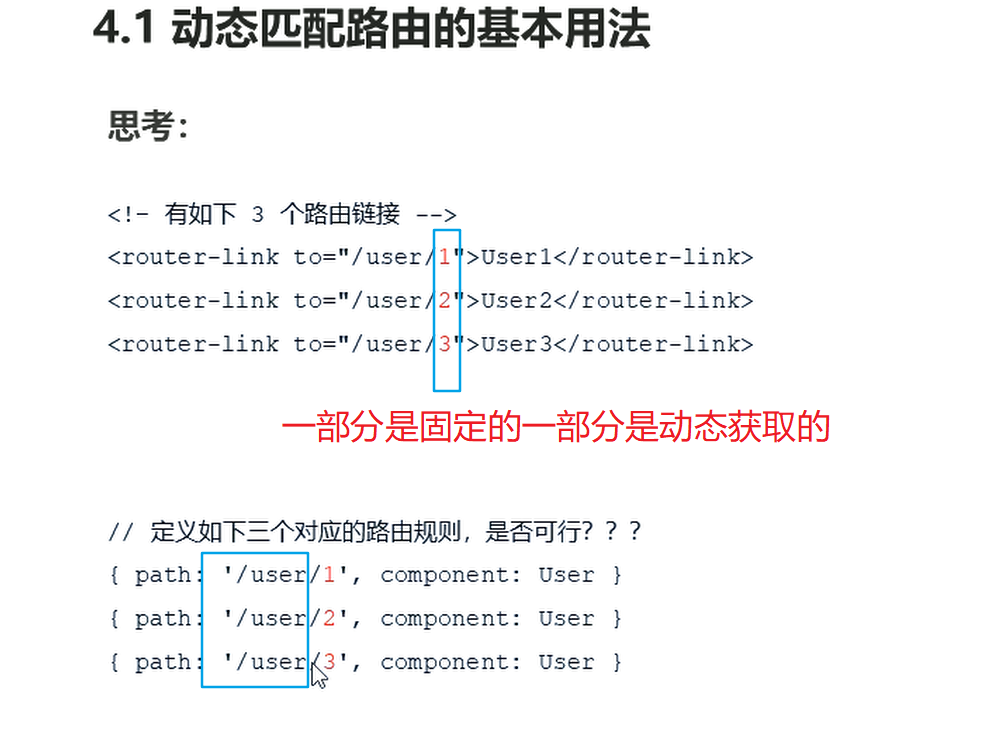
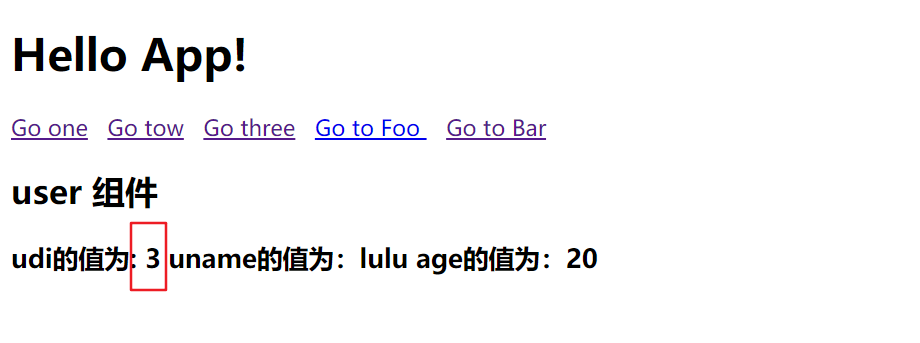
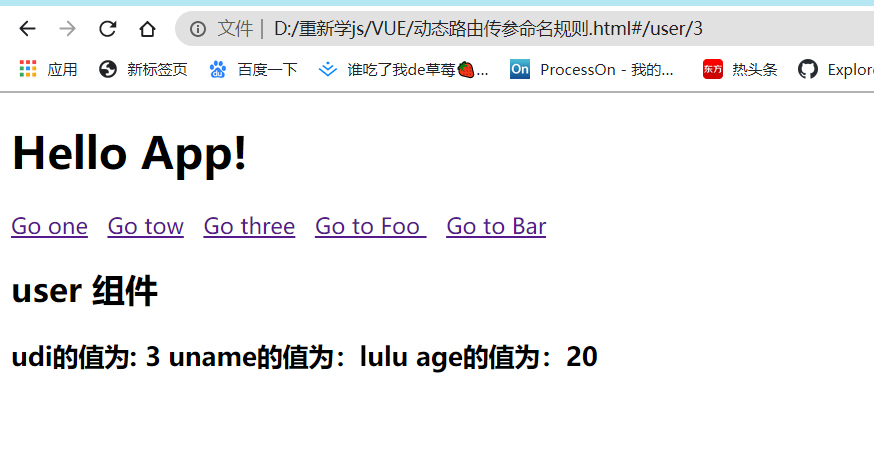
现在要拿到的是uid
总结:
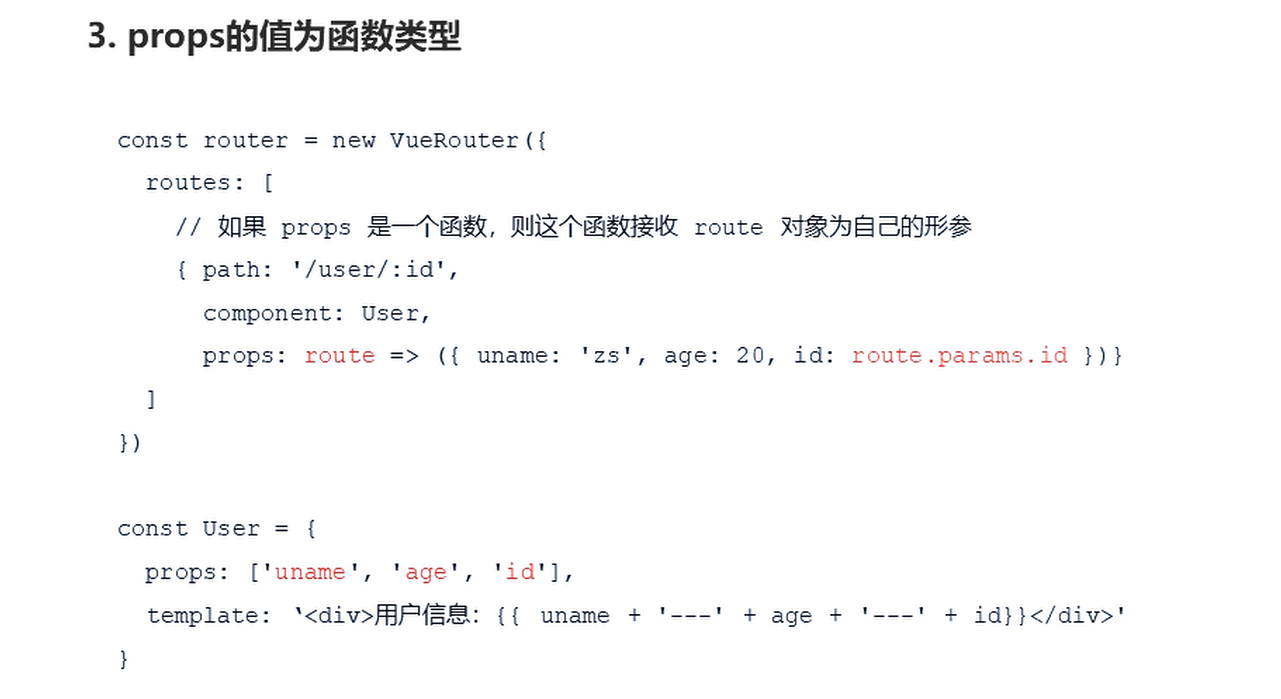
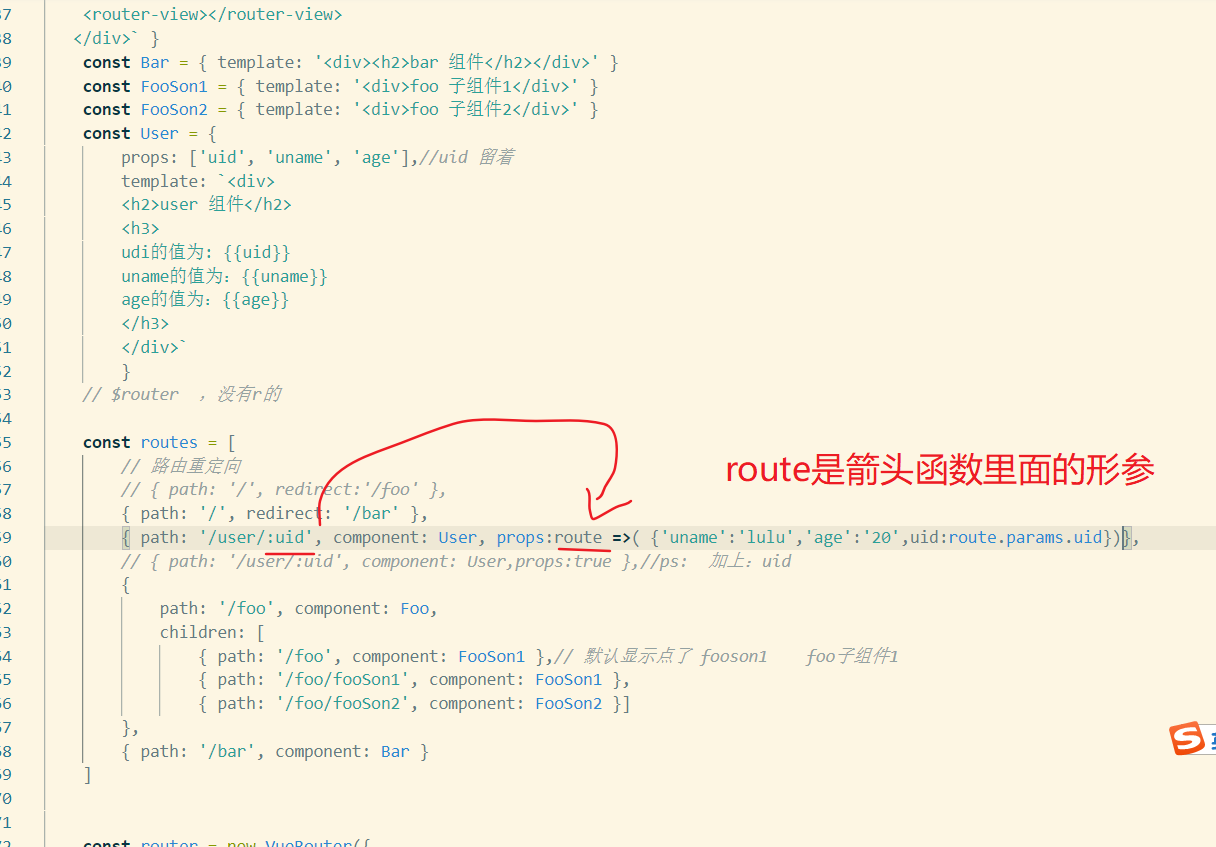
动态传参:
- props:true 就担当拿到:id的值
- props:[] 数据就是定义一些静态数据
- props:箭头函数返回一个对象 里面可以是静态的数据也可以是动态的数据
最后一个 :route.params.uid $route没有r的
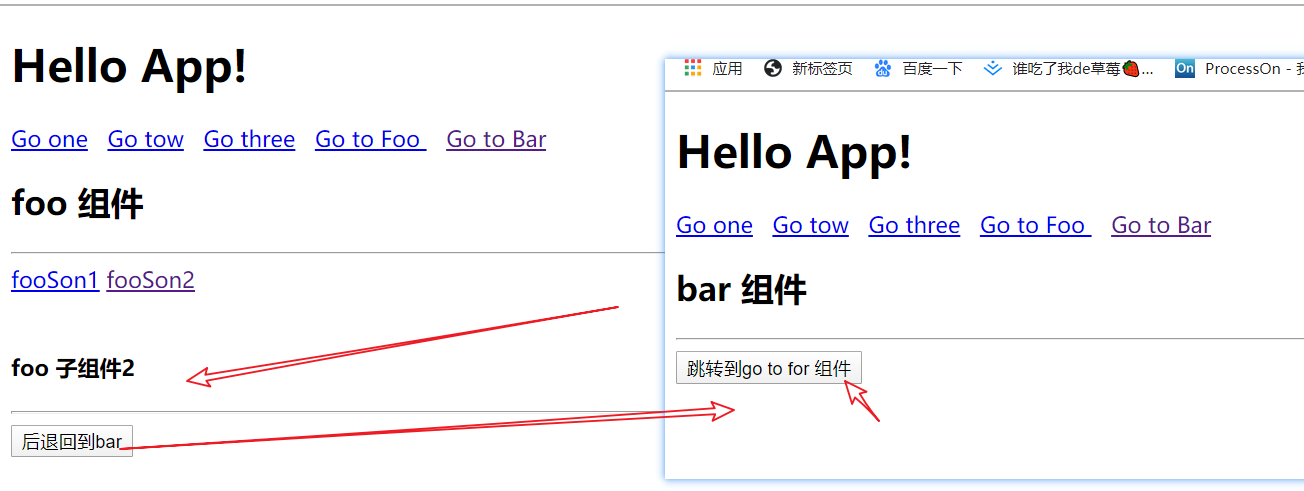
<!DOCTYPE html>
<html lang="en">
<head>
<meta charset="UTF-8">
<meta name="viewport" content="width=device-width, initial-scale=1.0">
<title>Document</title>
<script src="https://unpkg.com/vue/dist/vue.js"></script>
<script src="https://unpkg.com/vue-router/dist/vue-router.js"></script>
</head>
<body>
<div id="app">
<h1>Hello App!</h1>
<p>
<router-link to="/user/1">Go one</router-link>
<router-link to="/user/2">Go tow</router-link>
<!-- <router-link to="/user/3">Go three</router-link> -->
<!-- <router-link :to={name:'user',params:{uid:3}}>Go three</router-link> -->
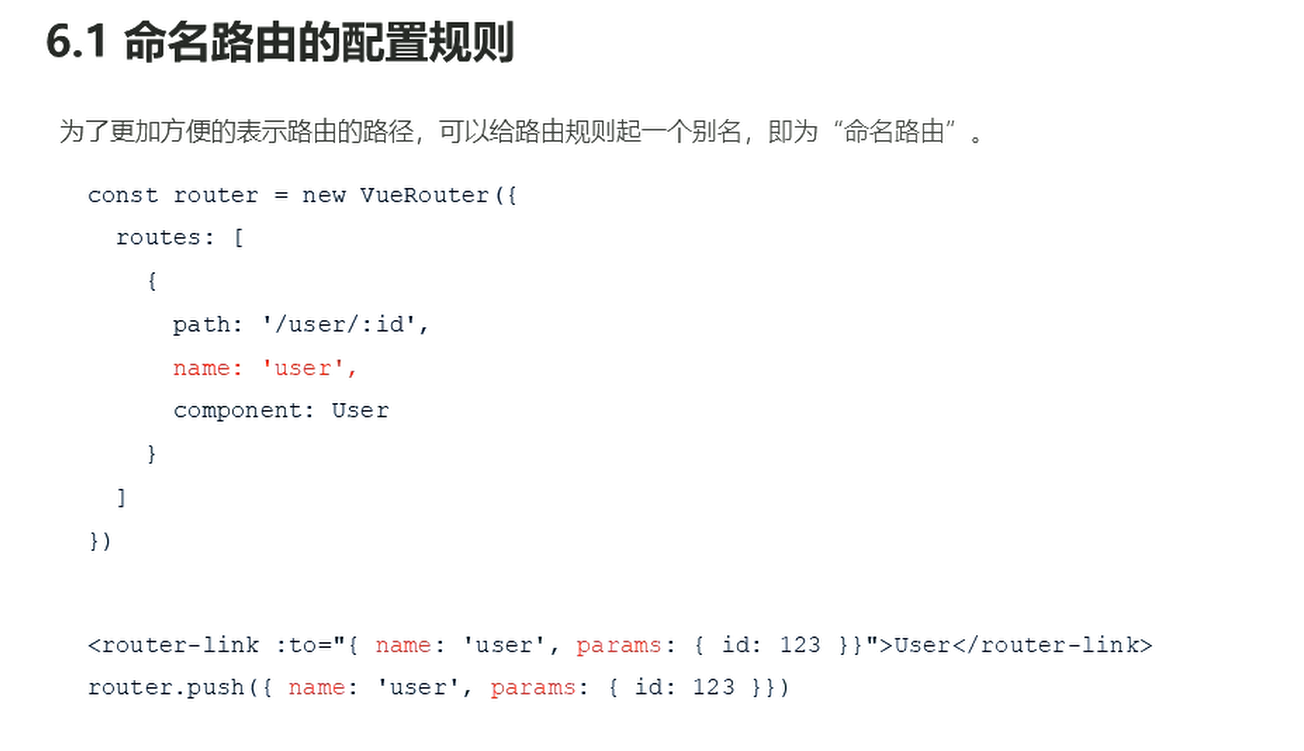
<router-link :to={name:'user3',params:{uid:3}}>Go three</router-link>
<router-link to="/foo">Go to Foo </router-link>
<router-link to="/bar">Go to Bar </router-link>
</p>
<router-view></router-view>
</div>
</body>
<script>
// const Foo = { template: '<div>foo 组件</div>' }
const Foo = {
template:
`<div>
<h2> foo 组件</h2>
<hr>
<router-link to="/foo/fooSon1">fooSon1</router-link>
<router-link to="/foo/fooSon2">fooSon2</router-link>
<br><br>
<router-view></router-view>
</div>` }
const Bar = {
template:
`<div>
<h2>bar 组件</h2>
<hr>
<button @click= "goToFoo">跳转到go to for 组件</button>
</div>`,
// 不是mo 是me mothods
methods: {
goToFoo() {
// this.$router.push('/foo');
this.$router.push('/foo/fooSon2');
}
}
}
const FooSon1 = { template: '<div>foo 子组件1</div>' }
const FooSon2 = {
template: `
<div>
<h4>
foo 子组件2</h4>
<hr>
<button @click= "goBack">后退回到bar</button>
</div>`,
methods: {
goBack() {
// this.$router.push('/foo');
this.$router.push('/bar');
// this.$router.go('-1');//后退
}
}
}
const User = {
props: ['uid', 'uname', 'age'],//uid 留着
template: `<div>
<h2>user 组件</h2>
<h3>
udi的值为: {{uid}}
uname的值为:{{uname}}
age的值为:{{age}}
</h3>
</div>`
}
// $router ,没有r的
const routes = [
// 路由重定向
// { path: '/', redirect:'/foo' },
{ path: '/', redirect: '/bar' },
//命名路由
{ name: 'user3', path: '/user/:uid', component: User, props: route => ({ 'uname': 'lulu', 'age': '20', uid: route.params.uid }) },
// { path: '/user/:uid', component: User,props:true },//ps: 加上:uid
{
path: '/foo', component: Foo,
children: [
{ path: '/foo', component: FooSon1 },// 默认显示点了 fooson1 foo子组件1
{ path: '/foo/fooSon1', component: FooSon1 },
{ path: '/foo/fooSon2', component: FooSon2 }]
},
{ path: '/bar', component: Bar }
]
const router = new VueRouter({
routes // (缩写) 相当于 routes: routes
})
const app = new Vue({
router
}).$mount('#app')
// 现在,应用已经启动了!
</script>
</html>