学完了其实就是疯狂套娃。
设置一些属性的时候,尽量把插条单独隔离出来

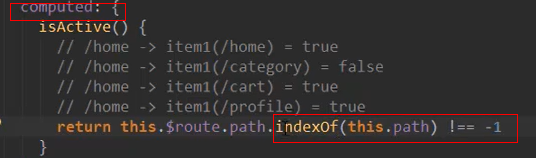
index函数等于-1时代表没找到,不等于-1代表找到了
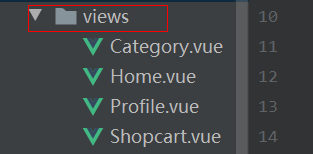
专门创建了一个views文件夹拿来放不同子界面
<template>
  <div id="tab-bar-item" @click="itemclick">
    <div class="item-icon" v-show="!isactive"><slot name="icon"></slot></div>
    <div class="item-active-icon" v-show="isactive"><slot name="active-icon"></slot></div>
    <div class="item-text":style="activestyle"><slot name="text"></slot></div>
  </div>
</template>

<script>
  export default {
    name: "Tabberitem",
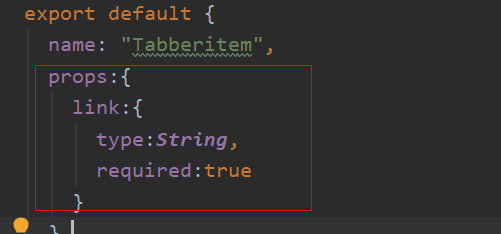
    props:{
      link:{
        type:String,
        required:true
      }
    },
    computed:{
      isactive(){
        return this.$route.path.indexOf(this.link)!==-1
      },
      activestyle(){
        return this.isactive ? {'color':'red'}:{}
      }
    },
    methods:{
      itemclick(){
        this.$router.replace(this.link)
      }
    }

  }
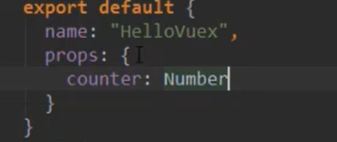
一个地方不太能理,
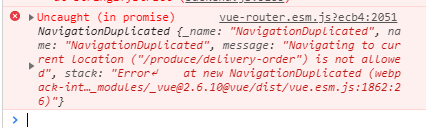
途中遇到一个问题,重复按同一个模块,浏览器控制台报错,解决如下
const originalPush = Router.prototype.push
Router.prototype.push = function push(location) {
  return originalPush.call(this, location).catch(err => err)
}
方法2
// 如果你的改了push还是没有生效,可以考虑改replace方法
// 修改路由replace方法,阻止重复点击报错
const originalReplace = VueRouter.prototype.replace;
VueRouter.prototype.replace = function replace(location) {
  return originalReplace.call(this, location).catch(err => err);
};
还有一个细节就是,修改文字属性那个不是v-show,是:style(v-bind style )