需求:
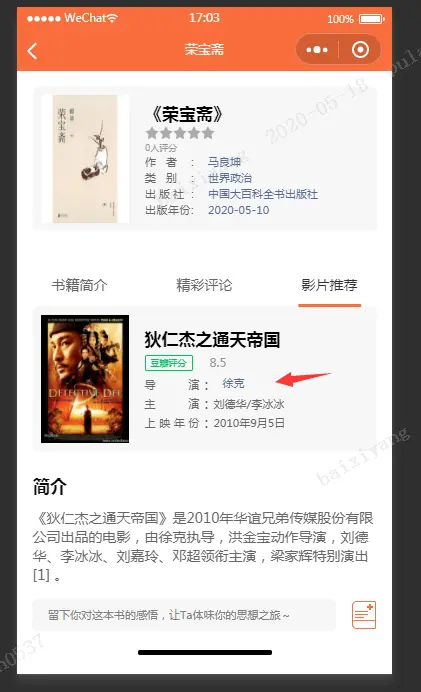
如图所示:在我们需求开发的过程中,需要文本两端对齐的场景:
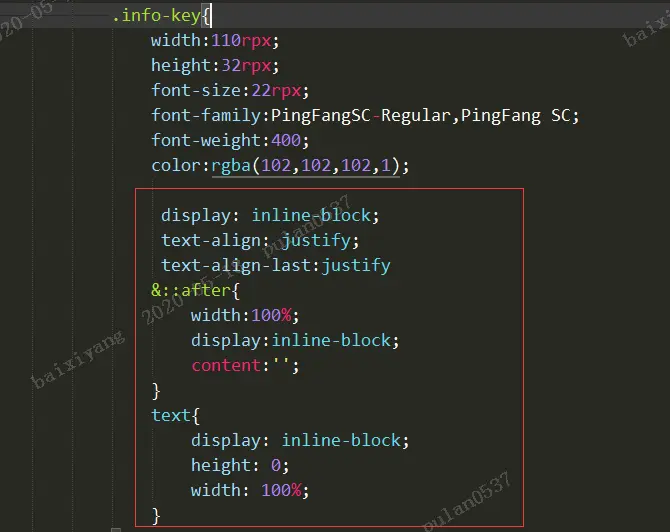
关键代码:
.less文件:
.info-item{
						flex-direction: row;
						justify-content: flex-start;
						align-items: flex-start;
						width: auto;
						height: auto;

					.info-key{
						width:110rpx;
						height:32rpx;
				       	        font-size:22rpx;
				    	        font-family:PingFangSC-Regular,PingFang SC;
						font-weight:400;
						color:rgba(102,102,102,1);
					        display: inline-block;
						 text-align: justify;
						text-align-last:justify
						&::after{
								width:100%;
							    display:inline-block;
								content:'';
								}
							text{
								display: inline-block;
								height: 0;
								width: 100%;
								}
							}

					}
.wxml文件:
<view class="info-item">
		<view class="info-key">导演<text></text></view>:
			<view class="blue">{{item.director.name}}</view>
		/view>
			<view class="info-item">
		<view class="info-key">主演<text></text></view>:
		<view class="info-value">{{item.starring}}</view>
		</view>
		<view class="info-item">
		<view class="info-key">上映年份<text></text></view>:
		<view class="info-value">{{item.releaseTime}}</view>
	</view>