一、CI 与 CD
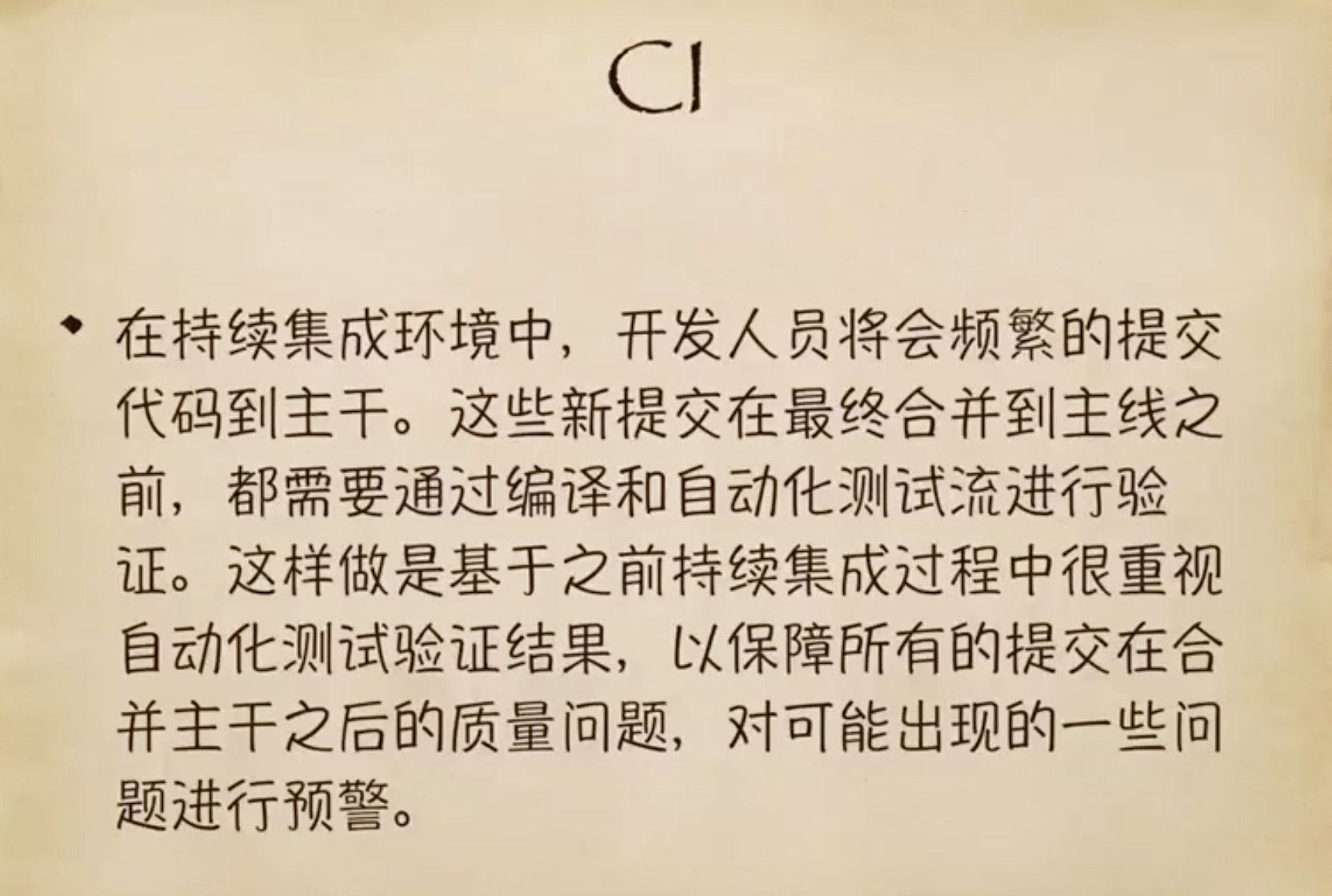
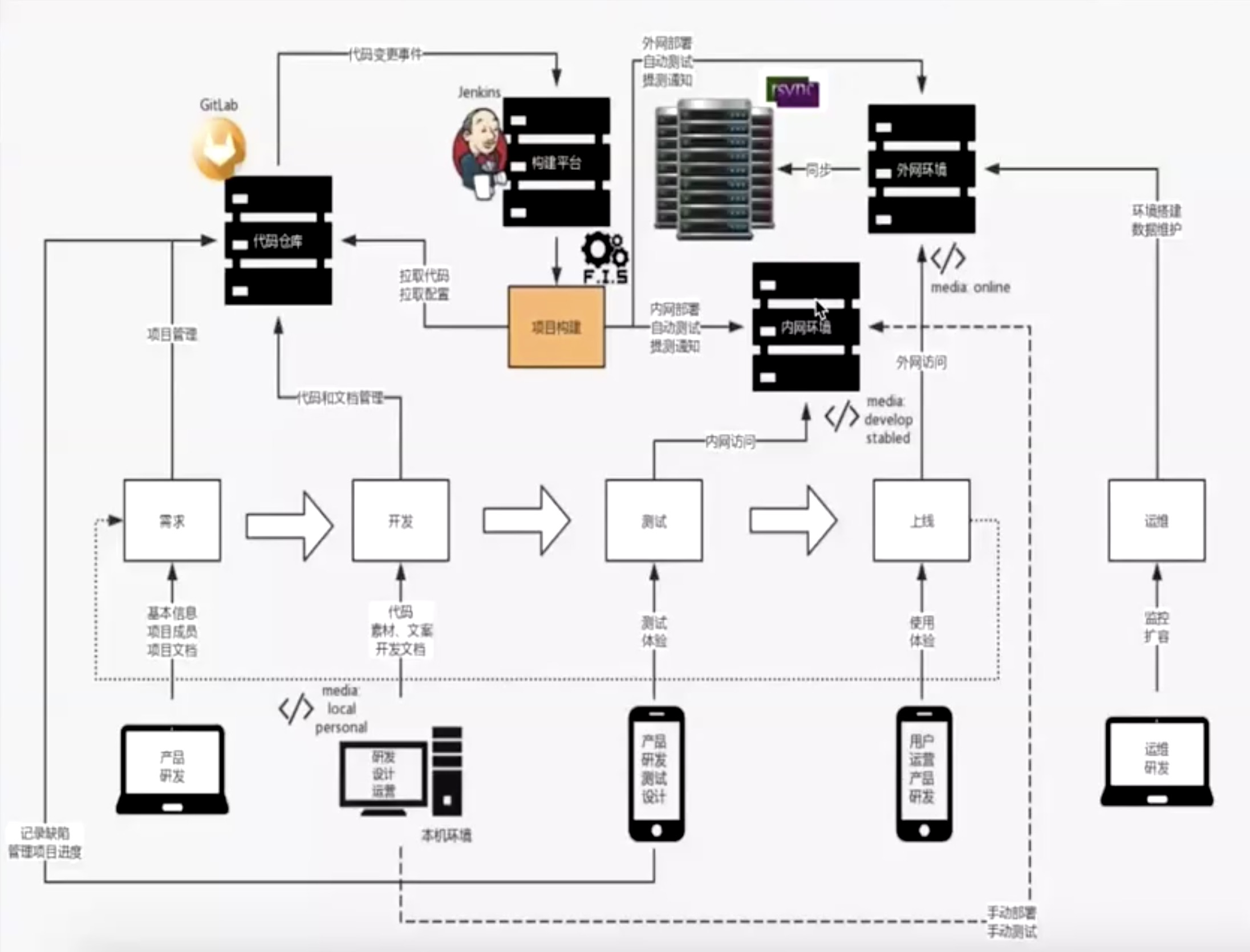
持续集成
CI:Continuous integration
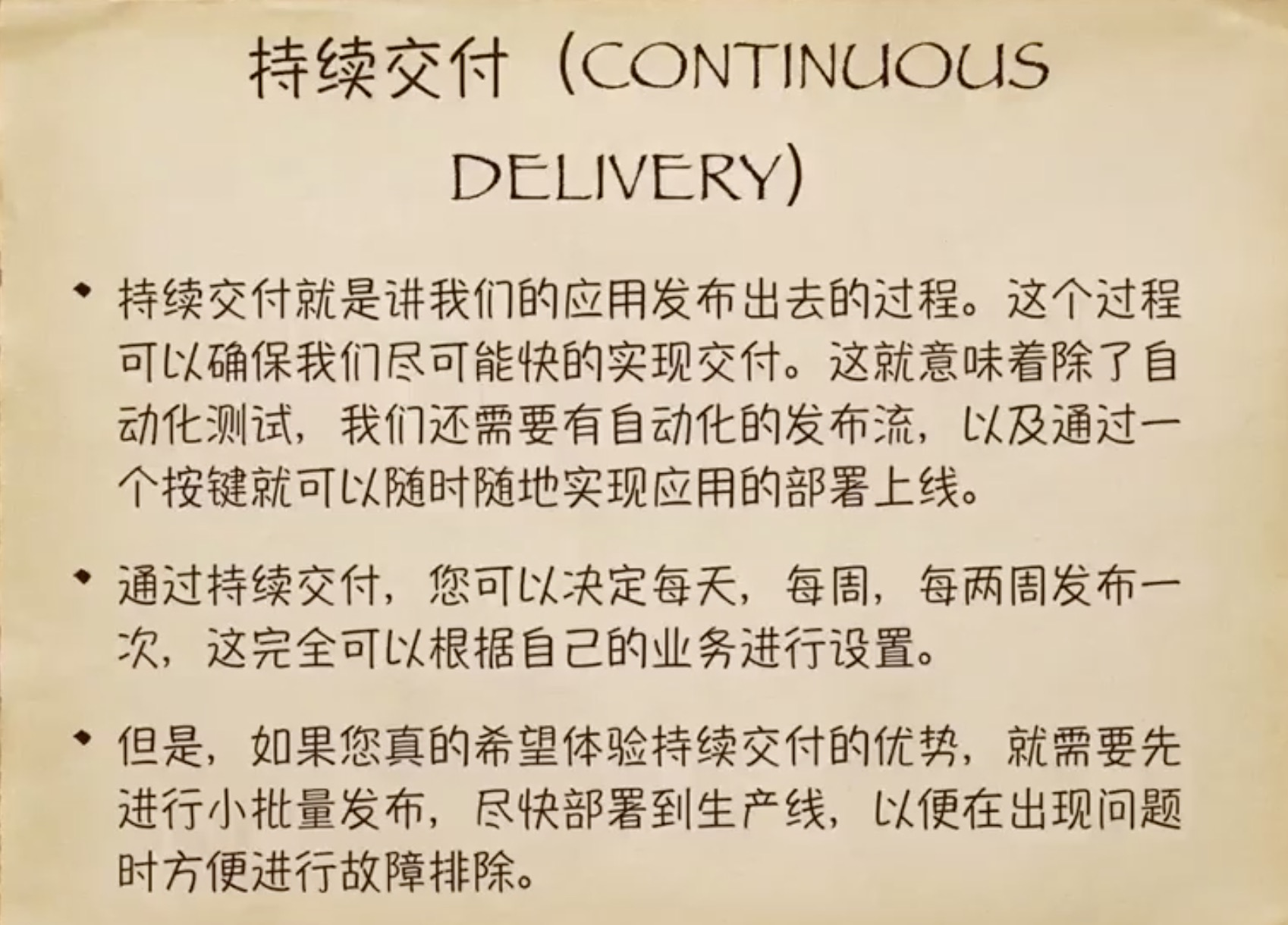
持续交付
CD:Continuous delivery
二、资源定位引发的一系列问题
假设我们现在线上有
index.html以及a.css和b.css,我们需要修改a.css
- 第一个版本的修改是把所有的css文件都加上一个版本戳
href="a.css?v1421et",但是这样会把用户缓存的好好的b.css的也改了。 - 第二个版本是干脆把
a.css文件名改成v1421et.css,每一个css文件都有自己的MD5,用哪个css就换哪个。但是如果html文件和css文件都要换的话,由于两个问价送到服务器的时间会要延迟,用户端可能会出现html文件到了,css文件没到的报错现象。 - 最终的解决方案,不采用css文件替换的方法了,而采用永久在服务器保留css文件的方法,每次先去把一个新命名的css文件扔到服务器,再去更换html。
三、发布自己的脚手架
建立目录结构 ./shiyu/bin,根目录执行 npm init -y,添加"bin"的相关命令如下:
{
  "name": "shiyu",
  "version": "1.0.0",
  "description": "",
  "main": "index.js",
  "bin": {
    "shiyu": "./bin/shiyu"
  },
  "scripts": {
    "test": "echo \"Error: no test specified\" && exit 1"
  },
  "keywords": [],
  "author": "",
  "license": "ISC"
}
bin文件夹下建立shiyu文件后,执行sudo npm link把命令暴露到全局
#!/usr/bin/env node

console.log("痛苦时,等待和希望!");
#!:Shebang又称Hashbang这个符号通常在Unix系统的基本中第一行开头中出现,用于指明这个脚本文件的解释程序。
引入 commander给用户反馈信息的包, @darkobits/lolcatjs用来美化字体的包,以及ASCLL文字生成网站
#!/usr/bin/env node
const program = require("commander");
const Printer = require("@darkobits/lolcatjs");
const str =
    ":'######::'##::::'##:'####:'##:::'##:'##::::'##:\n" +
    "'##... ##: ##:::: ##:. ##::. ##:'##:: ##:::: ##:\n" +
    " ##:::..:: ##:::: ##:: ##:::. ####::: ##:::: ##:\n" +
    ". ######:: #########:: ##::::. ##:::: ##:::: ##:\n" +
    ":..... ##: ##.... ##:: ##::::: ##:::: ##:::: ##:\n" +
    "'##::: ##: ##:::: ##:: ##::::: ##:::: ##:::: ##:\n" +
    ". ######:: ##:::: ##:'####:::: ##::::. #######::\n" +
    ":......:::..:::::..::....:::::..::::::.......:::\n" +
    "世玉的脚手架";
program.version(Printer.default.fromString(str), "-v,--version");
program.parse(process.argv);
注意!一定要
program.parse(process.argv);
引入 chalk用来美化给用户反馈信息的包以及类似 json2ts的作为讲解实例的 json => typescript 的包。
#!/usr/bin/env node
const program = require("commander");
const Printer = require("@darkobits/lolcatjs");
const chalk = require("chalk");
const inquirer = require("inquirer");
const str =
    ":'######::'##::::'##:'####:'##:::'##:'##::::'##:\n" +
    "'##... ##: ##:::: ##:. ##::. ##:'##:: ##:::: ##:\n" +
    " ##:::..:: ##:::: ##:: ##:::. ####::: ##:::: ##:\n" +
    ". ######:: #########:: ##::::. ##:::: ##:::: ##:\n" +
    ":..... ##: ##.... ##:: ##::::: ##:::: ##:::: ##:\n" +
    "'##::: ##: ##:::: ##:: ##::::: ##:::: ##:::: ##:\n" +
    ". ######:: ##:::: ##:'####:::: ##::::. #######::\n" +
    ":......:::..:::::..::....:::::..::::::.......:::\n" +
    "世玉的脚手架";
const bindHandler = {
    init() {
        const json2ts = require("json2ts");
        const shiyuJson = {
            shiyu: "世玉",
            data: {
                age: 23,
                like: ["girl", "pretty"]
            }
        };
        const jsonContent = JSON.stringify(shiyuJson);
        const res = json2ts.convert(jsonContent);
        console.log(res)
    }
};

program.version(Printer.default.fromString(str), "-v,--version");
program.option("-i,--init", "项目初始化🐼");
program
    .usage("<cmd> [options]")
    .arguments("<cmd> [env]")
    .action((cmd, otherParams) => {
        const handler = bindHandler[cmd];
        if (typeof handler === "undefined") {
            console.error(chalk.red(`非常遗憾😄[${cmd}]😄命令还不支持`));
            process.exit(1);
        } else {
            handler(otherParams);
        }
    });
program.parse(process.argv);
.usage("<cmd> [options]"):用法,.arguments("<cmd> [env]"):参数,process.exit(1)退出 cmd
引入inquirer给用户反馈yes/no的信息包, shelljs 进行shell操作的包, userHome 根目录pwd的包, ora loading的包
#!/usr/bin/env node
const program = require("commander");
const Printer = require("@darkobits/lolcatjs");
const chalk = require("chalk");
const inquirer = require("inquirer");
const shelljs = require("shelljs");
const userHome = require("user-home");
const ora = require("ora");
const str =
":'######::'##::::'##:'####:'##:::'##:'##::::'##:\n" +
"'##... ##: ##:::: ##:. ##::. ##:'##:: ##:::: ##:\n" +
" ##:::..:: ##:::: ##:: ##:::. ####::: ##:::: ##:\n" +
". ######:: #########:: ##::::. ##:::: ##:::: ##:\n" +
":..... ##: ##.... ##:: ##::::: ##:::: ##:::: ##:\n" +
"'##::: ##: ##:::: ##:: ##::::: ##:::: ##:::: ##:\n" +
". ######:: ##:::: ##:'####:::: ##::::. #######::\n" +
":......:::..:::::..::....:::::..::::::.......:::\n" +
"世玉的脚手架";
const bindHandler = {
init() {
inquirer
.prompt([
{
type: "test",
message: "一、用户请输入文件夹名称:",
name: "dirname"
}
])
.then(answers => {
const {dirname} = answers;
shelljs.cd(`${userHome}/Desktop`);
const spinner = ora(" 正在下载。。。");
spinner.start();
shelljs.mkdir(dirname)
})
}
};
program.version(Printer.default.fromString(str), "-v,--version");
program.option("-i,--init", "项目初始化🐼");
program
.usage("<cmd> [options]")
.arguments("<cmd> [env]")
.action((cmd, otherParams) => {
const handler = bindHandler[cmd];
if (typeof handler === "undefined") {
console.error(chalk.red(`非常遗憾😄[${cmd}]😄命令还不支持`));
process.exit(1);
} else {
handler(otherParams);
}
});
program.parse(process.argv);