hello各位亲爱的小伙伴,大家好啊。最近我们迎来了一个新的稳定版本的轮子喽。你学习了吗?

下面我就带着大家100秒上手deno。
安装
-
Using Shell:
curl -fsSL https://deno.land/x/install/install.sh | sh -
Using PowerShell:
iwr https://deno.land/x/install/install.ps1 -useb | iex -
Using Homebrew (macOS or Linux):
brew install deno -
Using Chocolatey (Windows):
choco install deno
查看
在命令行运行 deno --help
我们会看到下图的信息。
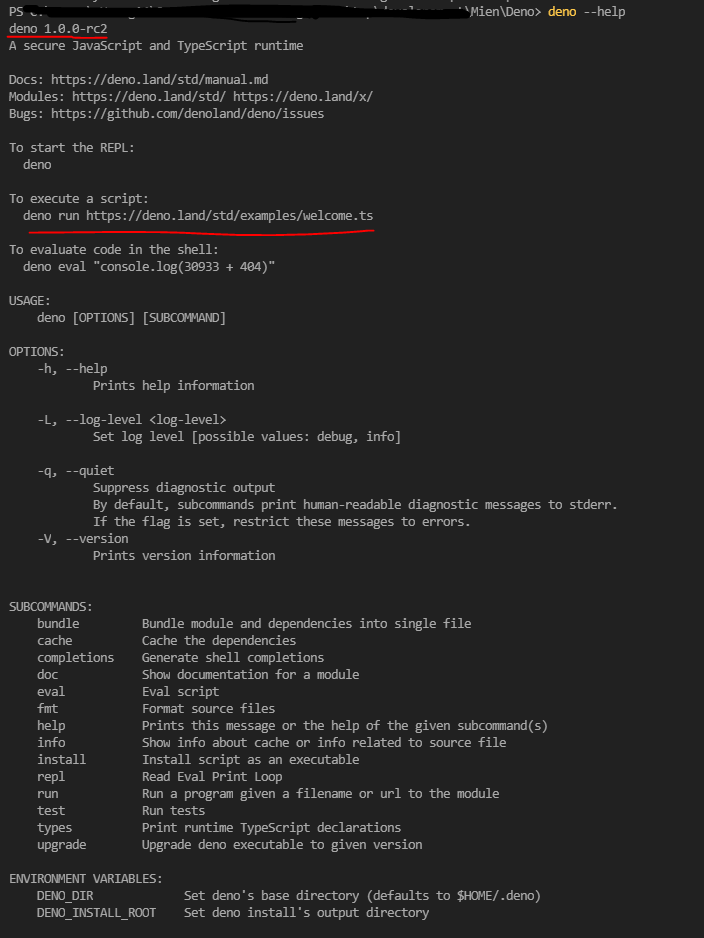
在上图我们可以看到deno的版本及一些其他的信息。
我们还发现了上面有一个现有的例子。那我们就先跑一下这个例子。
deno run https://deno.land/std/examples/welcome.ts

看到了Welcome to Deno 🦕,对吧~
下面我们去看一下这个执行的文件里面是什么内容。
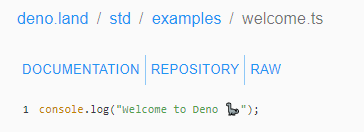
对,你没看错。就是一个console.log
新建demo
下面我们就自己创建一个文件,试着本地跑一下。
创建文件 hello-mien.ts
console.log('hello mien, this is my first deno demo ~ 🦕')
让我们运行一下这个文件。
deno run ./hello-mien.ts

到这里我们就完成了一个简单的hello world 的例子。
看点有意思的
作为一名前端程序员,你告诉我,那个方法你用的最多?
心里默念。
3
2
1
console.log对不对?
刚才既然我们用deno 运行了一条命令,那我们是不是要查看一下deno 这个全局变量都有啥~
让我们加一行日志,看一下全局Deno里面都有啥。
console.log(Deno);
运行脚本 deno run ./hello-mien.ts
我们能够看到Deno的内容
{
 Buffer: [Function: Buffer],
 readAll: [AsyncFunction: readAll],
 readAllSync: [Function: readAllSync],
 writeAll: [AsyncFunction: writeAll],
 writeAllSync: [Function: writeAllSync],
 build: {
  target: "x86_64-pc-windows-msvc",
  arch: "x86_64",
  os: "windows",
  vendor: "pc",
  env: "msvc"
 },
 chmodSync: [Function: chmodSync],
 chmod: [AsyncFunction: chmod],
 chownSync: [Function: chownSync],
 chown: [AsyncFunction: chown],
 customInspect: Symbol(Deno.symbols.customInspect),
 inspect: [Function: inspect],
 copyFileSync: [Function: copyFileSync],
 copyFile: [AsyncFunction: copyFile],
 DiagnosticCategory: {
  0: "Log",
  1: "Debug",
  2: "Info",
  3: "Error",
  4: "Warning",
  5: "Suggestion",
  Log: 0,
  Debug: 1,
  Info: 2,
  Error: 3,
  Warning: 4,
  Suggestion: 5
 },
 chdir: [Function: chdir],
 cwd: [Function: cwd],
 errors: {
  NotFound: [Function: NotFound],
  PermissionDenied: [Function: PermissionDenied],
  ConnectionRefused: [Function: ConnectionRefused],
  ConnectionReset: [Function: ConnectionReset],
  ConnectionAborted: [Function: ConnectionAborted],
  NotConnected: [Function: NotConnected],
  AddrInUse: [Function: AddrInUse],
  AddrNotAvailable: [Function: AddrNotAvailable],
  BrokenPipe: [Function: BrokenPipe],
  AlreadyExists: [Function: AlreadyExists],
  InvalidData: [Function: InvalidData],
  TimedOut: [Function: TimedOut],
  Interrupted: [Function: Interrupted],
  WriteZero: [Function: WriteZero],
  UnexpectedEof: [Function: UnexpectedEof],
  BadResource: [Function: BadResource],
  Http: [Function: Http],
  Busy: [Function: Busy]
 },
 File: [Function: File],
 open: [AsyncFunction: open],
 openSync: [Function: openSync],
 create: [Function: create],
 createSync: [Function: createSync],
 stdin: Stdin { rid: 0 },
 stdout: Stdout { rid: 1 },
 stderr: Stderr { rid: 2 },
 seek: [Function: seek],
 seekSync: [Function: seekSync],
 read: [AsyncFunction: read],
 readSync: [Function: readSync],
 write: [AsyncFunction: write],
 writeSync: [Function: writeSync],
 watchFs: [Function: watchFs],
 internal: Symbol(Deno.internal),
 copy: [AsyncFunction: copy],
 iter: [AsyncGeneratorFunction: iter],
 iterSync: [GeneratorFunction: iterSync],
 SeekMode: { 0: "Start", 1: "Current", 2: "End", Start: 0, Current: 1, End: 2 },
 makeTempDirSync: [Function: makeTempDirSync],
 makeTempDir: [Function: makeTempDir],
 makeTempFileSync: [Function: makeTempFileSync],
 makeTempFile: [Function: makeTempFile],
 metrics: [Function: metrics],
 mkdirSync: [Function: mkdirSync],
 mkdir: [AsyncFunction: mkdir],
 connect: [AsyncFunction: connect],
 listen: [Function: listen],
 dir: [Function: dir],
 env: { get: [Function: getEnv], toObject: [Function: toObject], set: [Function: setEnv] },
 exit: [Function: exit],
 execPath: [Function: execPath],
 run: [Function: run],
 Process: [Function: Process],
 readDirSync: [Function: readDirSync],
 readDir: [Function: readDir],
 readFileSync: [Function: readFileSync],
 readFile: [AsyncFunction: readFile],
 readTextFileSync: [Function: readTextFileSync],
 readTextFile: [AsyncFunction: readTextFile],
 readLinkSync: [Function: readLinkSync],
 readLink: [Function: readLink],
 realPathSync: [Function: realPathSync],
 realPath: [Function: realPath],
 removeSync: [Function: removeSync],
 remove: [AsyncFunction: remove],
 renameSync: [Function: renameSync],
 rename: [AsyncFunction: rename],
 resources: [Function: resources],
 close: [Function: close],
 statSync: [Function: statSync],
 lstatSync: [Function: lstatSync],
 stat: [AsyncFunction: stat],
 lstat: [AsyncFunction: lstat],
 connectTls: [AsyncFunction: connectTls],
 listenTls: [Function: listenTls],
 truncateSync: [Function: truncateSync],
 truncate: [AsyncFunction: truncate],
 isatty: [Function: isatty],
 version: { deno: "1.0.0-rc2", v8: "8.4.300", typescript: "3.8.3" },
 writeFileSync: [Function: writeFileSync],
 writeFile: [AsyncFunction: writeFile],
 writeTextFileSync: [Function: writeTextFileSync],
 writeTextFile: [AsyncFunction: writeTextFile],
 test: [Function: test],
 core: {
  print: [Function],
  recv: [Function],
  send: [Function],
  setMacrotaskCallback: [Function],
  evalContext: [Function],
  formatError: [Function],
  encode: [Function],
  decode: [Function],
  getPromiseDetails: [Function],
  shared: SharedArrayBuffer {},
  setAsyncHandler: [Function: setAsyncHandler],
  dispatch: [Function: dispatch],
  sharedQueue: {
   MAX_RECORDS: 100,
   head: [Function: head],
   numRecords: [Function: numRecords],
   size: [Function: size],
   push: [Function: push],
   reset: [Function: reset],
   shift: [Function: shift]
  },
  ops: [Function: ops]
 },
 args: [],
 pid: 18188,
 noColor: false,
 Symbol(Deno.internal): {}
}
所以,我们熟悉那些方法,依然还是原来的样子哦~
查看一下路径。
Deno.cwd()
运行脚本,这时候我们会得到一个报错!

Uncaught PermissionDenied: read access to "***" run again with the --allow-read flag
这就是deno的安全策略,默认你是没有权限访问的。
如果加上--allow-read,你就能得到想要的结果。

import
首先我们去官方的标注库里面找点有意思的东西。
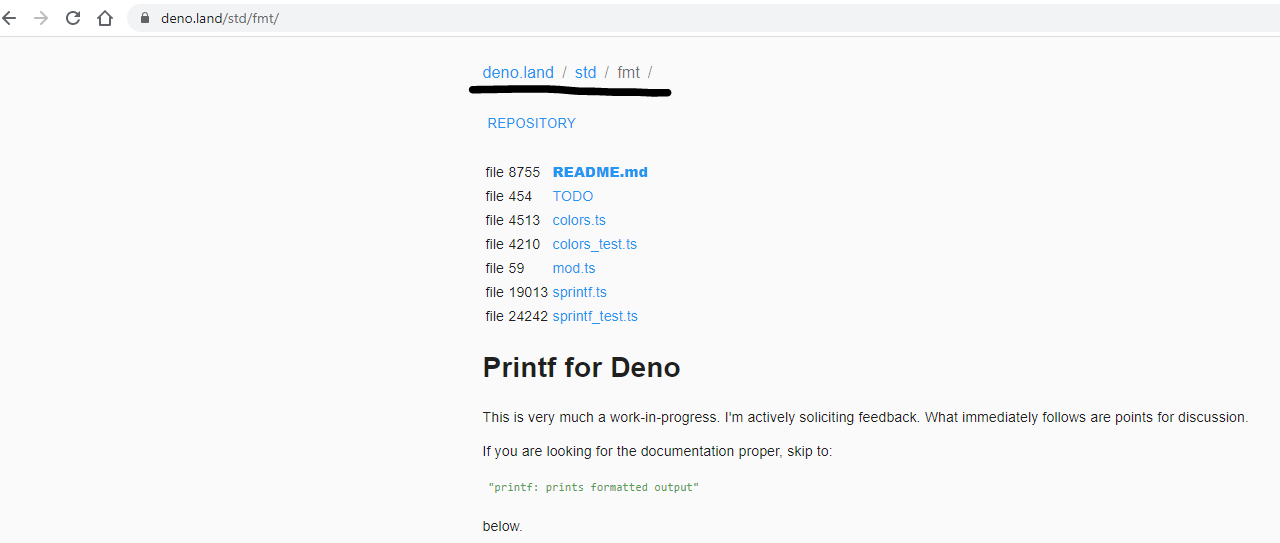
修改代码
import { red, blue, white } from 'https://deno.land/std/fmt/colors.ts';

console.log(red('i\'m red text'));
console.log(blue('i\'m blue text'));
console.log(white('i\'m white text'));
执行脚本

PS: 通过外部地址引入的库或者文件,在第一次引入之后都会缓存在本地。
OK, 到这里就是本次的全部内容了。关于deno还有很多内容需要我们重新认识。本文也不过是一个非常简单的demo,感兴趣的同学不妨自己动手试一下吧。
Mien, 5年前端开发经验,目前就职于斯伦贝谢。
涉猎范围: Angular, Vue, React, 小程序, electron, nodeJS以及一些乱七八糟的技术
欢迎留言提问和指正。
我们下期再见~