想搂下源码跟着书学习一波
苦于工作电脑存储只有250G、苦于Windows机器虚拟机安装一直失败
遂放弃使用WSL尝试一下
效果还出奇的好,感觉再也不需要虚拟机了
文件系统用windows,代码管理用linux管理,简直完美了
工具
- Windows10中启用Linux子系统
- Source Insight 4.0查看源码工具
- 国内镜像源 清华大学AOSP源
- 没啥了、开始
创建目录
在windows中准备好存放代码仓库的位置,注意盘要大、要很大
目录授权
这一步很重要,载了很久,linux中权限已经有了,怎么看怎么有。但是同步代码时一直报权限不足
error: Cannot fetch platform/bionic (Error: [('/mnt/e/study/aosp/android-7/.repo/project-objects/platform/bionic.git/branches', '/mnt/e/study/aosp/android-7/.repo/projects/bionic.git/branches', "[Errno 13] Permission denied: '/mnt/e/study/aosp/android-7/.repo/projects/bionic.git/branches'")])

shutil.Error: [('/mnt/e/study/aosp/android-7/.repo/project-objects/platform/bootable/recovery.git/branches', '/mnt/e/study/aosp/android-7/.repo/projects/bootable/recovery.git/branches', "[Errno 13] Permission denied: '/mnt/e/study/aosp/android-7/.repo/projects/bootable/recovery.git/branches'")]
准备好的文件夹右键->属性->安全->编辑。 将组或用户名里面统统给完全控制,后面遇到文件权限问题再来改一次再试
配置python环境
一般就有python3的环境,但是aosp脚本默认指向python命令,加个链接引用
sudo ln -s /usr/bin/python /usr/bin/python3
配置git环境
- 安装git
- 添加用户名邮箱
git config --global user.name youname
git config --global user.email youemail
配置AOSP仓库
在文件夹中shift+右键打开Linux shell,下载repo工具, 也就用这一次,不加环境变量了
curl https://mirrors.tuna.tsinghua.edu.cn/git/git-repo -o repo
chmod +x repo
export REPO_URL='https://mirrors.tuna.tsinghua.edu.cn/git/git-repo'
初始化AOSP仓库
./repo init -u https://aosp.tuna.tsinghua.edu.cn/platform/manifest
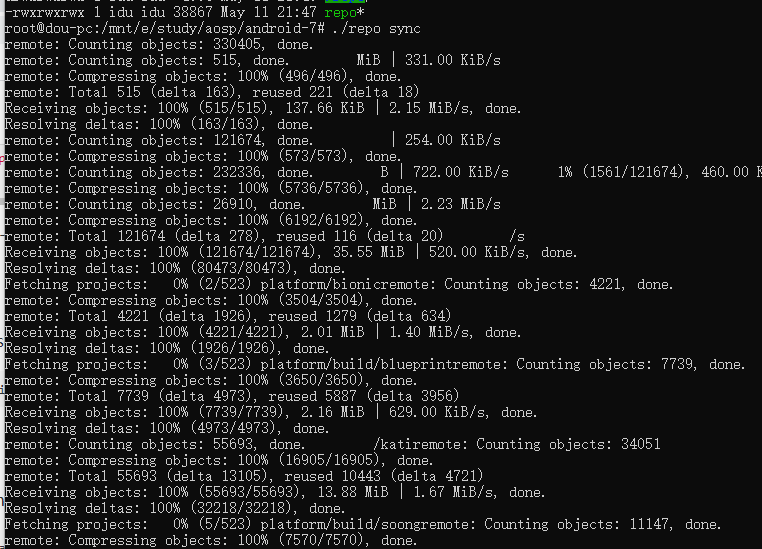
同步代码
看到卡住就ctrl+c退出再来
./repo sync
...
./repo sync
...
./repo sync
...漫长的同步,我还没同步完