网上基础知识很多了,为什么还要写?
- 子曰:闻之我也野,视之我也饶,行之我也明。白话就是: 就是听到的,容易忘记,看到的,会依稀记得,但只有身体力行以后,人们才能真正的理解。
- 给新手一个我自己理解的js基础的版本
- 给老手一个查缺补漏的版本
- 看完,自己实践过,js可以基本入门
- 陆续写了十天(5.1-5.10),如有疏漏,欢迎指出!!!
- 帮忙点赞、评论、收藏!!!
- 本文内容涵盖:
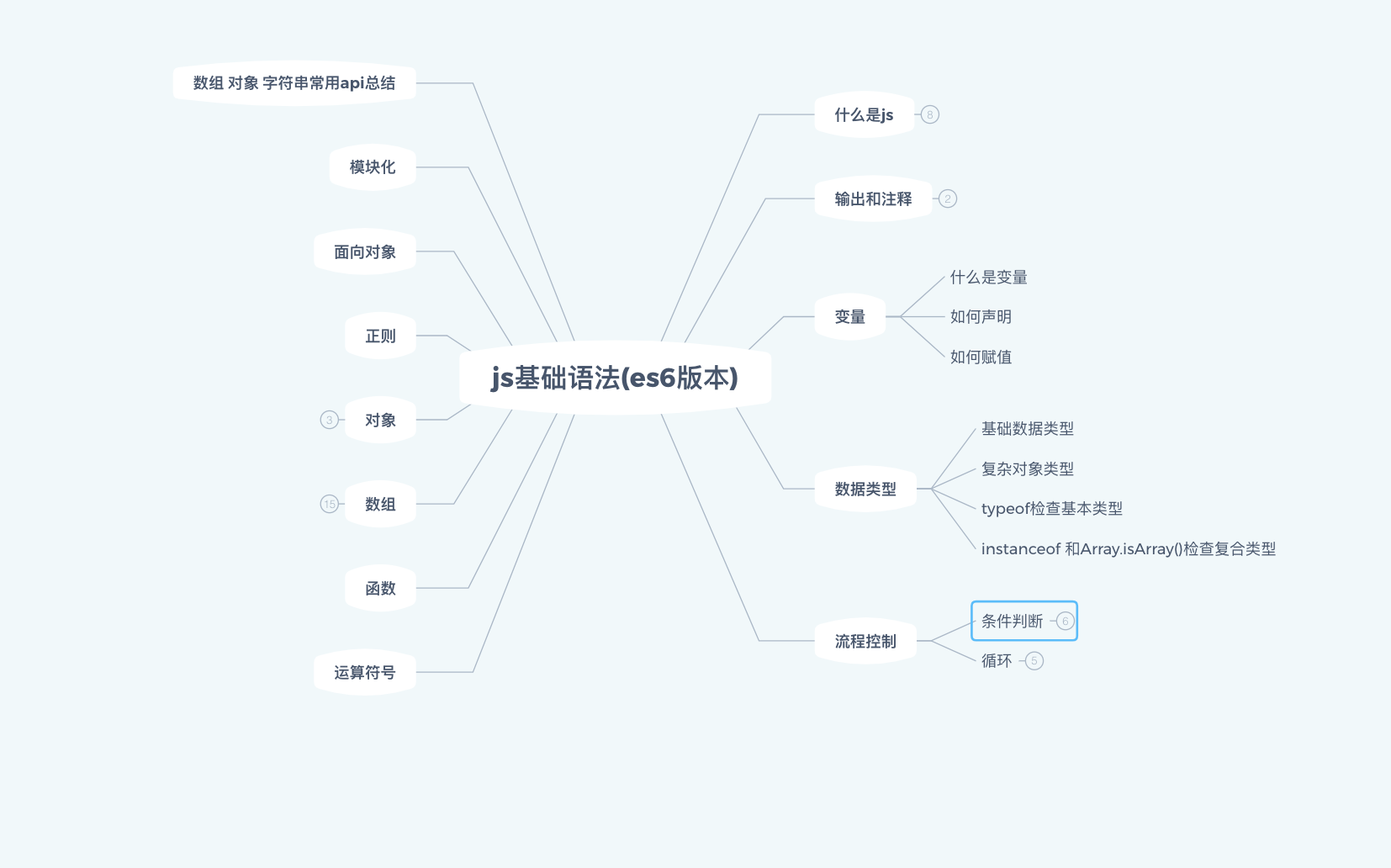
零、前提条件:
- 安装chrome浏览器 必要条件
- 安装vscode编辑器 必要条件(根据自己喜好可以安装其他的)
- 安装nodejs环境(非必要条件)
- 本文重点是学会使用js而不是弄懂原理
一、什么是javaScript(后面都简写成js替代)?
js是一门既可以运行在客户端(浏览器)也可以运行在服务器端(nodejs)的一门遵循ECMAScript规范的弱类型的脚本语言
- 弱类型: 参数不需要明确类型
- 脚本语言: 需要解释器解释执行 编译和区别 chrome v8 引擎
二、 js包括什么?
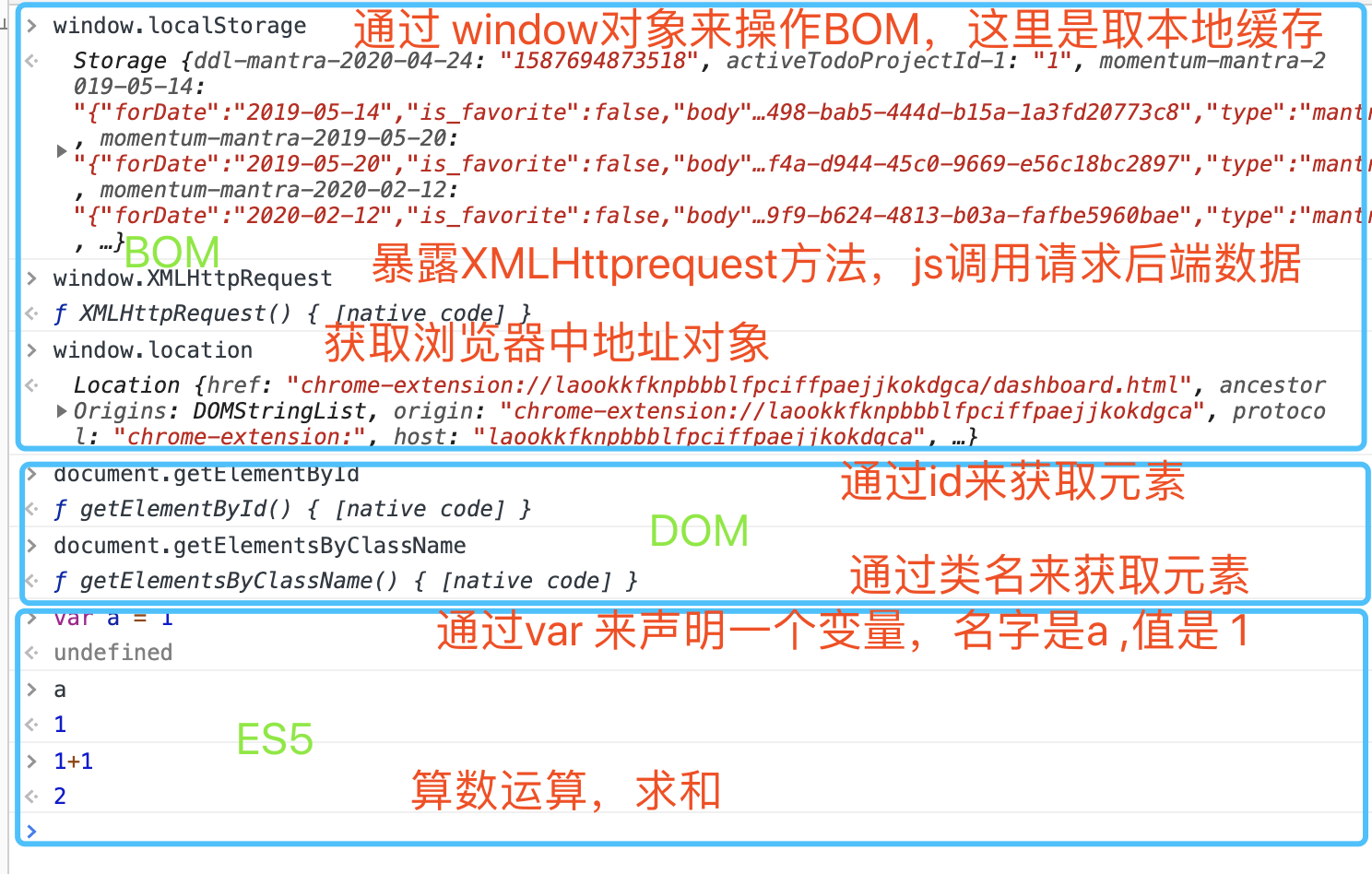
- BOM:
Browser Object Model提供给js请求后端数据等能力BOM - DOM:
Document Object Model提供给j s操作html的能力 DOM - ECMAScript(es5 es6 typescript)
bomdom.png
三、js能做什么?
上面介绍了js的组成,所以就根据这几点来说明js能做什么:
- 客户端js:
- 操作DOM:选取对应的html元素。增加,删除,给元素添加各种事件(鼠标事件,键盘事件)等等
- 操作BOM: 页面的导航,h5的定位api等等都通过这个对象得到
- js基础:声明变量,给变量赋值,条件判断,循环,定义函数,执行函数,正则表达式等等
- 服务端js(nodejs):
- 读写文件
- 构建服务,处理前端的请求,可以返回给前端
html json 图片 视频 音频等资源 - 作为代理,请求其他后端服务
- 更多的后面理解深入再补充
四、第一个js程序
本文主要讲解js的语法部分:也就是上面的
ECMAScript部分,以es6为主,e6是js语法的第六个版本,2015年推出
- 客户端:
- 浏览器控制台里输入
console.log("hello js")即可 - 用编辑器在里面新建.js文件书写js程序
- 浏览器控制台里输入
- 服务端(nodejs环境):已经安装nodejs的前提下
mkdir test创建一个test文件夹cd test进入test文件夹echo "console.log('hello from nodejs')" > index.js在test文件夹里面创建index.js 内容是console.log('hello from nodejs')- 在test目录下执行
node index.js输出:hello from nodejs
这里举了个nodejs的例子是为了说明js不仅仅可以在浏览器运行,只是让大家知道。后面的部分主要讲浏览器端js如何书写
五、如何表示输出
js中如何表示?
- document.write 写到html里面 不推荐,每次还要操作DOM
- window.alert 浏览器弹框
- window.confirm(要展示在弹框里面的内容) 弹框
- window.promot弹框,确定后还可以输入内容,和上面两个一样,如过后面有代码,都会阻断后面的代码执行,不推荐使用
- console.log()输出到控制台。常用 这种方法在浏览器控制台输出一个值 mdn console
六、 vscode里面写第一个js程序输出hello world
-
上面我们介绍了如何在浏览器控制台里面写第一个js程序,打印简单的可以,通常工作中我们用编辑器写,下面就来实战一下
-
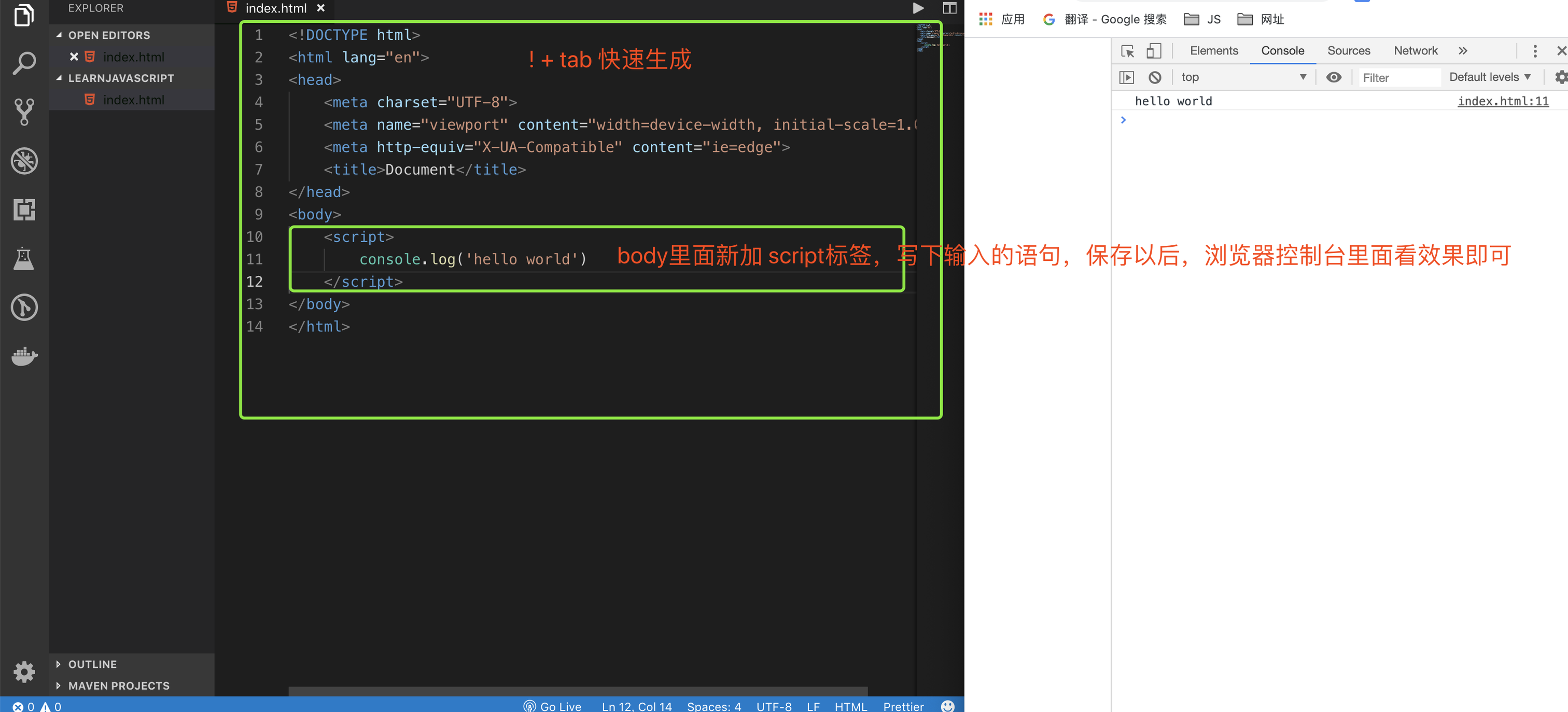
vscode里面新建一个文件夹叫什么无所谓,我这里叫
LEARNJAVASCRIPT里面新建'index.html'输入! 按tab快速生成html基本结构,body里面写一个script标签。这个js代码书写的地方,里面写console.log('hello world')保存(cmd + s)以后,在浏览器里面打开这个index.html,打开浏览器控制台 按下Option + Command + J(Mac)或者Ctrl + Shift + J(Windows / Linux)打开后应该会看到效果
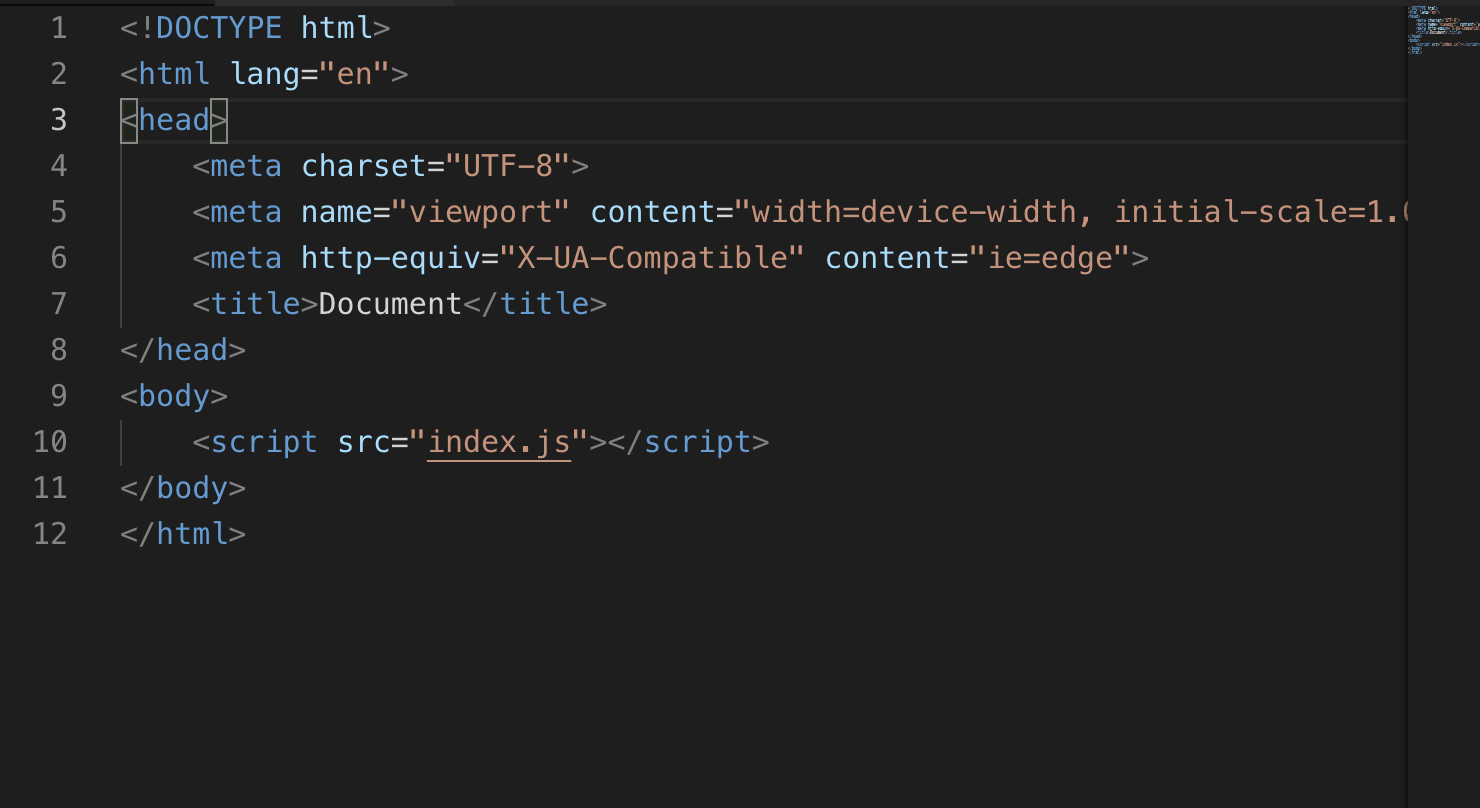
- 但是我们通常会在新的.js结尾的文件表明是js文件里面写j s代码,再html里面引入,而且有一个麻烦的地方是我每次修改了j s,想浏览器里面看到最新的效果,也要刷新浏览器,所以用插件live server解决,我们改造一下代码,
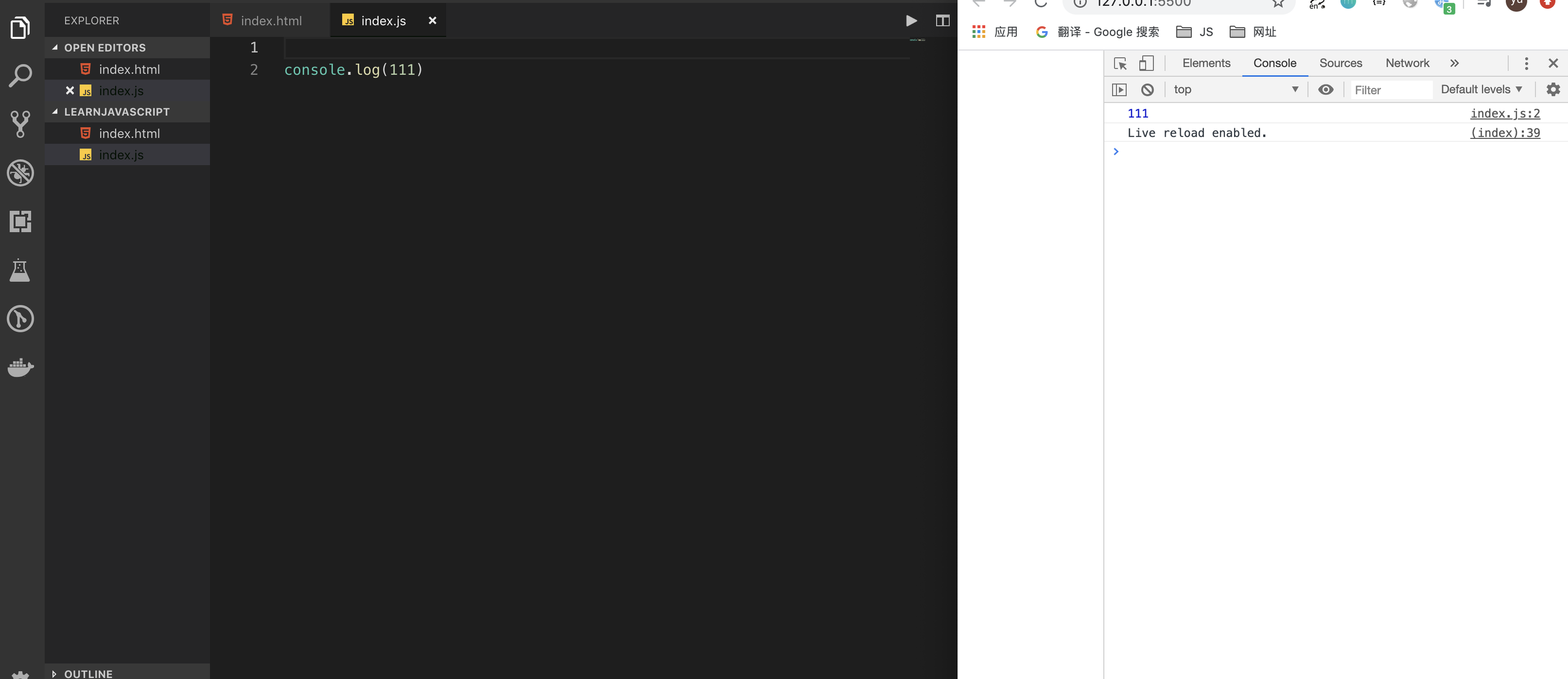
LEARNJAVASCRIPT目录下新建index.js里面输入console.log(111)然后index..html改成这样,表示indx.html中引入index.js,看起来是这样:
-
保存以后,用live server打开。浏览器里面打开控制台以后就会看到下面的效果:
-
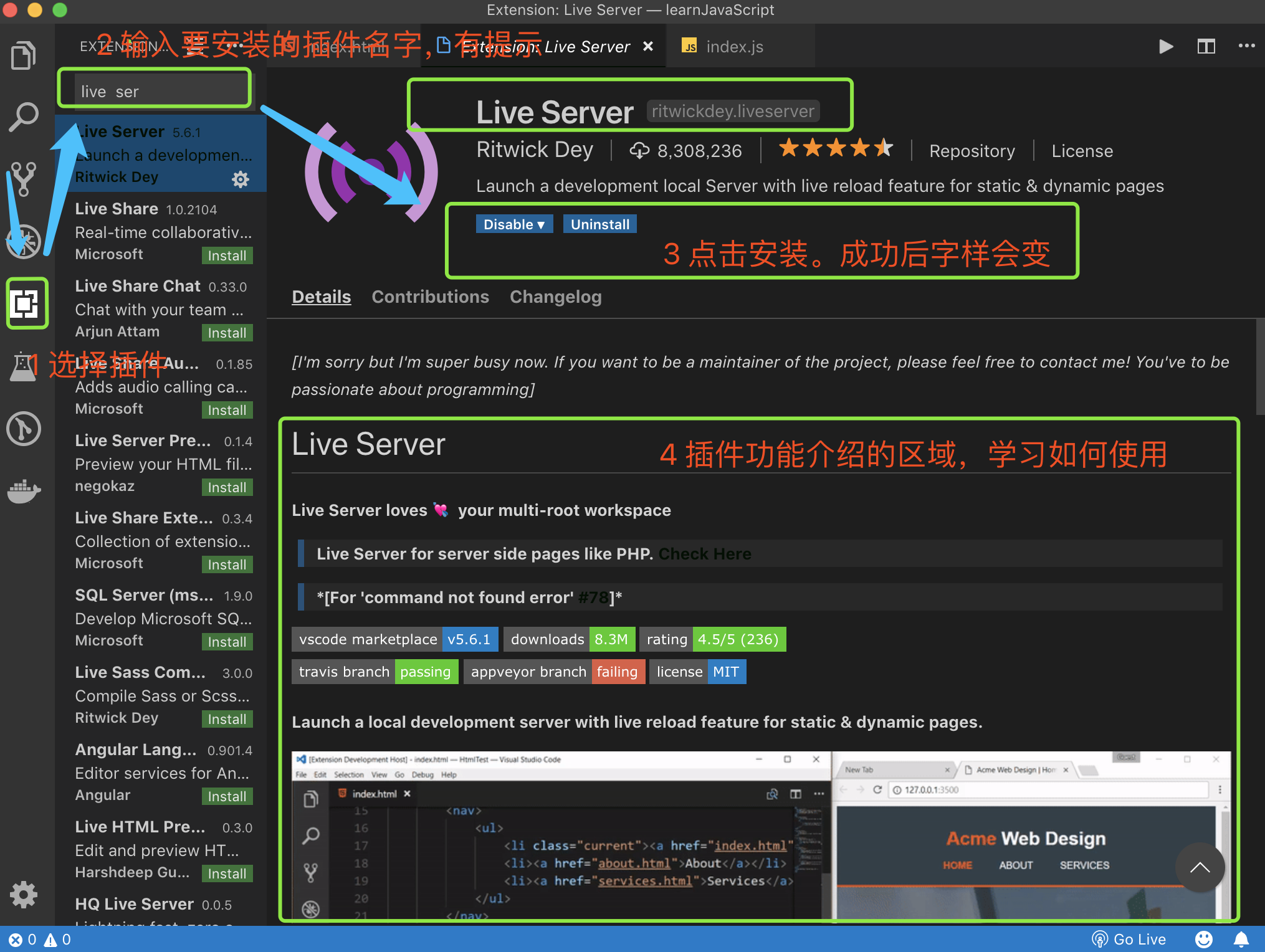
live server是vscode插件, 它可以帮助我们保存代码以后浏览器上看到最新的效果,没安装需要安装一下。
至此我们学会了:
- 使用vscode编辑代码
- 使用js内置的方法console.log()来在控制台里面输出值,验证我们程序的结果
- 使用chrome打开html文件。在chrome的控制台里面看js中console.log的值
- 使用live server 保证这边修改代码,浏览器端自动更新
接下来我们就在index.js里面输入新的学到的语法,保存以后,借助live server插件在浏览器里面验证结果
七、注释
-
什么是注释:
- 给js解释器chrome 的 v8看,告诉js解释器不执行被注释的语句
- 给开发人员看,必要的注释方便代码维护
-
js中如何注释?
-
单行注释:用
//(cmd + / 快速注释 再次按解除注释)表示。例如// let name = 'js' -
多行注释:用
/* 被注释的内容 *//* let name = 'jam' console.log(name)*/
-
八、变量
-
什么是变量
- 就是值的容器,值可以是数字,字符串,对象等等,值可以改变
-
如何声明:声明一个容器的过程
let 或者 const
-
如何赋值:用
=的本质是给上面的变量里面存储一个值变量名字 = 变量的值
-
如何声明一个变量并且赋值?
let name = 'js'
-
变量的名字(a-zA-Z_$): 一般是让人看了就懂的英文单词,遵循驼峰命名法(多个单词的情况,除了第一个单词全部小写意外,从第二个单词起,首字母大写),例如
let first
console.log(first)

first = 1
console.log(first)

//声明变量 并赋值,第一次赋值叫初始化
let name = 'tom'

//可以给let声明后的变量再次赋值
name = 'another name'

let NAME = 'jom'
let className = 'className'
let _test = '_test'
let $this = '$'

//声明常量 不可再次被赋值
const PI = Math.PI

//给常量再次赋值会报错
// PI= 1 //Uncaught TypeError: Assignment to constant variable.
// console.log(PI)
console.log(name,NAME,className,_test,$this)
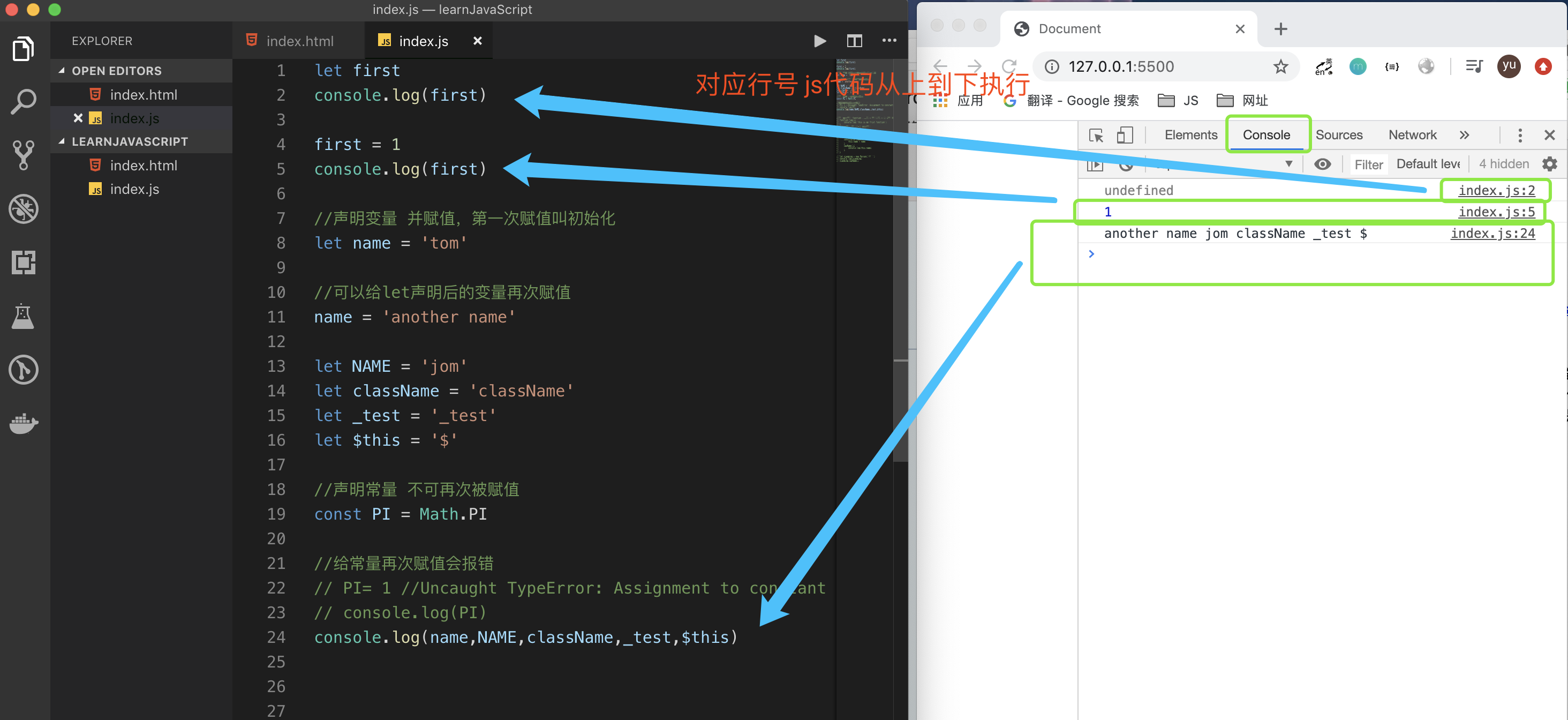
浏览器里面执行的结果如下:
九、js常用的数据类型:
上面学到了什么值变量,那变量可以有哪些值呢? 我们就来看看js中有哪些数据类型:
- Numbers : store numbers
- Strings :pieces of text
- Booleans : true/false values
- undefined : 未定义 或者初始值为undefined
- null : 为空
- Arrays : An array is a single object that contains multiple values enclosed in square brackets and separated by commas
- Objects :In programming, an object is a structure of code that models a real-life object. You can have a simple object that represents a box and contains information about its width, length, and height, or you could have an object that represents a person, and contains data about their name, height, weight, what language they speak, how to say hello to them, and more.
let myNameArray = ['Chris', 'Bob', 'Jim'];
let myNumberArray = [10, 15, 40];

//通过下标 获取对应的元素的值
myNameArray[0]; // should return 'Chris'
myNumberArray[2]; // should return 40
什么时候用数组?
- 强调数据的顺序
什么时候用对象?
- 多个属性的集合的时候,比如表示一个圆,有周长,面积等属性,也可以有计算周长和面积的方法
什么时候用函数?
- 重复的事情,放在一个函数里面,用函数参数表示变化的部分,用函数体里面内容表示不变的地方(函数要做什么事儿)
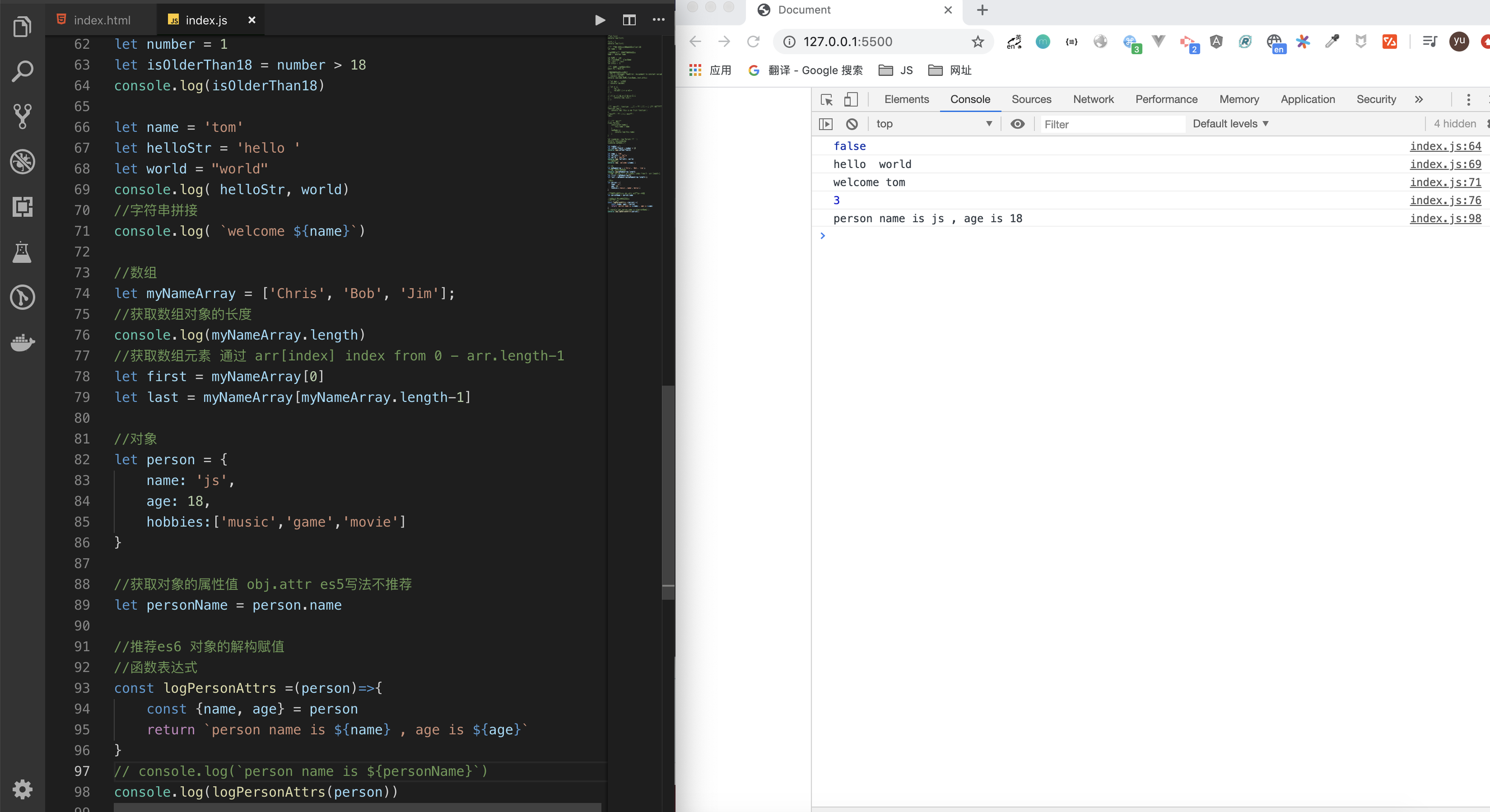
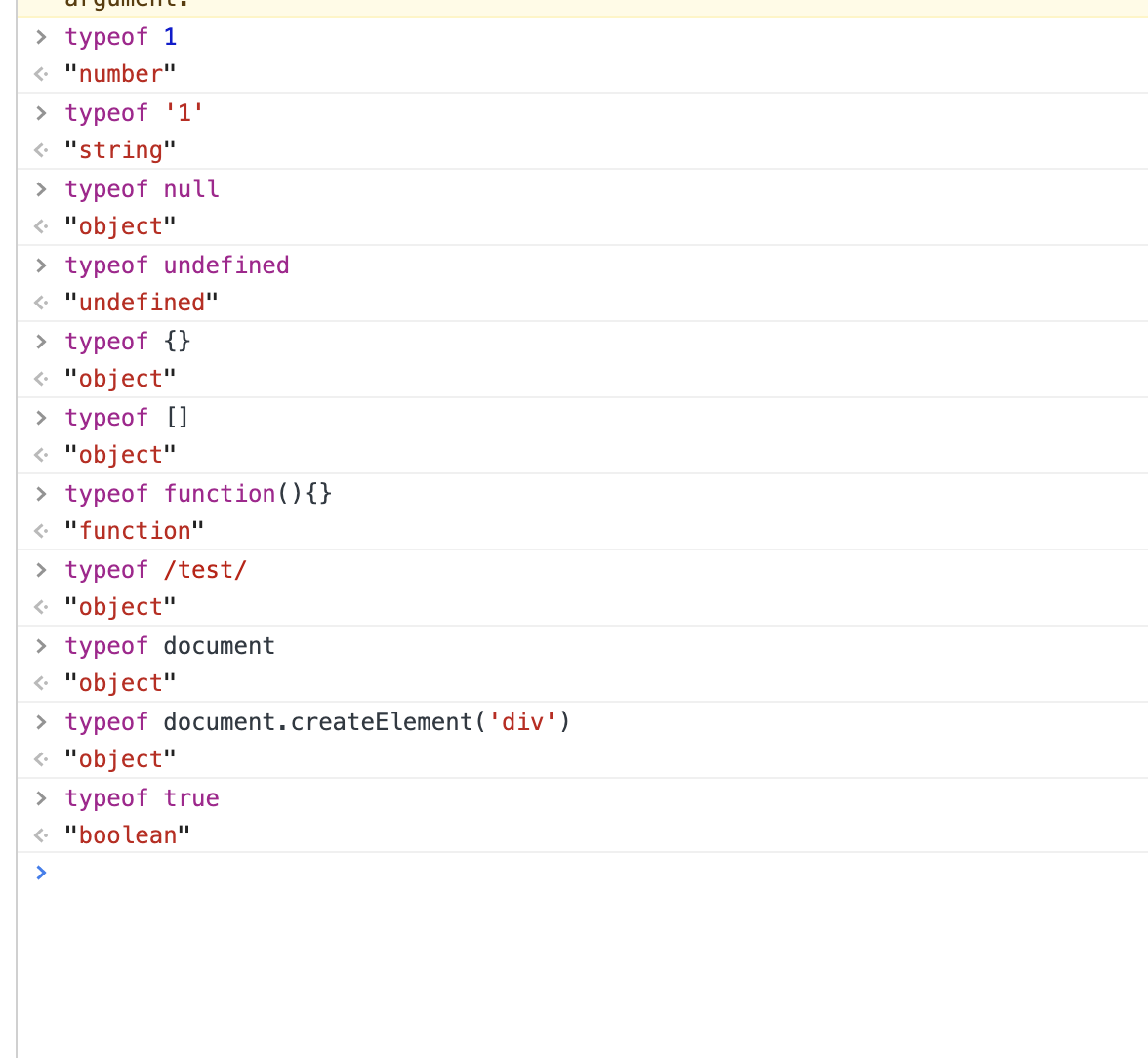
typeof : 检查数据的类型,不能区分复杂类型(object function null),可以区分简单类型:
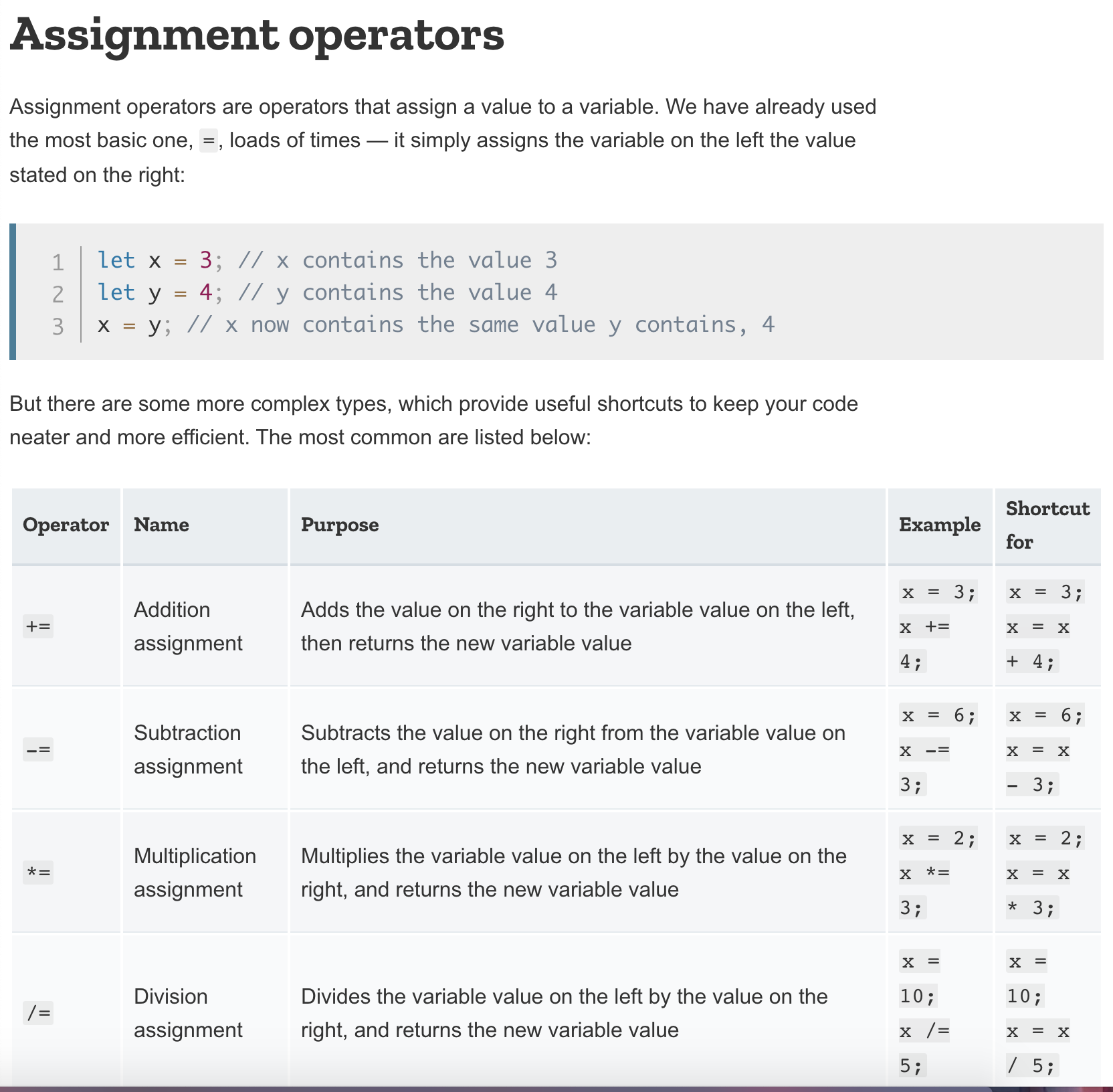
十、操作符
- 赋值操作符:
=+=-=*=/=
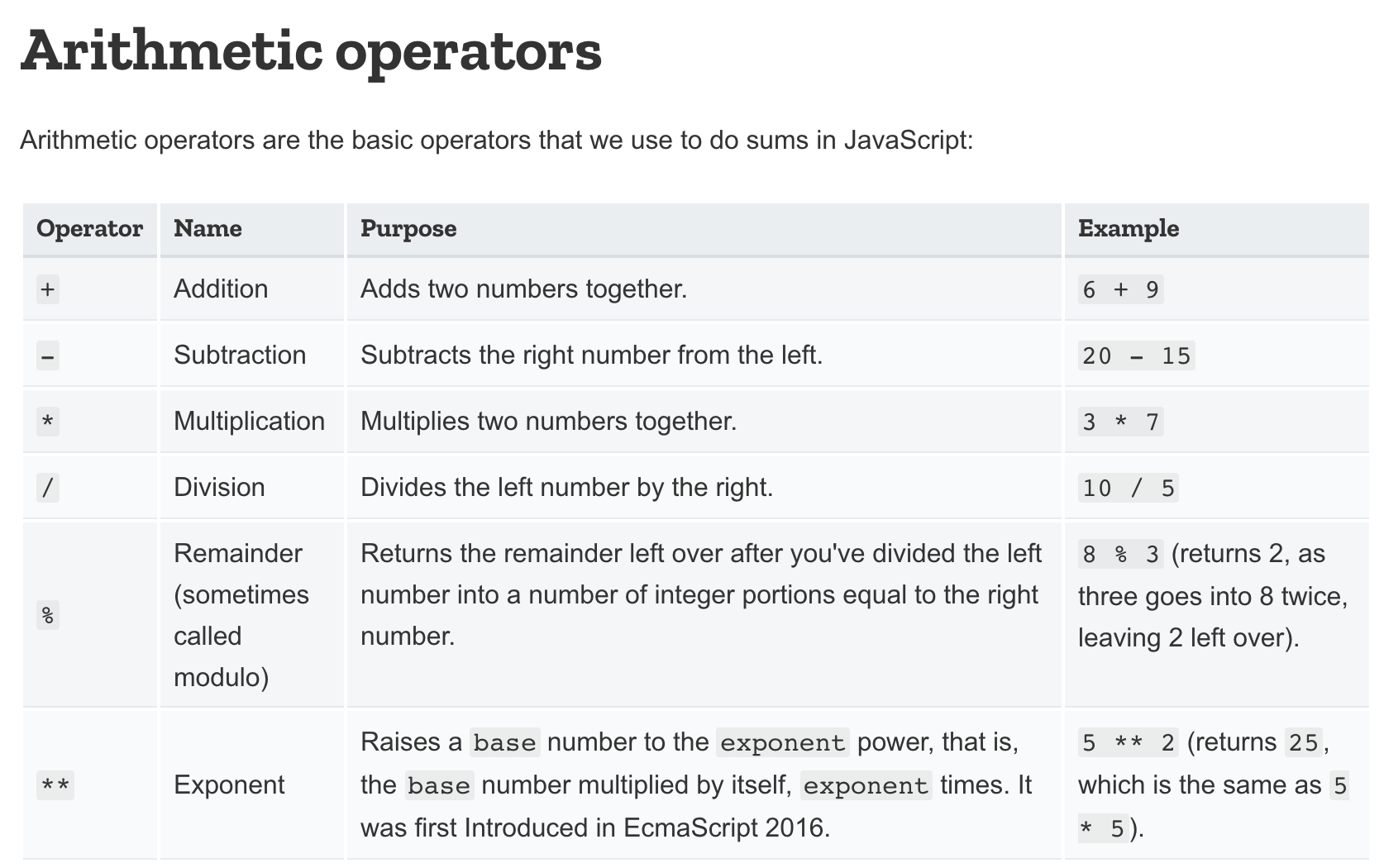
- 算数运算符:
+-*/%**
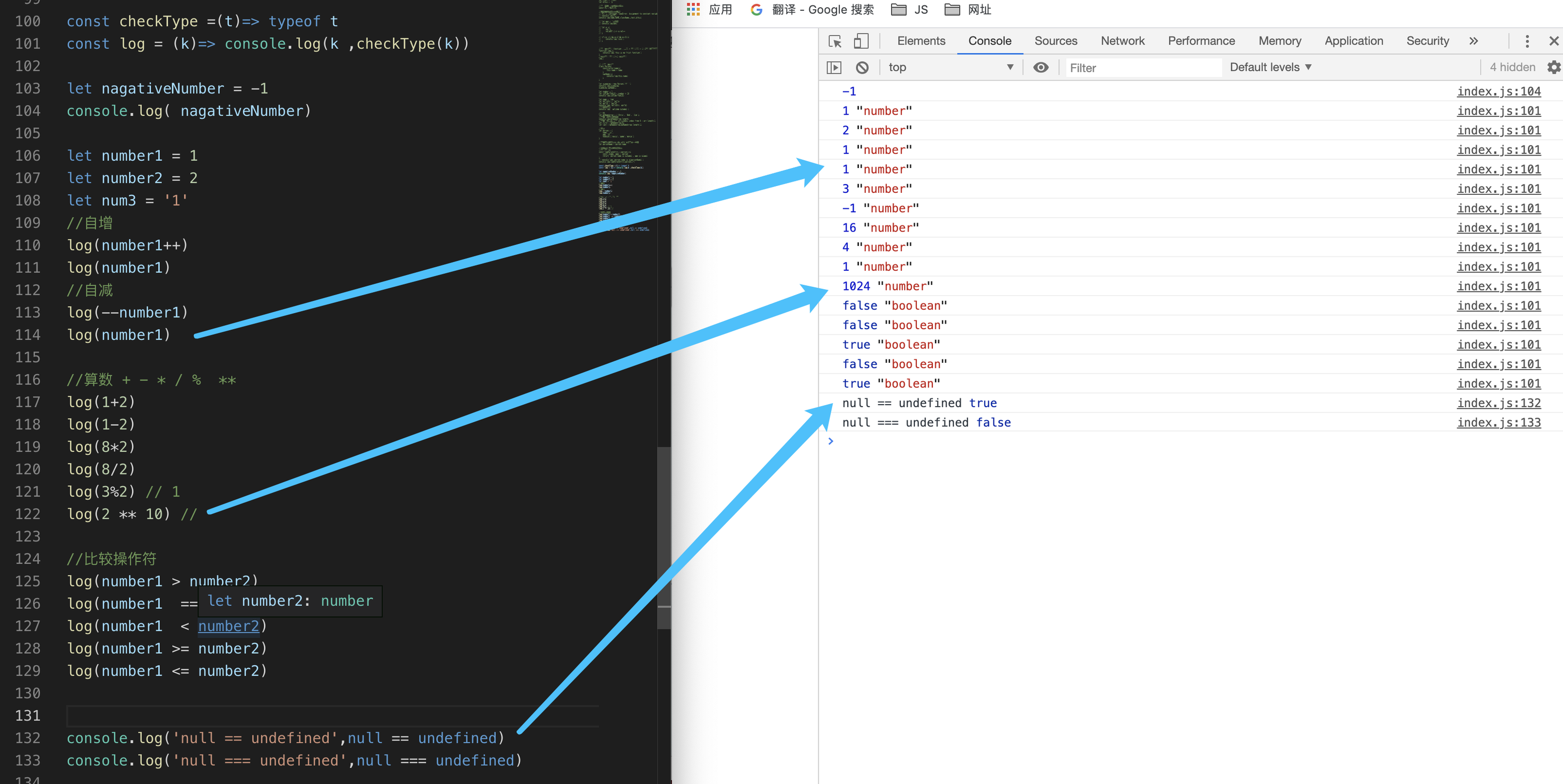
- 比较运算符:返回布尔值,用于继续判断真假
- `===``严格比较,即比较值也比较类型
==非严格比较,只比较值!==><>=<=
-
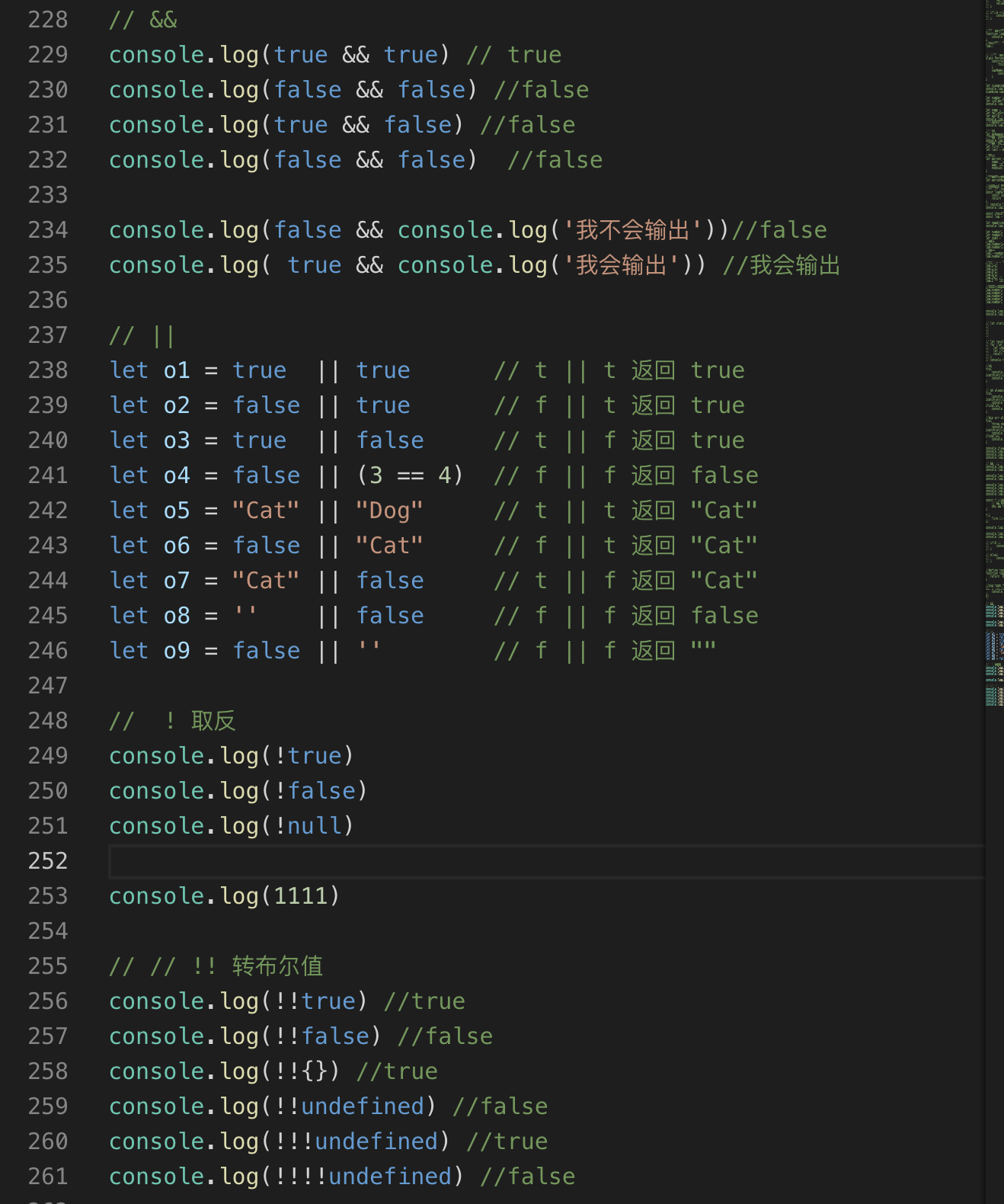
逻辑操作符号
- && 与
- || 或
- ! 非
- !! 对值取布尔值
-
位操作符号
&按位与 :对应的位上同为1才是1|按位或 :对应的位上有一个是1 就是1^安位异或:相同返回0 ,不同返回1~按位非 x = -(x+1)>>有符号右移 左侧用0补<<左移 左移,右侧用0补>>>无符号右移动
// 十转二进制 console.log(parseInt(2).toString(2)) // 010 console.log(parseInt(3).toString(2)) // 011 console.log(parseInt(5).toString(2)) // 101 console.log(parseInt(6).toString(2)) // 101 console.log(parseInt(7).toString(2)) // 111 console.log(parseInt(10).toString(2)) // 1010 // 表达式是能计算出结果的一段代码 // 5 101 // 3 011 console.log('5&3' , 5&3) // 1 按位与 console.log('5|3', 5|3) // 111=>7 按位或 console.log('5^3' , 5^3) // 110 => 6 相同返回0 不同返回1 按位异或 console.log('~5', ~5 ) //-6 按位或 console.log('~3', ~3) // -4 console.log('5>> 1', 5>>1) //无符号右移 2 console.log('5<<1', 5<<1) //无符号左移 10 console.log('5>>>1' , 5>>>1)// 2 正数的有符号右移和 无符号右移一样 console.log('-1>>>1' , -1 >>> 1)//2147483647 这样就很大 -
三目运算:
判断条件?'为真的情况' : ‘为假的情况’等价于后面的if else
    let score = 60
    let result  = score > 60 ? '及格':'不及格'
    console.log(result)//不及格
十一、流程控制:
- 什么是流程控制?
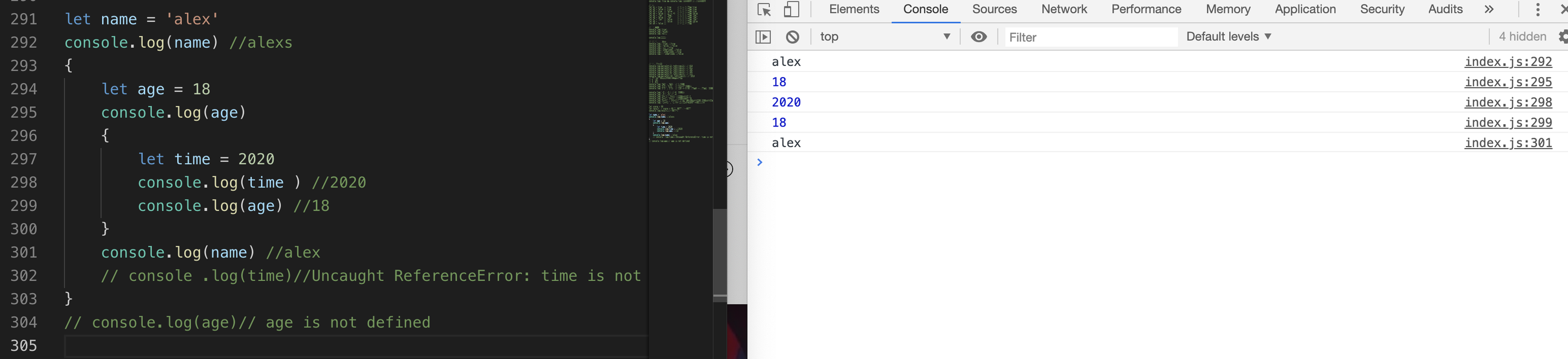
- 什么是
{}语句块,let const定义的变量在{}内定义的变量只能在语句快内部使用,语句块儿外部访问不到,使用变量时候,会先在语句块儿内部找,找不到再去上层的语句块儿,有的情况下再找,再找不到就去全局作用找,找不到报错变量名 is not defined
- 什么是
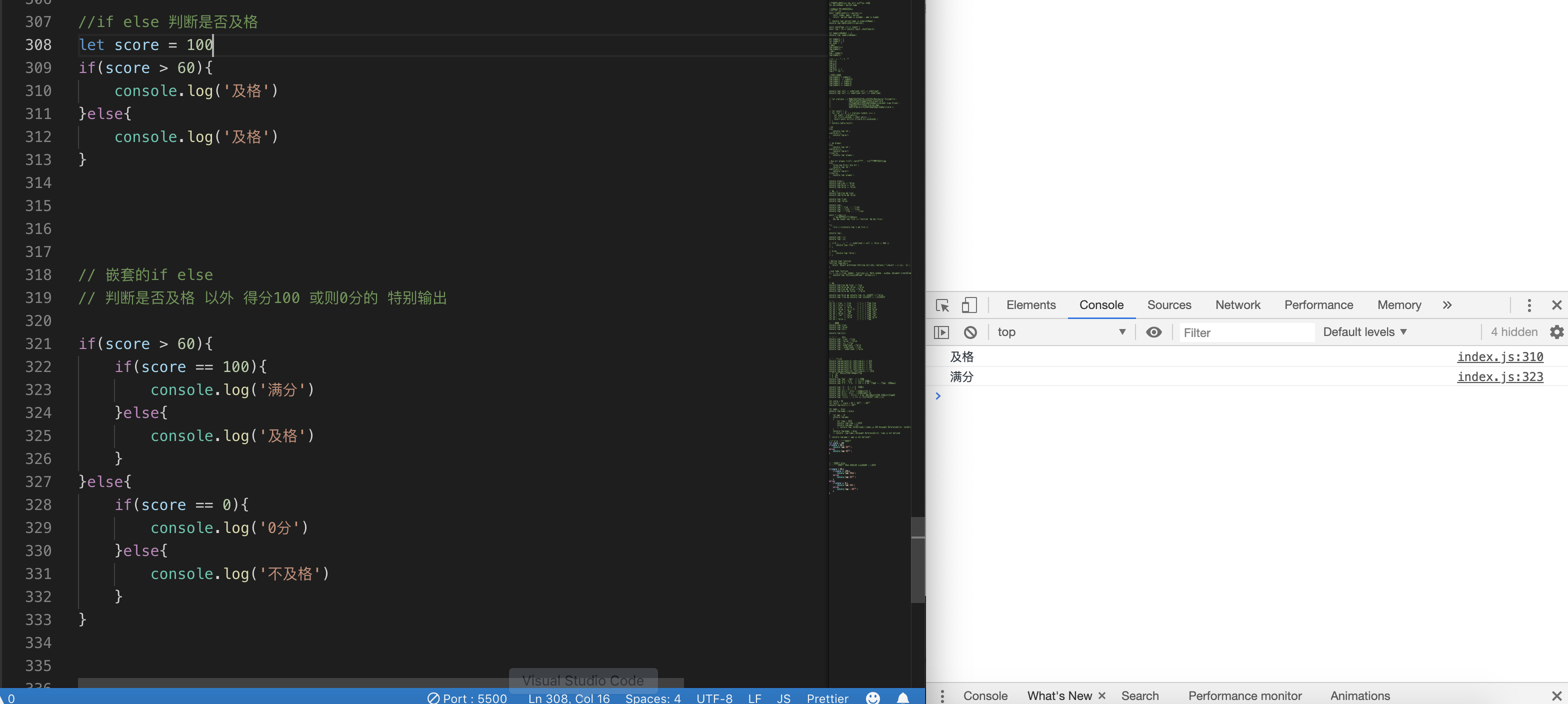
- 条件判断,走a不走b
if(express || boolean ){}else{}判断两种情况- 判断多种 >2 中间加 else if即可
- 嵌套的if else
switch case
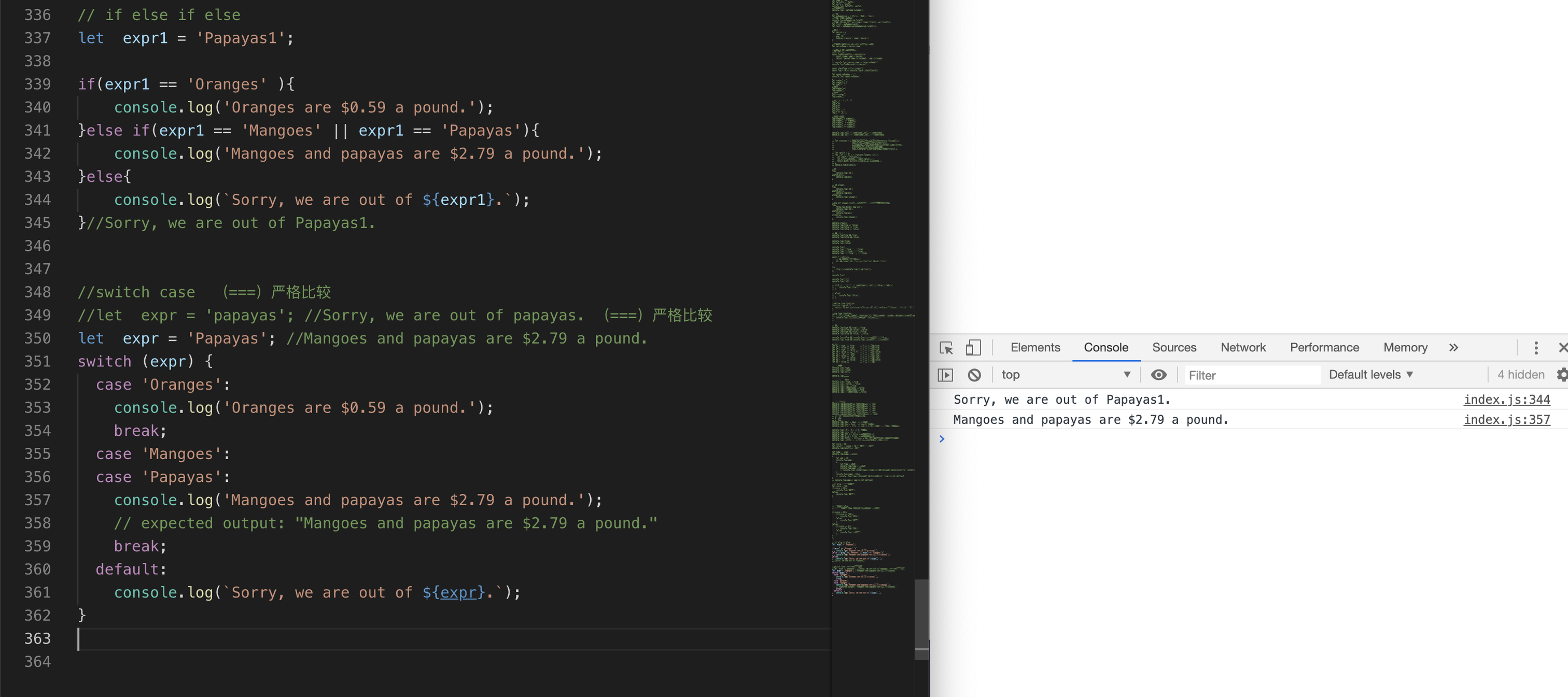
- 循环,重复做一件事,考虑用循环
for 循环while(){}循环do{}while循环至少会执行一次
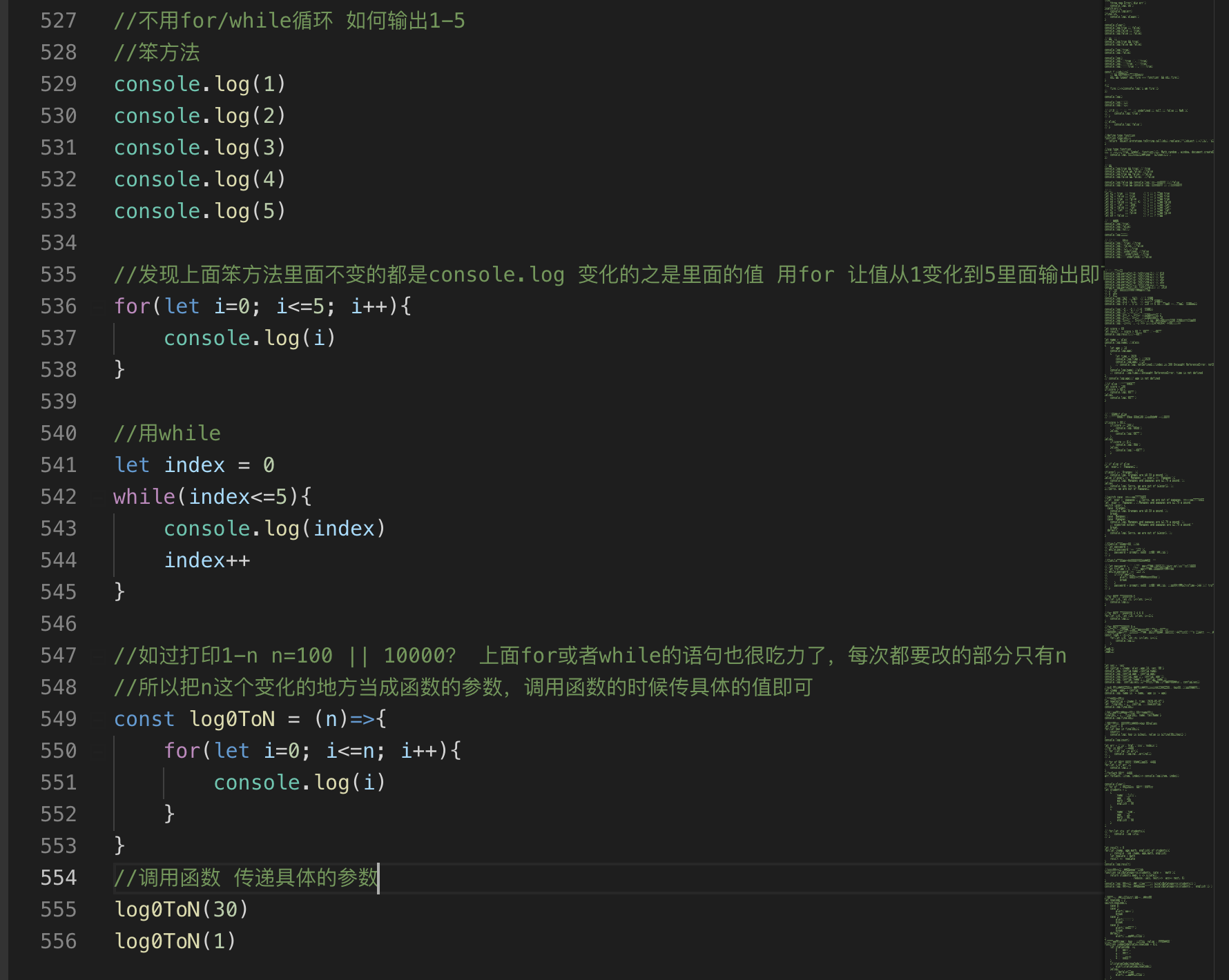
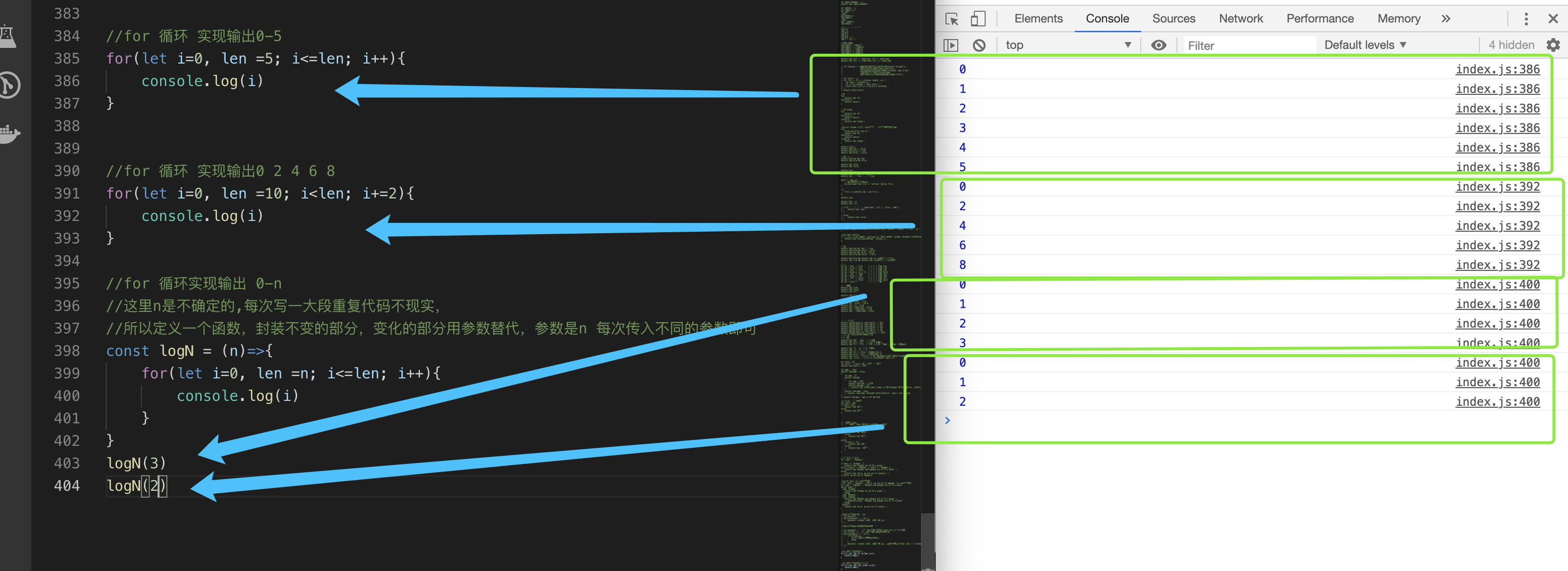
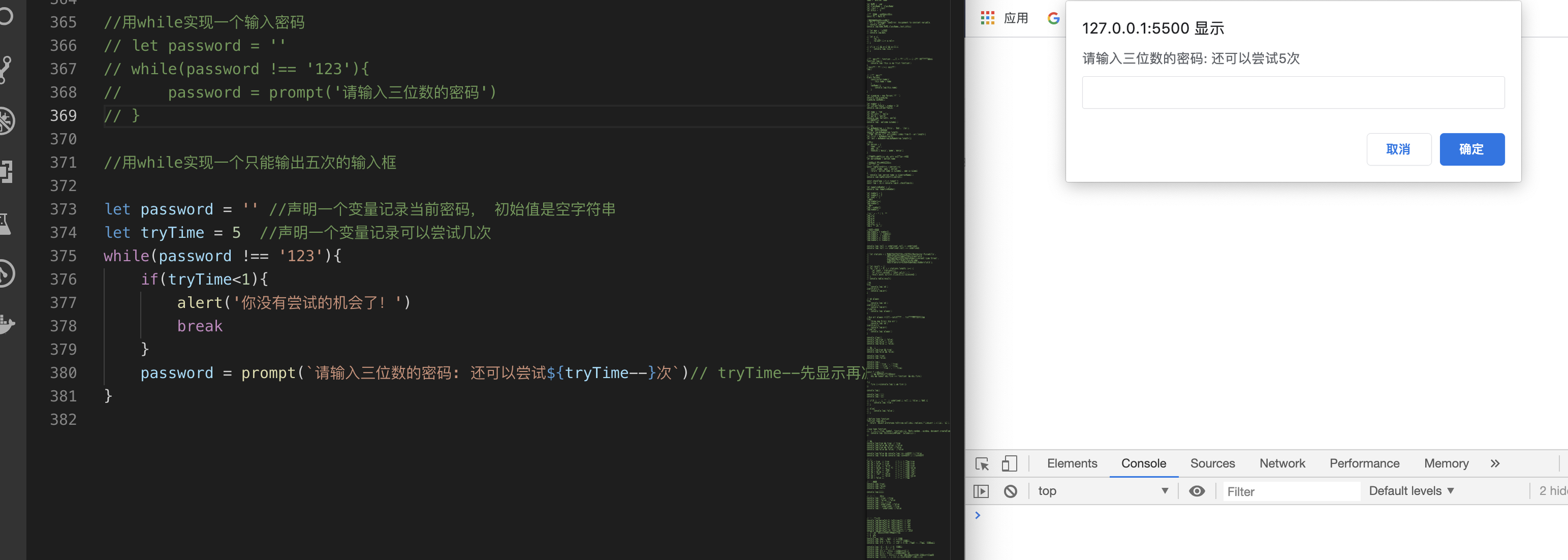
- 死循环
//没事儿别运行!
//for
for(;;){
    console.log(1)
}

//while
while(true){
    console.log(1)
}
- 如何终止循环?
break - 如何跳出本次循环?
continue其他循环继续
for(let i=0; i<10; i++){
  if(i==2) continue
  if(i==5) break
  console.log(i)
}

let num =0
whlile(true){

    if(num ==1) continue

    if(num ==5) break
    console.log(num)
    num++
}
十二、函数
- 函数在js中特别重要,可以封装重复的代码块儿,根据不同的参数执行语句
- 如何定义一个函数?
function funcNam( arg1, arg2,...argn){ statements }
- 无返回值的函数:
  // 函数没有返回值
   function log(){
       console.log(1)
   }

   //但这里每次只能输出固定的值,如何输出变化的值?加一个参数即可

   function log(n){
       console.log(n)
   }
- 有返回值的函数:
statements 里面加return someVariable
   // 函数有返回值
   function add(num1, num2){
       return num1 + num2
   }
- 函数如何调用(执行)?
函数名字+()()里面加实参 ,实参是函数调用的时候传递的值, 形参是函数声明的时候指定的变量
  // 函数有返回值
  // 函数定义  形参1  形参2
  function add(num1, num2){
      return num1 + num2
  }

  //函数调用
  let res = add(1,2) //因为函数有返回值,所以函数调用以后的值返回出来以后,赋值给res变量
  console.log(res) //3
-
return两个作用:- 从函数体内返回一些值
- return 下一行的代码不会执行
function getA(a){ if(a < 0){ console.log('a 应该大于0') return } return a } -
函数的名字如何输出?
以上面add函数为例子: console.log(add.name)// add -
函数的默认参数:
   //函数的默认参数
   function l(a = 'defaultvalue'){
       console.log(a)
   }
   l() //defaultvalue
   l(1) //1
arguments是一个类数组对象,主要特点是key是index,而且有length属性,长度和key的个数相同,维护了实参的数据,想使用数组的方法,先转成数组,再使用
//arguments 计算任意个数字之和
function sum(){
   let res = 0;//1声明一个变量,存储结果
   console.log(arguments)
   //2循环 累加所有值 求和
   for(let i=0; i< arguments.length; i++){
       res += arguments[i]
   }
   return res//3因为是求和,所以要将结果返回
}
sum(1,2,3)

//类数组转数组
 let normalArray1 = Array.prototype.slice.call(arguments);
 // -- or --
 let normalArray2 = [].slice.call(arguments);
 // -- or --
 let normalArray3 = Array.from(arguments);

- 剩余参数
...
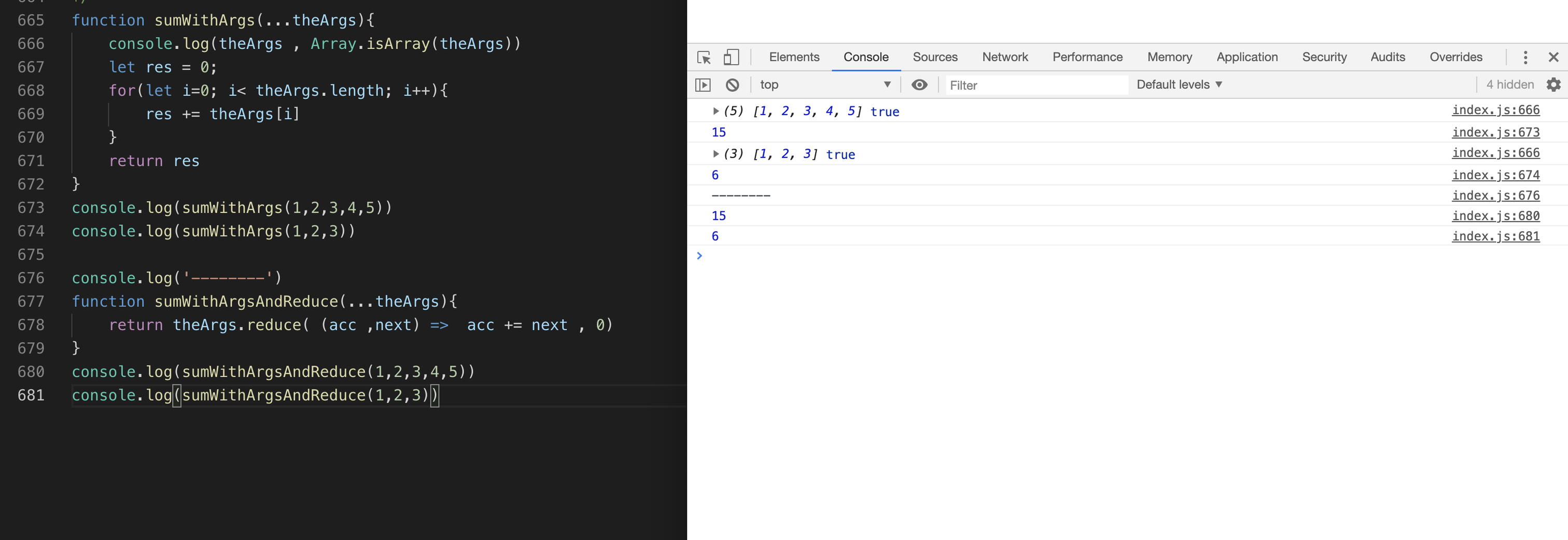
   function sumWithArgs(...theArgs){
       // console.log(theArgs)
       let res = 0;
       for(let i=0; i< theArgs.length; i++){
           res += theArgs[i]
       }
       return res
   }
   console.log(sumWithArgs(1,2,3,4,5)) //15
   console.log(sumWithArgs(1,2,3)) //6


   用数组的reduce 改写
   function sumWithArgsAndReduce(...theArgs){
        return theArgs.reduce( (acc ,next) =>  acc += next , 0)
   }
   console.log(sumWithArgsAndReduce(1,2,3,4,5))
   console.log(sumWithArgsAndReduce(1,2,3))
- 作用域:变量的生效范围
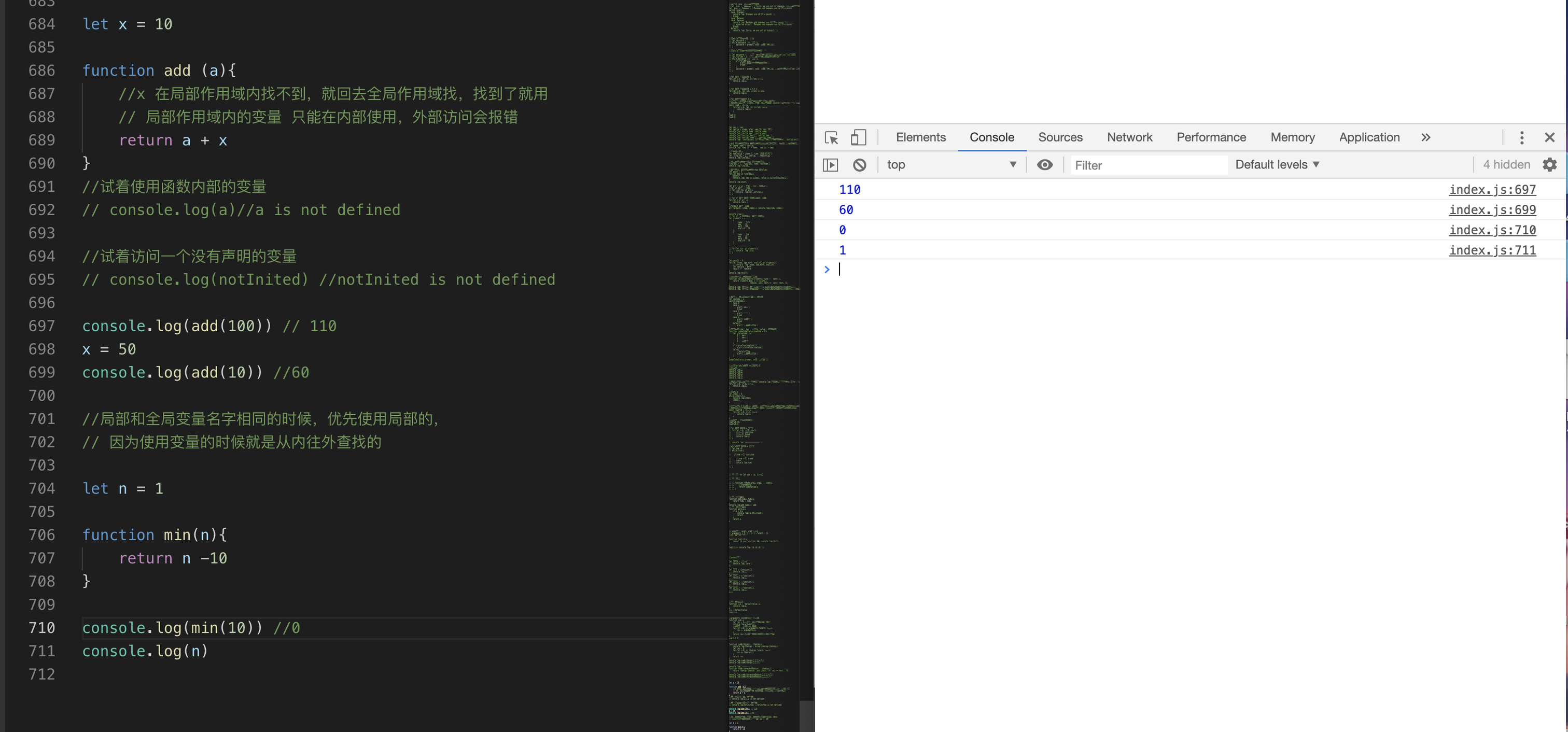
- 局部作用域 : 定义在函数内部的变量,只能在函数内部使用,局部作用域可以访问全局作用域内的变量
- 全局作用域 : 函数外部的
- 如何写好一个函数? 采用自顶向下的方式,先实现大框(主干),再针对每个函数填充细节,让代码清晰,表达力强 clean code book review
- 函数有哪些形式?
- function 关键字声明的函数:
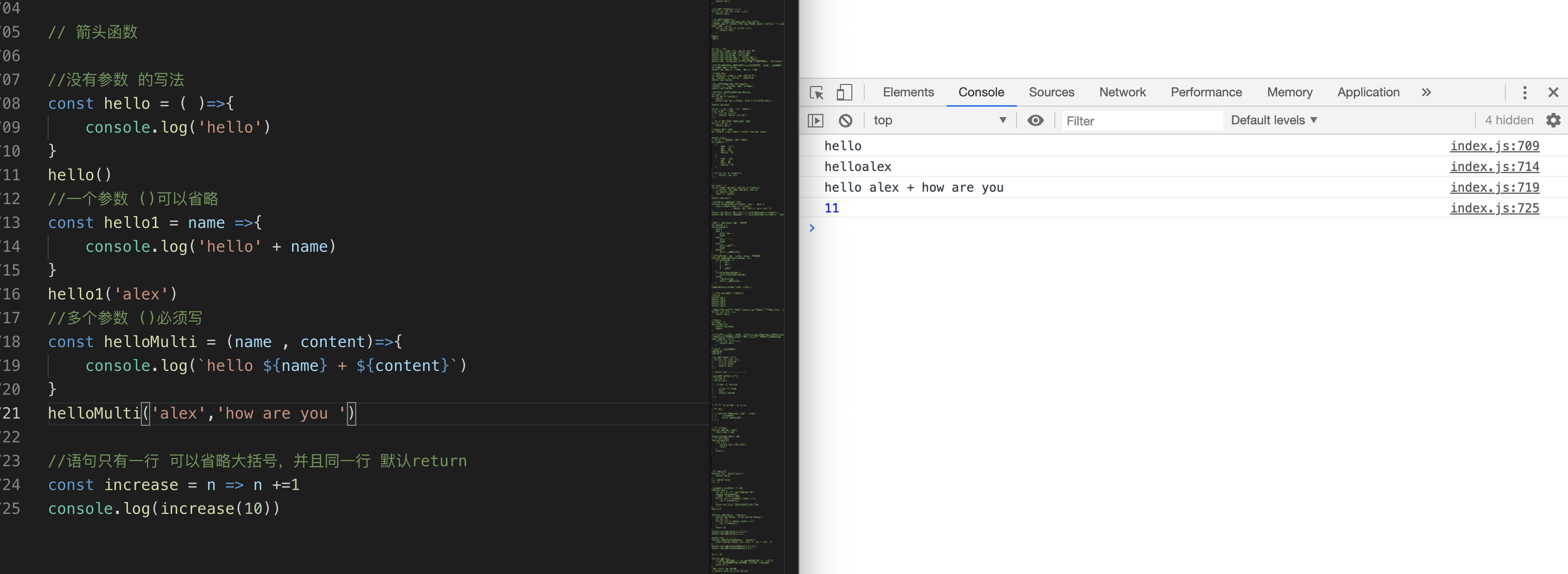
- 箭头函数: es6函数的简写形式
- 函数表达式 : 函数赋值给一个变量
- IEFE:Immediately Invoked Function Expression
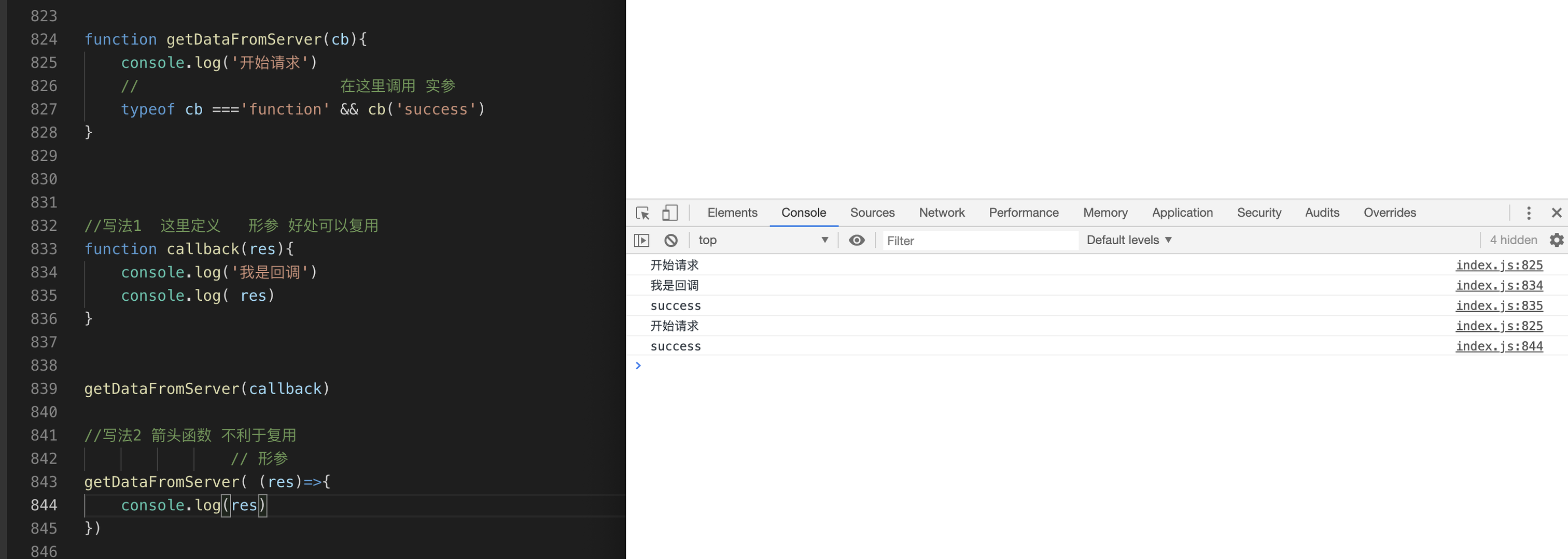
- callback: 函数作为参数

var num1 = 10
;(function(){
    //自执行函数会有自己的函数作用域,避免和全局同名变量冲突
    var num1 = 1
    console.log(num1)//1
})()
console.log(num1)//10

//IEFE Immediately Invoked Function Expression

let IEFE = (function(){
    console.log(1)
})()
let IEFE1 = +(function(){
    console.log(1)
})()
let IEFE2 = -(function(){
    console.log(1)
})()
let IEFE3 = ~(function(){
    console.log(1)
})()
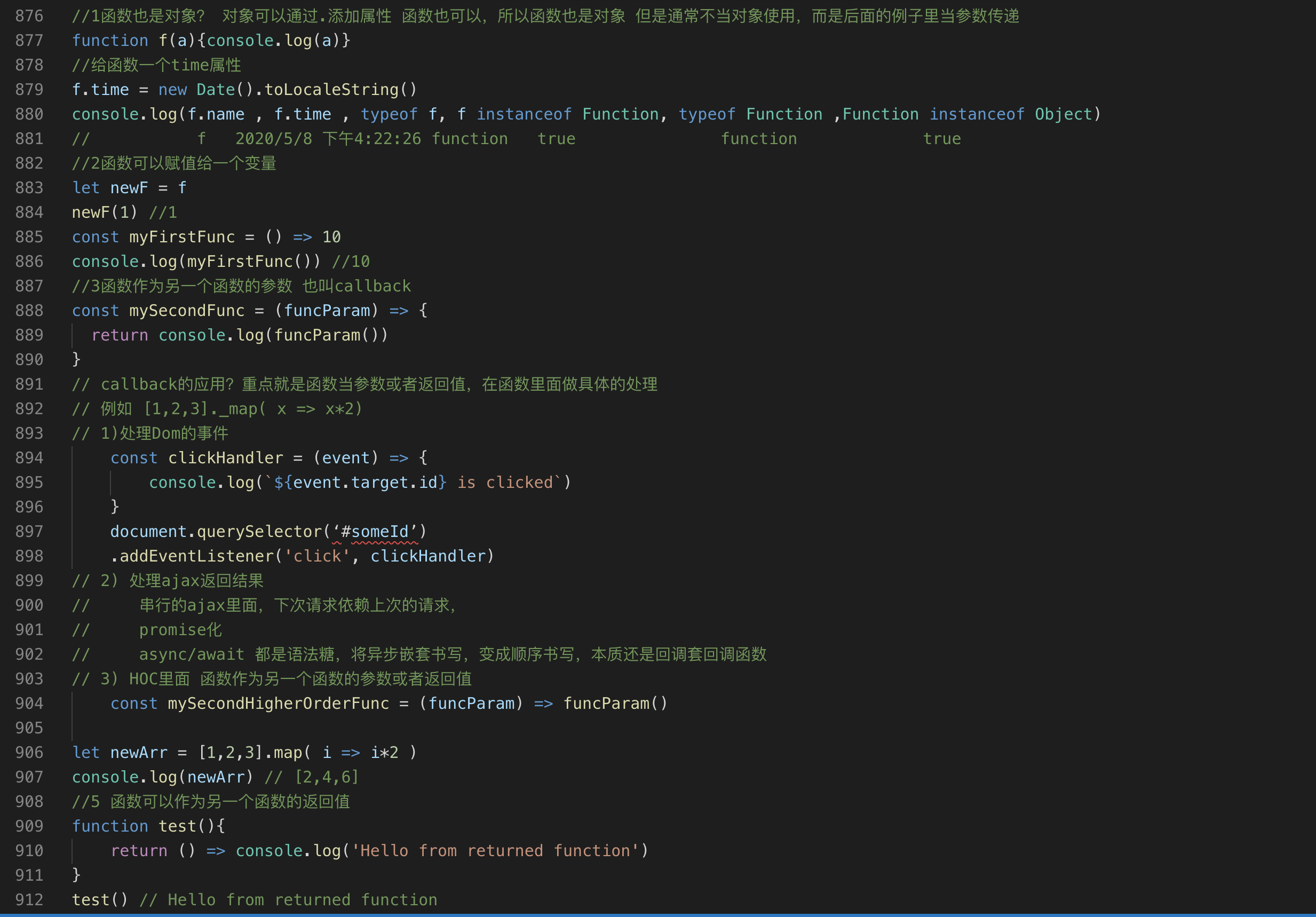
- 函数在js中是一等公民(first-class functions)
- 函数也是对象
- 函数可以赋值给一个变量
- 函数可以当参数传递给另一个函数
- 函数可以作为另一个函数的返回值
- HOC(higher-order functions)高阶函数
- 什么是高阶函数?函数作为另一个函数的参数或者返回值,就是高阶函数
Functions that operate on other functions, either by taking them as arguments or by returning them, are called higher-order functions
HOC有利于抽象重复(循环) 有利于
函数式编程FP(一种编程范式,纯函数,无状态,还有面向过程编程(每一步应该干什么,把所有步骤解决,问题就解决了),还有面向对象编程OOP:Object Oriented ProgrammingOOP 注重的是数据和行为的打包封装以及程序的接口和实现的解耦,解决问题的过程就是调用对象相关方法的过程),还有AOP面向切面编程,一种横向的切面,每个类里面都要执行这个步骤,把这个步骤抽离出来,统一处理,给需要的类再添加如何触发,什么时候触发等等,工作中应该用哪种编程范式? 什么时候需要什么范式就用什么范式,需要积累才能有体会- HOC如何抽象重复的?
- 我们先来看看不用HOC如何实现
[1,2,3]变成[2,3,6]?
let res = [1,2,3] let result = [] for(let i = 0; i< res.length; i++){ result.push(res[i] * 2) }- 用HOC如何实现?
let result = res.map( x => x * 2 )-
Array.prototype.map就是一个HOC,因为参数是一个函数。
Array.prototype是数组的原型,就是个对象,里面存储多个供数组实例使用的方法,什么是数组实例?[] || new Array(2) -
实现一个数组的map函数?
//实现一个简单的map 没有开始的参数校验和this的处理 // 1有返回值 所以要声明一个数组 // 2因为是高阶函数,所以要有一个回调函数cb // 3因为是多个,所以循环处理。里面调用传进来回调函数,传递需要的值,将处理好的结果push进声明的数组里 // 4返回处理好的数组 Array.prototype._map = function(cb ){ //Array.prototype 里面的this是数组实例 可以使用原型上的方法 let result = [] for(let i=0; i < this.length; i++){ result.push( cb(this[i], i, this)) } return result } res2 = res._map( x => x*2) //[2,4,6] - 什么是高阶函数?函数作为另一个函数的参数或者返回值,就是高阶函数
- closure: 闭包
什么是闭包?
Closures preserve the outer scope inside an inner scope
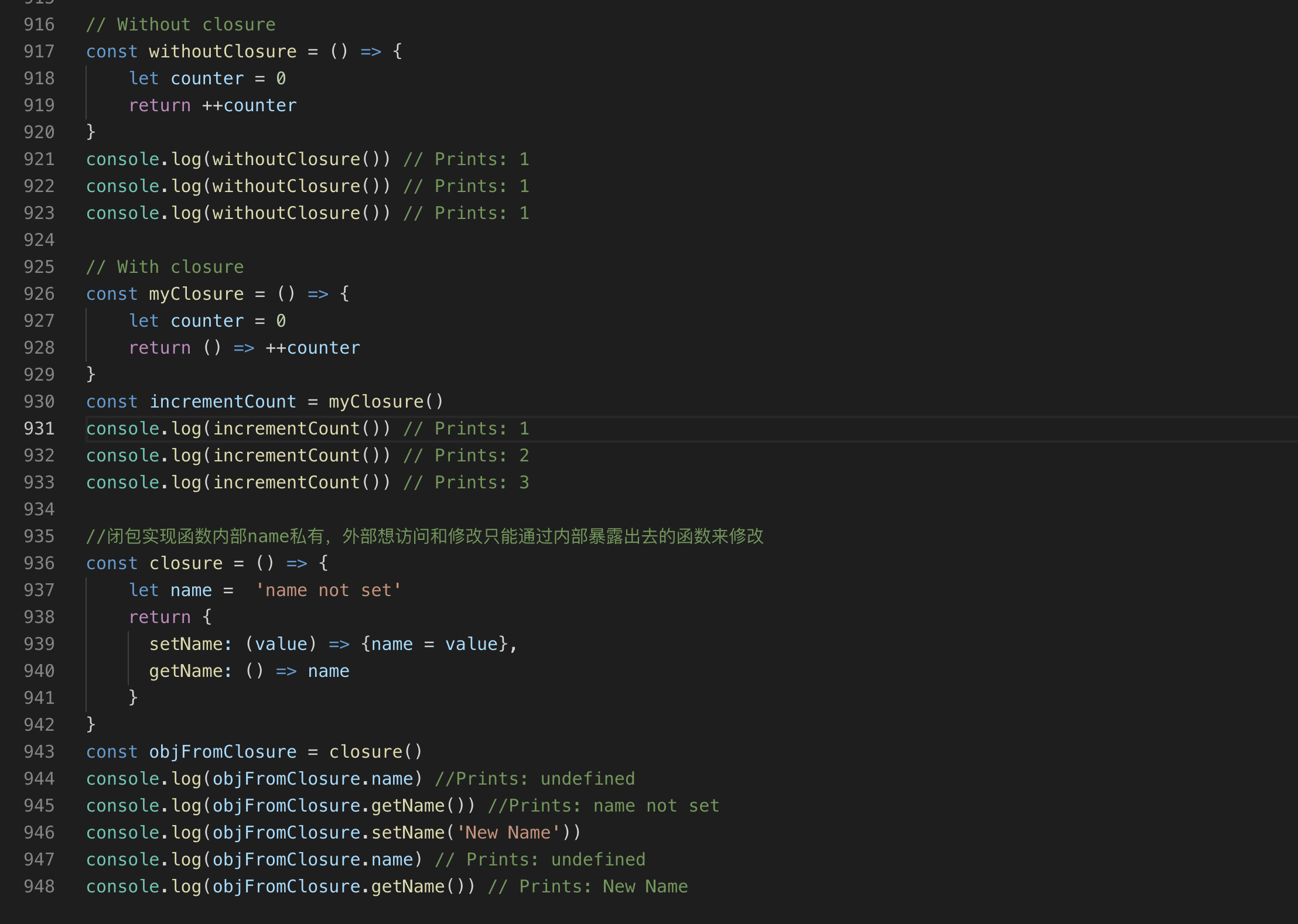
first-class functions和HOC和closure的区别是?
- `first-class functions`: 函数可以作为参数赋值给变量
- `HOC`:函数的参数哦或者返回值可以是函数
- `closure`:Closures preserve the outer scope inside an inner scope
十三、数组
-
什么是数组:顺序存储一个或多个同类型或者不同类型的数据结构,一般存储同类型的。
-
数组如何创建?
- 字面量的方式:
- 构造函数的方式:
- new Array方式:声明指定数量的空元素
- Array.of方式:设置一个参数不会创建空元素,设置多个会创建多个空元素
- Array.from方式:也可以将类数组转成数组
- [...arrayLike]
//创建数组 //1字面量 常用 let arr = [1,2,3] console.log(arr) //[1,2,3] // //2构造函数 let arr2 = Array(3) console.log(arr2)//[empty × 3] // //3 new Array(3) let arr3 = new Array(3) console.log(arr3) //[empty × 3] // //4 Array.of(3) 创建一个 let arr4 = Array.of(3) , arr4Multi = Array.of(3,4,5) console.log(arr4) //[3] console.log(arr4Multi)// [3,4,5] // //5 Array.from({length:3}, (v,i)=> i) 快速创建多个数组使用 let arr5 = Array.from({length:3}, (v,i)=> i) console.log(arr5)//[0,1,2] let str ='alex' console.log(Array.from(str))// ['a','l','e','x'] let arr3Hello = Array.from({length:3}, (v,i)=> 'hello') console.log(arr3Hello)//["hello", "hello", "hello"] let divs = document.querySelectorAll("div"); [...divs].map -
数组的语法:
let arr = [ 'item1','item2'] -
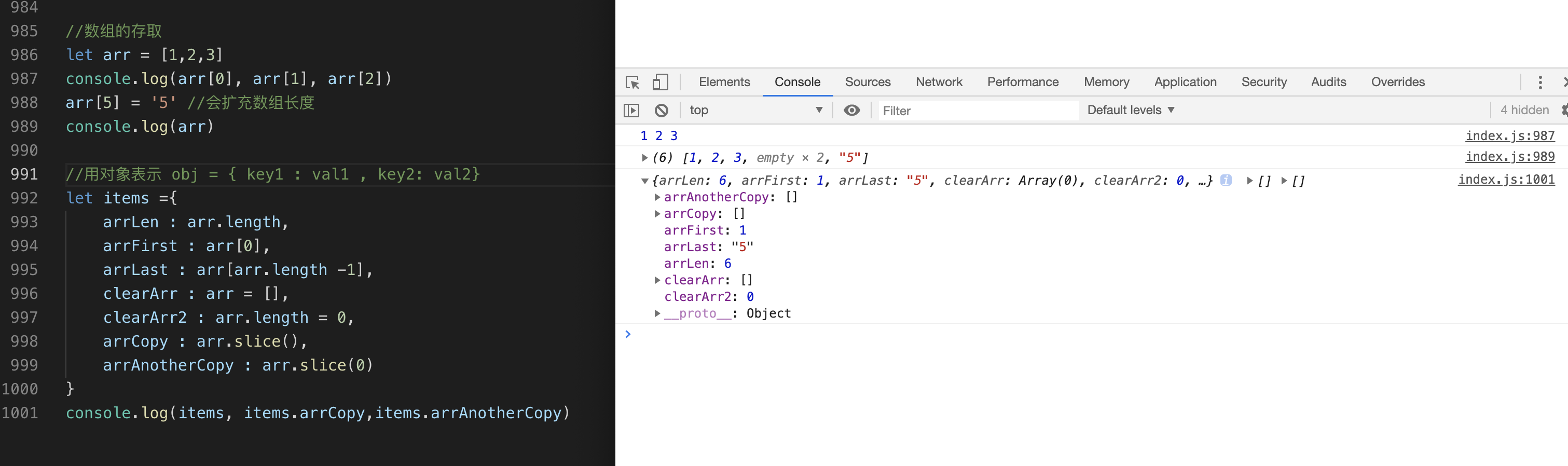
数组数据的存取:
- 数组长度: arr.length
- 数组下标从零开始 到arr.length-1结束
- 存:
- arr[index] =val
- 取:
- arr[index]
0<=index <= arr.length-1
- arr[index]
- 数组构造函数上的方法:构造函数
Array使用Array.fromArray.isArray()Array.of()
//数组构造函数上的方法 console.log(Array.isArray(arr)) //false console.log(Array.isArray("foobar")) //false console.log(Array.of(7)) // [7] console.log(Array.of(1, 2, 3) )// [1, 2, 3] //生成指定长度对的数组 或者类数组转数组 console.log(Array.from({length:3}, (v,i)=> i)) //[0,1,2] //Array.from(document.getElementsByName('div')) - 数组原型上的方法:实例可以直接使用.
- 删除元素
let arr = [1,2,3,4,5,6]
//删除最后一项
arr.length = arr.length-1
console.log(arr)//[1, 2, 3, 4, 5]

//删除指定下标的元素 比如下标为2的元素就是3 可以用数组内置的方法(可以直接用) splice
arr.splice(2, 1) // 3
console.log(arr) //[1,2,4,5]
//https://developer.mozilla.org/zh-CN/docs/Web/JavaScript/Reference/Global_Objects/Array/splice
//从第 2 位开始删除 0 个元素,插入“drum”
let  myFish = ["angel", "clown", "mandarin", "sturgeon"];
myFish.splice(2, 0, "drum");
console.log(myFish)// ["angel", "clown", "drum", "mandarin", "sturgeon"]
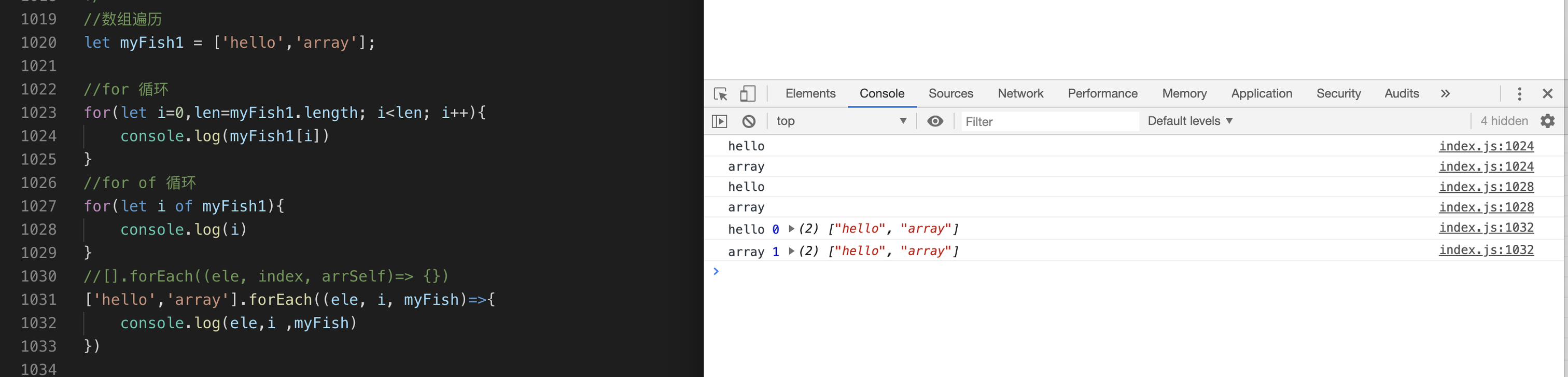
- 数组的遍历
for循环输出数组每一项和对应下标for of输出数组每一项目 遍历可迭代对象,数组是可迭代的对象forEach输出数组的每一项,下标,数组本身
//数组遍历
let myFish1 = ['hello','array'];

//for 循环
for(let i=0,len=myFish1.length; i<len; i++){
    console.log(myFish1[i])
}
//for of 循环
for(let i of myFish1){
    console.log(i)
}
//[].forEach((ele, index, arrSelf)=> {})
['hello','array'].forEach((ele, i, myFish)=>{
    console.log(ele,i ,myFish)
})

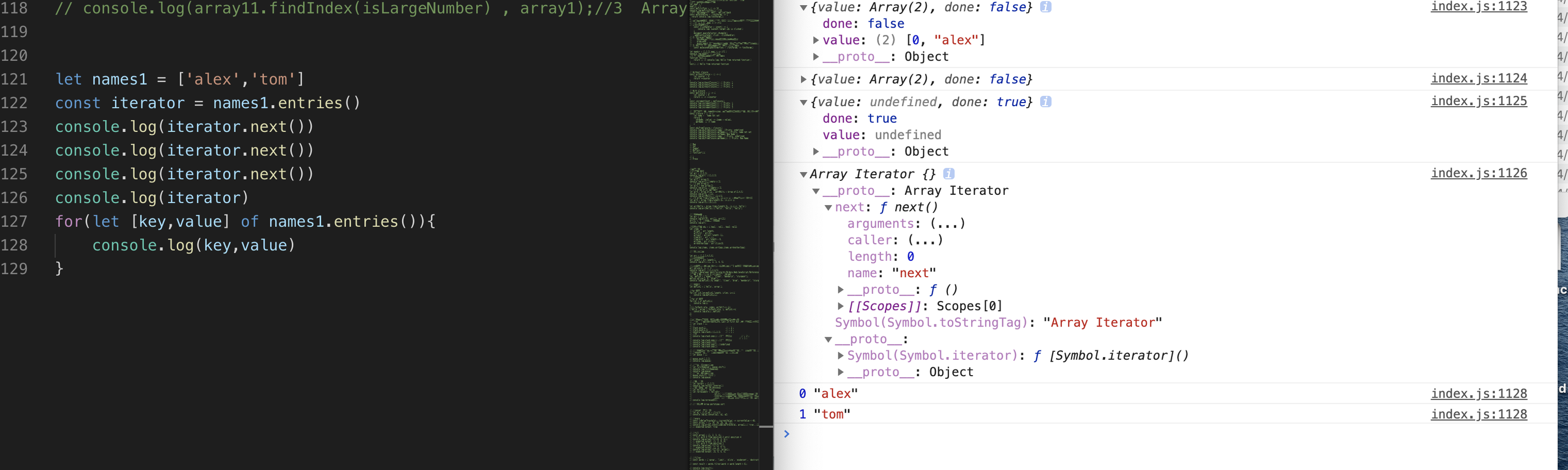
 let names1 = ['alex','tom']
const iterator = names1.entries()
console.log(iterator.next())
console.log(iterator.next())
console.log(iterator.next())
console.log(iterator)
for(let [key,value] of names1.entries()){
    console.log(key,value)
}
- 数组的栈模式和队列模式
//js数组本身实现了栈和队列的功能和双端队列的功能
//栈模式 栈是一种后进先出LIFO( Last In First Out )的数据结构,进出都在栈顶操作,离栈顶远处的叫栈底
let stack = []
//入栈
stack.push(1)                   // | 3 |
stack.push(2,3)                 // | 2 |
console.log(stack)//[1,2,3]     // | 1 |
//出栈
console.log(stack.pop()) //3从栈顶移除         // | 2 |
                                             // | 1 |
console.log(stack.pop()) //2从栈顶移除
console.log(stack)//[1]
console.log(stack.pop()) //undefined
console.log(stack.pop())

//数组的队列模式,这里应是双端队列,既可以从尾部插入,可以从尾部删除
//既可以从头部插入元素,也可以从头部删除元素
let queue = []

queue.push(1,2,3)
console.log(queue)

//从头部移除一个元素
let firstRemoved = queue.shift()
console.log(firstRemoved)
console.log(queue)
//从头部添加一个元素
queue.unshift('first')
console.log(queue)
-
数组查找元素
indexOf从前往后找元素出现的位置,找不到返回-1,严格比较,第二个参数可以指定查找的位置lastindexOfincludes查找字符串返回值是否是布尔值,只能找基本类型find可以找基本和引用类型findIndex返回索引值,找不到返回-1
//indexOf 从前往后找基本类型在数组中的index const beasts = ['ant', 'bison', 'camel', 'duck', 'bison']; console.log(beasts.indexOf('bison'));//1 console.log(beasts.indexOf('giraffe'))// -1 //lastindexOf 从后往前找基本类型在数组中的index const animals = ['Dodo', 'Tiger', 'Penguin', 'Dodo']; console.log(animals.lastIndexOf('Dodo'))//3 console.log(animals.lastIndexOf('Tiger'))//1 // //find 满足条件返回对应项,否则返回undefined //找基本类型的那一项 const array1 = [5, 12, 8, 130, 44]; const found = array1.find(element => element > 10)// 12 //找引用类型的那一项 var inventory = [ {name: 'apples', quantity: 2}, {name: 'bananas', quantity: 0}, {name: 'cherries', quantity: 5} ]; console.log(inventory.find(fruit.name === 'cherries')); // { name: 'cherries', quantity: 5 } // //findIndex 找到返回下标否则返回-1 //找基本类型的索引 const array11 = [5, 12, 8, 130, 44]; const isLargeNumber = (element) => element > 13; console.log(array11.findIndex(isLargeNumber) , array1);//3 Array [5, 12, 8, 130, 44] -
数组排序
reverse:反转数组sort: 每次使用两个值比较,默认从小到大排序数组,也可以自己定义排序规则
    //反转数组
let testArr = [1,2,3]
console.log(testArr.reverse()) //[3, 2, 1]
//非数组先转成数组 再revese
let helloStr = 'hello'
let rervesedStr = helloStr
                    .split('')//字符串方法 按空字符串切割成数组
                    .reverse()//上一步变成数组了,可以使用数组方法 反转数组
                    .join('')// 数组方法 用空格拼接,将数组转成字符
console.log(rervesedStr) // olleh

let sortArr1 = [1,3,7,5]
console.log(sortArr1.sort() ,sortArr1)//[1,3,5,7] 升序 会改变原数组
console.log(sortArr1.sort( (a,b)=> a-b))//[1,3,5,7] 升序 会改变原数组
console.log(sortArr1.sort( (a,b)=> b-a)) //[7,5,3,1] 降序  会改变原数组
toLocaleString, flat:扁平化数组
        //toLocaleString
const array111 = [1, 'a', new Date('21 Dec 1997 14:12:00 UTC')];
const localeString = array111.toLocaleString('en', { timeZone: 'UTC' });
console.log(localeString);//1,a,12/21/1997, 2:12:00 PM


//flat 扁平化数组
var arr1 = [1, 2, [3, 4]];
arr1.flat();
// [1, 2, 3, 4]

var arr2 = [1, 2, [3, 4, [5, 6]]];
arr2.flat();
// [1, 2, 3, 4, [5, 6]]

var arr3 = [1, 2, [3, 4, [5, 6]]];
arr3.flat(2);
// [1, 2, 3, 4, 5, 6]

//使用 Infinity,可展开任意深度的嵌套数组
var arr4 = [1, 2, [3, 4, [5, 6, [7, 8, [9, 10]]]]];
arr4.flat(Infinity);
// [1, 2, 3, 4, 5, 6, 7, 8, 9, 10]
some every
//every 都会遍历
const isBelowThreshold = (currentValue) => currentValue < 40;
const array1 = [1, 30, 39, 29, 10, 13];
console.log(array1.every(isBelowThreshold), array1);// true , [1, 30, 39, 29, 10, 13] 不会改变原数组

// some 找到了就返回true 不一定全遍历
const array = [1, 2, 3, 4, 5];
// checks whether an element is even
const even = (element) => element % 2 === 0;
console.log(array.some(even), array) //true [1, 2, 3, 4, 5] 不会改变原数组
map filter reduce
//filter const words = ['spray', 'destruction', 'present']; const result = words.filter(word => word.length > 6); console.log(result ,words); //map const arr = [1,2,3] const arr2 = arr.map( x=>x*2) console.log(arr, arr2)//[1, 2, 3] [2, 4, 6] 不改变原数组 返回新数组 //reduce console.log(arr.reduce( ( acc ,next )=> acc += next)) // 求和 6 console.log(arr.reduce( ( acc ,next )=> acc += next, 100 ) ) //指定初始值求和 100+ 6 = 106- 数组裁切:
slice
//slice 裁切 返回新的数组 不改变原数组 let arr12345 = [1,2,3,4,5] console.log(arr12345.slice(), arr12345)//[1, 2, 3, 4, 5] (5) [1, 2, 3, 4, 5] console.log(arr12345.slice(0))//[1, 2, 3, 4, 5] 复制数组 //包括前面 不包括后面 console.log(arr12345.slice(1))//[2, 3, 4, 5] //-1 从右往左找第一个 console.log(arr12345.slice(1,-1)) // [2, 3, 4]- 数组的解构
//数组解构

let numbers = [3,4,{name:1}]
let [a, b , c] = numbers
//取 对应的元素
console.log(a,b ,c)
//取剩余元素
let [a1, ...args] = numbers
console.log(a1, args)
// 取name的值
let [,, {name}] = numbers
console.log(name) //1
- 二维数组
    //二维数组
let arr = [ ['alex'], ['age']]
console.log(arr[0][0])// alex
十四、对象
常用,用来表示多个属性或者方法的集合,不要求顺序
-
对象如何创建?
- 字面量方式:
let person = {name:1,age:2 } new Object():
let person = new Object() person.name = 'alex' person.age = 18 //console.dir 控制台输出对象 console.dir(person) - 字面量方式:
-
对象的语法 :只有key和value有对应关系。而key和key直接的顺序不能保证
//语法:
 let obj = {
    key1 : value1,
    key2 : value2
 }

 let person = {
     name : 'alex',
     age : 18
     sayName : ()=> conole.log(this.name)
 }
- 对象属性的存取
- 赋值:
obj.key = value 或者 obj['newKeyName'] = value - 取值:
obj.key 或者 obj['key'] 或者 解构赋值 let{name,age} = {name:1,age:2}
- 赋值:
-
省略key
// let name = 'alex' let person = { name : name, sayName: function(){ console.log(1) } } //key value相同的时候 或者简写function let person={ name, sayName(){ console.log(1) } } -
"use strict";严格模式- 如何开启:为整个脚本文件开启严格模式,需要在所有语句之前放一个特定语句 "use strict"; (或 'use strict';)
- 有什么用?减少不必要的错误等等详细参考:mdn use strict
-
删除key:
delete:对象本身可以被删除的时候才能删除掉
    let person={
        name,
        sayName(){
            console.log(1)
        }
    }
    //Object.keys 获取对象的所有key 返回数组
    console.log(Object.keys(person))//["name", "sayName"]
    delete person.name
    console.log(Object.keys(person))//["sayName"]

    // configurable 决定对象的属性是否可以被删除
    var o = {};
    Object.defineProperty(o, 'a', {
      get() { return 1; },
      configurable: false
    });
    console.log(o.a); //1
    delete o.a
    console.log(o.a) //1 还是1 没有删除成功
-
Object.defineProperty 方法会直接在一个对象上定义一个新属性,或者修改一个对象的现有属性,并返回此对象。该方法允许精确地添加或修改对象的属性,
vue2.0 一个前端框架,封装一些常用功能,加速开发,使用它要遵循它的规则使用的这个api实现的双向绑定(数据修改会自动更新绑定的dom,更新界面,不用手动操作dom,dom修改会自定改变绑定的数据)Writable 属性:当 writable 属性设置为 false 时,该属性被称为“不可写的”。它不能被重新赋值。Enumerable 属性: enumerable 定义了对象的属性是否可以在 for...in 循环和 Object.keys() 中被枚举。Configurable 属性:configurable 特性表示对象的属性是否可以被删除,以及除 value 和 writable 特性外的其他特性是否可以被修改。自定义 Setters 和 Gettersfunction Archiver() { var temperature = null; var archive = []; Object.defineProperty(this, 'temperature', { get: function() { console.log('get!'); return temperature; }, set: function(value) { temperature = value; archive.push({ val: temperature }); } }); this.getArchive = function() { return archive; }; } var arc = new Archiver(); arc.temperature; // 'get!' arc.temperature = 11; arc.temperature = 13; arc.getArchive(); // [{ val: 11 }, { val: 13 }] -
hasOwnProperty判断对象自身是否含有某个属性//判断对象自身是否含有某个属性 let p= {} console.log(p.hasOwnProperty('time'))//false p.name = 'alex' console.log(p.hasOwnProperty('name')) //true -
对象常用方法
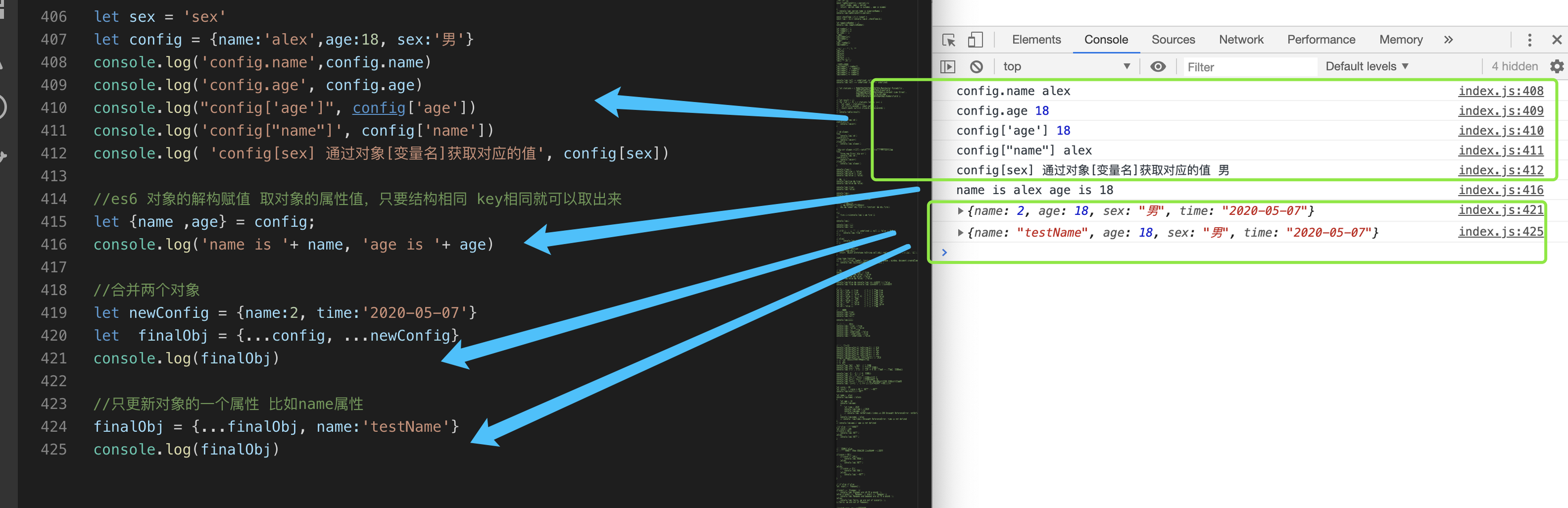
- 合并两个对象:
let config = {name:1,age:2} let newConfig = {name:2, time:'2020-05-'} let finalObj = {...config, ...newConfig} console.log(finalObj) //只更新对象的一个属性 比如name属性 finalObj = {...finalObj, name:'testName'}- 遍历对象
let p = { name :'alex', age : 18, sayname(){ console.log('1') } } let keys = Object.keys(p) let values= Object.values(p) console.log(keys,values)//(3) //["name", "age", "sayname"] (3) ["alex", 18, ƒ] // for in for(let key in p ){ console.log(key, p[key]) }-
this: 当前执行代码的环境对象,在非严格模式下,总是指向一个对象,在严格模式下可以是任意值,下面讨论的都是客户端的this,不包括nodejs端的js -
作用域包括:全局作用域 函数作用域 eval作用域 模块作用域
-
全局作用域中的this指的是全局对象 window:无论是否在严格模式下,在全局执行环境中(在任何函数体外部)this 都指向全局对象。
// 在浏览器中, window 对象同时也是全局对象: console.log(this === window); // true console.log(this === top); // true console.log(window === top);// true //不建议这么做 不声明的变量会变成window的属性 a = 37; console.log(window.a); // 37 this.b = "MDN"; console.log(window.b) // "MDN" console.log(b) // "MDN" -
函数作用域中this指的是 函数调用时候决定,一般看.前面是谁就是谁
-
window.setTimeout()和window.setInterval()的函数中的this有些特殊,里面的this默认是window对象。
-
构造函数和原型中的this指的是对应的实例
-
箭头函数中this:箭头函数没有绑定this,它的this取决于该函数外部非箭头函数的this 值
-
作为对象的方法,它们的 this 是调用该函数的对象
-
getter 与 setter 中的 this :用作 getter 或 setter 的函数都会把 this 绑定到设置或获取属性的对象。
function sum() { return this.a + this.b + this.c; } var o = { a: 1, b: 2, c: 3, get average() { return (this.a + this.b + this.c) / 3; } }; Object.defineProperty(o, 'sum', { get: sum, enumerable: true, configurable: true}); console.log(o.average, o.sum); // logs 2, 6- 当函数被用作事件处理函数时,它的this指向触发事件的元素(一些浏览器在使用非addEventListener的函数动态添加监听函数时不遵守这个约定)
// 被调用时,将关联的元素变成蓝色 function bluify(e){ console.log(this === e.currentTarget); // 总是 true // 当 currentTarget 和 target 是同一个对象时为 true console.log(this === e.target); this.style.backgroundColor = '#A5D9F3'; } // 获取文档中的所有元素的列表 var elements = document.getElementsByTagName('*'); // 将bluify作为元素的点击监听函数,当元素被点击时,就会变成蓝色 for(var i=0 ; i<elements.length ; i++){ elements[i].addEventListener('click', bluify, false); }- 作为一个内联事件处理函数this指向监听器所在的DOM元素
// this 是button <button onclick="alert(this.tagName.toLowerCase());"> Show this </button> // window 在这种情况下,没有设置内部函数的this,所以它指向 global/window 对象(即非严格模式下调用的函数未设置this时指向的默认对象) <button onclick="alert((function(){return this})());"> Show inner this </button> -
如何改变
this?call第一个参数是要改变的this 后面依次接受多个参数 立即执行
function greet() { var reply = [this.animal, 'typically sleep between', this.sleepDuration].join(' '); console.log(reply); } let obj = { animal: 'cats', sleepDuration: '12 and 16 hours' }; greet.call(obj); // cats typically sleep between 12 and 16 hours-
apply第一个参数是要改变的this 后面数组形式 立即执行 -
bind改变this 再次调用才能执行 -
先来一波 this指向问题
let person = { name :'alex', sayName :function(){ console.log(`name 是 ${this.name}`) }, say(){ console.log(`arrow say ${this.name}`)}, group:{ name :'groupName', logName(){ console.log(`group name is ${this.name}`) } } } function windowSayName(){ console.log(`windonw say name is : ${this.name}`) } console.log(person.sayName()) // name 是 alex console.log(person.say())//arrow say alex console.log(person.group.logName()) //group name is groupName //没输出 因为window上没有name console.log(windowSayName())//windonw say name is :- 使用
call apply bind
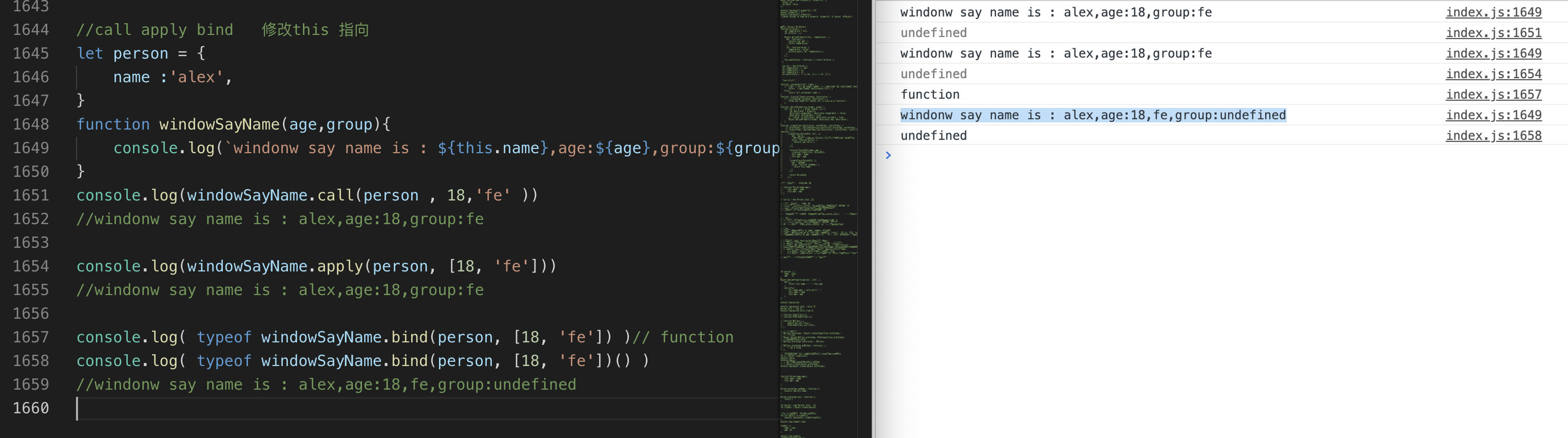
//call apply bind   修改this 指向
let person = {
    name :'alex',
}
function windowSayName(age,group){
    console.log(`windonw say name is : ${this.name},age:${age},group:${group}`)
}
console.log(windowSayName.call(person , 18,'fe' ))
//windonw say name is : alex,age:18,group:fe

console.log(windowSayName.apply(person, [18, 'fe']))
//windonw say name is : alex,age:18,group:fe

console.log( typeof windowSayName.bind(person, [18, 'fe']) )// function
console.log( typeof windowSayName.bind(person, [18, 'fe'])() )
//windonw say name is : alex,age:18,fe,group:undefined
-
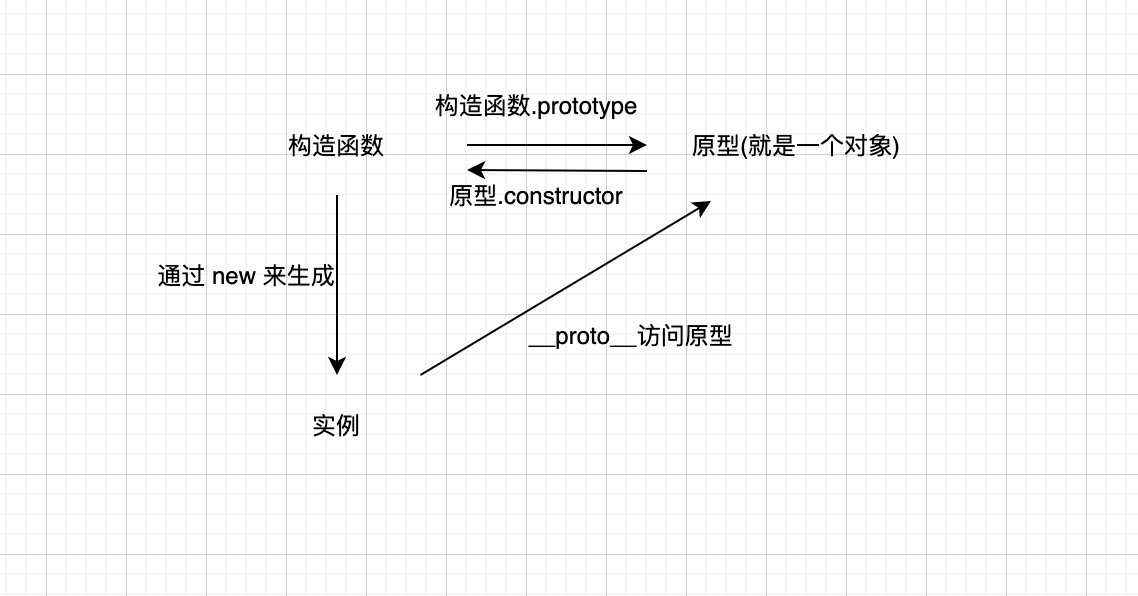
构造函数: 类比现实:人类是 构造函数 具体某个人是 实例 js中 构造函数函数名一般首字母大写,通过new 调用来生成实例
// function Person(name,age){ // this.name = name // this.age = age // } // let p1 = new Person('alex',18)-
构造函数和普通函数的区别:
this:构造函数内部this指向新创建的对象实例,普通函数this.如果在严格模式下,this表示undefined。非严格模式下,this指向的是window。new:构造函数需要new 调用,普通函数不用return:普通函数return后面 有值正常返回,没有值或者没有写return就返回undefined。 构造函数一般不需要使用return,如果返回基本类型值,可以忽略return语句。 如果返回值是引用类型时,会直接返回引用类型本身。
-
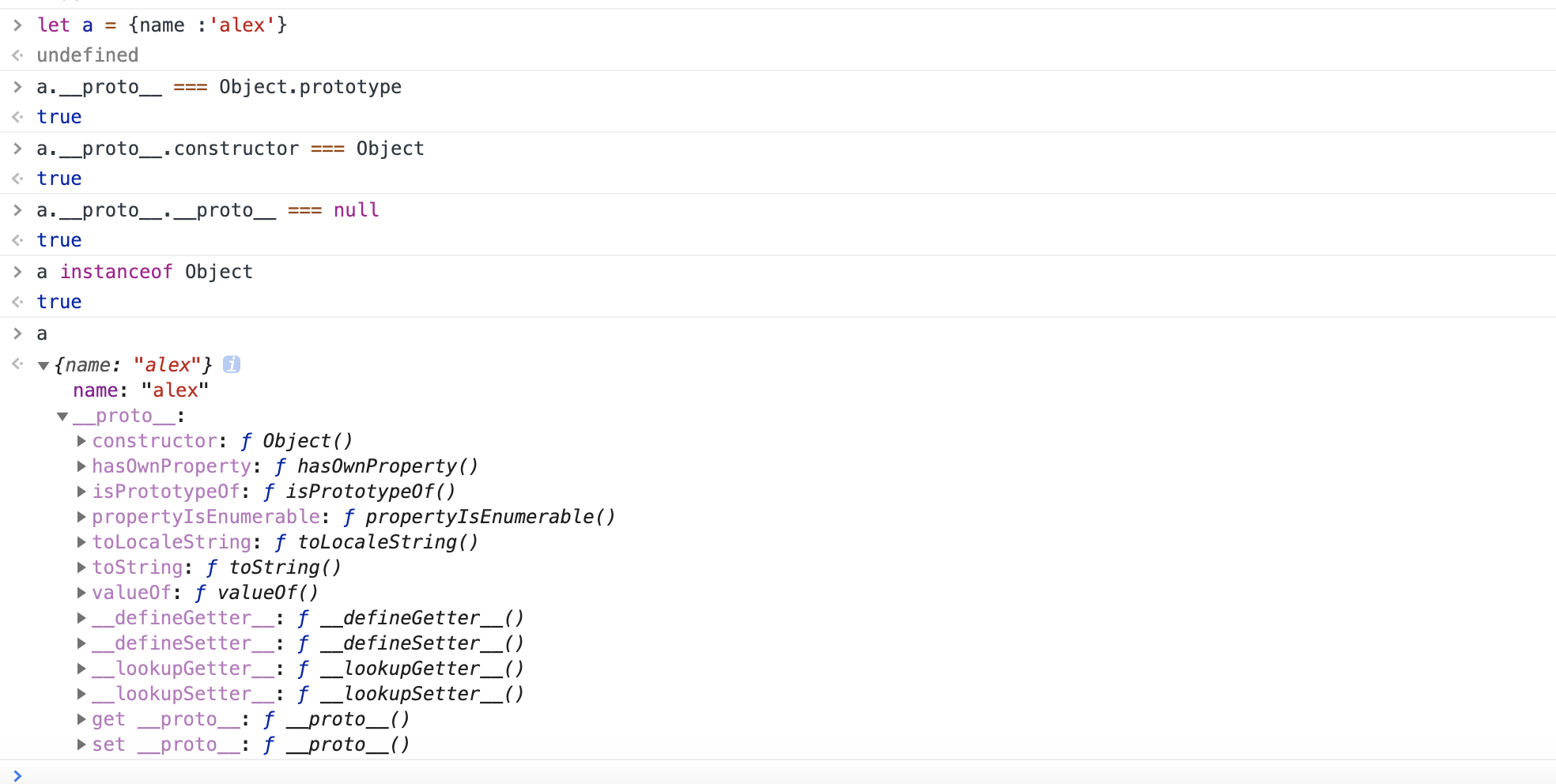
实例 构造函数 原型之间的关系,两张图搞定:
-
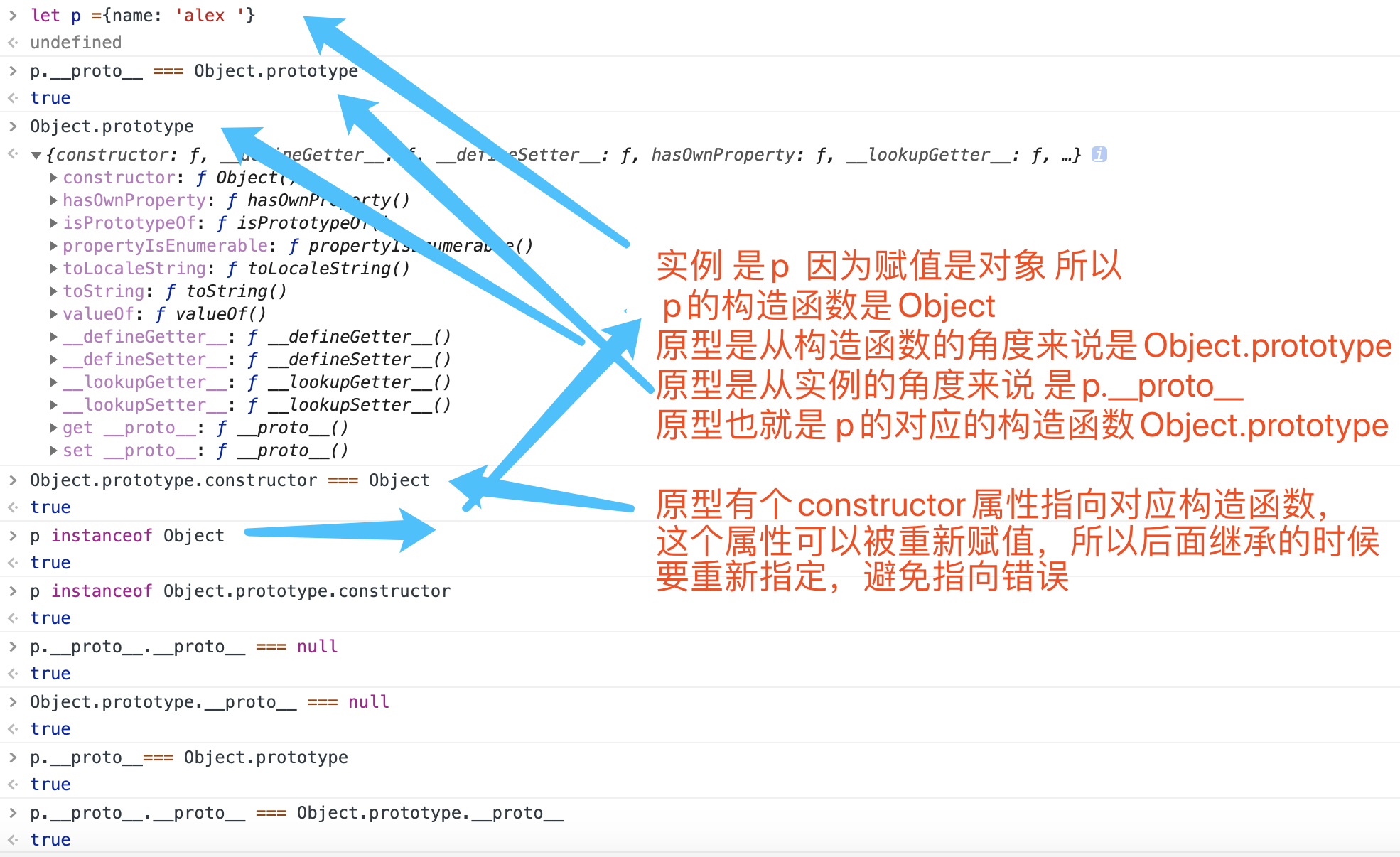
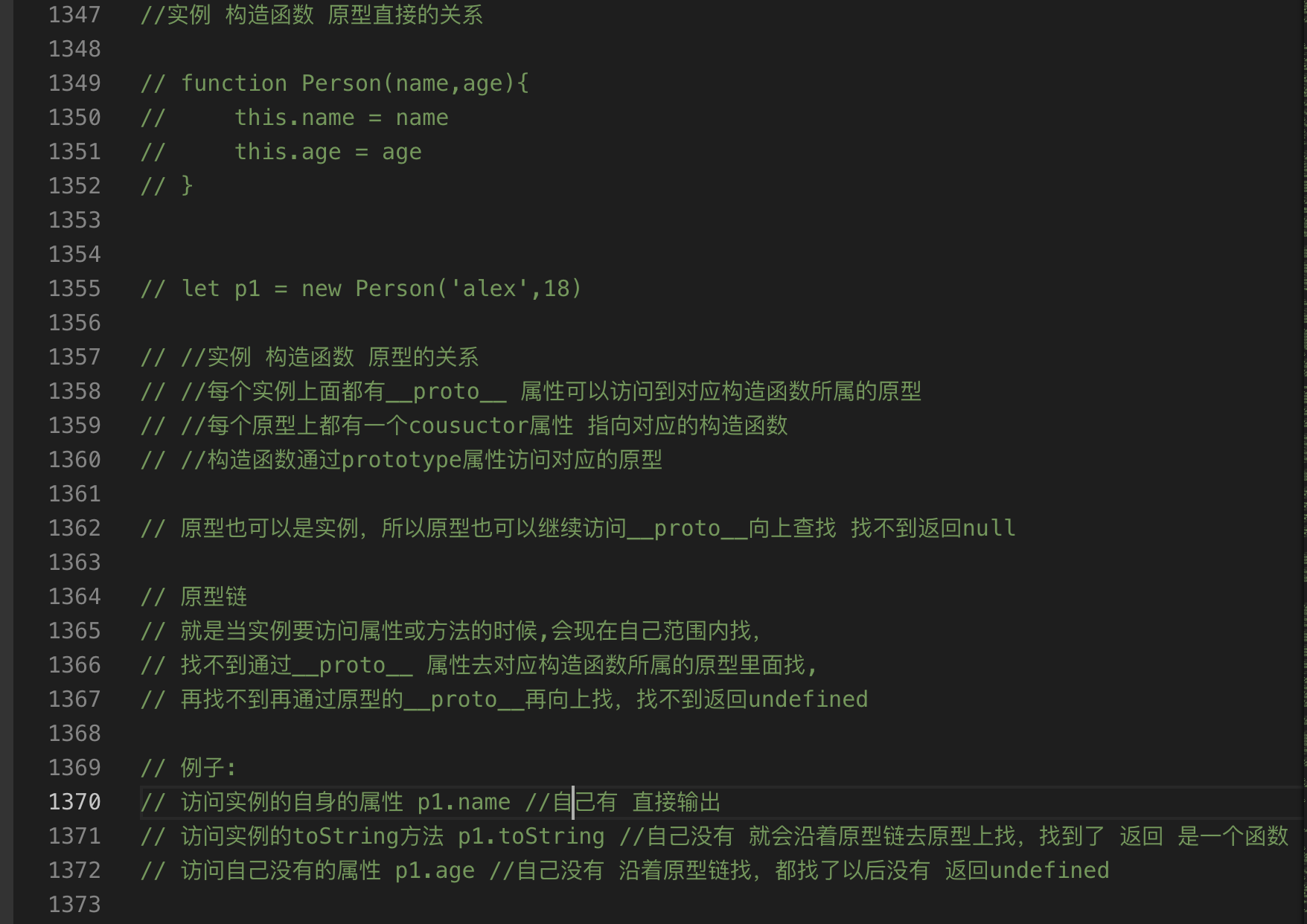
-
获取对象的原型:
Object.getPrototypeOf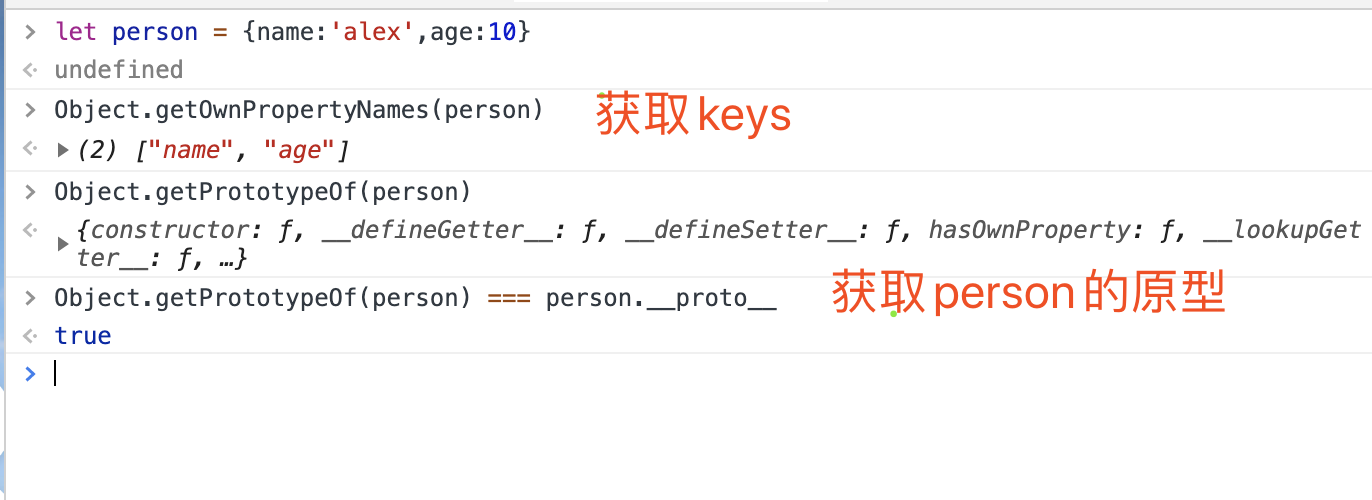
-
改变原型指向
Object.setprototypeOf()Object.setprototypeOf mdn -
getter setter
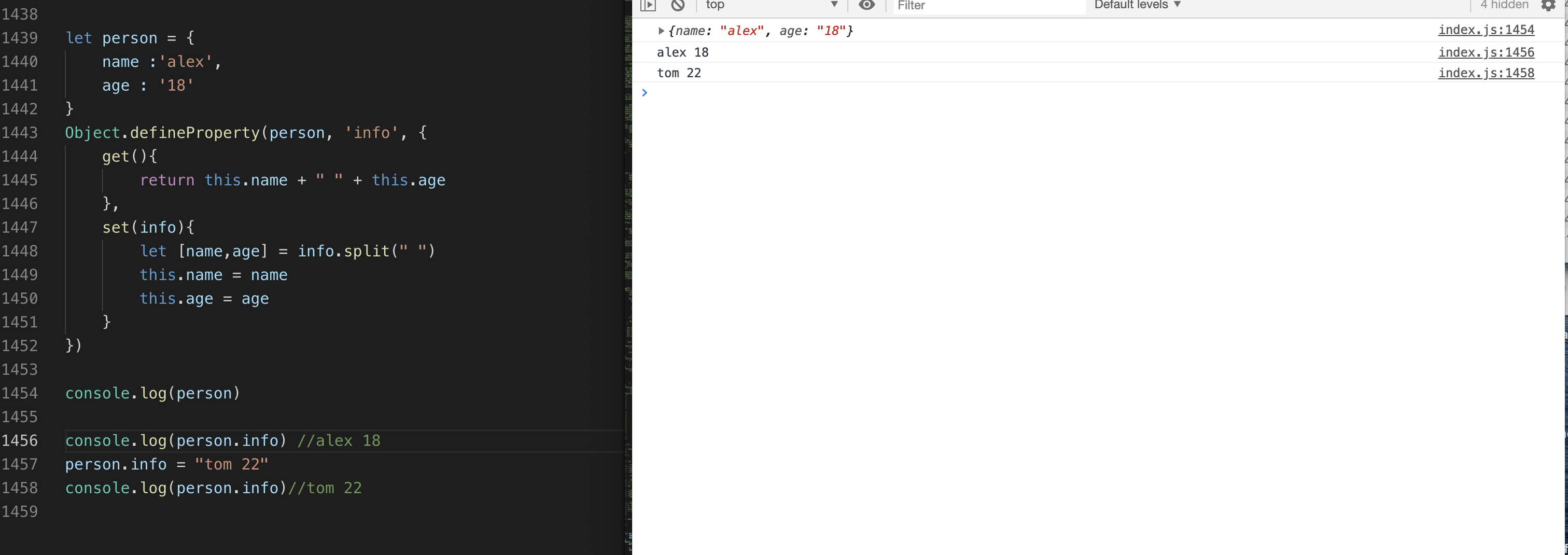
Object.createfunction Person(name,age){ this.name = name this.age = age } Person.prototype.sayName = function(){ console.log(this.name) } Person.prototype.one = function(){ return 1 } let person = new Person('alex', 18) let student = Object.create(person) //for in 可以遍历原型上的方法和属性 for(let keyStu in student){ console.log(keyStu, student[keyStu]) } console.log(student.time) student ={ name: 'tom', age:'20' } console.log(student) //只遍历自己的属性和方法 for(let key in student){ if(student.hasOwnProperty(key)){ console.log(key, student[key]) } } //多继承 // function SuperClass(){} // function OtherSuperClass(){} // function MyClass() { // SuperClass.call(this); // OtherSuperClass.call(this); // } // // 继承一个类 // MyClass.prototype = Object.create(SuperClass.prototype); // // 混合其它 // Object.assign(MyClass.prototype, OtherSuperClass.prototype); // // 重新指定constructor // MyClass.prototype.constructor = MyClass; // MyClass.prototype.myMethod = function() { // // do a thing // };
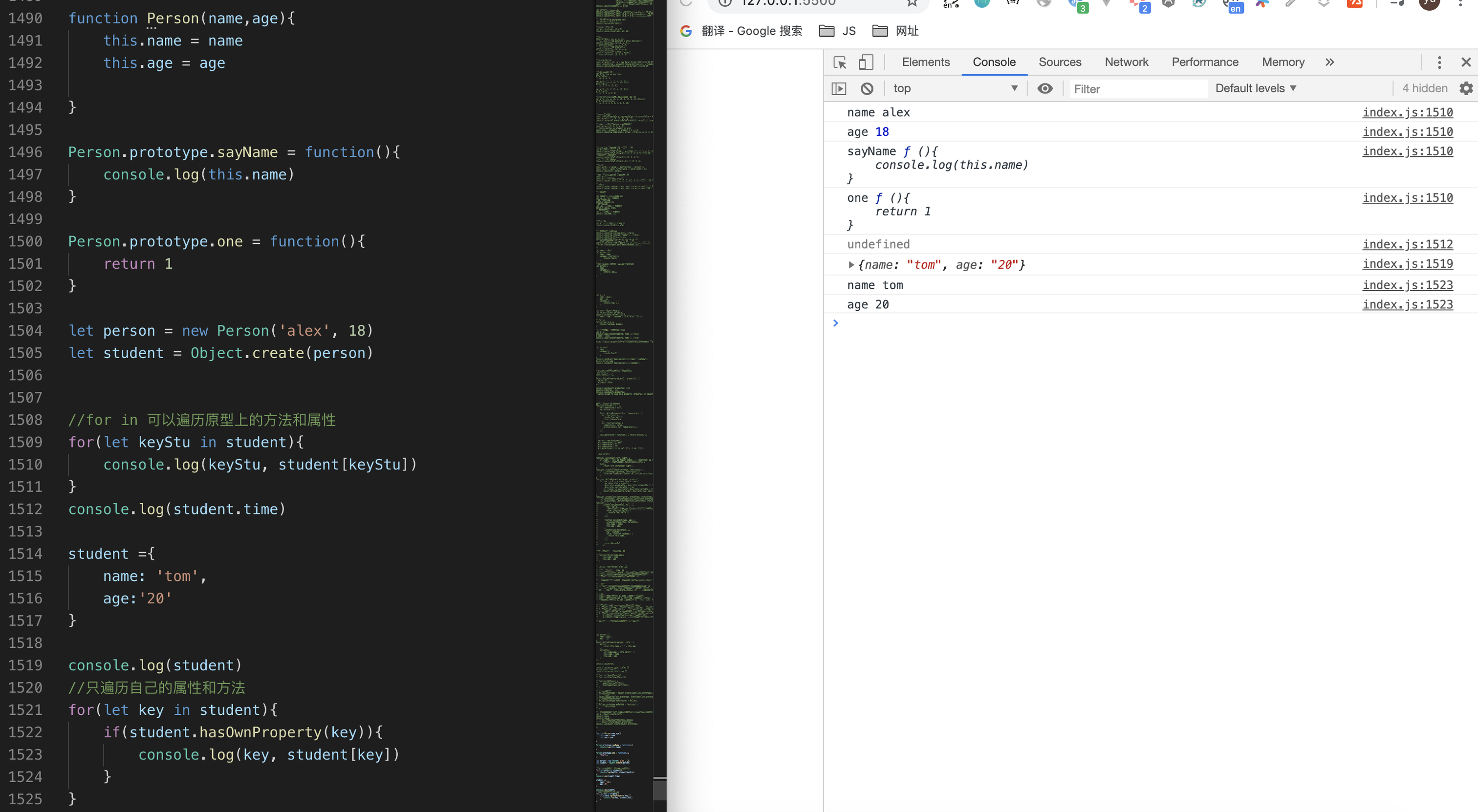
-
字面量声明的空对象和Object.create(null)的区别

-
对象应用:
- 避免书写多个if else:
    //根据不同的状态码,提示不同的消息
let nowCode = 2
switch(nowCode){
    case 0:
    case 1:
        alert('成功')
        break
    case 2:
        alert('失败')
        break
    case 4:
        alert('请求中')
        break
    default:
        alert('未知的状态码')
}
//改写成对象存储 key : 状态码  value : 对应的文案 再新增需求,就新增statueCode对象的属性即可
function judgeCodeStatus(nowCode = 0){
    let statueCode  ={
        0 : '成功',
        1 : '成功',
        2 : '失败',
        4 : '请求中'
    }
    if(statueCode[nowCode]){
        alert(statueCode[nowCode])
    }else{
        //defalut情况
        alert('未知的状态码')
    }
}
judgeCodeStatus(prompt('请输入状态码'))
- 存贮一个多个信息:
```
let student =
{
    'name' :'lili',
    'age' : 18,
     math : 100,
     english : 90
}


```
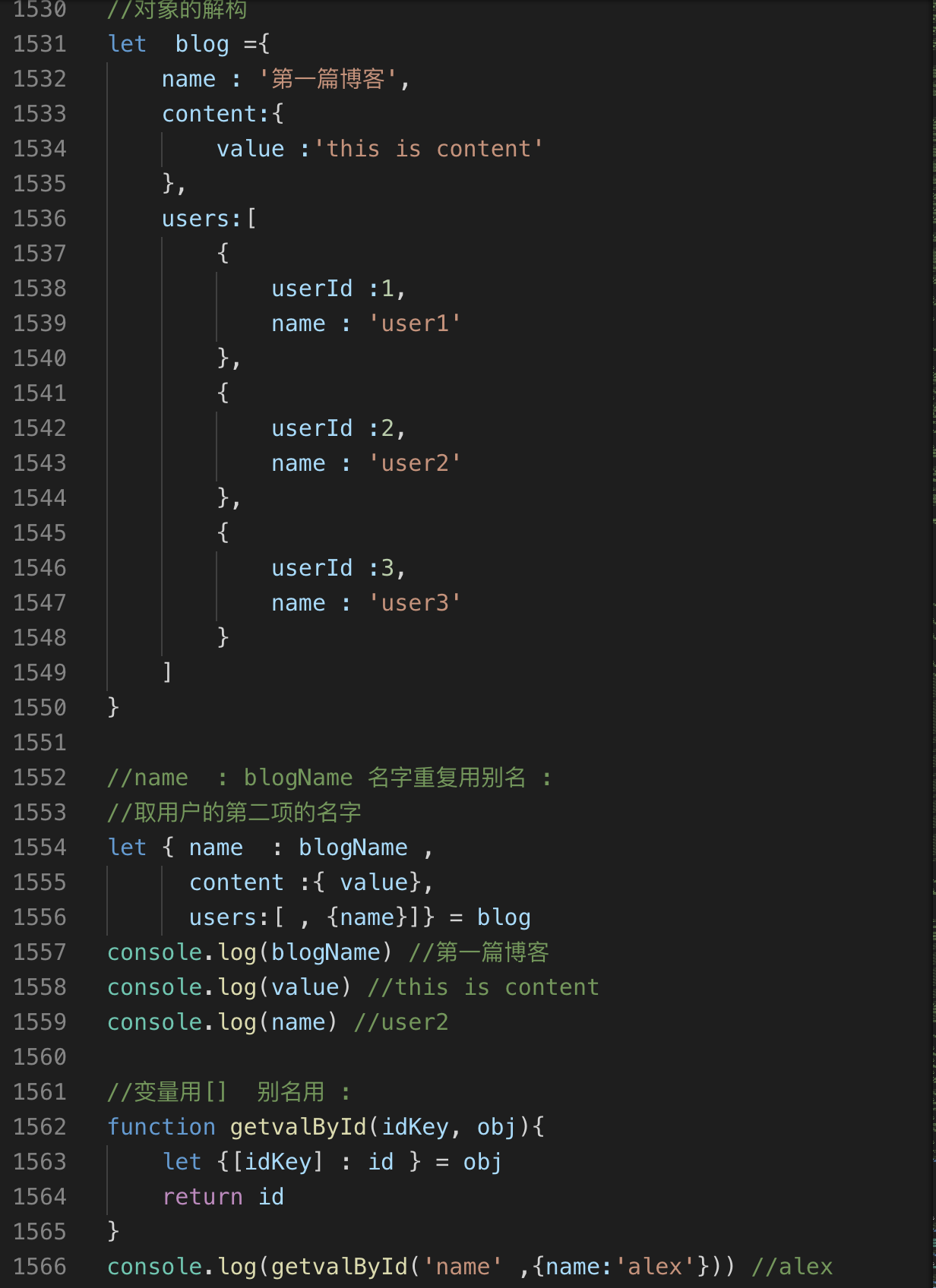
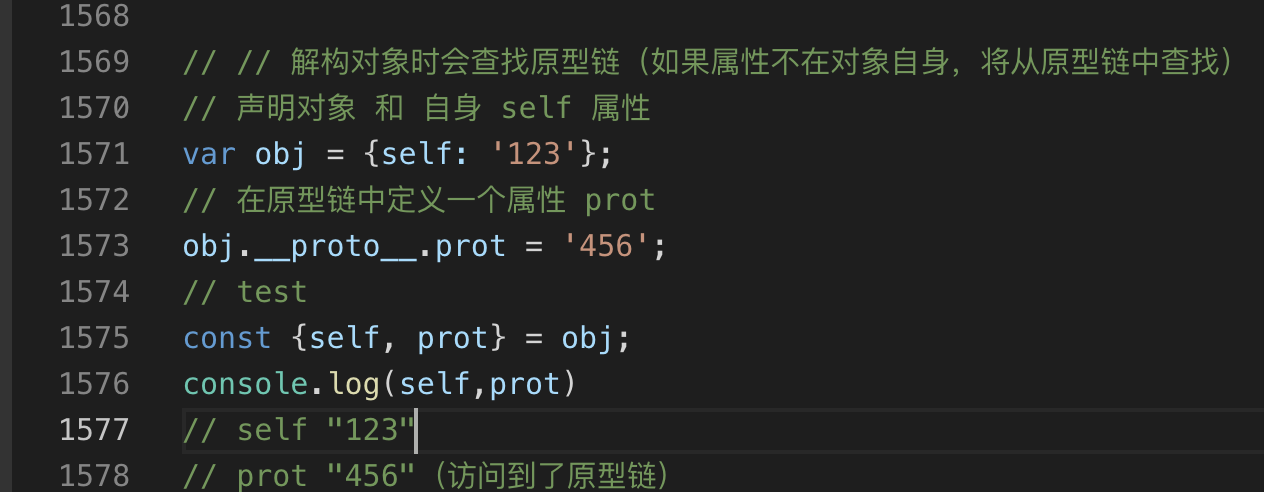
- 对象的解构:方便快速取值
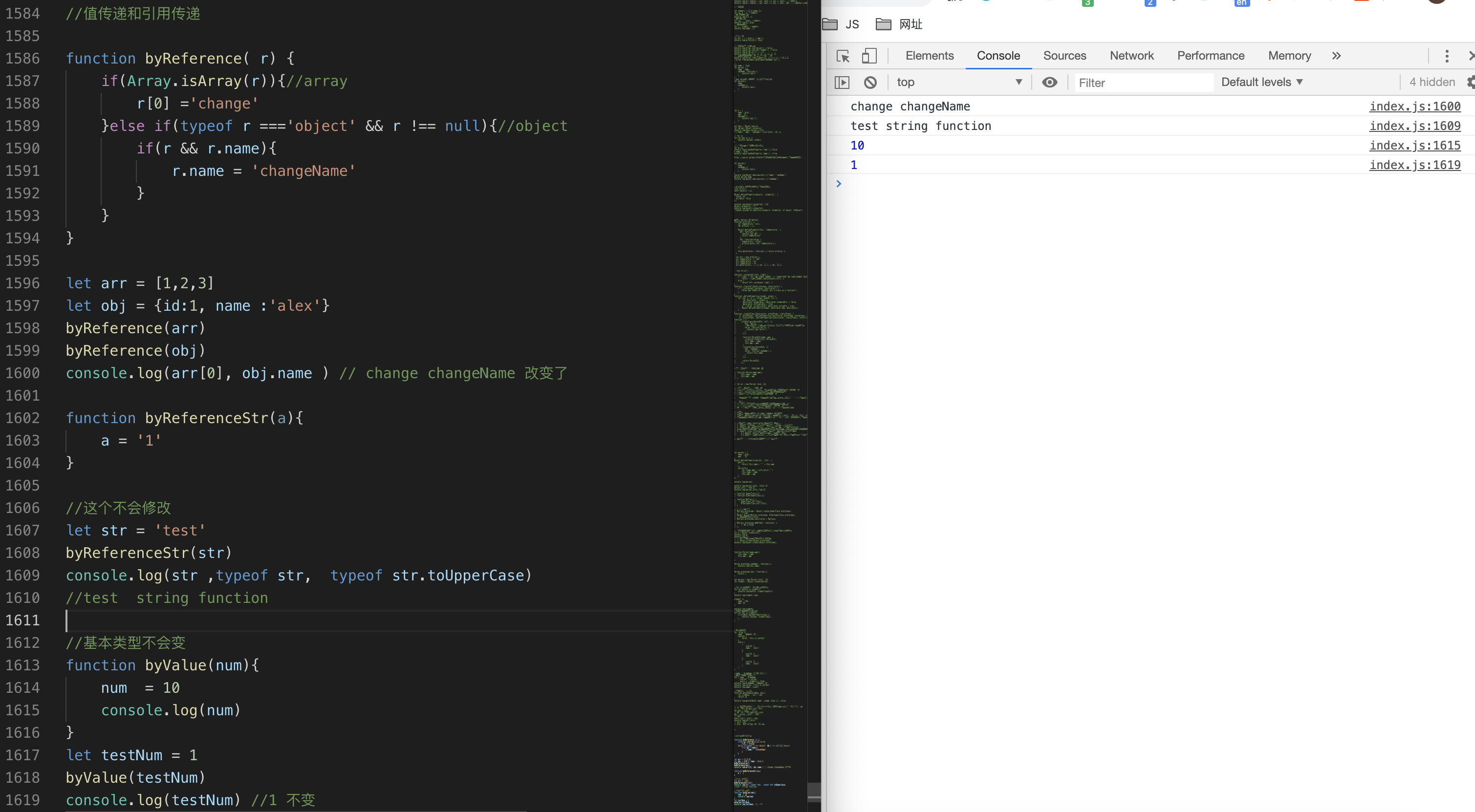
- 基本类型按值传递,引用类型(对象数组)按引用传递,修改之后,所有用到该引用的值都会变化
十五、class
-
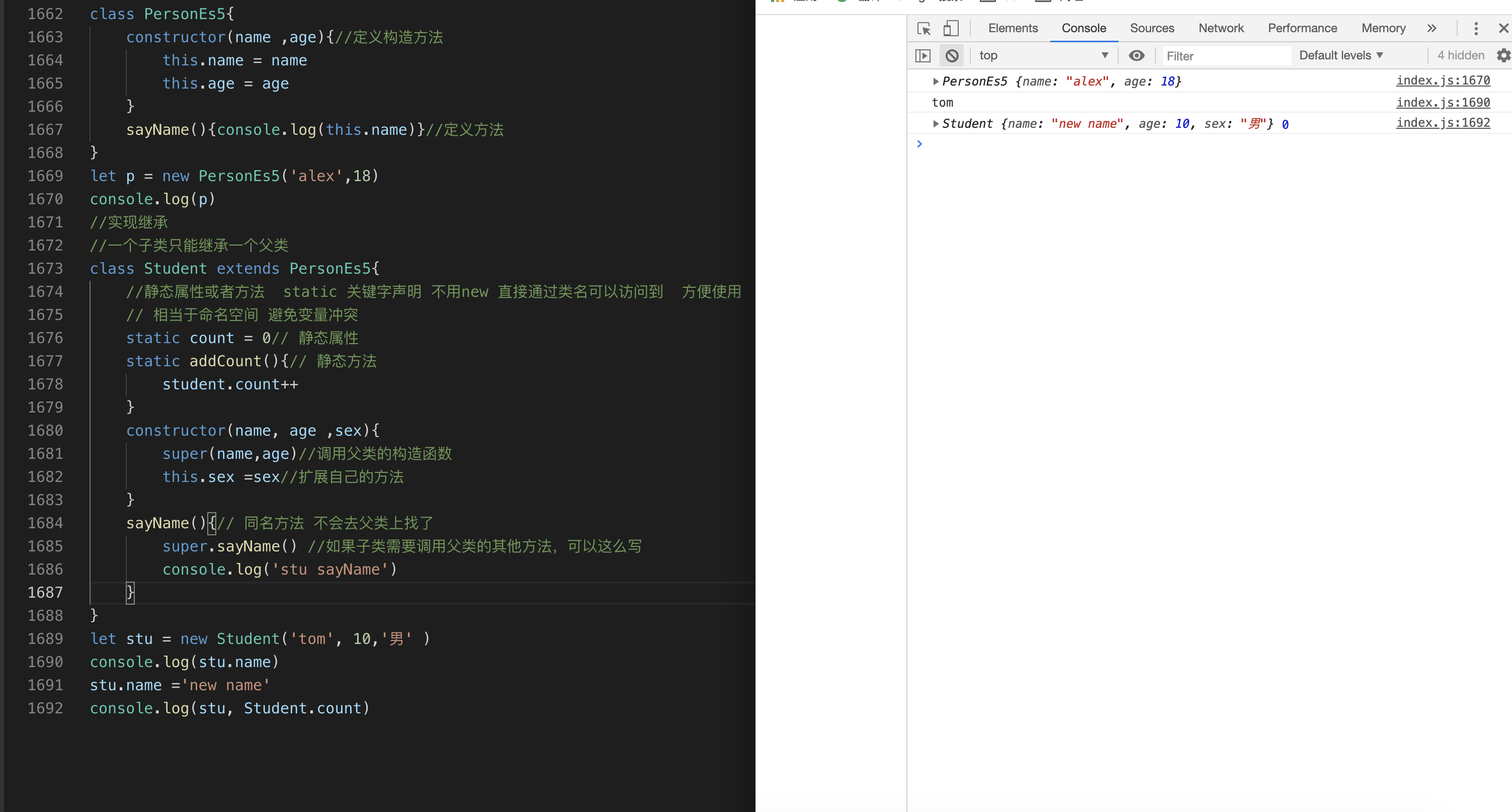
面向对象,class写法,本质是语法糖 还是基于原型链的
-
定义一个类:
class关键字 -
类上的静态方法
static相当于构造函数上的方法,不用new就可以通过类.方法名使用 -
类的构造函数:用来初始化实例的属性
-
类的上的方法相当于原型上的方法:用来给实例在原型上添加方法,便于多个实例使用,方法定义在原型上,通过原型链查找,节省内存
-
类的继承:
extends关键字 -
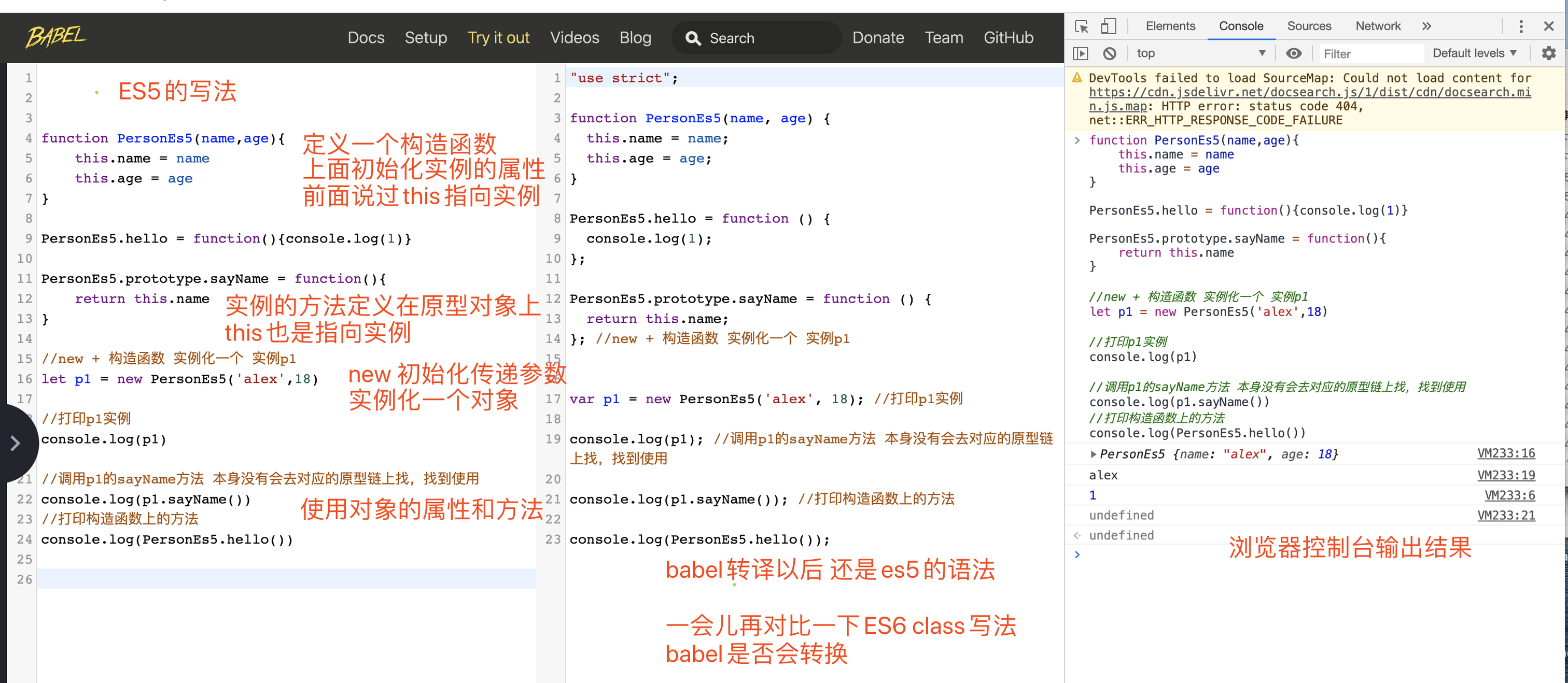
es5写法 如何定义一个构造函数,并且在原型上添加方法 和实例化对象
function PersonEs5(name,age){ this.name = name this.age = age } //给构造函数这个对象添加他自己使用的方法 PersonEs5.hello = function(){console.log(1)} PersonEs5.prototype.sayName = function(){ return this.name } //多个方法继续在 PersonEs5.prototype.xx = function(){} 上赋值即可 //new + 构造函数 实例化一个 实例p1 let p1 = new PersonEs5('alex',18) //打印p1实例 console.log(p1) //调用p1的sayName方法 本身没有会去对应的原型链上找,找到使用 console.log(p1.sayName()) //打印构造函数上的方法 console.log(PersonEs5.hello()) -
- es6写法:
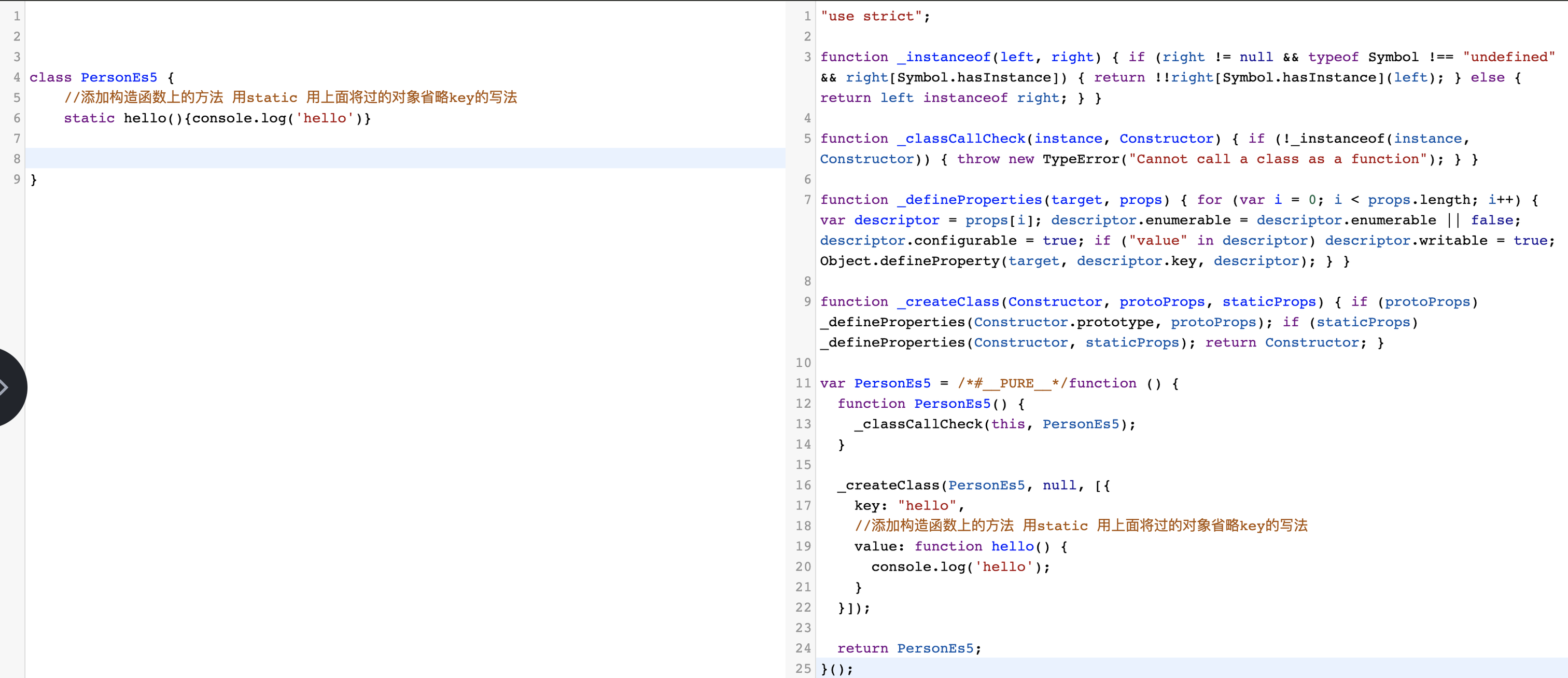
- 把babel右侧的代码放在vscode里面,方便查看,分析一下代码
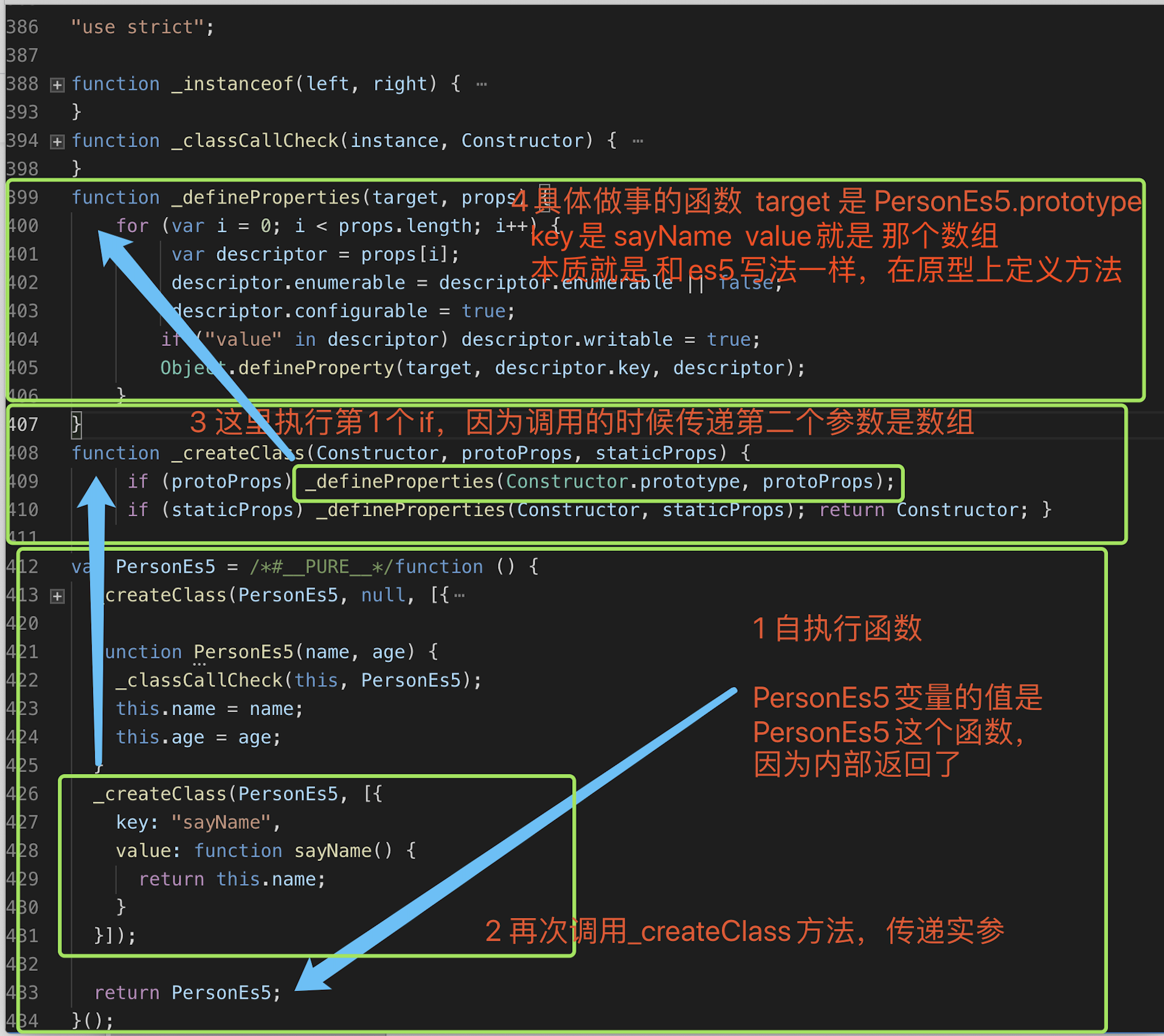
- 所以本质class就是语法糖
十六、字符串
- 字面量创建,单引号或者双引号都可以
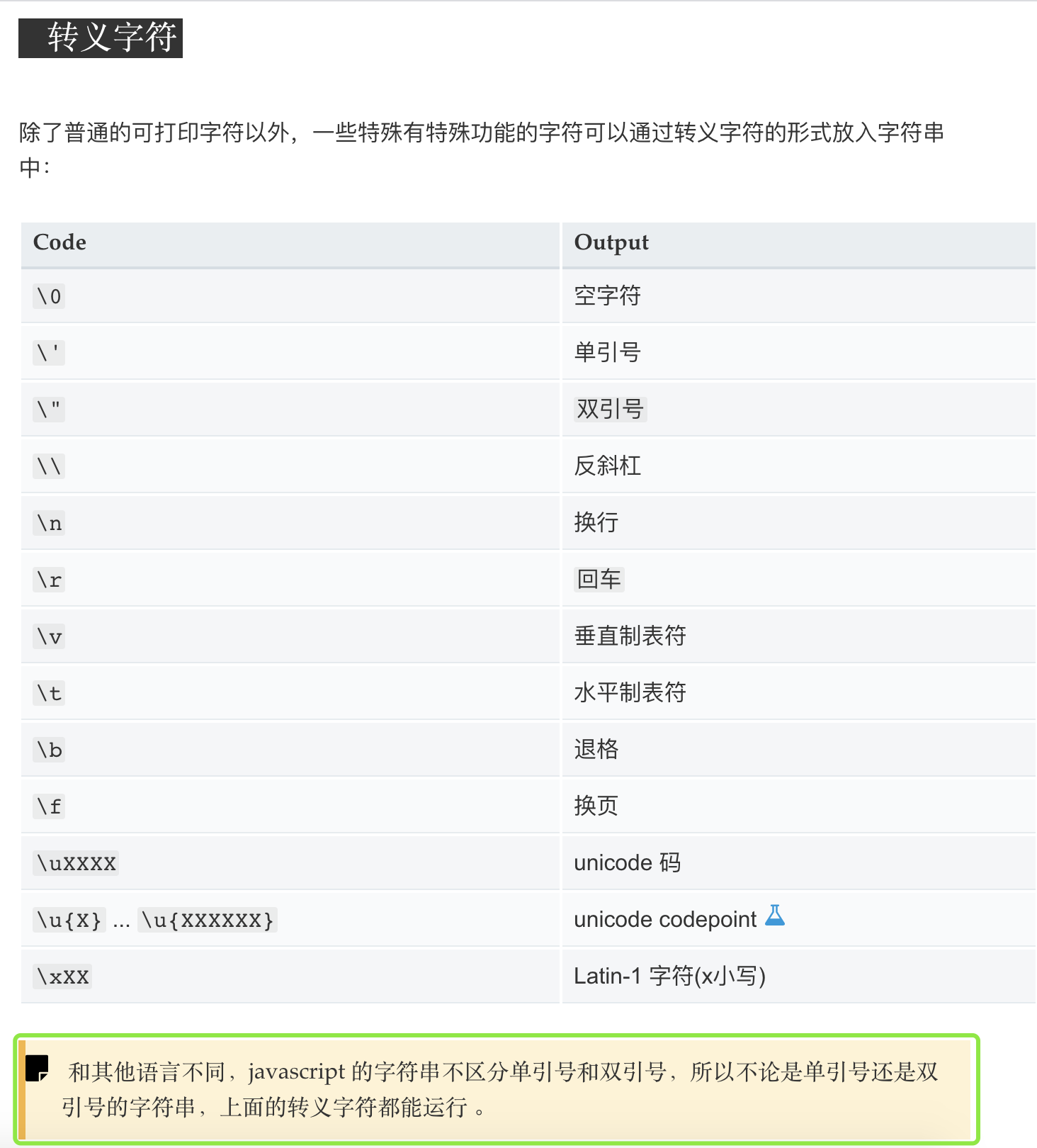
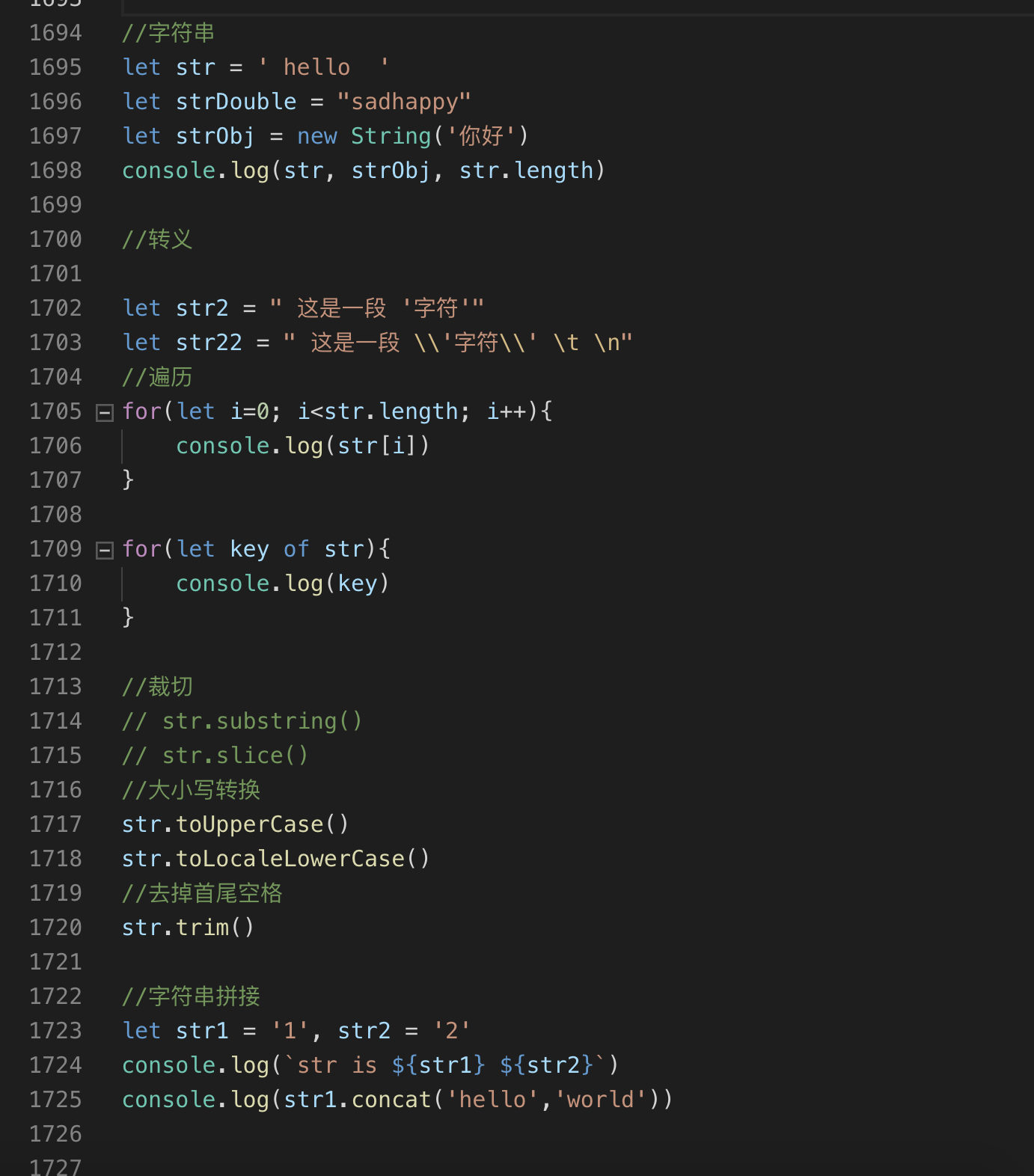
十七 正则表达式,处理字符串的利器 TODO 后面再补充完整
- 举个例子
    let str = '0123123123helloworld';
    //不用正则 找出所有数字
    let num = [...str].filter( s => !Number.isNaN(parseInt(s))).join("")
    console.log(num)//0123123123

    //使用正则
    console.log(str.match(/\d/g).join(""))//0123123123
- 如何创建
- 字面量方式:
- new Regexp方式:
十七、内置对象,知道用的时候找对应的对象即可
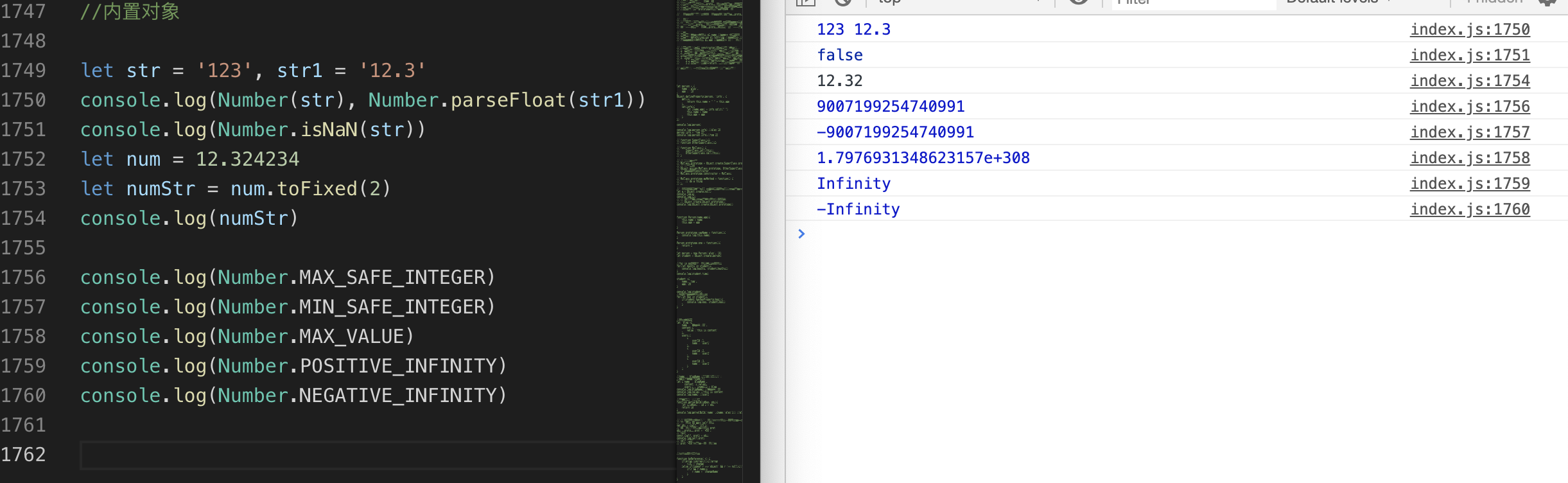
- Number
let str = '123', str1 = '12.3'
console.log(Number(str), Number.parseFloat(str1))
console.log(Number.isNaN(str))
let num = 12.324234
let numStr = num.toFixed(2)
console.log(numStr)

console.log(Number.MAX_SAFE_INTEGER)
console.log(Number.MIN_SAFE_INTEGER)
console.log(Number.MAX_VALUE)
console.log(Number.POSITIVE_INFINITY)
console.log(Number.NEGATIVE_INFINITY)
Math
    // Math 数学相关的 常用方法
    console.log(Math.PI)//3.141592653589793
    //绝对值
    console.log(Math.abs(-1)) //1
    console.log(Math.sin(Math.PI /2)) //1

    //向上取整
    console.log(Math.ceil(.99)) //1
    //向下取整
    console.log(Math.floor(1.99)) //1
    //随机数 返回一个 0 到 1 之间的伪随机数。
    console.log(Math.random())

    //返回一个数的 y 次幂。
    console.log(Math.pow(10,2))//100

    //返回一个数的整数部分,直接去除其小数点及之后的部分。
    console.log(Math.trunc(9.45)) // 9
Date
    //Date
    let date = new Date()
    //get
    console.log(date)
    console.log(date.getFullYear()) // 2020
    console.log(date.getMonth()) // 4  + 1 = 5月 0-11 需要加一
    console.log(date.getDay())//周几 0
    console.log(date.getDate())//几号  10

    console.log(date.getHours()) //20
    console.log(date.getMinutes()) //56
    console.log(date.getSeconds()) //32
    // 1970到现在的毫秒数
    console.log(date.getTime()) //1589115447269
    //本地表示方法
    console.log(date.toLocaleDateString()) //2020/5/10
    //set
    console.log(date.setFullYear(2030))
    console.log(date.toLocaleDateString())//2030/5/10

    date.setTime(1404648371937)
    console.log(date.toLocaleDateString())//2014/7/6
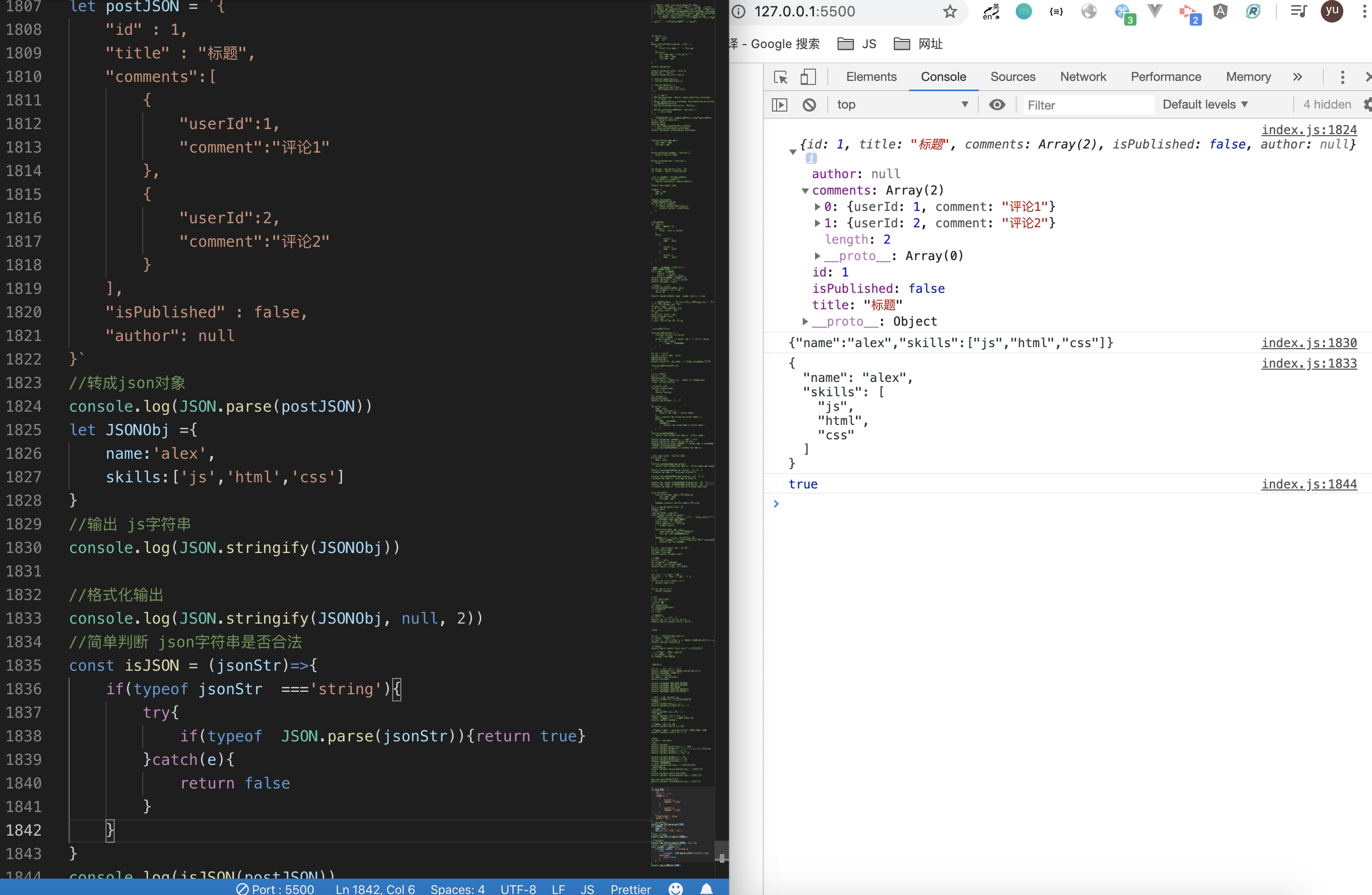
Json- JSON.parse json字符串转json对象
- JSON.stringify json对象字符串化
    let postJSON = `{
    "id" : 1,
    "title" : "标题",
    "comments":[
        {
            "userId":1,
            "comment":"评论1"
        },
        {
            "userId":2,
            "comment":"评论2"
        }
    ],
    "isPublished" : false,
    "author": null
}`
//转成json对象
console.log(JSON.parse(postJSON))
let JSONObj ={
    name:'alex',
    skills:['js','html','css']
}
//输出 js字符串
console.log(JSON.stringify(JSONObj))

//格式化输出
console.log(JSON.stringify(JSONObj, null, 2))
//简单判断 json字符串是否合法
const isJSON = (jsonStr)=>{
    if(typeof jsonStr  ==='string'){
        try{
            if(typeof  JSON.parse(jsonStr)){return true}
        }catch(e){
            return false
        }
    }
}
console.log(isJSON(postJSON)) // true
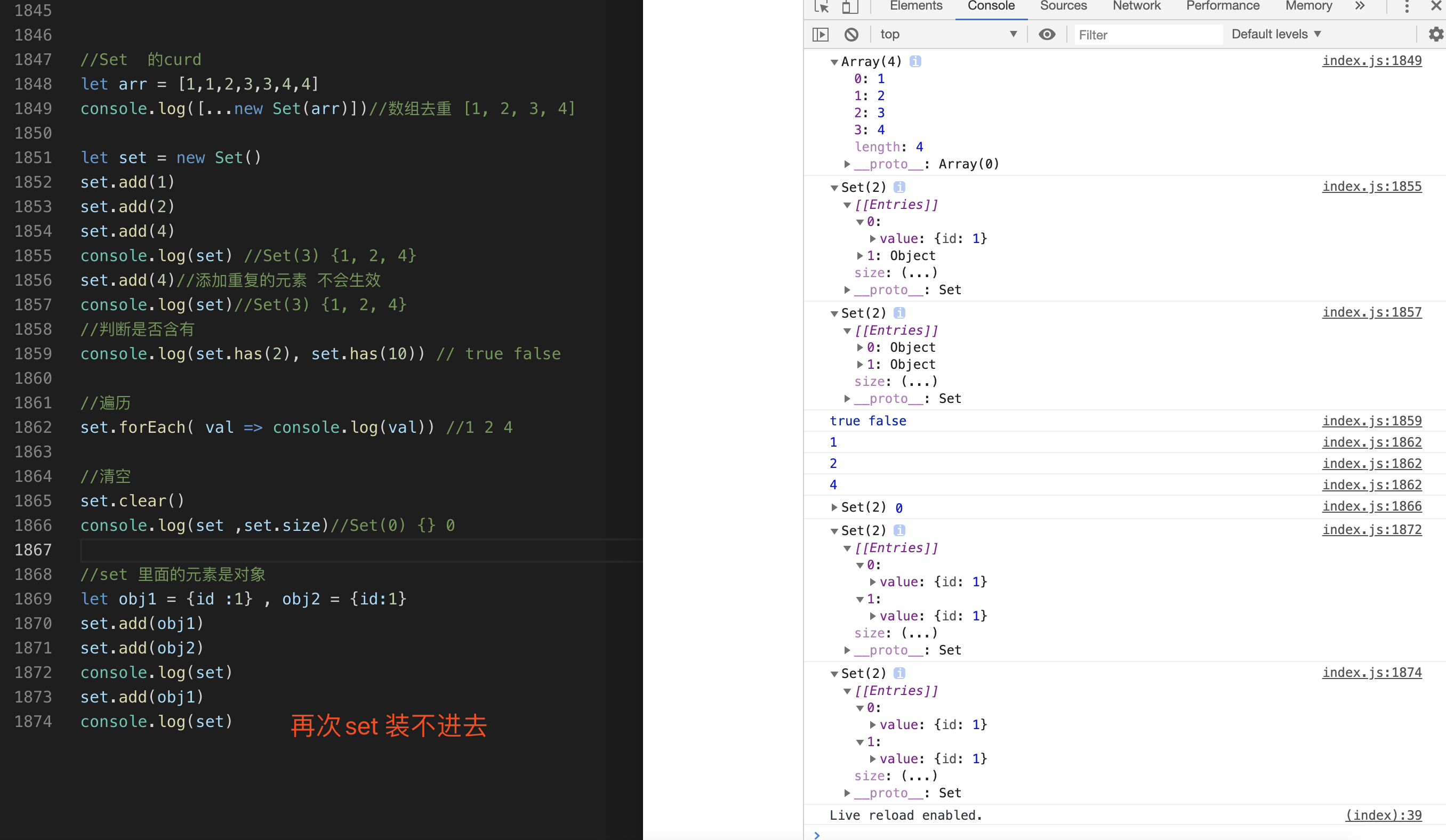
Set没有重复元素的集合
    //Set  的curd
    let arr = [1,1,2,3,3,4,4]
    console.log([...new Set(arr)])//数组去重 [1, 2, 3, 4]

    let set = new Set()
    set.add(1)
    set.add(2)
    set.add(4)
    console.log(set) //Set(3) {1, 2, 4}
    set.add(4)//添加重复的元素 不会生效
    console.log(set)//Set(3) {1, 2, 4}
    //判断是否含有
    console.log(set.has(2), set.has(10)) // true false

    //遍历
    set.forEach( val => console.log(val)) //1 2 4

    //清空
    set.clear()
    console.log(set ,set.size)//Set(0) {} 0

    //set 里面的元素是对象
    let obj1 = {id :1} , obj2 = {id:1}
    set.add(obj1)
    set.add(obj2)
    console.log(set)
    set.add(obj1)
    console.log(set)
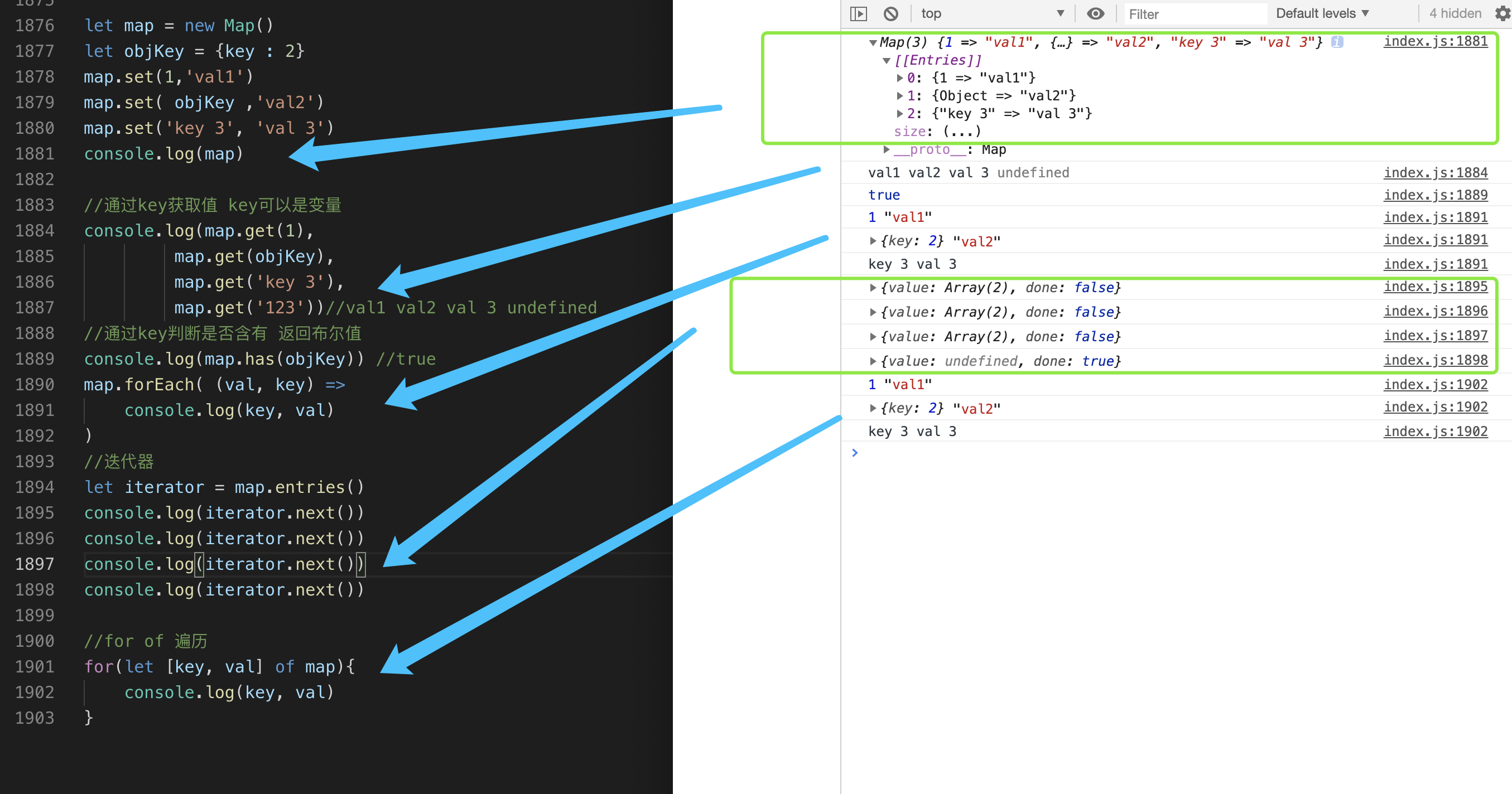
Map:是一种键值对的数据结构,跟对象类似,但是map的key,value可以是任意类型
    let map = new Map()
    let objKey = {key : 2}
    map.set(1,'val1')
    map.set( objKey ,'val2')
    map.set('key 3', 'val 3')
    console.log(map)

    //通过key获取值 key可以是变量
    console.log(map.get(1),
             map.get(objKey),
             map.get('key 3'),
             map.get('123'))//val1 val2 val 3 undefined
    //通过key判断是否含有 返回布尔值
    console.log(map.has(objKey)) //true
    map.forEach( (val, key) =>
        console.log(key, val)
    )
    //迭代器
    let iterator = map.entries()
    console.log(iterator.next())
    console.log(iterator.next())
    console.log(iterator.next())
    console.log(iterator.next())

    //for of 遍历
    for(let [key, val] of map){
        console.log(key, val)
    }
十八、异常处理
try{}catch(e){}finally{}throw主动抛出异常程序错误异常- 如何自定义异常?
- 如何处理多个异常?
       // ok always
    try{
        console.log('ok')
    }catch(err){
        console.log(err)
    }finally{
        console.log('always')
    }

    //throw 主动抛出异常
    //diy err always 如何走到catch里面 ? try里面主动抛出错误
    try{
        throw new Error('diy err')
        console.log('ok')
    }catch(err){
        console.log(err)
    }finally{
        console.log('always')
    }

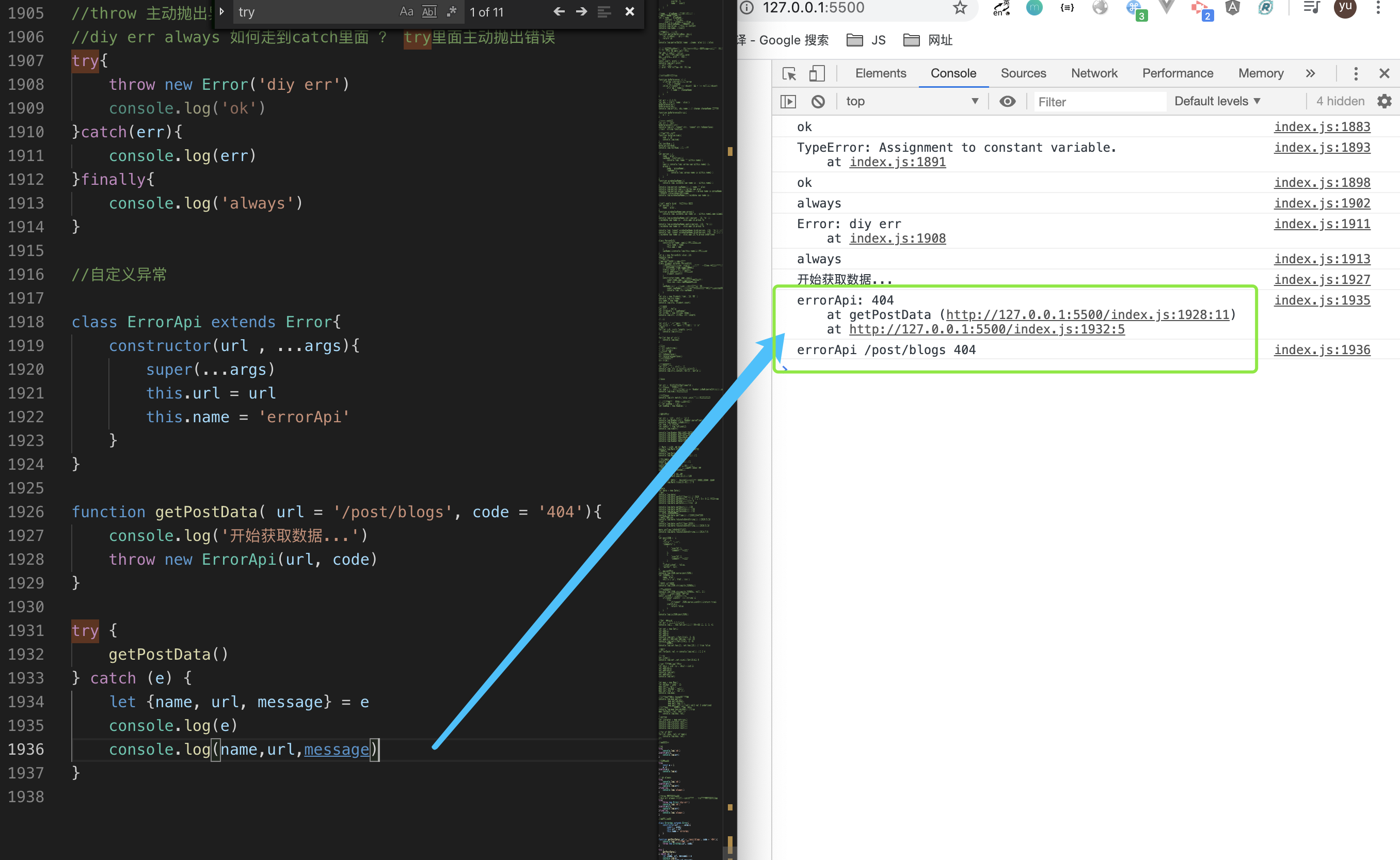
    //自定义异常

    class ErrorApi extends Error{
        constructor(url , ...args){
            super(...args)
            this.url = url
            this.name = 'errorApi'
        }
    }

    function getPostData( url = '/post/blogs', code = '404'){
        console.log('开始获取数据...')
        throw new ErrorApi(url, code)
    }

    try {
        getPostData()
    } catch (e) {
        let {name, url, message} = e
        console.log(e)
        console.log(name,url,message)
    }

    //处理多个异常
    console.clear()
    //自定义异常
    class ErrorApi extends Error{
        constructor(url , ...args){
            super(...args)
            this.url = url
            this.name = 'errorApi'
        }
    }

    function getPostData( url = '/post/blogs', code = '404'){
        console.log('开始获取数据...')
        console.log(aaa)
        throw new ErrorApi(url, code)
    }

    try {
        getPostData()
    } catch (e) {
        // instanceof 处理不同类型的异常
        if( e instanceof ReferenceError){
            console.log('程序异常')
        }else if(e instanceof ErrorApi){
            console.log('API 异常')
        }
    }
- 处理多个异常
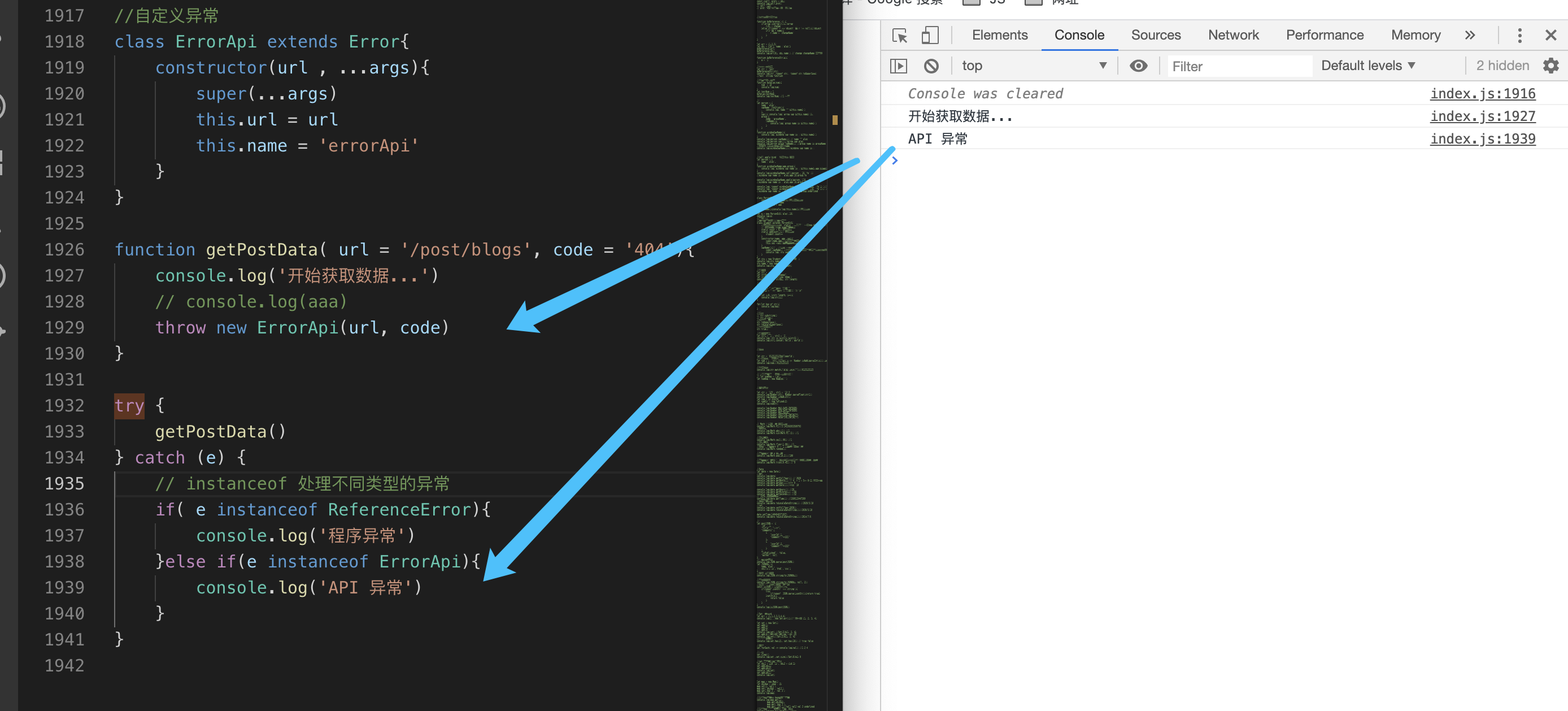
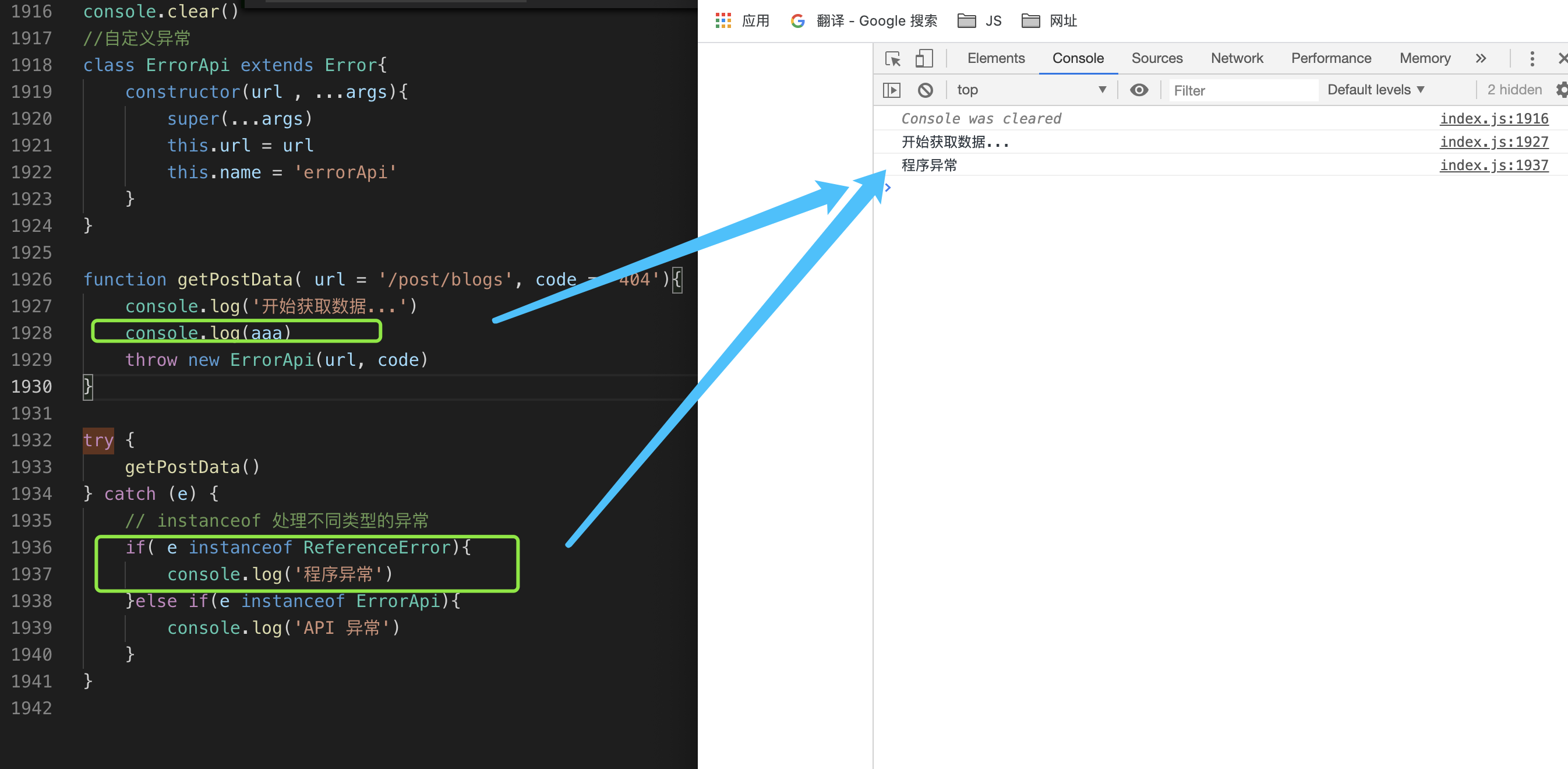
-
十九、异步
js代码分同步和异步,同步代码就是比较耗时的操作,同步会一直等待,直到完成,异步代码就是不会等待,会在其他地方执行完毕后,把结果返回给同步执行的地方,常见得异步有
setTimeout``fetch``自定义的Promise等
setTimeout
    //setTimeout 指定秒后执行
    let timer1 = setTimeout(()=> console.log('1s后执行'), 1000)
    console.log(timer1)
    console.log('第一行代码')
    console.log('第二行代码')


    //clearTimeout + timerId 中断代码执行
    setTimeout( ()=>{
        if(timer1){
            clearTimeout(timer1)
            console.log('中断了timer1的执行')
        }
    },500)

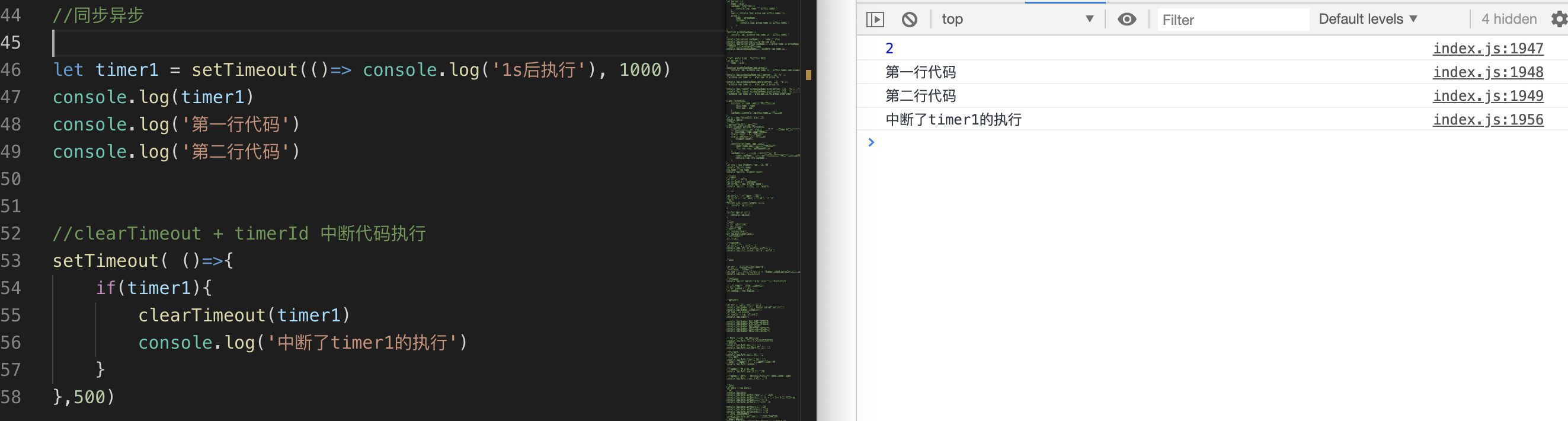
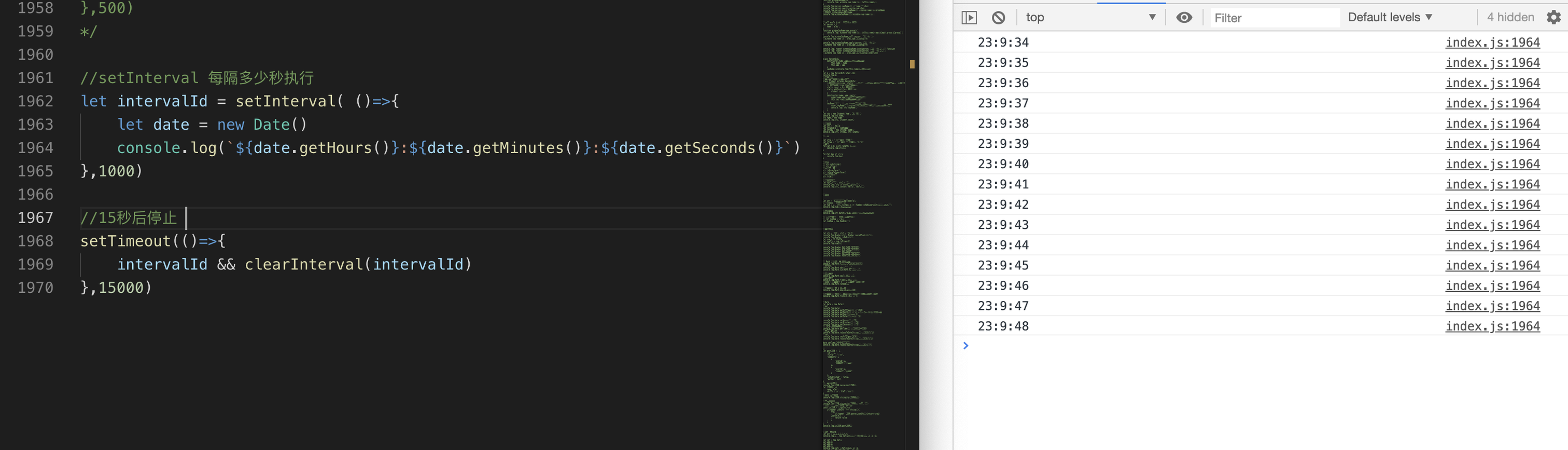
setInterval
    //setInterval 每隔多少秒执行
    let intervalId = setInterval( ()=>{
        let date = new Date()
        console.log(`${date.getHours()}:${date.getMinutes()}:${date.getSeconds()}`)
    },1000)

    //15秒后停止
    setTimeout(()=>{
        intervalId && clearInterval(intervalId)
    },15000)
Promise
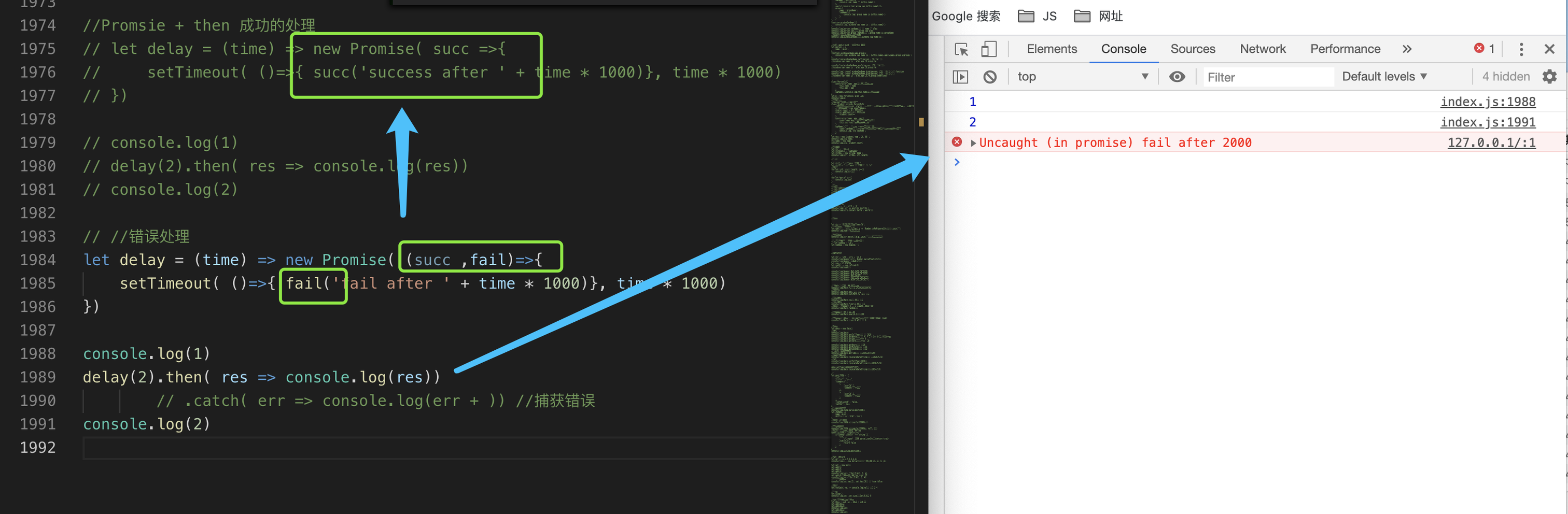
//Promsie + then 成功的处理
let delay = (time) => new Promise( succ =>{
    setTimeout( ()=>{ succ('success after ' + time * 1000)}, time * 1000)
})

console.log(1)
delay(2).then( res => console.log(res))
console.log(2)

```
//错误处理
let delay = (time) => new Promise( (succ ,fail)=>{
    setTimeout( ()=>{ fail('fail after ' + time * 1000)}, time * 1000)
})

console.log(1)
delay(2).then( res => console.log(res))
        // .catch( err => console.log(err + )) //捕获错误
console.log(2)

```
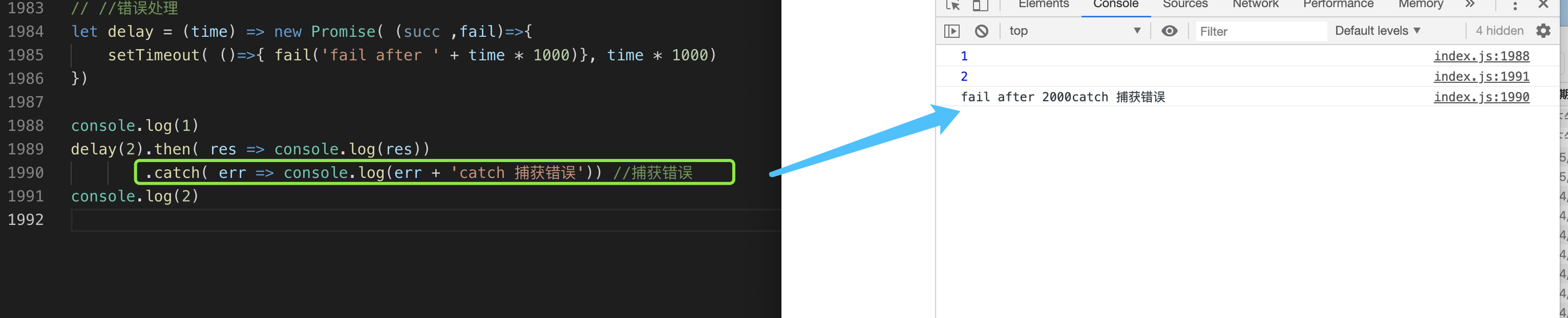
    let delay = (time) => new Promise( (succ ,fail)=>{
    setTimeout( ()=>{ fail('fail after ' + time * 1000)}, time * 1000)
})

console.log(1)
delay(2).then( res => console.log(res))
        .catch( err => console.log(err + 'catch 捕获错误')) //捕获错误
console.log(2)
- 链式调用promise
        //promsie 链式调用 catch 可以写在最后一个then的后面
    // console.log('strat')
    // new Promise( (resolve, reject)=>{
    //     setTimeout(()=>{
    //         resolve(1)
    //     }, 1000)
    // }).then( res =>{
    //     console.log(res) //1
    //     return res + 10
    // }).then( res =>{
    //     console.log(res) //11
    //     return new Promise( resolve => resolve( res + 20))
    // }).then( a =>{
    //     console.log(a) //31
    // })
    // console.log('end')

    // then catch 以后还会返回一个新的promise
    //promsie  catch可以捕获 promise里面 或者then里面的错误 可以写在最后一个then的后面
    console.log('strat')
    new Promise( (resolve, reject)=>{
        setTimeout(()=>{
            // reject('reject in 1')//捕捉 promsie里面的错误
            resolve(1)//捕捉 promsie里面的错误
        }, 1000)
    }).then( res =>{
        console.log(res) //1
        throw 'then 异常'
        return res + 10
    }).then( res =>{
        console.log(res) //11
        return new Promise( resolve => resolve( res + 20))
    }).then( a =>{
        console.log(a) //31
    }).catch( err =>{
        // console.log(err)//reject in 1
        console.log(err)//then 异常
    })
    console.log('end')
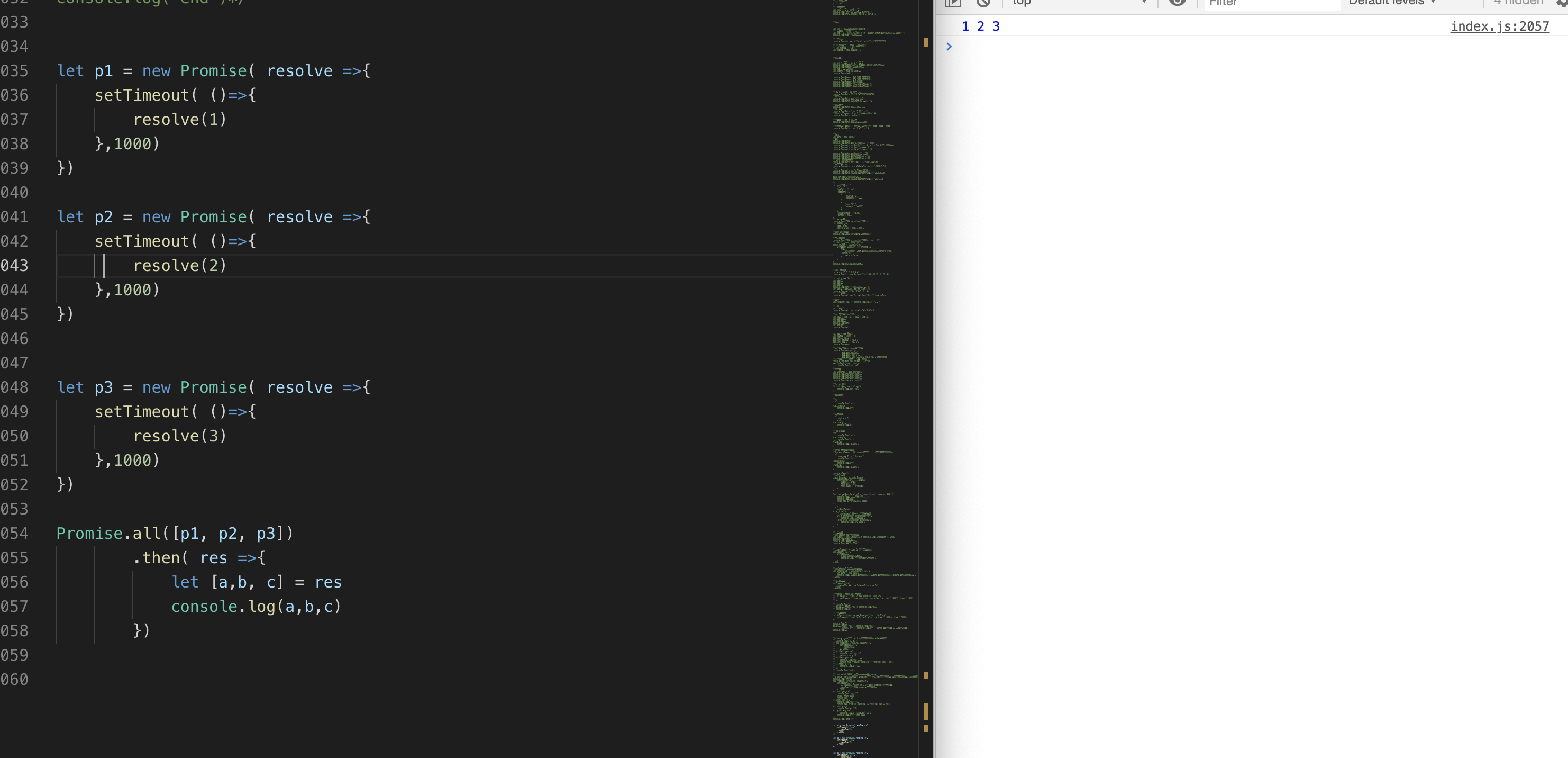
- 多个promsie 使用Promise.all
        let p1 = new Promise( resolve =>{
        setTimeout( ()=>{
            resolve(1)
        },1000)
    })

    let p2 = new Promise( resolve =>{
        setTimeout( ()=>{
            resolve(2)
        },1000)
    })


    let p3 = new Promise( resolve =>{
        setTimeout( ()=>{
            resolve(3)
        },1000)
    })

    Promise.all([p1, p2, p3])
            .then( res =>{
                let [a,b, c] = res
                console.log(a,b,c)
            })
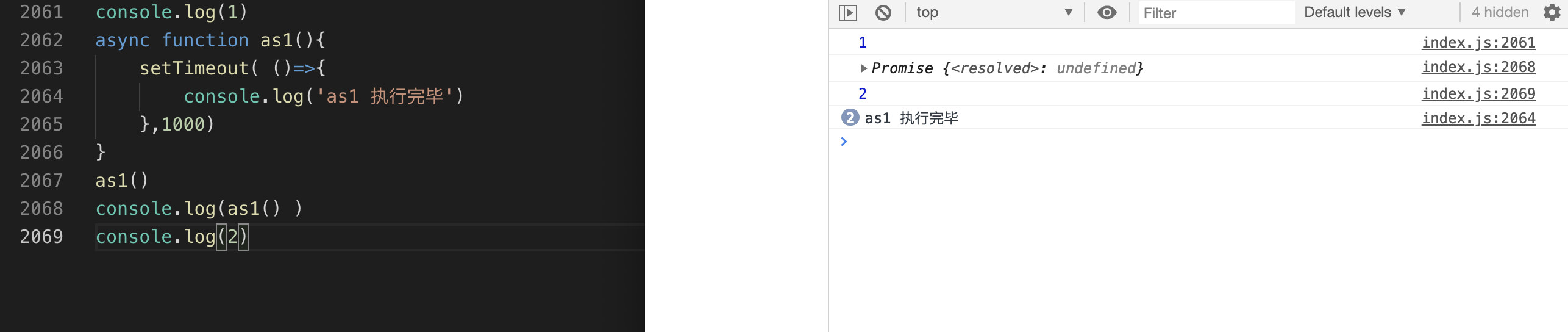
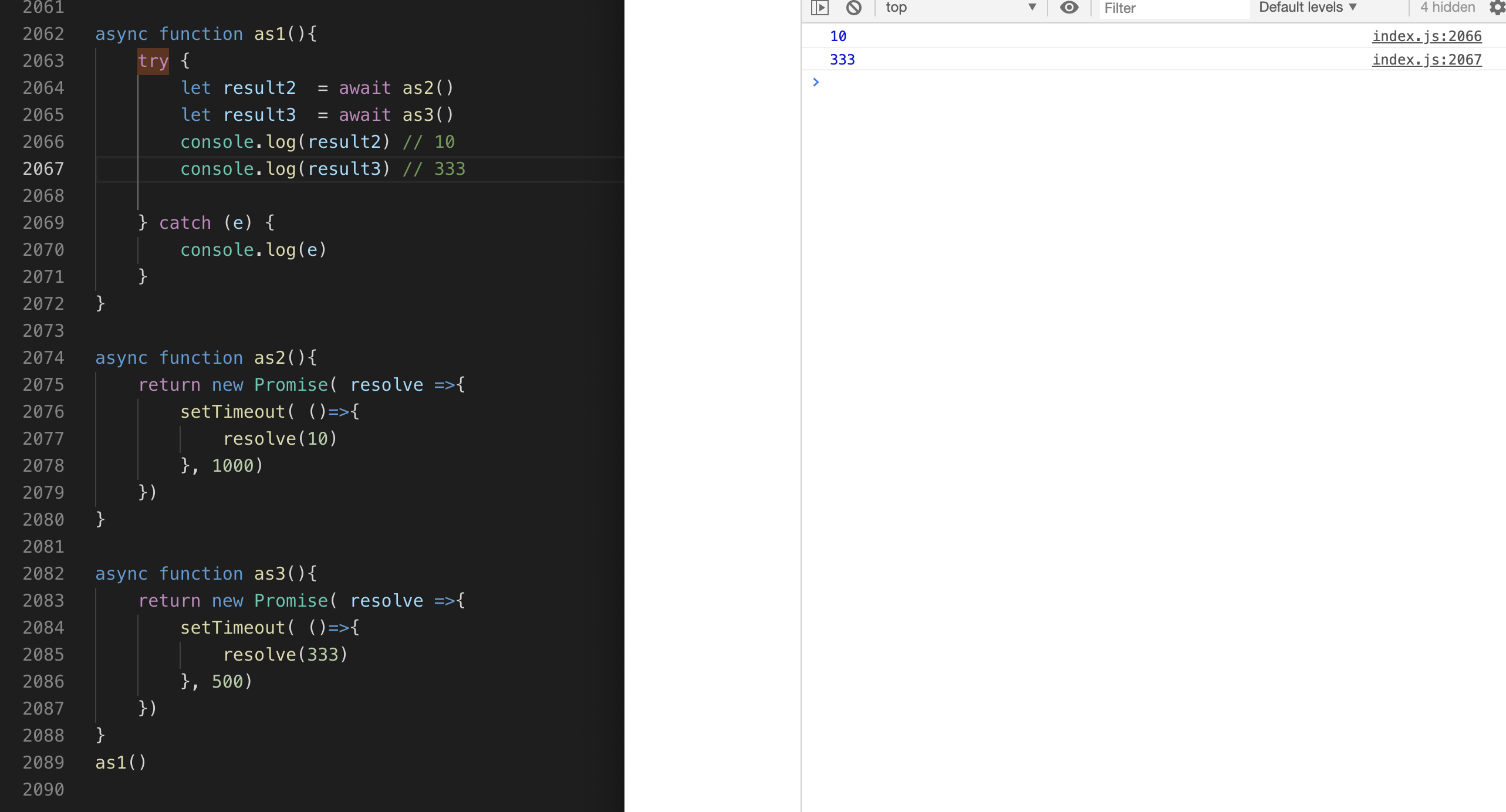
- async/await 美化异步代码
    console.log(1)
    async function as1(){
        setTimeout( ()=>{
            console.log('as1 执行完毕')
        },1000)
    }
    as1()
    console.log(as1() )
    console.log(2)
    async function as1(){
        try {
            let result2  = await as2()
            let result3  = await as3()
            console.log(result2) // 10
            console.log(result3) // 333

        } catch (e) {
            console.log(e)
        }
    }

    async function as2(){
        return new Promise( resolve =>{
            setTimeout( ()=>{
                resolve(10)
            }, 1000)
        })
    }

    async function as3(){
        return new Promise( resolve =>{
            setTimeout( ()=>{
                resolve(333)
            }, 500)
        })
    }
    as1()
二十、模块化TODO
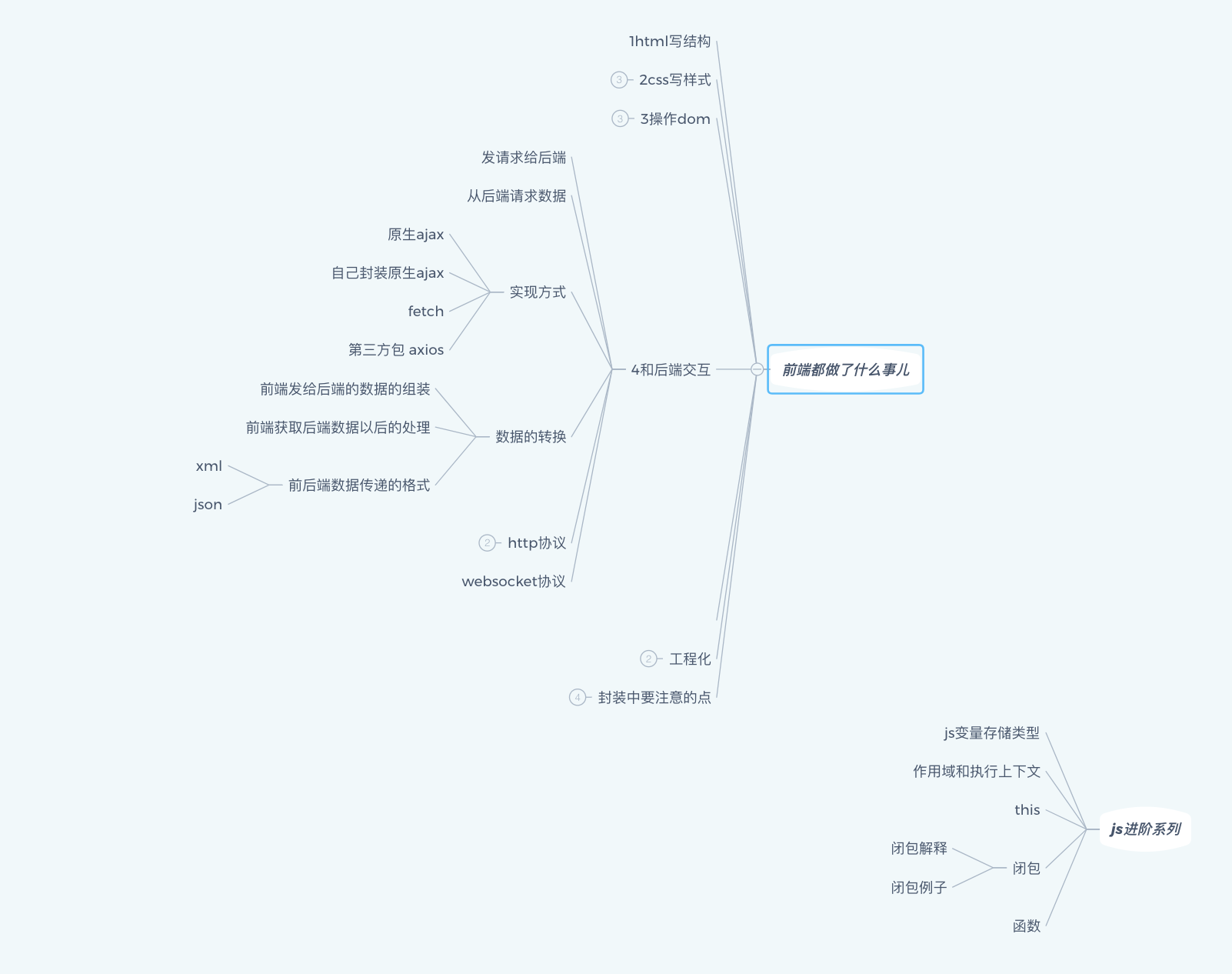
下一步做什么?
- DOM
- AJAX
- 框架学习
- 后端探索?
- 不断学习,不断练习
参考资料:
- mdn
- stackoverflow
- 峰华前端b站 感谢这样优质的视频!!!
- google + 个人理解