最近在学Python,所以用Python写了这个12306抢票脚本,分享出来,与大家共同交流和学习,有不对的地方,请大家多多指正。话不多说,进入正题:在进入正题之前,我想说明一下,由于12306官网的改版更新,所以脚本作了一点小小的化,具体修改后的源码,可以到GitHub上面查看……新版脚本源码 这个脚本目前只能刷一趟车的,人数可以是多个,支持选取作为类型等。实现思路是splinter.browser模拟浏览器登陆和操作,由于12306的验证码不好自动识别,所以,验证码需要用户进行手动识别,并进行登陆操作,之后的事情,就交由脚本来操作就可以了,下面是我测试时候的一些截图:
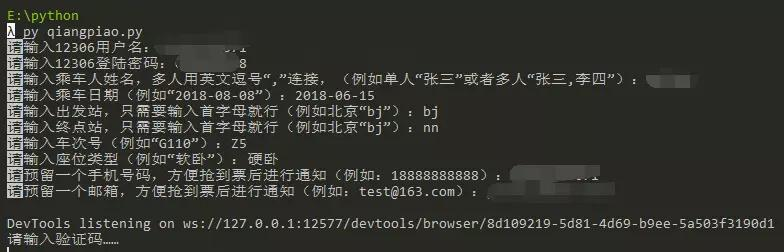
第一步:如下图,首先输入抢票基本信息
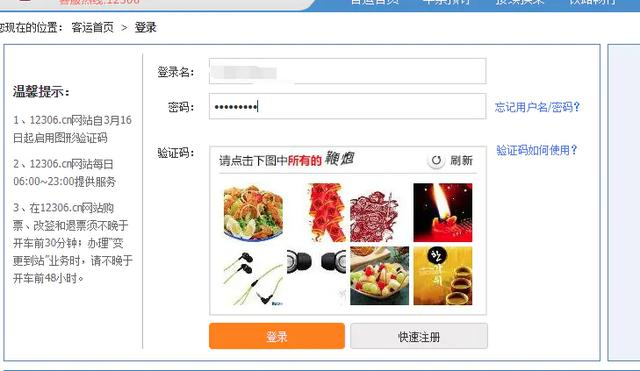
第二步:
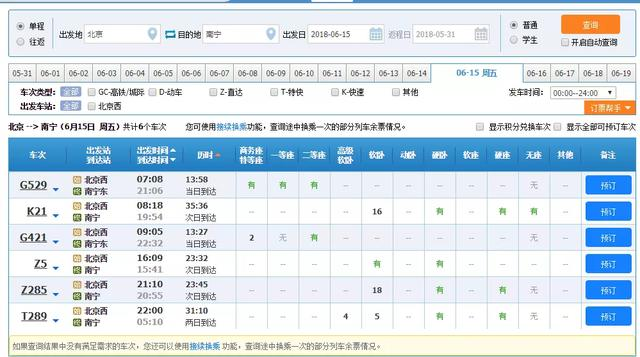
第三步:登陆后,自动进入到抢票页面,如下图这样的
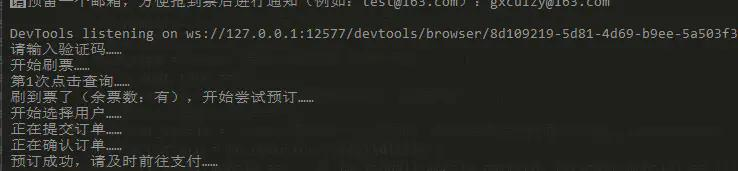
最后:就是坐等刷票结果就好了,如下图这样,就说是刷票成功了,刷到票后,会进行短信和邮件的通知,请记得及时前往12306进行支付,不然就白抢了。
import re from splinter.browser import Browser from time import sleep import sys import httplib2 from urllib import parse import smtplib from email.mime.text import MIMEText 复制代码 刷票前信息准备,我主要说一下始发站和目的地的cookie值获取,因为输入城市的时候,需要通过cookie值,cookie值可以通过12306官网,然后在F12(相信所有的coder都知道这个吧)的network里面的查询请求cookie中可以看到,在请求的header里面可以找到,_jc_save_fromStation值是出发站的cookie,_jc_save_toStation的值是目的地的cookie,然后加入到代码里的城市的cookie字典city_list里即可,键是城市的首字母,值是cookie值的形式。
抢票,肯定需要先登录,我这里模拟的登录操作,会自动填充12306的账号名和密码,当然,你也可以在打开的浏览器中修改账号和密码,实现的关键代码如下:
def do_login(self): """登录功能实现,手动识别验证码进行登录""" self.driver.visit(self.login_url) sleep(1) self.driver.fill('loginUserDTO.user_name', self.user_name) self.driver.fill('userDTO.password', self.password) print('请输入验证码……') while True: if self.driver.url != self.init_my_url: sleep(1) else: break 复制代码 登录之后,就是控制刷票的各种操作处理了,这里,我就不贴代码了,因为代码比较多,别担心,在最后,我会贴出完整的代码的。
当刷票成功后,我会进行短信和邮件的双重通知,当然,这里短信通知的平台,就看你用那个具体来修改代码了,我用的是互亿无线的体验版的免费短信通知接口;发送邮件模块我用的是smtplib,发送邮件服务器用的是163邮箱,如果用163邮箱的话,你还没有设置客户端授权密码,记得先设置客户端授权密码就好了,挺方便的。以下是主要实现代码:
def send_sms(self, mobile, sms_info): """发送手机通知短信,用的是-互亿无线-的测试短信""" host = "106.ihuyi.com" sms_send_uri = "/webservice/sms.php?method=Submit" account = "C59782899" pass_word = "19d4d9c0796532c7328e8b82e2812655" params = parse.urlencode( {'account': account, 'password': pass_word, 'content': sms_info, 'mobile': mobile, 'format': 'json'} ) headers = {"Content-type": "application/x-www-form-urlencoded", "Accept": "text/plain"} conn = httplib2.HTTPConnectionWithTimeout(host, port=80, timeout=30) conn.request("POST", sms_send_uri, params, headers) response = conn.getresponse() response_str = response.read() conn.close() return response_str
def send_mail(self, receiver_address, content): """发送邮件通知""" # 连接邮箱服务器信息 host = 'smtp.163.com' port = 25 sender = 'xxxxxx@163.com' # 你的发件邮箱号码 pwd = '******' # 不是登陆密码,是客户端授权密码 # 发件信息 receiver = receiver_address body = '
温馨提醒:
' + content + '
' msg = MIMEText(body, 'html', _charset="utf-8") msg['subject'] = '抢票成功通知!' msg['from'] = sender msg['to'] = receiver s = smtplib.SMTP(host, port) # 开始登陆邮箱,并发送邮件 s.login(sender, pwd) s.sendmail(sender, receiver, msg.as_string()) 复制代码 说了那么多,感觉都是说了好多废话啊,哈哈,不好意思,耽误大家时间来看我瞎扯了,我贴上大家最关心的源码,请接码,大家在尝试运行过程中,有任何问题,可以给我留言或者私信我,我看到都会及时回复大家的:#!/usr/bin/env python
-- coding: utf-8 --
""" 通过splinter刷12306火车票 可以自动填充账号密码,同时,在登录时,也可以修改账号密码 然后手动识别验证码,并登陆,接下来的事情,交由脚本来做了,静静的等待抢票结果就好(刷票过程中,浏览器不可关闭) author: cuizy time: 2018-05-30 """
import re from splinter.browser import Browser from time import sleep import sys import httplib2 from urllib import parse import smtplib from email.mime.text import MIMEText
class BrushTicket(object): """买票类及实现方法"""
def __init__(self, user_name, password, passengers, from_time, from_station, to_station, number, seat_type, receiver_mobile, receiver_email):
    """定义实例属性,初始化"""
    # 1206账号密码
    self.user_name = user_name
    self.password = password
    # 乘客姓名
    self.passengers = passengers
    # 起始站和终点站
    self.from_station = from_station
    self.to_station = to_station
    # 乘车日期
    self.from_time = from_time
    # 车次编号
    self.number = number.capitalize()
    # 座位类型所在td位置
    if seat_type == '商务座特等座':
        seat_type_index = 1
        seat_type_value = 9
    elif seat_type == '一等座':
        seat_type_index = 2
        seat_type_value = 'M'
    elif seat_type == '二等座':
        seat_type_index = 3
        seat_type_value = 0
    elif seat_type == '高级软卧':
        seat_type_index = 4
        seat_type_value = 6
    elif seat_type == '软卧':
        seat_type_index = 5
        seat_type_value = 4
    elif seat_type == '动卧':
        seat_type_index = 6
        seat_type_value = 'F'
    elif seat_type == '硬卧':
        seat_type_index = 7
        seat_type_value = 3
    elif seat_type == '软座':
        seat_type_index = 8
        seat_type_value = 2
    elif seat_type == '硬座':
        seat_type_index = 9
        seat_type_value = 1
    elif seat_type == '无座':
        seat_type_index = 10
        seat_type_value = 1
    elif seat_type == '其他':
        seat_type_index = 11
        seat_type_value = 1
    else:
        seat_type_index = 7
        seat_type_value = 3
    self.seat_type_index = seat_type_index
    self.seat_type_value = seat_type_value
    # 通知信息
    self.receiver_mobile = receiver_mobile
    self.receiver_email = receiver_email
    # 主要页面网址
    self.login_url = 'https://kyfw.12306.cn/otn/login/init'
    self.init_my_url = 'https://kyfw.12306.cn/otn/index/initMy12306'
    self.ticket_url = 'https://kyfw.12306.cn/otn/leftTicket/init'
    # 浏览器驱动信息,驱动下载页:https://sites.google.com/a/chromium.org/chromedriver/downloads
    self.driver_name = 'chrome'
    self.executable_path = 'C:\\Users\cuizy\AppData\Local\Programs\Python\Python36\Scripts\chromedriver.exe'

def do_login(self):
    """登录功能实现,手动识别验证码进行登录"""
    self.driver.visit(self.login_url)
    sleep(1)
    self.driver.fill('loginUserDTO.user_name', self.user_name)
    self.driver.fill('userDTO.password', self.password)
    print('请输入验证码……')
    while True:
        if self.driver.url != self.init_my_url:
            sleep(1)
        else:
            break

def start_brush(self):
    """买票功能实现"""
    self.driver = Browser(driver_name=self.driver_name, executable_path=self.executable_path)
    # 浏览器窗口的大小
    self.driver.driver.set_window_size(900, 700)
    self.do_login()
    self.driver.visit(self.ticket_url)
    try:
        print('开始刷票……')
        # 加载车票查询信息
        self.driver.cookies.add({"_jc_save_fromStation": self.from_station})
        self.driver.cookies.add({"_jc_save_toStation": self.to_station})
        self.driver.cookies.add({"_jc_save_fromDate": self.from_time})
        self.driver.reload()
        count = 0
        while self.driver.url.split('?')[0] == self.ticket_url:
            self.driver.find_by_text('查询').click()
            sleep(1)
            count += 1
            print('第%d次点击查询……' % count)
            try:
                car_no_location = self.driver.find_by_id("queryLeftTable")[0].find_by_text(self.number)[1]
                current_tr = car_no_location.find_by_xpath("./../../../../..")
                if current_tr.find_by_tag('td')[self.seat_type_index].text == '--':
                    print('无此座位类型出售,已结束当前刷票,请重新开启!')
                    sys.exit(1)
                elif current_tr.find_by_tag('td')[self.seat_type_index].text == '无':
                    print('无票,继续尝试……')
                else:
                    # 有票,尝试预订
                    print('刷到票了(余票数:' + str(current_tr.find_by_tag('td')[self.seat_type_index].text) + '),开始尝试预订……')
                    current_tr.find_by_css('td.no-br>a')[0].click()
                    sleep(1)
                    key_value = 1
                    for p in self.passengers:
                        # 选择用户
                        print('开始选择用户……')
                        self.driver.find_by_text(p).last.click()
                        # 选择座位类型
                        print('开始选择席别……')
                        if self.seat_type_value != 0:
                            seat_select = self.driver.find_by_id("seatType_" + str(key_value))[0]
                            seat_select.find_by_xpath("//option[@value='" + str(self.seat_type_value) + "']")[0].click()
                        key_value += 1
                        sleep(0.5)
                        if p[-1] == ')':
                            self.driver.find_by_id('dialog_xsertcj_ok').click()
                    print('正在提交订单……')
                    self.driver.find_by_id('submitOrder_id').click()
                    sleep(2)
                    # 查看放回结果是否正常
                    submit_false_info = self.driver.find_by_id('orderResultInfo_id')[0].text
                    if submit_false_info != '':
                        print(submit_false_info)
                        self.driver.find_by_id('qr_closeTranforDialog_id').click()
                        sleep(0.2)
                        self.driver.find_by_id('preStep_id').click()
                        sleep(0.3)
                        continue
                    print('正在确认订单……')
                    self.driver.find_by_id('qr_submit_id').click()
                    print('预订成功,请及时前往支付……')
                    # 发送通知信息
                    self.send_mail(self.receiver_email, '恭喜您,抢到票了,请及时前往12306支付订单!')
                    self.send_sms(self.receiver_mobile, '您的验证码是:8888。请不要把验证码泄露给其他人。')
            except Exception as error_info:
                print(error_info)
    except Exception as error_info:
        print(error_info)

def send_sms(self, mobile, sms_info):
    """发送手机通知短信,用的是-互亿无线-的测试短信"""
    host = "106.ihuyi.com"
    sms_send_uri = "/webservice/sms.php?method=Submit"
    account = "C59782899"
    pass_word = "19d4d9c0796532c7328e8b82e2812655"
    params = parse.urlencode(
        {'account': account, 'password': pass_word, 'content': sms_info, 'mobile': mobile, 'format': 'json'}
    )
    headers = {"Content-type": "application/x-www-form-urlencoded", "Accept": "text/plain"}
    conn = httplib2.HTTPConnectionWithTimeout(host, port=80, timeout=30)
    conn.request("POST", sms_send_uri, params, headers)
    response = conn.getresponse()
    response_str = response.read()
    conn.close()
    return response_str

def send_mail(self, receiver_address, content):
    """发送邮件通知"""
    # 连接邮箱服务器信息
    host = 'smtp.163.com'
    port = 25
    sender = '******@163.com'  # 你的发件邮箱号码
    pwd = '******'  # 不是登陆密码,是客户端授权密码
    # 发件信息
    receiver = receiver_address
    body = '<h2>温馨提醒:</h2><p>' + content + '</p>'
    msg = MIMEText(body, 'html', _charset="utf-8")
    msg['subject'] = '抢票成功通知!'
    msg['from'] = sender
    msg['to'] = receiver
    s = smtplib.SMTP(host, port)
    # 开始登陆邮箱,并发送邮件
    s.login(sender, pwd)
    s.sendmail(sender, receiver, msg.as_string())
if name == 'main':
# 12306用户名
user_name = input('请输入12306用户名:')
while user_name == '':
user_name = input('12306用户名不能为空,请重新输入:')
# 12306登陆密码
password = input('请输入12306登陆密码:')
while password == '':
password = input('12306登陆密码不能为空,请重新输入:')
# 乘客姓名
passengers_input = input('请输入乘车人姓名,多人用英文逗号“,”连接,(例如单人“张三”或者多人“张三,李四”):')
passengers = passengers_input.split(",")
while passengers_input == '' or len(passengers) > 4:
print('乘车人最少1位,最多4位!')
passengers_input = input('请重新输入乘车人姓名,多人用英文逗号“,”连接,(例如单人“张三”或者多人“张三,李四”):')
passengers = passengers_input.split(",")
# 乘车日期
from_time = input('请输入乘车日期(例如“2018-08-08”):')
date_pattern = re.compile(r'^\d{4}-\d{2}-\d{2}')
while receiver_mobile == '' or re.findall(mobile_pattern, receiver_mobile) == []:
receiver_mobile = input('预留手机号码不能为空或者格式不正确,请重新输入:')
receiver_email = input('请预留一个邮箱,方便抢到票后进行通知(例如:test@163.com):')
while receiver_email == '':
receiver_email = input('预留邮箱不能为空,请重新输入:')
# 开始抢票
ticket = BrushTicket(user_name, password, passengers, from_time, from_station, to_station, number, seat_type, receiver_mobile, receiver_email)
ticket.start_brush()
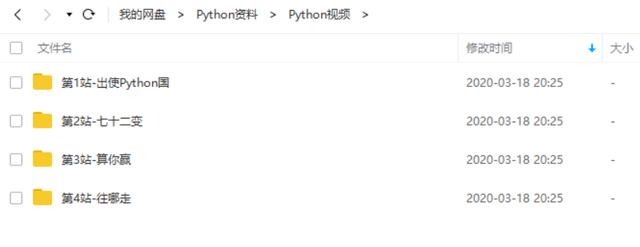
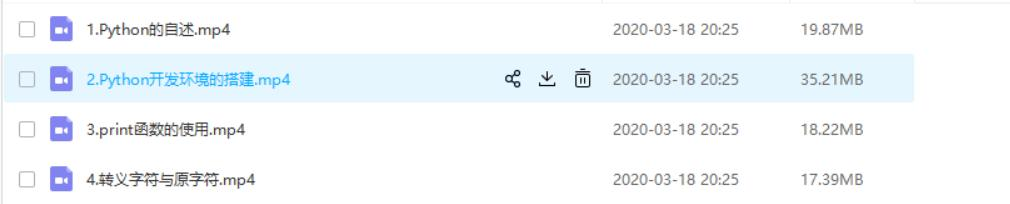
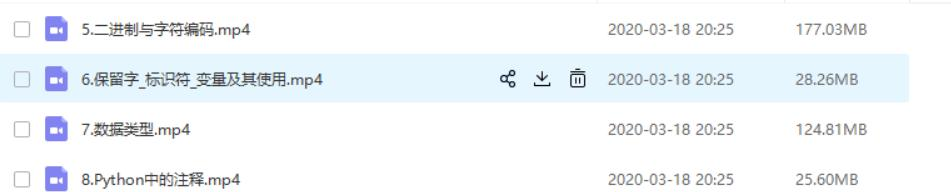
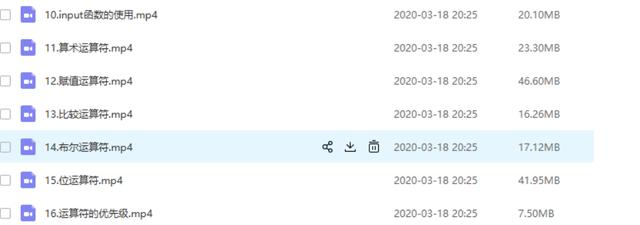
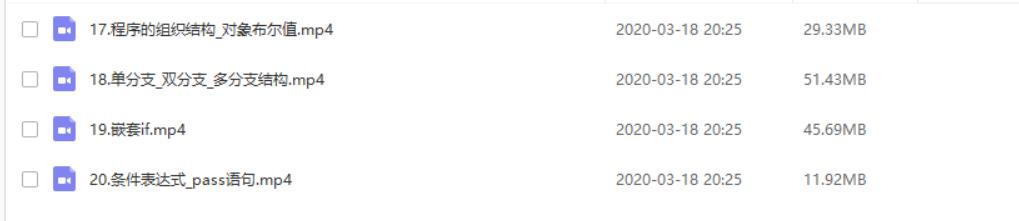
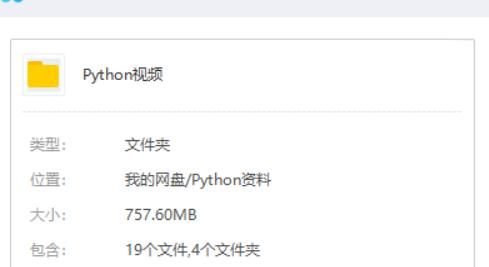
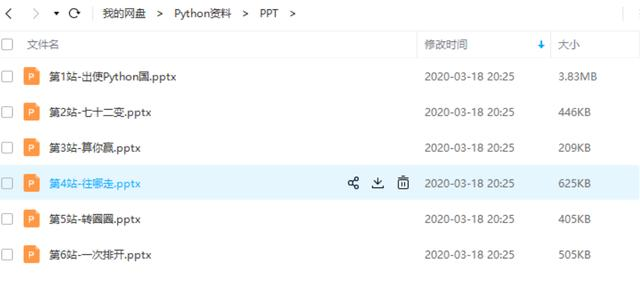
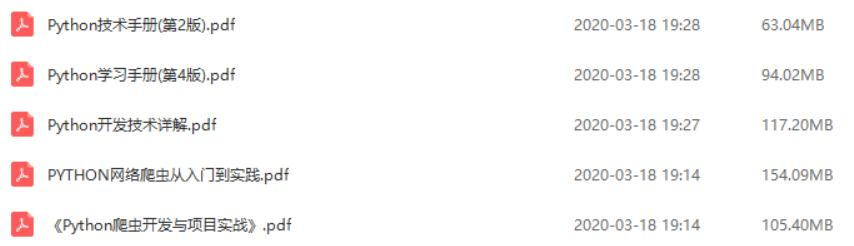
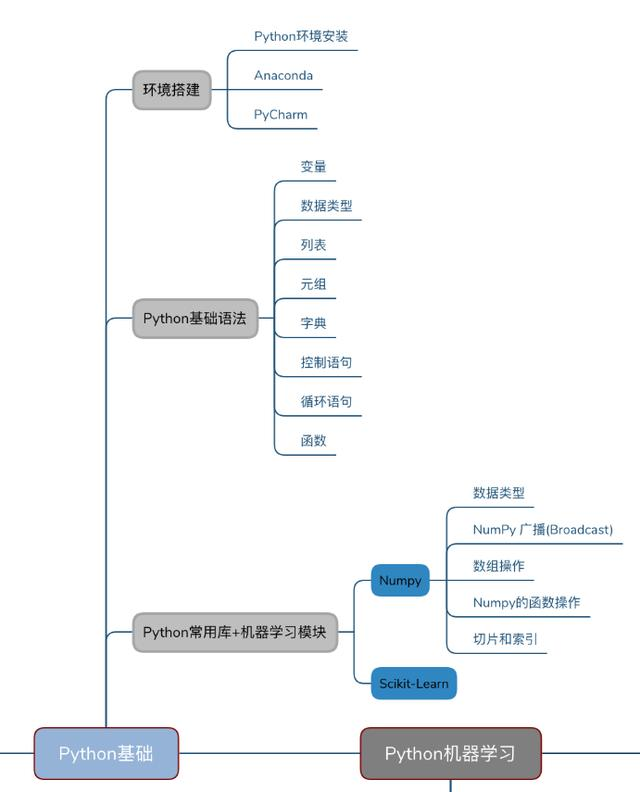
最后给大家一份Python的学习,也是我自己之前用的学习资料,感觉很不错。之前的文章里也有过分享 ,不过我觉得如果有朋友看到这篇文章,你们可能会需要的,所以今天又拿出来给大家分享。免费的分享给大家 ,希望大家多多转发 收藏,记得关注一下小编,谢谢你们的支持。感谢!
Python学习路线及757.6MB视频 1.Python的自述
2.Python开发环境的搭建
3.print函数的使用
4.转义字符与原字符
5.二进制与字符编码
6.保留字_标识符_变量及其使用
7.数据类型
8.Python中的注释
10.input函数的使用
11.算术运算符
12.赋值运算符
13.比较运算符
14.布尔运算符
15.位运算符
16.运算符的优先级
17.程序的组织结构_对象布尔值
18.单分支_双分支_多分支结构
19.嵌套if
20.条件表达式_pass语句
Python757.6MB视频