3.1 Thymeleaf视图介绍
==Thymeleaf是适用于Web和独立环境的现代服务器端Java模板引擎。
Thymeleaf的主要目标是为您的开发工作流程带来优雅的自然模板 -HTML可以在浏览器中正确显示,也可以作为静态原型工作,从而可以在开发团队中加强协作。
Thymeleaf拥有适用于Spring Framework的模块,与您喜欢的工具的大量集成以及插入您自己的功能的能力,对于现代HTML5 JVM Web开发而言,Thymeleaf是理想的选择。==
在SpringBoot中,SpringBoot对Thymeleaf提供了良好的支持,同时也提供了自动化配置,因此在SpringBoot中使用Thymeleaf非常快捷方便。
3.2 创建SpringBoot项目
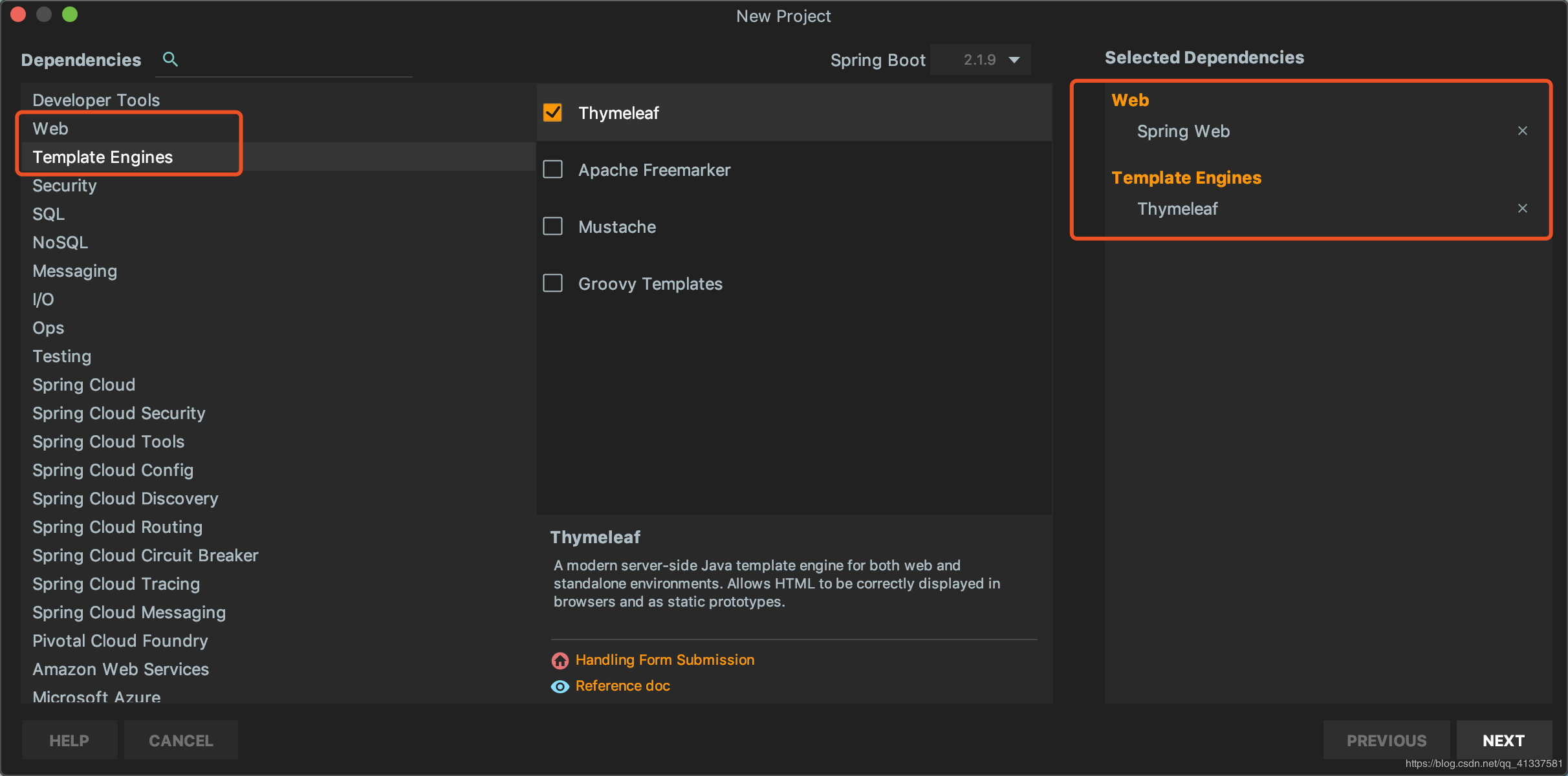
创建完成后,IDEA自动在pom中加入了web和Thymeleaf依赖管理,pom.xml:
org.springframework.boot
spring-boot-starter-thymeleaf
org.springframework.boot
spring-boot-starter-web
org.springframework.boot
spring-boot-starter-test
test
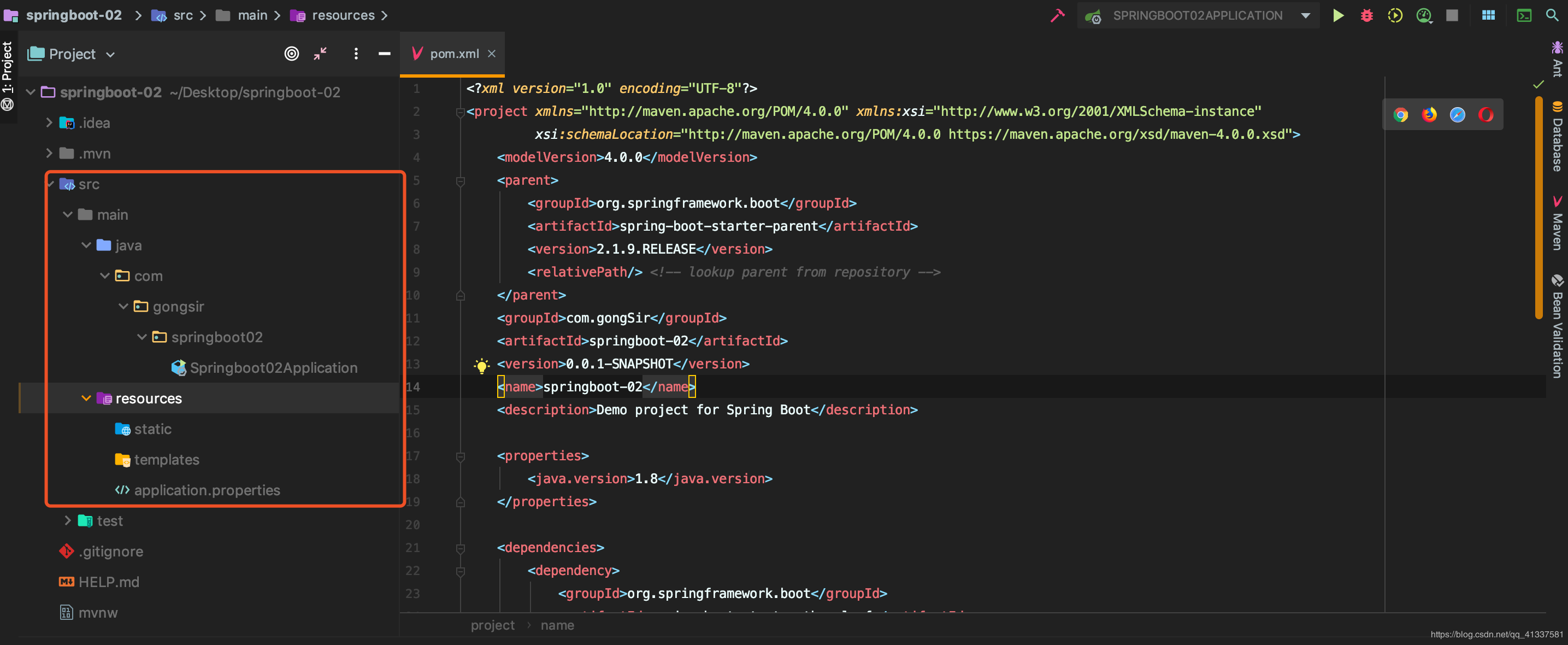
3.2 配置Thymeleaf
({ThymeleafProperties.class})
({TemplateMode.class, SpringTemplateEngine.class})
({WebMvcAutoConfiguration.class, WebFluxAutoConfiguration.class})
class ThymeleafAutoConfiguration {...}
( prefix =
)
class ThymeleafProperties {
Charset DEFAULT_ENCODING;
String DEFAULT_PREFIX =
;
String DEFAULT_SUFFIX =
;
checkTemplate =
;
checkTemplateLocation =
;
String prefix =
;
String suffix =
;
String mode =
;
}
我们如果需要对Thymeleaf的配置进行更改,可直接在application.properties中配置:
#是否开启缓存,默认为
spring.thymeleaf.cache=
#检查模板文件是否存在spring.thymeleaf.check-template=
#检查模本目录是否存在spring.thymeleaf.check-template-location=
#模板文件编码spring.thymeleaf.encoding=UTF-8#模板位置spring.thymeleaf.prefix=classpath:/templates/#模板文件后缀名spring.thymeleaf.suffix=.html#Content-typespring.thymeleaf.servlet.content-type=text/html3.3 编写Demo
User.java:
com.gongsir.springboot02.pojo;
class User {
String name;
String major;
String grade; public String getName() {
name; } public void setName(String name) {
.name = name; } public String getMajor() {
major; } public void setMajor(String major) {
.major = major; } public String getGrade() {
grade; } public void setGrade(String grade) {
.grade = grade; }}
class UserController {
(path =
) public ModelAndView getUsers(){ List<User> list =
ArrayList<>(); User u1 =
User(); u1.setName(
); u1.setMajor(
); u1.setGrade(
); list.add(u1); User u2 =
User(); u2.setName(
); u2.setMajor(
); u2.setGrade(
); list.add(u2);
ModelAndView mv =
ModelAndView(
); mv.addObject(
,list);
mv; }}
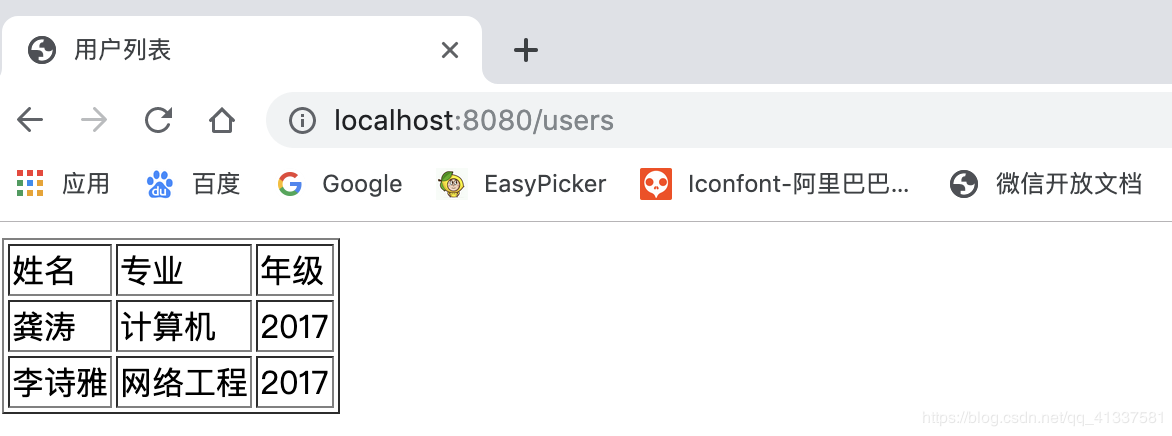
用户列表
姓名
专业
年级