页面效果: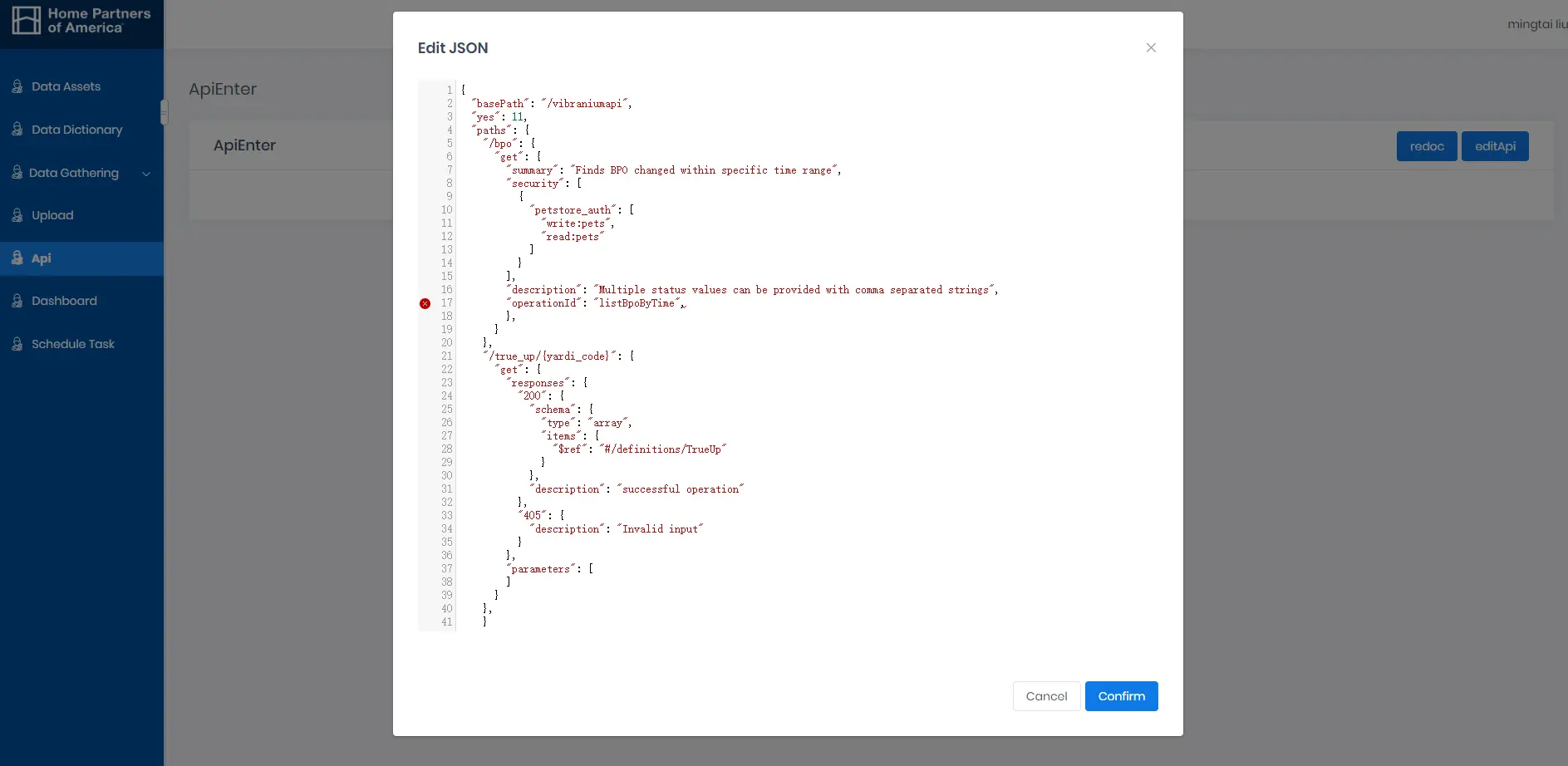
1. 下载codemirror:
npm install codemirror2. 在src/components文件夹下新建JsonEditor/index.vue,把代码拷进去:
<template> <div class="json-editor"> <textarea ref="textarea" /> </div></template><script>import CodeMirror from 'codemirror';import 'codemirror/addon/lint/lint.css';import 'codemirror/lib/codemirror.css';require('script-loader!jsonlint');import 'codemirror/mode/javascript/javascript';import 'codemirror/addon/lint/lint';import 'codemirror/addon/lint/json-lint';import 'codemirror/mode/sql/sql';export default { name: 'CodeEditor', /* eslint-disable vue/require-prop-types */ props: { value: { type: [String, Object], default: null }, options: { type: Object, default: function() { return { lineNumbers: true, tabSize: 2, mode: 'application/json', gutters: ['CodeMirror-lint-markers', 'CodeMirror-linenumbers', 'CodeMirror-foldgutter'], lint: true }; } } }, data() { return { jsonEditor: false }; }, watch: { value(value) { const editorValue = this.codeEditor.getValue(); if (value !== editorValue) { this.codeEditor.setValue(JSON.stringify(this.value, null, 2)); } } }, mounted() { this.codeEditor = CodeMirror.fromTextArea(this.$refs.textarea, this.options); if (!this.value) { this.value = ''; } this.codeEditor.setValue(JSON.stringify(this.value, null, 2)); this.codeEditor.on('change', cm => { this.$emit('changed', cm.getValue()); this.$emit('input', cm.getValue()); }); }, methods: { getValue() { return this.codeEditor.getValue(); } }};</script><style scoped>.json-editor { height: 100%; position: relative; font-size: 14px;}.json-editor >>> .CodeMirror { height: auto; min-height: 300px;}.json-editor >>> .CodeMirror-scroll { min-height: 300px;}.json-editor >>> .cm-s-rubyblue span.cm-string { color: #f08047;}</style><template>
<div class="json-editor">
<textarea ref="textarea" />
</div>
</template>
<script>
import CodeMirror from 'codemirror';
import 'codemirror/addon/lint/lint.css';
import 'codemirror/lib/codemirror.css';
require('script-loader!jsonlint');
import 'codemirror/mode/javascript/javascript';
import 'codemirror/addon/lint/lint';
import 'codemirror/addon/lint/json-lint';
import 'codemirror/mode/sql/sql';
export default {
name: 'CodeEditor',
/* eslint-disable vue/require-prop-types */
props: {
value: {
type: [String, Object],
default: null
},
options: {
type: Object,
default: function() {
return {
lineNumbers: true,
tabSize: 2,
mode: 'application/json',
gutters: ['CodeMirror-lint-markers', 'CodeMirror-linenumbers',
'CodeMirror- foldgutter'],
lint: true
};
}
}
},
data() {
return {
jsonEditor: false
};
},
watch: {
value(value) {
const editorValue = this.codeEditor.getValue();
if (value !== editorValue) {
this.codeEditor.setValue(JSON.stringify(this.value, null, 2));
}
}
},
mounted() {
this.codeEditor = CodeMirror.fromTextArea(this.$refs.textarea, this.options);
if (!this.value) {
this.value = '';
}
this.codeEditor.setValue(JSON.stringify(this.value, null, 2));
this.codeEditor.on('change', cm => {
this.$emit('changed', cm.getValue());
this.$emit('input', cm.getValue());
});
},
methods: {
getValue() {
return this.codeEditor.getValue();
}
}
};
</script>
<style scoped>
.json-editor {
height: 100%;
position: relative;
font-size: 14px;
}
.json-editor >>> .CodeMirror {
height: auto;
min-height: 300px;
}
.json-editor >>> .CodeMirror-scroll {
min-height: 300px;
}
.json-editor >>> .cm-s-rubyblue span.cm-string {
color: #f08047;
}
</style>
3. 作为组件使用:
<json-editor ref="jsonEditor" v-model="valueParam"></json-editor>4. 发请求,获取和保存数据接口:
5. 获取已保存的json:
6. 保存/编辑json: