概述
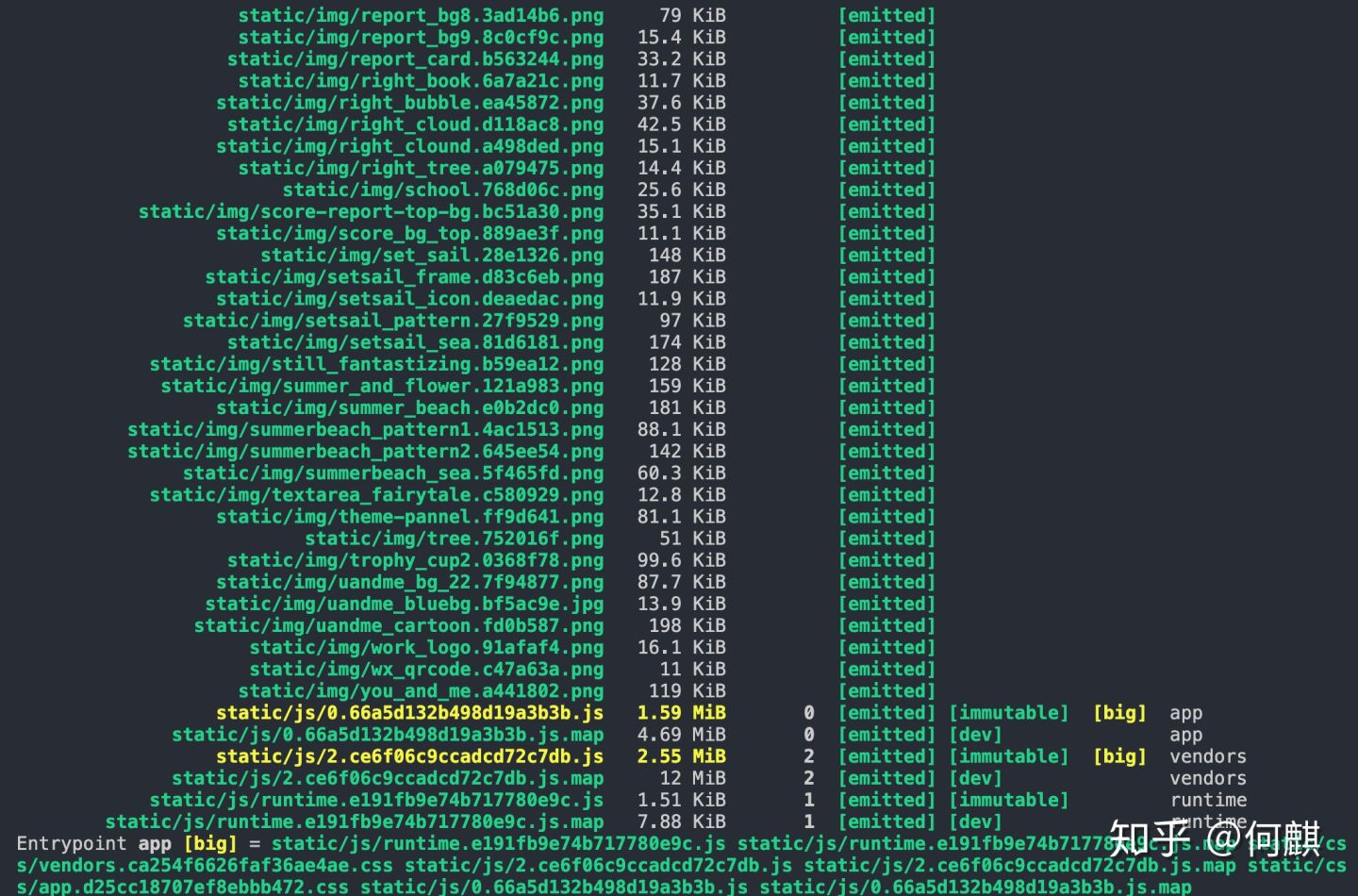
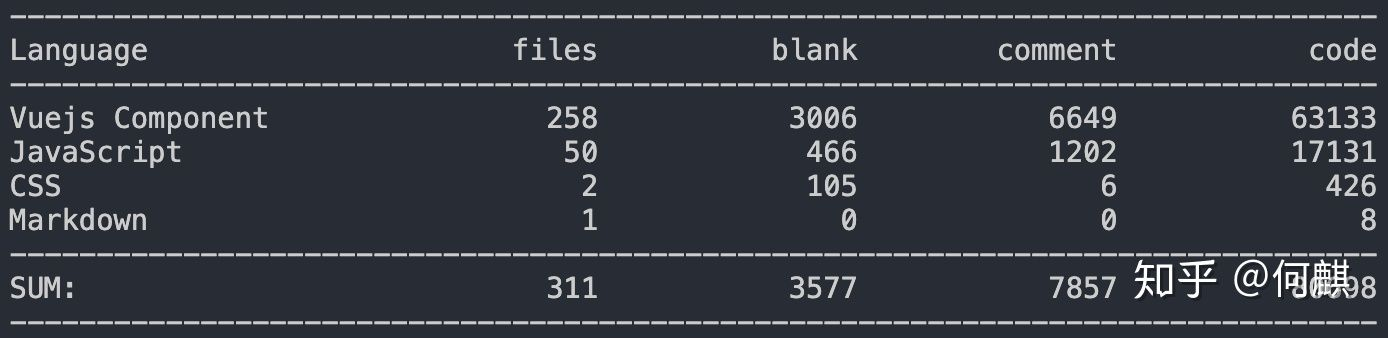
在基于vue-cli2.0脚手架开发的项目至今已经有一年半的时间了,因为业务在不断迭代的关系,项目的代码已经达到8w行了,从而导致了webpack打包编译的速度越来越慢。为了项目的长治久安,我决心要对这个项目中的webpack进行升级与优化。
vue-cli2.0集成了Webpack3,但是在当前Webpack5都呼之欲出的情况下,Webpack3显然就显得太老了,而且新版本本身就是对老版本的优化和增强,与其花精力在老版本上做优化为什么不在新版本上这么做呢?站在巨人肩膀上的感觉难道不好么?
升级至Webpack4
升级Webpack并安装webpack-cli
yarn add webpack webpack-cli
更新webpack-dev-server
yarn add webpack-dev-server -D
更新loader
yarn add postcss-loader@3.0.0 css-loader@3.2.0 vue-style-loader@4.1.2 vue-loader@15.7.1 -D
修改webpack.base.conf.js中的vue-loader解析规则
//const vueLoaderConfig = require('./vue-loader.conf')
const { VueLoaderPlugin } = require('vue-loader');

module.exports = {
  ...,
  module: {
    rules: [
      {
        test: /\.vue$/,
        loader: 'vue-loader',
       // options: vueLoaderConfig
      },
    ]
  },
 plugins: [
   new VueLoaderPlugin()
 ]
}
更新plugin
yarn add html-webpack-plugin@3.2.0 -D
替换插件
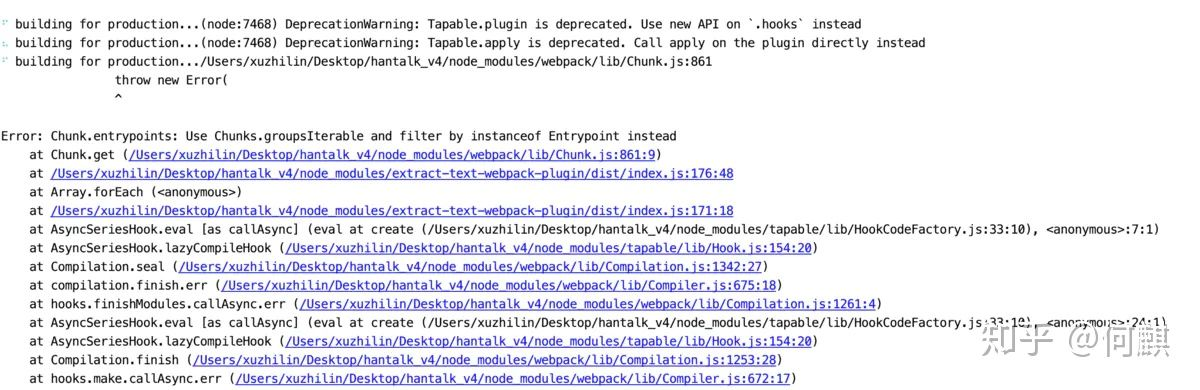
如果存在以下错误,那是由于extract-text-webpack-plugin不兼容webpack4造成,官方推荐的使用mini-css-extract-plugin来替换使用。
yarn add mini-css-extract-plugin@0.8.0 -D
修改utils.js
// const ExtractTextPlugin = require('extract-text-webpack-plugin')
const MiniCssExtractPlugin = require('mini-css-extract-plugin')

exports.cssLoaders = function (options) {
  ...
// Extract CSS when that option is specified
    // (which is the case during production build)
    // if (options.extract) {
    //   return ExtractTextPlugin.extract({
    //     use: loaders,
    //     fallback: 'vue-style-loader',
    //     publicPath: '../../', //注意: 此处根据路径, 自动更改,添加publicPath,可以在css中使用背景图
    //   })
    // } else {
    //   return ['vue-style-loader'].concat(loaders)
    // }

 return [
      options.extract ? {loader:MiniCssExtractPlugin.loader, options: {publicPath: '../../'}} : 'vue-style-loader',
    ].concat(loaders)
}
修改webpack.prod.conf.js
//const ExtractTextPlugin = require('extract-text-webpack-plugin')
const MiniCssExtractPlugin = require('mini-css-extract-plugin')
const webpackConfig = merge(baseWebpackConfig, {
    ...,
    plugins: [
      new MiniCssExtractPlugin({
        filename: utils.assetsPath('css/[name].[contenthash].css'),
        allChunks: true,
      }),
        // new ExtractTextPlugin({
        //   filename: utils.assetsPath('css/[name].[contenthash].css'),
        // Setting the following option to `false` will not extract CSS from codesplit chunks.
        // Their CSS will instead be inserted dynamically with style-loader when the codesplit chunk has been loaded by webpack.
       // It's currently set to `true` because we are seeing that sourcemaps are included in the codesplit bundle as well when it's `false`,
       // increasing file size: https://github.com/vuejs-templates/webpack/issues/1110
      //  allChunks: true,
      // }),
    ]
})
配置development环境
在webpack.dev.conf.js中添加mode:“development”,并移除NamedModulesPlugin,NoEmitOnErrorsPlugin插件,webpack4已修改为内置插件。
module.exports = {
  ...,
 mode: "development",
 ...,
 plugins: {
     //new webpack.NamedModulesPlugin(), // HMR shows correct file names in console on update.
    //new webpack.NoEmitOnErrorsPlugin(),
  }
}
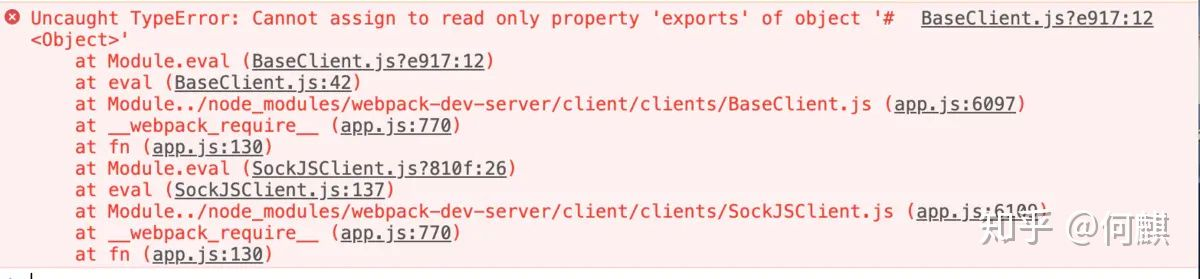
在dev环境下运行,发现报错,我们可以通过修改webpack.base.conf.js中的配置来解决。
module.exports = {
  ...
  module: {
    rules: [
      {
        test: /\.js$/,
        loader: 'babel-loader'
       // include: [resolve('src'), resolve('test'), resolve('node_modules/webpack-dev-server/client')]
        include: [resolve('src'),resolve('test')],
        exclude: /node_modules/
      },
    ]
  }
}
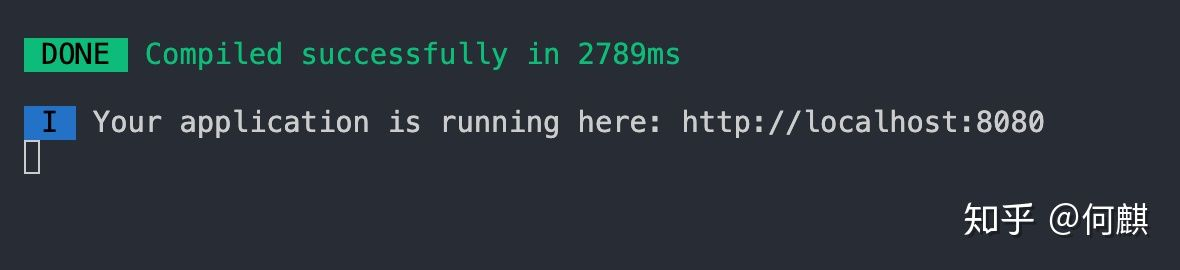
这样的我们的dev环境就算升级成功了
配置production环境
在webpack.prod.conf.js中添加mode: "production"
const webpackConfig = merge(baseWebpackConfig, {
   ...,
    plugins: [
      //new webpack.optimize.CommonsChunkPlugin(),
      //new webpack.optimize.CommonsChunkPlugin({}),
      //new webpack.optimize.CommonsChunkPlugin({}),
      //new webpack.optimize.ModuleConcatenationPlugin(),
      //new OptimizeCSSPlugin({}),
      //new UglifyJsPlugin({})
   ],
})
再删除webpack.prod.conf.js中的部分插件
const webpackConfig = merge(baseWebpackConfig, {
    ...,
   optimization: {
    //取代 new UglifyJsPlugin
    minimizer: [
      // 压缩代码
      new UglifyJsPlugin({
        uglifyOptions: {
          compress: {
            warnings: false,
            drop_debugger: true,//关闭debug
            drop_console: true,//关闭console
          }
        },
        sourceMap: config.build.productionSourceMap,
        parallel: true
      }),
      // 可自己配置,建议第一次升级先不配置
      new OptimizeCSSPlugin({
        // cssProcessorOptions: config.build.productionSourceMap
        //     ? {safe: true, map: {inline: false}, autoprefixer: false}
        //     : {safe: true}
      }),
    ],
    // 识别package.json中的sideEffects以剔除无用的模块,用来做tree-shake
    // 依赖于optimization.providedExports和optimization.usedExports
    sideEffects: true,
    // 取代 new webpack.optimize.ModuleConcatenationPlugin()
    concatenateModules: true,
    // 取代 new webpack.NoEmitOnErrorsPlugin(),编译错误时不打印输出资源。
    noEmitOnErrors: true,
    splitChunks: {
      cacheGroups: {
        vendors: {
          test: /[\\/]node_modules[\\/]/,
          chunks: 'initial',
          name: 'vendors',
        },
        'async-vendors': {
          test: /[\\/]node_modules[\\/]/,
          minChunks: 2,
          chunks: 'async',
          name: 'async-vendors'
        }
      }
    },
    runtimeChunk: { name: 'runtime' }
    },
  })
最后再production环境下打包,如果出现下面这样的结果说明我们