前言:关于搭建iOS下载服务,网上之前已经有很多的资料,本文只是记录一下自己用IIS搭建的过程,也希望给其他遇到问题的小伙伴一些参考。
1.IIS导入SSL证书
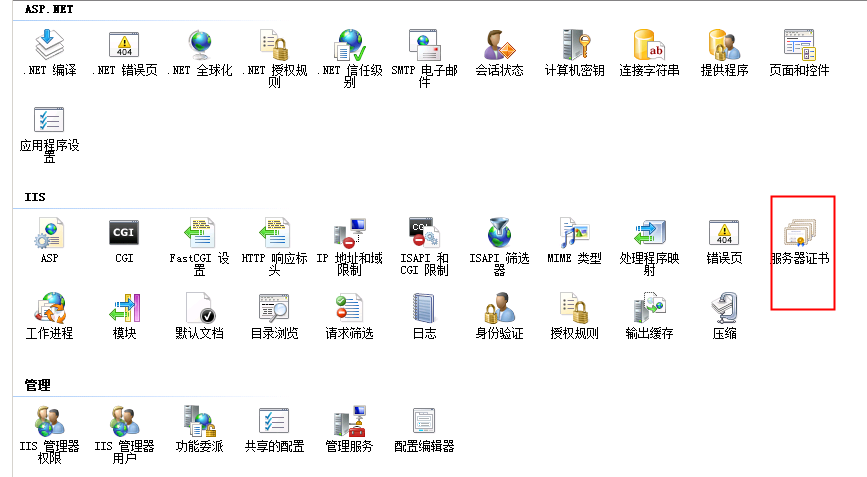
首先在主页中找到服务器证书,点击,操作选择导入,过程简单,不过多描述
2.IIS 添加MIME类型(重要)
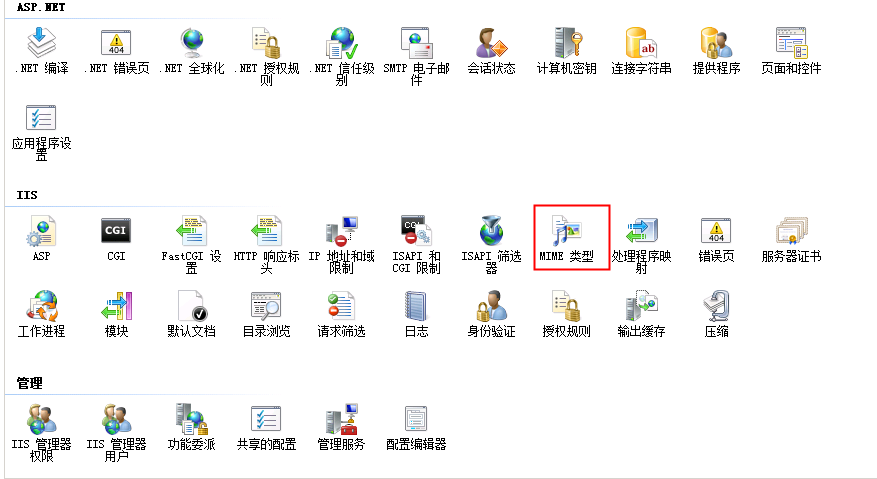
添加类型为:
.ipa application/octet-stream
.plist text/xml
3.下载页及下载文件
准备一个存放plist和ipa的文件夹,以及下载页面的HTML
<a href="itms-services://?action=download-manifest&url=服务器中的plist地址">
pist示范
<?xml version="1.0" encoding="UTF-8"?>
<!DOCTYPE plist PUBLIC "-//Apple//DTD PLIST 1.0//EN" "http://www.apple.com/DTDs/PropertyList-1.0.dtd">
<plist version="1.0">
<dict>
	<key>items</key>
	<array>
		<dict>
			<key>assets</key>
			<array>
				<dict>
					<key>kind</key>
					<string>software-package</string>
					<key>url</key>
					<string>服务器中的ipa地址</string>
				</dict>
				<dict>
					<key>kind</key>
					<string>full-size-image</string>
					<key>needs-shine</key>
					<true/>
					<key>url</key>
					<string>icon图</string>
				</dict>
				<dict>
					<key>kind</key>
					<string>display-image</string>
					<key>needs-shine</key>
					<true/>
					<key>url</key>
					<string>icon图</string>
				</dict>
			</array>
			<key>metadata</key>
			<dict>
				<key>bundle-identifier</key>
				<string>bundle-id</string>
				<key>bundle-version</key>
				<string>3.0.2</string>
				<key>kind</key>
				<string>software</string>
				<key>subtitle</key>
				<string>子标题</string>
				<key>title</key>
				<string>标题</string>
			</dict>
		</dict>
	</array>
</dict>
</plist>