

用git clone 项目时报错
connect to host github.com port 22: Operation timed out
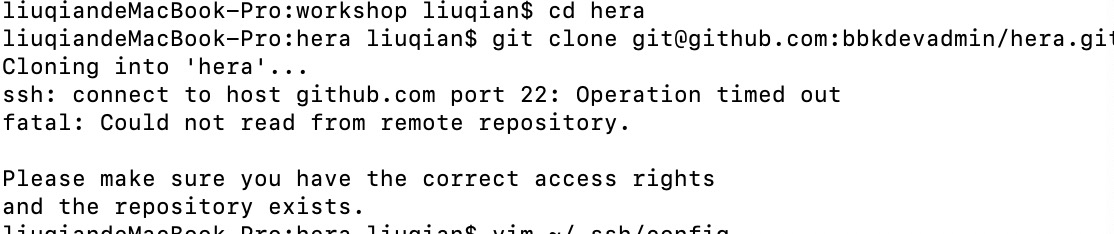
解决方案:
测试ssh连接
ssh -T git@github.com
依然无法连接仍然显示
connect to host github.com port 22: Operation timed out
查找资料执行以下命令
$ vim ~/.ssh/config
然后添加
Host github.com
Hostname ssh.github.com
Port 443
保存退出后重新git clone 代码会出现添加443端口连接提示:

选yes后git开始下载,然而进度卡死在24%不动了
判断ssh连接显示正常

继续查找资料试错后执行以下命令
$ vim config
在config中添加User,PreferredAuthentications, IdentityFile内容
Host github.com    /*服务器地址为github地址*/

User "XXX@XX.com"     /*github上的注册邮箱 为用户账号*/

Hostname ssh.github.com   /*服务器地址为github地址*/

PreferredAuthentications publickey  /*采用公匙*/

IdentityFile ~/.ssh/id_rsa    /*公匙文件路径*/

Port 443                           /*修改端口为443*/
保存退出后重新git clone 成功
参考资料:
www.jianshu.com/p/d837b98a2…
blog.csdn.net/qq_42714869…

