前言
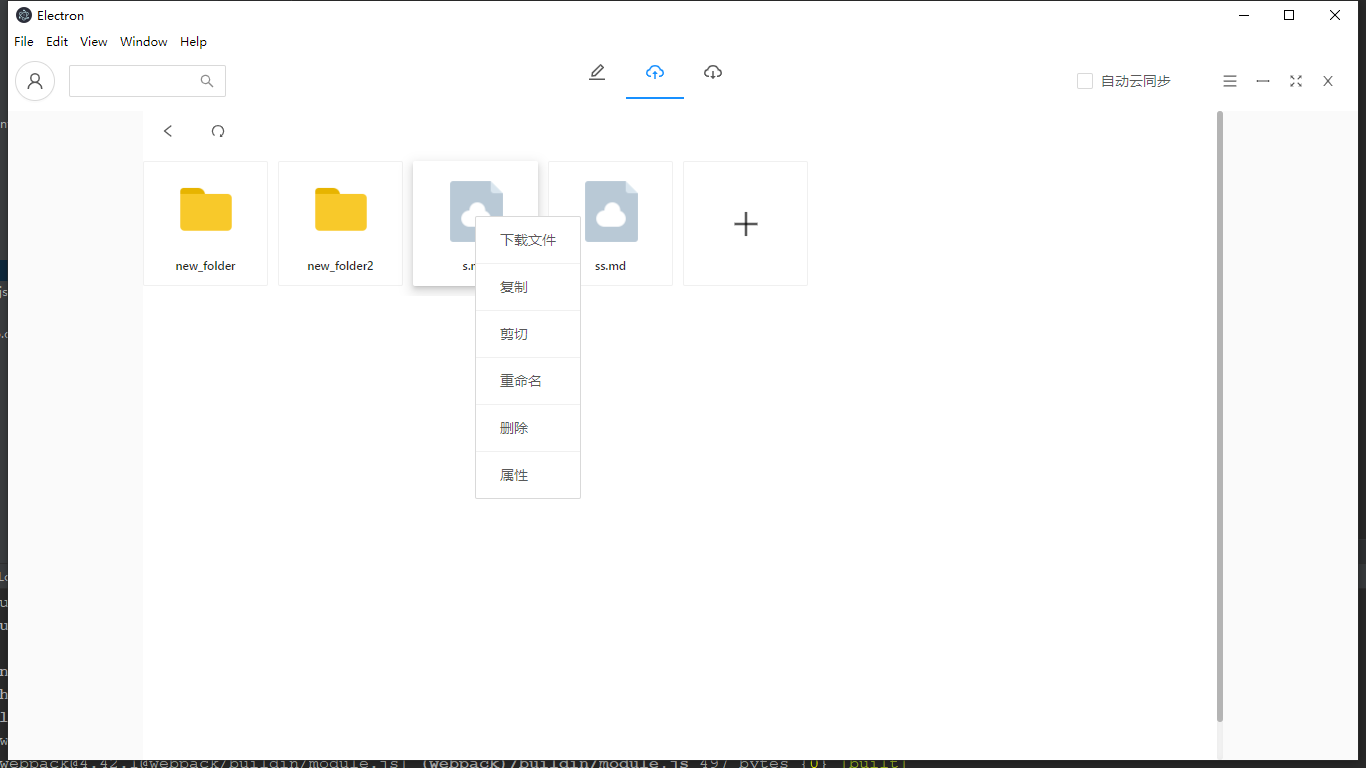
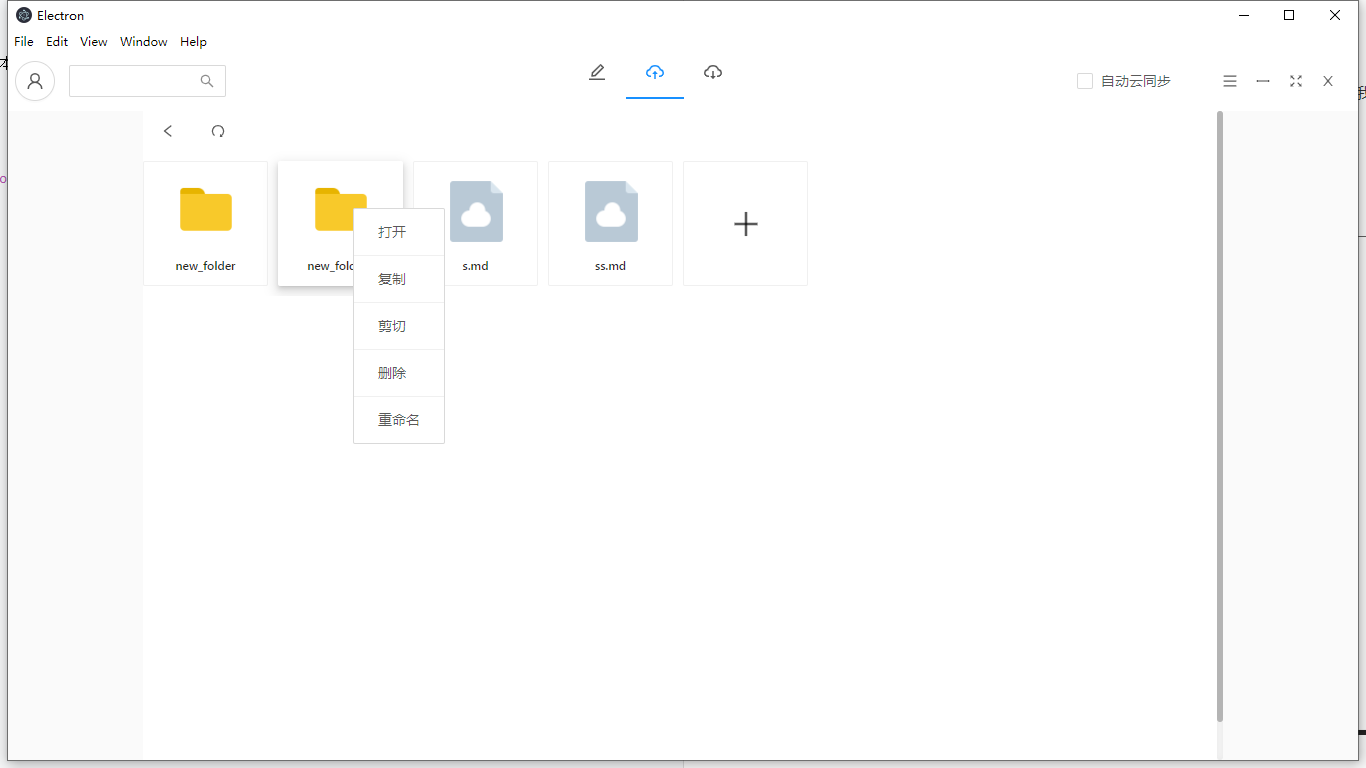
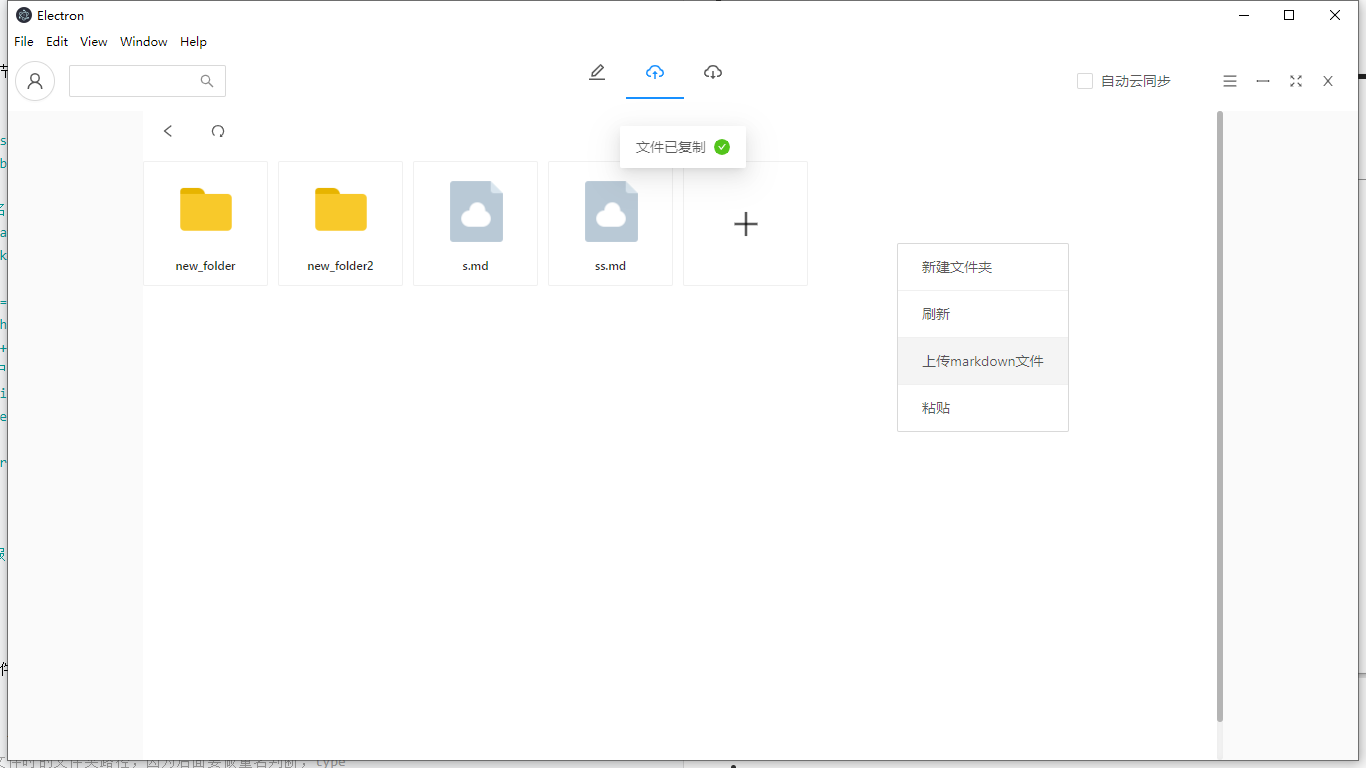
上一节我们谈到了文件和文件夹的基本事件,文件的双击事件和文件夹的双击事件。这一节我们主要谈文件和文件夹的右键contextmenu事件 (省略html和样式,如果觉得有兴趣可以查看我github) 效果图:
- 文件的contextmenu
- 文件夹的contextmenu
- 其他contextmenu
下载文件
下载文件上一节已经讲过,但是这一节还是要重复一下
    // 获取默认的下载路径
    const downloadPath = settingsStore.get('fileDownloadPath');
    const downloadFile = useCallback((file) => {
        const key = file.id;
        // 以时间戳和文件本身的名字生成下载路径
        let filePath = downloadPath + '/' + +new Date() + '_' + file.filename;
        manager.downloadFile_v2(key, filePath)
            .then(data => {
                if (data.code === 0) {
                    file.filePath = filePath;
                    file.date = +new Date();
                    // 添加该用户的下载历史
                    addDownloadHistory(loginInfo.user.id, file);
                    message.success("下载成功")
                } else {
                    message.error("下载失败")
                }
            })
            .catch((err) => {
                message.error("服务器异常")
            })
    }, [searchObj]);
复制和剪切
复制和剪切极其简单,无非就是把文件复制到内存中保存下来,但是区分type,我们根据type不同来确定是否应该删除剪切的文件或文件夹。
    const copyFileToRam = (file, type) => {
        // 这里要保存下当前复制文件时的文件夹路径,因为后面要做重名判断,type
        setCopyFile({file, curPrefix: searchObj.prefix, type});
        // 根据剪切的类型不同,提示不同的消息
        message.success((file.extname ? '文件' : '文件夹') + (type === 'paste' ? "已剪切" : "已复制"))
    };
重命名
文件的重命名即要先复制该文件并设置不同的名字然后再删除云端的文件
    const renameObject = async (from, to, file, value) => {
        // 复制from到to
        await manager.copyFile(from, to);
        // 删除from
        await extraManager.deleteDir(from);
        // 删除当前内存中的该文件(因为此时history并未发生改变,即同层)
        delete objectsObj[from];
        // 重新构造一个to文件加到内存中
        objectsObj[to] = {
            extname: file.extname,
            size: file.size,
            filename: value,
            id: to,
            serverUpdatedAt: +new Date(),
            // 删除之前的文件url对应的名字,然后再拼接修改名字之后的value形成url
            url: file.url.slice(0, -file.filename.length) + value
        };
        // 将本层文件加到内存中
        setCloudObjects(objectsObj)
    };
删除
删除分为文件的删除和文件夹的删除,这里根据文件是否有后缀名来区分
    const handleDelete = useCallback(file => {
        confirm({
            title: '删除文件',
            icon: <ExclamationCircleOutlined/>,
            content: '删除该文件无法恢复,确定要删除吗?',
            okText: '删除',
            okType: 'danger',
            cancelText: '取消',
            onOk() {
                if (file.dir) {
                    // 删除内存中的文件夹
                    delete dirsObj[file.id];
                    // 重新设置内存中的文件夹
                    setCloudDir({...dirsObj});
                    // 删除云端的文件夹
                    extraManager.deleteDir(file.id)
                        .then(() => message.success("删除文件夹成功"))
                } else {
                    // 删除内存中的文件
                    delete objectsObj[file.id];
                     // 重新设置内存中的文件
                    setCloudObjects({...objectsObj});
                    // 删除云端的文件
                    extraManager.deleteDir(file.id)
                        .then(() => message.success("删除文件成功"))

                }
            },
        });
    }, [location, dirs]);
粘贴
粘贴的话分为复制的文件和剪切的文件,所以这里根据前面传过来的type不同进行区分,type为paste为剪切的文件,type为copy为复制的文件。
    const handlePaste = async (file, curPrefix, type) => {
        // 首先判断该文件是否已经被删除了
        let isExistObject = await manager.isExistObject(file.id);
        if (isExistObject.code === 1) {
            // 已经被删除则做出提示
            message.error("该文件已被删除");
            setActive(false);
            setPaste(false);
            setCopyFile({});
            return
        }
        // 剪切文件的异常处理(即剪切后马上粘贴到同层)
        if (type === 'paste' && !file.extname) {
            if (searchObj.prefix === curPrefix) {
                message.success(`文件夹${file.dirname}粘贴成功`);
                return;
            } else if ((searchObj.prefix + '/').indexOf(file.id) !== -1) {
                message.error(`文件夹${file.dirname}已被剪切,无法粘贴`);
                return;
            }
        }
        // 文件夹的粘贴
        if (!file.extname) {
            // 同层粘贴
            if (searchObj.prefix === curPrefix) {
                setActive(false);
                setPaste(false);
                setCopyFile({});
                message.success(`文件夹${file.dirname}粘贴成功`);
                return;
            } else if ((searchObj.prefix + '/').indexOf(file.id) !== -1) {
                // 要粘贴的文件夹已存在
                message.error(`文件夹${file.dirname}已被剪切,无法粘贴`);
                return;
            }
        }
        // 文件的粘贴
        if (file.extname) {
            // 同层粘贴
            if (searchObj.prefix === curPrefix) {
                message.success(`文件${file.filename}粘贴成功`);
                setActive(false);
                setPaste(false);
                setCopyFile({});
                return;
            } else {
                // 不同层的文件粘贴时该文件已存在
                let exist = objectsObj[searchObj.prefix + '/' + file.filename];
                if (exist) {
                    message.error(`已存在${file.filename}文件,无法粘贴`);
                    return
                }
            }
        } else {
            // 文件夹的粘贴
            let exist = dirsObj[searchObj.prefix + '/' + file.dirname + '/'];
            if (exist) {
                message.error(`已存在${file.dirname}文件夹,无法粘贴`);
                return
            }
        }
        let from = file.id;
        let to = searchObj.prefix;
        // 先列出from文件的所有内容(包括文件夹,因为ali-oss文件夹也相当于个文件只不过以/结尾)
        let data = await extraManager.listDir(from);
        // 拷贝文件到to
        await Promise.all(data.map(async (item) => {
            // 替换该文件的前缀(即替换其父文件夹的路径)
            let name = item.name.replace(curPrefix, to);
            await manager.copyFile(item.name, name);
        }));
        // 剪切需要将原来的文件删除
        if (type === 'paste') {
            await extraManager.deleteDir(from);
        }
        message.success(`粘贴成功`);
        setCopyFile({});
        // 粘贴成功后,记录粘贴的文件、用于撤销操作
        // 新增内存文件
        if (file.extname) {
            // 文件
            setCloudObjects({...objectsObj, [curFile.id]: file});
        } else {
            // 文件夹
            setCloudDir({...dirs, [curFile.id]: file});
        }
    };