1.打开文件:android/app/src/main/res/drawable/launch_background.xml
去掉这里的注释
<!-- <item> <bitmap android:gravity="center" android:src="@mipmap/launch_image" /> </item> -->
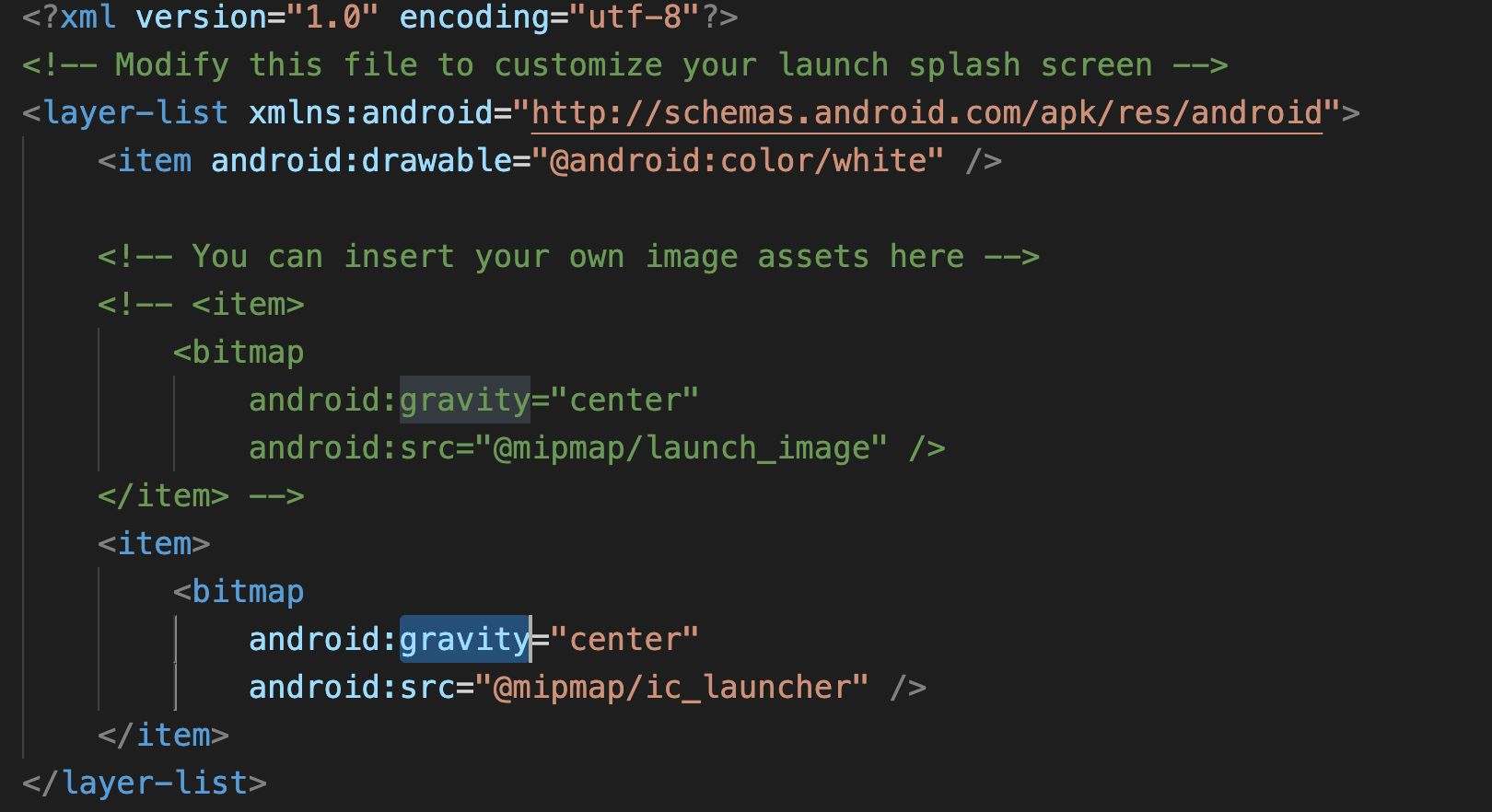
bitmap里面的
android:gravity=“center”会让图片居中,也就是如果图片是一个小图片,那会在屏幕 居中显示,如果去掉这一行,那图片就会全屏显示。 android:src=""这个就是启动页的src,其中@就是根目录的意思,mipmap后面不需要写上hdpi,mdpi等, 这个flutter会根据每个设备不同去获取的。
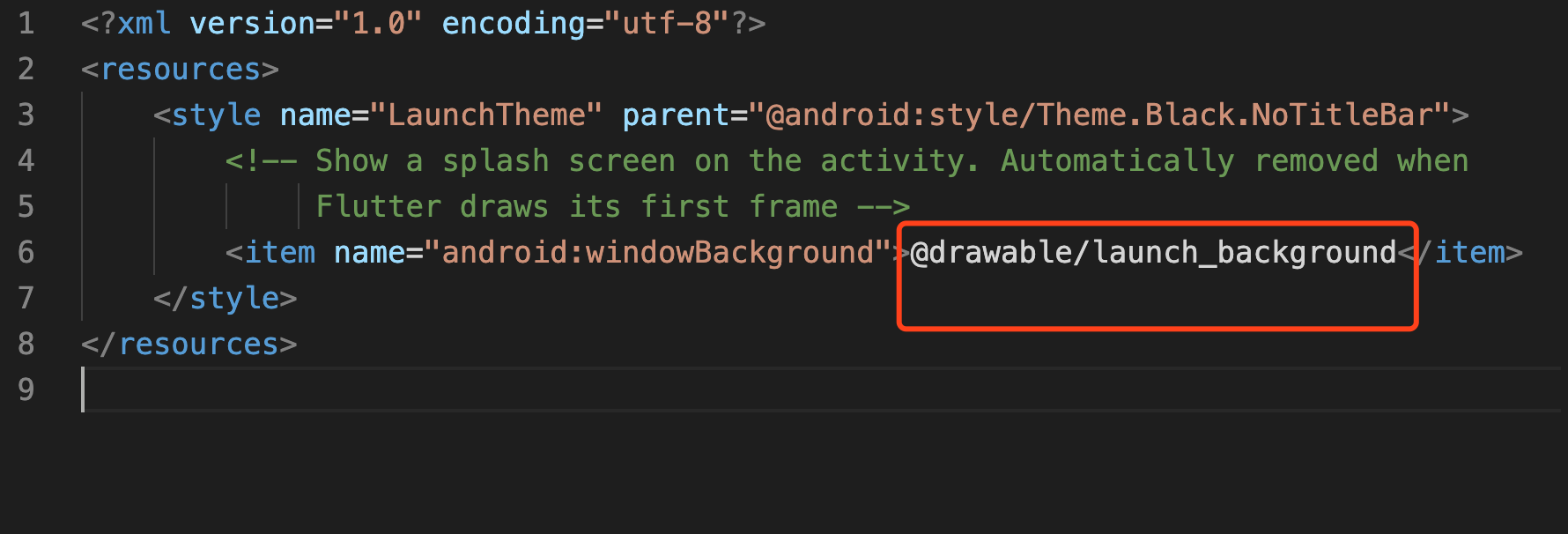
2.android/app/src/main/res/values/styles.xml资源里定义一个启动主题,引用步骤1的背景:
<?xml version="1.0" encoding="utf-8"?><resources> <style name="LaunchTheme" parent="@android:style/Theme.Black.NoTitleBar"> <!-- Show a splash screen on the activity. Automatically removed when Flutter draws its first frame --> <item name="android:windowBackground">@drawable/launch_background</item> </style></resources>红色框框部分保持跟步骤一文件名相同就行, 默认就是这样的
3.在android/app/src/main/AndroidManifest.xml文件中,在里面添加
<meta-data android:name="io.flutter.app.android.SplashScreenUntilFirstFrame" android:value="true" />如图所示
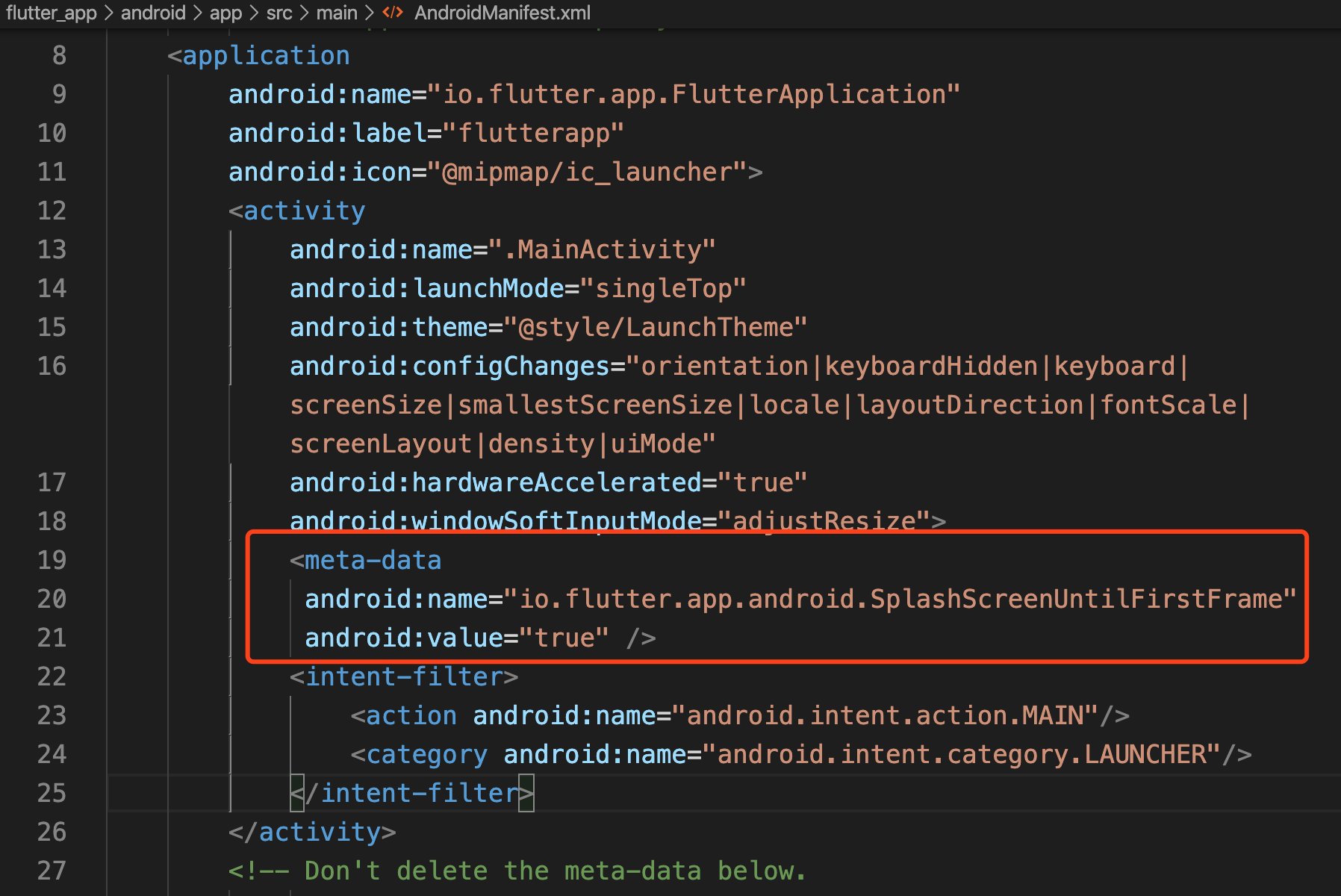
经过上面三个步骤,就可以实现安卓版的启动图了。