

litho是facebook一款用来写高效UI的库,最近我们拿他来做动态布局,但是发现他的itemDecoration是有些问题的,会失效。
我在官方库里也提了issue,但是几个月过去了,也没有人回答: github.com/facebook/li…
问题描述
描述
具体表现是itemDecoration设置了,但是乱了。
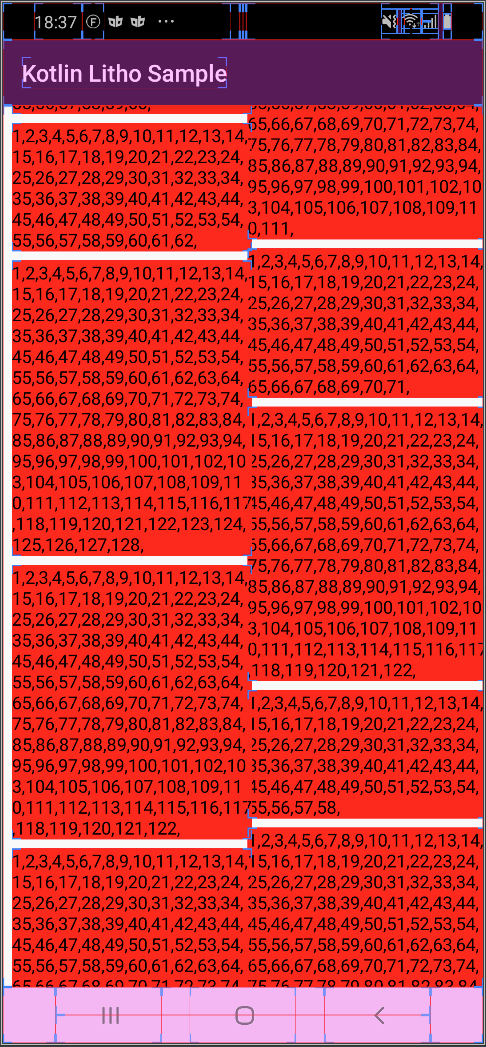
可以看到不仅边距不对,而且布局也互相遮挡。
代码如下:
主Acitvity
class GridActivity : AppCompatActivity() {
    override fun onCreate(savedInstanceState: Bundle?) {
        super.onCreate(savedInstanceState)
        val c = ComponentContext(this)
        val isRtl = false
        val component = RecyclerCollectionComponent.create(c)
                .disablePTR(true)
                .canMeasureRecycler(true)
                .layoutDirection(if (isRtl) YogaDirection.RTL else YogaDirection.LTR)
                .recyclerConfiguration(StaggeredGridRecyclerConfiguration.create()
                        .numSpans(2)
                        .orientation(OrientationHelper.VERTICAL).build())
                .itemDecoration(MyDecoration(isRtl))
                .section(ListSection.create(SectionContext(c)).build())
                .build()
        setContentView(LithoView.create(c, component))
    }
}
MyDecoration类
class MyDecoration(val rtl: Boolean = false) : RecyclerView.ItemDecoration() {
    val dip8 = 20
    val dip4 = 10
    override fun getItemOffsets(outRect: Rect, view: View, parent: RecyclerView, state: RecyclerView.State) {
        super.getItemOffsets(outRect, view, parent, state)
        val layoutParams: StaggeredGridLayoutManager.LayoutParams = view.layoutParams as StaggeredGridLayoutManager.LayoutParams
        when (layoutParams.spanIndex) {
            0 -> if (rtl) outRect.set(dip4, dip4, dip8, dip4) else outRect.set(dip8, dip4, dip4, dip4)
            1 -> if (rtl) outRect.set(dip8, dip4, dip4, dip4) else outRect.set(dip4, dip4, dip8, dip4)
        }
    }
}
就是itemDecoration的默认用法,设置outRect,这里还考虑了rtl的布局情况。
ListSectionSpec作为内部Item的类。
@GroupSectionSpec
object ListSectionSpec {

    @OnCreateChildren
    fun onCreateChildren(c: SectionContext): Children {
        val width = (getScreenWidth(c.androidContext) - 60) / 2
        val children = Children.create()
        for (i in 1..30) {
            val sb = StringBuilder()
            for (j in 1..Random.nextInt(50, 150)) {
                sb.append(j).append(",")
            }
            children.child(
                    SingleComponentSection.create(c)
                            .key(i.toString())
                            .component(
                                    Column.create(c)
                                            .backgroundColor(Color.RED)
                                            .child(Text.create(c).text(sb.toString()))
                                            .build()
                            )
            )
        }
        return children.build()
    }
}
这里创建了一个Column,并且把背景设置为了红色。为了看出是否有遮挡,在里面填充了随机个数的顺序数字,只要数字不是连续的,就认为是被遮挡了。
小结
这个问题可以看出他是被遮挡了,然后左边的一列是没有任何边距的,应该是内部item的宽度测量不对。如果我根据计算设置好内部的宽度,会怎么样?
一个item的宽度 = (屏幕宽度 - 3 * gap宽度)/ 2
- 3*gap宽度是计算2列的时候的横向的offset占据的宽度。
给Column添加width
        Column.create(c)
                .widthPx(width)
                .backgroundColor(Color.RED)
                .child(Text.create(c).text(sb.toString()))
                .build()
神奇的是,他好了
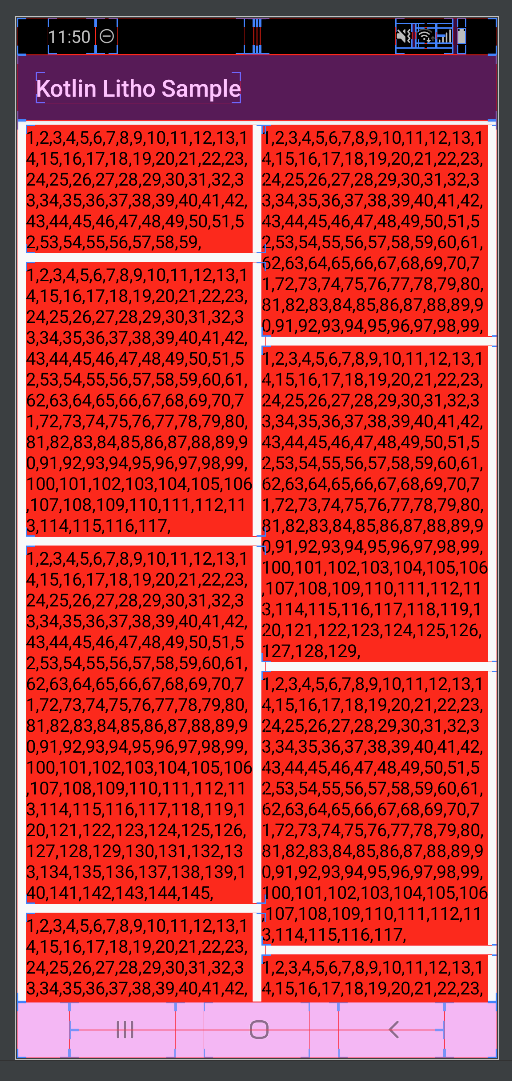
我把它改成rtl,也就是从右到左布局看看。
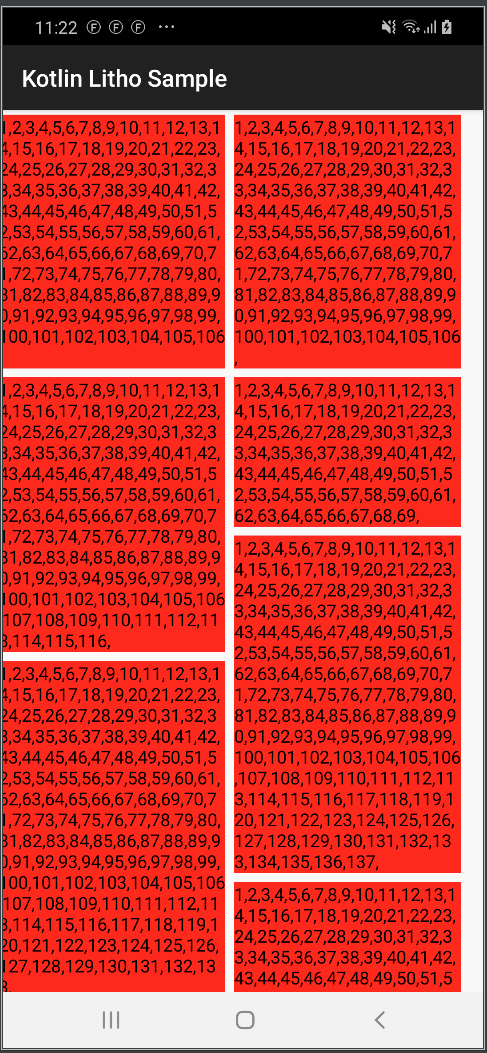
擦,又不行。
打开布局边界看看。
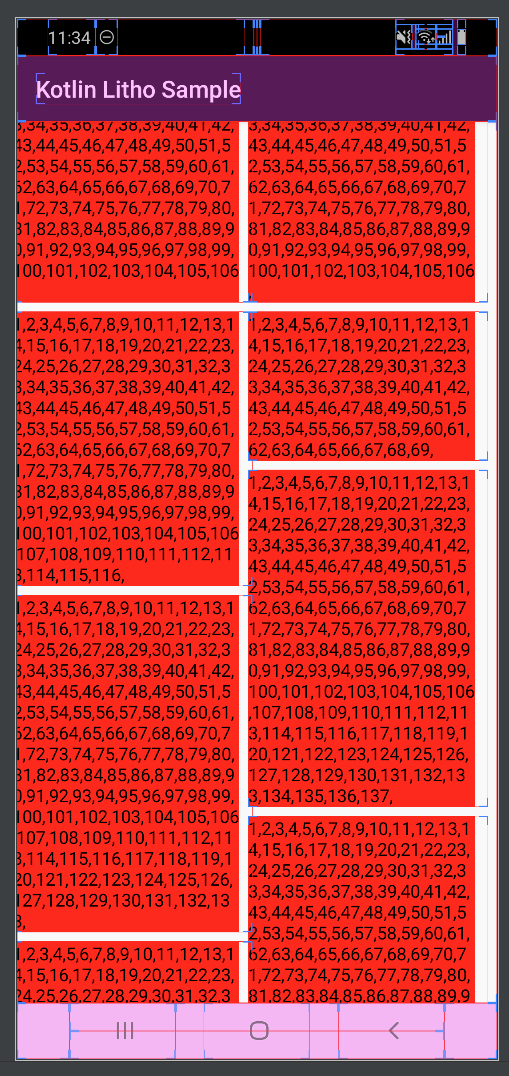
通过代码调试,发现GridlayoutManager里测量得出的宽度是屏幕宽度加上itemdecoration的宽度,这是超出屏幕宽度一半的,正常应该是他两的宽度加起来是屏幕宽度的一半。
具体代码GridLayoutManager.layoutChunk方法里
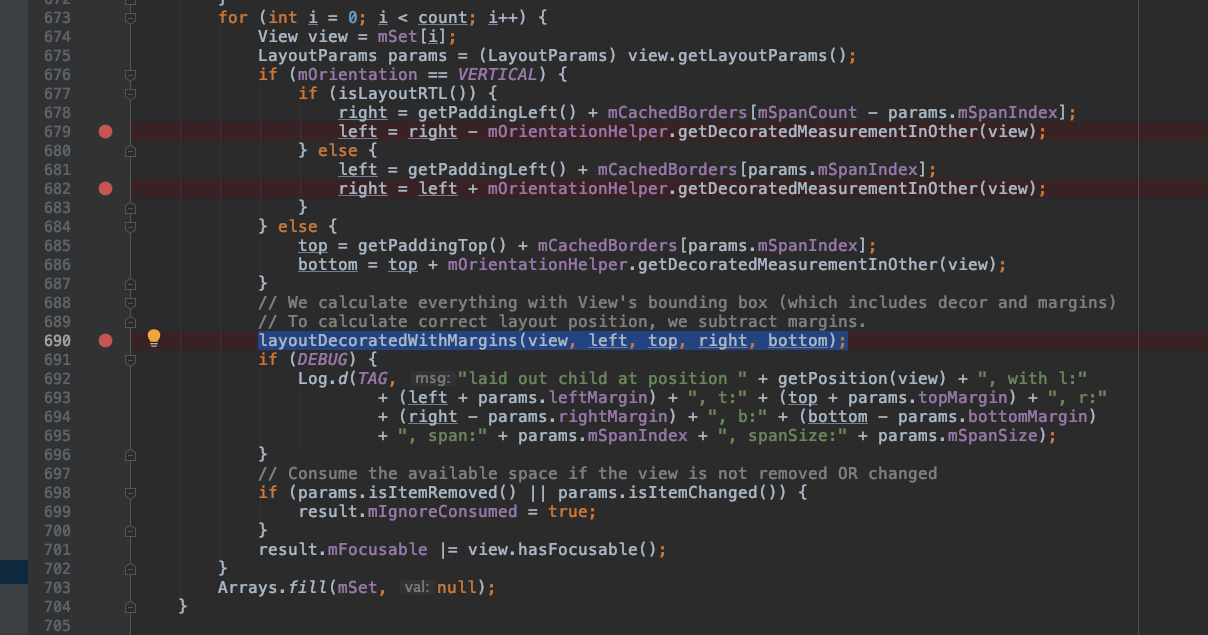
大家可以调试看看。
Rtl下的解决方法:
既然外部测量的宽度是错误的,那么我们就设置内部的宽度。 修改原来的ListSectionSpec
@GroupSectionSpec
object ListSectionSpec {

    @OnCreateChildren
    fun onCreateChildren(c: SectionContext): Children {
        val width = (getScreenWidth(c.androidContext) - 60) / 2
        val children = Children.create()
        for (i in 1..30) {
            val sb = StringBuilder()
            for (j in 1..Random.nextInt(50, 150)) {
                sb.append(j).append(",")
            }
            children.child(
                    SingleComponentSection.create(c)
                            .key(i.toString())
                            .component(
                                    Column.create(c)
                                            .layoutDirection(YogaDirection.RTL)
                                            .child(
                                                    Column.create(c)
                                                            .widthPx(width)
                                                            .backgroundColor(Color.RED)
                                                            .child(Text.create(c).text(sb.toString()))
                                                            .build()
                                            )
                            )
            )
        }
        return children.build()
    }
}
哎,他又好了
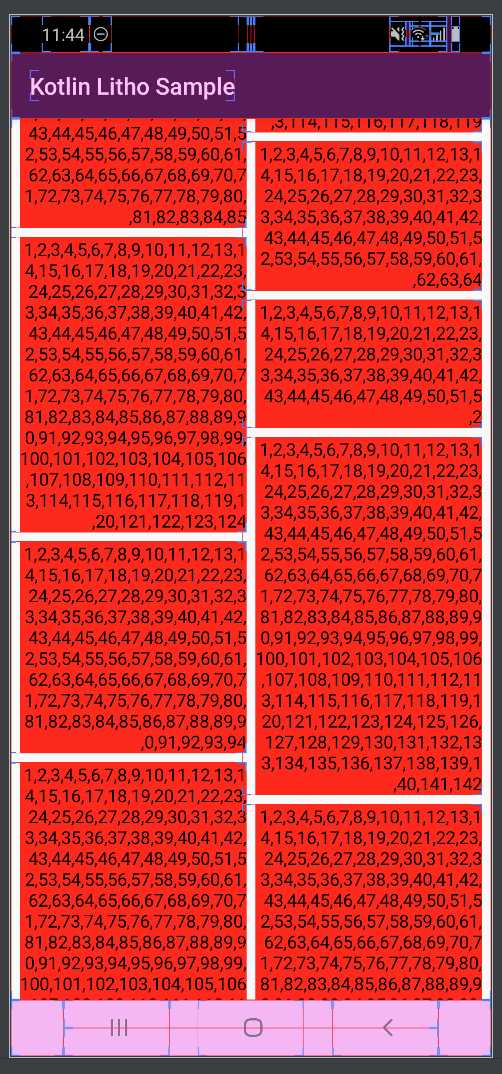
总结
litho的bug有这么几个:
- 在recycler里。在GridLayoutmanager的时候,内部子布局测量的不准,没有减去decoration的宽度。
- 在recycler里,外层布局的rtl并不生效,依然是从左边开始绘制,只是内部的row和column支持了rtl。
参考资料
- itemDecoration源码系列:blog.csdn.net/xiatiandefe…
