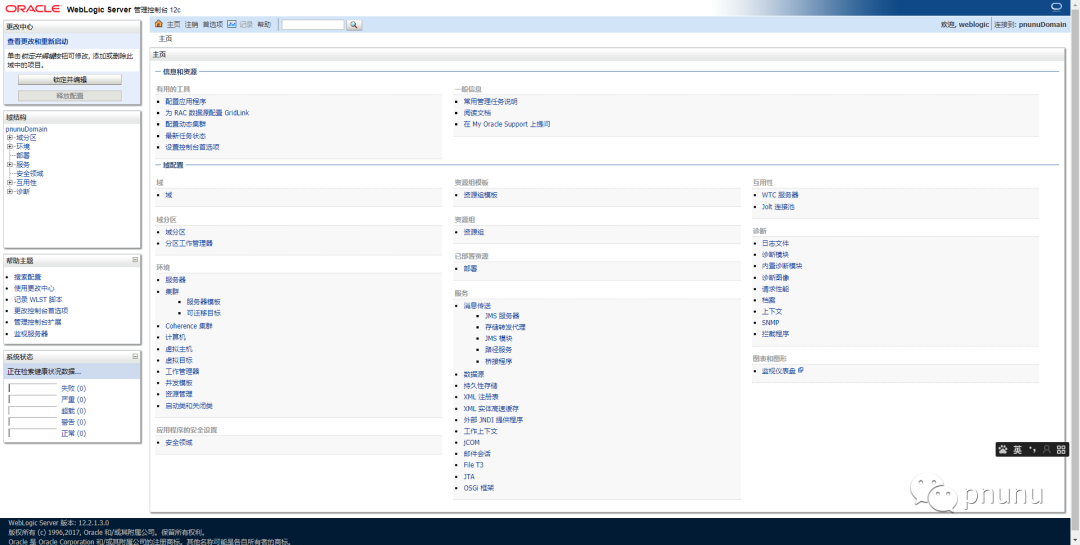
1. 下载安装包(该测试使用12.2.1.3.0版本)
-
准备基础环境与安装包。(jdk8的安装,自行google)
-
包的下载
下载地址:https://www.oracle.com/middleware/technologies/weblogic-server-downloads.html
-
准备系统环境
创建 oraInst.loc文件
inventory_loc=/home/test/oraInventory#产品清单目录;注意不能放在 weblogic安装目录下,要保证安装目录为空inst_group=test#用户的组名称,根据实际的修改,注意用什么用户安装weblogic这里就写什么用户名,我用的是test用户按的。创建创建响应文件 wls.rsp 文件
[ENGINE]#DO NOT CHANGE THISResponse File Version=1.0.0.0.0[GENERIC]#weblogic的安装路径ORACLE_HOME=/home/test/OracleINSTALL_TYPE=WebLogic ServerDECLINE_SECURITY_UPDATES=trueSECURITY_UPDATES_VIA_MYORACLESUPPORT=false
2. 安装weblogic
# 执行命令java -jar fmw_12.2.1.3.0_wls.jar -silent -responseFile /home/test/install/wls.rsp -invPtrLoc /home/test/install/oraInst.loc# 注意:初始化文件和响应文件一定要是全路径,(自定义的)。# 安装中耐心等待,出现Percent Complete : 100时安装完成安装信息如下3. 创建domain
采用wlst脚本来建立domain
-
准备create_domain.py 文件
readTemplate('/home/test/Oracle/wlserver/common/templates/wls/wls.jar')cd('Servers/AdminServer')set('ListenPort',7001)cd('/')cd('Security/base_domain/User/weblogic')#如果需要修改管理员用户名为weblogic,则需要cmo.setName('weblogic')cmo.setName('weblogic')#用户名cmo.setPassword('pnunu123')#密码setOption('ServerStartMode','prod')setOption('OverwriteDomain','true')writeDomain('/home/test/Oracle/pnunuDomain')#自定义的domin路径closeTemplate()exit()-
创建domain
sh /home/test/Oracle/oracle_common/common/bin/wlst.sh /home/test/install/create_domain.py
无报错即为成功:
Initializing WebLogic Scripting Tool (WLST) ...Jython scans all the jar files it can find at first startup. Depending on the system, this process may take a few minutes to complete, and WLST may not return a prompt right away.Welcome to WebLogic Server Administration Scripting ShellType help() for help on available commandsExiting WebLogic Scripting Tool.启动weblogic
cd /home/test/Oracle/pnunuDomain./startWebLogic.sh # 前台启动