效果设计
- 点击验证码,有倒计时的效果
- 点击验证码之前事件触发,并且可以阻止发送验证码
- 发送验证码,发送完成之后,事件回调
- 发送验证码每一步,有相应的事件回调
props 设计
- beforeFn 调用前回调事件,由于vue的this.$emit通知父组件,但是父组件调用的时候,子组件无法拿到父组件调用函数的返回值,所以使用props传递
- pTime倒计时次数
- endTime 定时器结束到的次数停止
- txt 默认文案提示
// 点击前调用
beforeFn: {
    type: [Function, null],
    default: null
},
pTime: {
    type: Number,
    defalut: 60
},
// 结束次数时间
endTime: {
    type: Number,
    default: 0
},
txt: {
    type: String,
    default: '获取验证码'
}
data设计
// prop传递的倒计时次数
data () {
    return {
        timer: null,
        time: this.pTime, // 倒数次数
        disabled: false
    }
}
点击触发事件 clickHandle
async clickHandle () {
    // 如果定时器已经触发,直接返回
    if (this.timer) return
    // 禁用点击按钮
    this.disabled = true
    // 点击前回调
    if (this.beforeFn) {
        // 点击前调用
        const result = await this.beforeFn()
        // 如果返回false,直接中止
        if (!result) {
            this.disabled = false
            return
        }
    }
    // 调用倒计时方法  this.setTimer()
}
调用倒计时方法 setTimer
setTimer () {
    this.timer = setTimeout(() => {
    if (this.time > this.endTime) {
        this.time -= 1      // 倒计时每一步,事件回调
        this.$emit('on-each', this.time)
        this.setTimer()
    } else if (this.time === this.endTime) {
       // 倒计时完成,事件回调
       this.$emit('on-finish')
       // 清空定时器
       clearTimeout(this.timer)
       this.disabled = false
       this.timer = null
       this.time = this.pTime
    }
}, 1000)}
组件销毁时清除定时器
beforeDestroy () {
    this.timer && clearTimeout(this.timer)
}
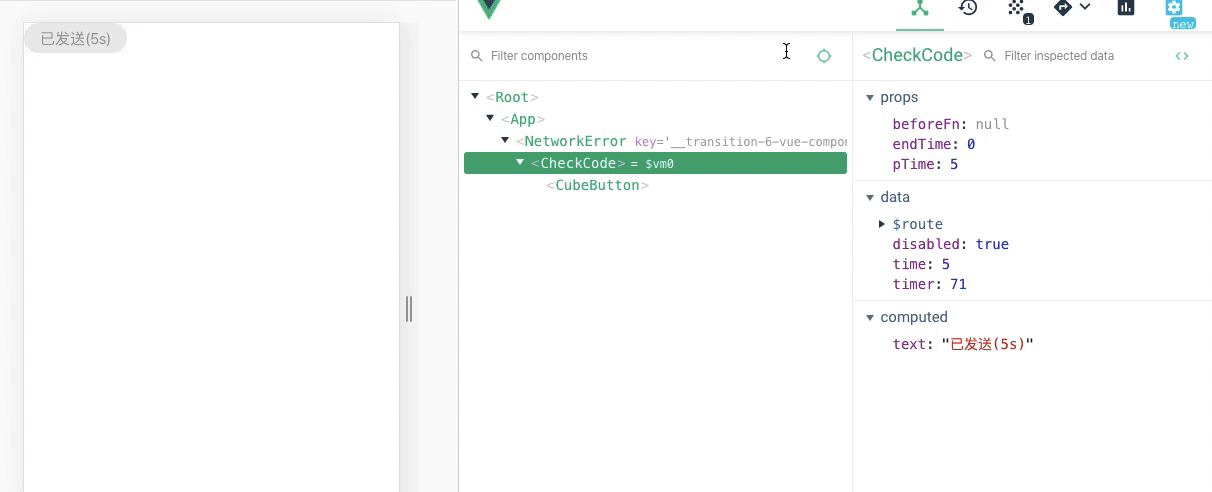
最后倒计时效果
总结
验证码组件应该涵盖了大部分场景的功能,可能方案不一定是最好的,有什么问题,请多多指教
个人github: github.com/wuzaofeng/w…, 麻烦有空给个star