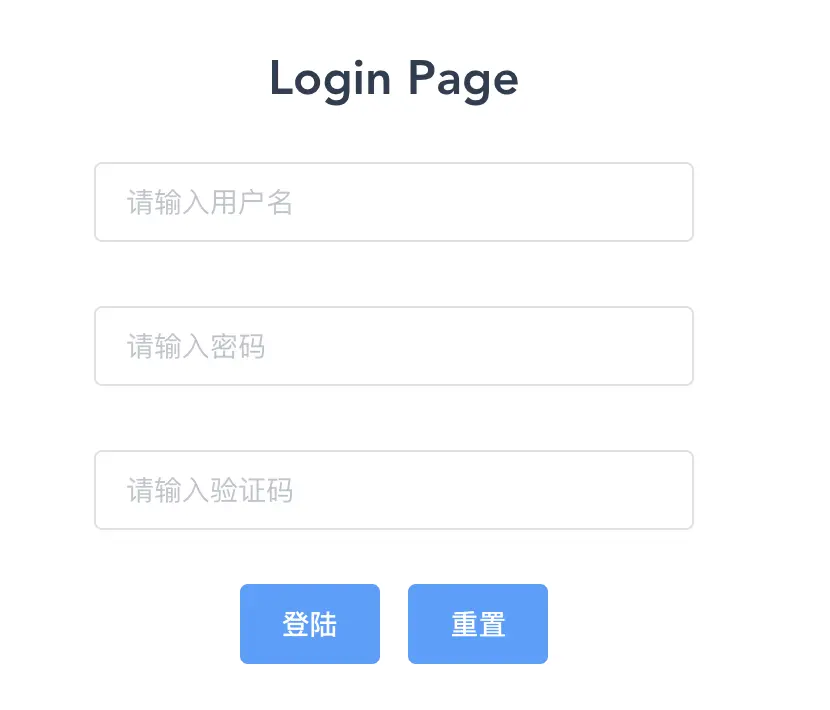
一 编写布局
<div class="login">
        <el-form ref="loginForm" :rules="rules" :model="loginForm" v-loading="loading">
        <h2>Login Page</h2>
        <div class="loginBox">
            <el-form-item required prop="account"><el-input v-model="loginForm.account" placeholder="请输入用户名"></el-input></el-form-item>
            <el-form-item prop="password"><el-input v-model="loginForm.password" show-password placeholder="请输入密码"></el-input></el-form-item>
            <el-form-item prop="captcha"><el-input v-model="loginForm.captcha" placeholder="请输入验证码"></el-input></el-form-item>
            <el-button type="primary" @click="login()">登陆</el-button>
            <el-button type="primary" @click="rest()">重置</el-button>
        </div>
        </el-form>
    </div>
二、编写逻辑
import mock from '@/mock/mock.js'
import axios from 'axios'
import Cookies from 'js-cookie'
import router from '@/router'
export default {
    name:'Login',
    data(){
       return {
            loginForm:{
                account:"",
                password:"",
                captcha:""
            }
            ,loading:false
            ,rules:{
                account:[
                    {required:true,message:"请输入用户名"}
                ]
            }
       }
    },
    methods:{
        login(){
           this.loading=true;
           let userInfo = {account:this.loginForm.account,password:this.loginForm.password}
           axios.get('http://localhost:8080/login').then(res=>{
                this.$refs['loginForm'].validate((valid) => {
                    if (valid) {
                        Cookies.set('token',res.token)
                        sessionStorage.setItem('user',this.loginForm.account)
                        router.push('/')
                        console.log(res.data)
                        this.loading=false;
                    } else {
                         this.loading=false;

                        this.$message({
                        type: 'info',
                        message: '消息提示'
                        });

                        console.log('error submit!!');
                        return false;
                    }

                })
           })
        },
        rest(){
          this.$refs['loginForm'].resetFields()
        }
    }
}
效果展示