next.js + ts+ ant使用
Next.js来实现React的服务端渲染主要是便捷、高效,因为Next.Js能够简单的实现服务端的渲染
基础环境搭建
- 新建文件夹
mkdir demo - 进入新建的文件目录,为你的项目安装
next、react和react-dom
npm install next react react-dom
安装完后的项目文件,pages是自己新建的,next默认的名称必须是pages
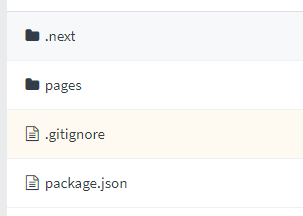
- 在
package.json文件并添加scripts配置运行脚本:
"scripts": {
  "dev": "next",
  "build": "next build",
  "start": "next start"
}
- 运行
npm run dev在浏览器中查看
支持css文件
yarn add @zeit/next-css
#or
npm install @zeit/next-css
下载完后在根目录新建一个next.config.js 文件,这个是next的总配置文件,添加如下代码就可以了
const withCss = require('@zeit/next-css')

if(typeof require !== 'undefined'){
    require.extensions['.css']=file=>{}
}

module.exports = withCss({})
引入 ant designUI组件
-
安装
antd,实现按需加载npm install antd -
再安装
babel-plugin-importnpm install babel-plugin-import -
在根目录下新建
.babelrc文件,并加入如下配置{ "presets": ["next/babel"], "plugins": [ [ "import", { "libraryName": "antd", "style": "css" // `style: true` 会加载 less 文件 } ] ] } -
页面中可以直接引入组件,不需要多引入
ant的css文件,按需加载import { Button } from 'antd'; import About from "./about"; const Index = () => ( <div> <About/> <Button type="primary">Primary</Button> </div> ) export default Index引入
TypeScript到next中- 根目录新建
tsconfig.json文件并执行npm run dev,出现以下提示
npm run dev # You'll see instructions like these: # # Please install typescript, @types/react, and @types/node by running: # # yarn add --dev typescript @types/react @types/node # # ...-
根据提示执行
yarn add --dev typescript @types/react @types/nodeornpm install --dev typescript @types/react @types/node -
tsconfig.json会生成如下配置,就可以使用tsx愉快的编写啦{ "compilerOptions": { "target": "es5", "lib": [ "dom", "dom.iterable", "esnext" ], "allowJs": true, "skipLibCheck": true, "strict": true, "forceConsistentCasingInFileNames": true, "noEmit": true, "esModuleInterop": true, "module": "esnext", "moduleResolution": "node", "resolveJsonModule": true, "isolatedModules": true, "jsx": "preserve" }, "exclude": [ "node_modules" ], "include": [ "next-env.d.ts", "**/*.ts", "**/*.tsx", "pages/index.js" ] }
- 根目录新建