Svelte来历
相对于目前主流框架而言,这是一种新奇的思路:用编译代替Runtime实现同样的效果,有种前端框架界的LLVM的感觉。
作者Rich Harris 明说,Svelte速度上吊打目前所有前端框架,快出几个数量级。 祭出 Svelte全家桶。
行胜于言,下面将三步入手Svelte
目标:用Svelte写一个聊天页
第一步,安装 Svelte 并让它跑起来
npx degit sveltejs/template svelte-app
cd svelte-app
npm install
npm run dev
第二步,编写组件
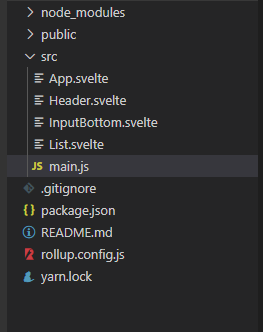
编写组件之前康一康项目架构。
依旧是熟悉的组件拆分。
APP组件(首页)
App.svelte
- import进组件进行使用,通过props进行传值与函数给子组件
- 值得注意的是,Svelte是观测不了数组变化的,所以绑定不了数组。每次更新组件上的数组值可以通过解构的方式实现。
- 直接使用npm 引入 axios进行http请求,与其他框架做法无差别
- HTML无需标签包裹,脚本和样式需要包裹
<script>
  import http from "axios";
  import Header from "./Header.svelte";
  import InputBottom from "./InputBottom.svelte";
  import List from "./List.svelte";

  let listData = [];

  const answer = value => {
    http
      .get(`//127.0.0.1:9000?question=${value}`)
      .then(function(response) {
        console.log(response);
        const data = {
          class: "message1",
          info: response.data.msg
        };
        listData = [...listData, data];
        const scroll = setInterval(() => {
		  window.scrollTo(0, document.body.scrollHeight);
		  clearInterval(scroll)
		}, 100);
      })
      .catch(function(error) {
        console.log(error);
      });
  };

  const getValue = value => {
    const data = {
      class: "message2",
      info: value
    };
    listData = [...listData, data];
    answer(value);
    console.log(listData);
    window.scrollTo(0, document.body.scrollHeight);
  };
</script>

<style>
  main {
    text-align: center;
    /* width: 100vw; */
  }
</style>

<main>
  <Header title={'AI'} />
  <List bind:data={listData} />
  <InputBottom {getValue} />
</main>
子组件1输入框InputBottom.svelte
- props 定义,直接在变量前面加export即可定义为props
- 通过双向绑定输入值,通过绑定父组件的点击事件将子组件的值回传到父组件
<script>
  export let getValue;
  let text = '';
</script>

<style>
  .input {
    display: flex;
    align-content: space-around;
    justify-items: center;
    padding: 4px;
    width: 100%;
    position: fixed;
    bottom: 0px;
    height: 6vh;
    background: rgb(226, 214, 214);
  }
  input {
    border: 1px white solid;
    border-radius: 3px;
    outline: none;
    width: 80%;
    height: 85%;
    margin-right: 5px;
    font-size: 20px;
  }
  span {
    height: 6vh;
    margin-right: 5px;
    width: 20%;
    padding: 8px;
    color: #ffffff;
    background-color: #1aad19;
    box-sizing: border-box;
    text-align: center;
    text-decoration: none;
    border-radius: 5px;
    -webkit-tap-highlight-color: transparent;
    overflow: hidden;
    line-height: 4vh;
  }
</style>

<div class="input">
  <input bind:value={text} />
  <span
    on:click={() => {
      text !== '' && getValue(text), (text = '');
    }}>
    发送
  </span>
</div>
组件2Header.svelte
<script>
	export let title;
</script>

<div class="header">
{title}
</div>

<style>
.header{
    position: fixed;
    top: 0px;
    z-index: 1;
    font-size: 30px;
    height: 5vh;
    width: 100%;
    line-height: 5vh;
    background:#eeeeee;
}
</style>
组件3 List.svelte
- Svelte的循环是用使用闭合模型,写起来与PHP非常类似
<!-- open each block -->
{#each data as item}
需要循环的部分
{/each}
<!-- close each block -->
<script>
    export let data = [];
</script>

<div class="list">
   <div class="bottom-black-top"></div>
<!-- open each block -->
	{#each data as item}
        <div class="box">
            <div class="{item.class}">
                {item.info}
            </div>
        </div>
	{/each}
	<!-- close each block -->
    <div class="bottom-black-bottom"></div>
</div>

<style>

.bottom-black-top{
    width: 200px;
    height: 5vh;
    margin: 10px 50px;
}
.bottom-black-bottom{
    width: 200px;
    height: 7vh;
    margin: 10px 50px;
}

.box{
    overflow: auto
}

.message1 {
    float:left;
    width: auto;
    height: auto;
    margin: 3px 30px;
    background-color: skyblue;
    border-bottom-color: skyblue;
    /*为了给after伪元素自动继承*/
    color: #fff;
    font-size: 12px;
    line-height: 18px;
    padding: 5px 12px 5px 12px;
    box-sizing: border-box;
    border-radius: 6px;
    position: relative;
    word-break: break-all;
}

/** 通过对小正方形旋转45度解决 **/
.message1::before {
    content: '';
    position: absolute;
    top: 60%;
    left: -5px;
    width: 10px;
    height: 10px;
    margin-top: -10px;
    background: inherit;
    /*自动继承父元素的背景*/
    transform: rotate(45deg);
}

.message2 {
    display: flex;
    align-items: center;
    justify-content: space-around;
    float: right;
    width: auto;
    height: auto;
    margin: 10px 30px;
    background-color: #9EEA6A;
    border-bottom-color: #9EEA6A;
    /*为了给after伪元素自动继承*/
    color: #fff;
    font-size: 12px;
    line-height: 18px;
    padding: 5px 12px 5px 12px;
    box-sizing: border-box;
    border-radius: 6px;
    position: relative;
    word-break: break-all;
}


/** 通过对小正方形旋转45度解决 **/
.message2::before {
    content: '';
    position: absolute;
    top: 60%;
    right: -5px;
    width: 10px;
    height: 10px;
    margin-top: -10px;
    background: inherit;
    /*自动继承父元素的背景*/
    transform: rotate(45deg);
}
</style>
结果
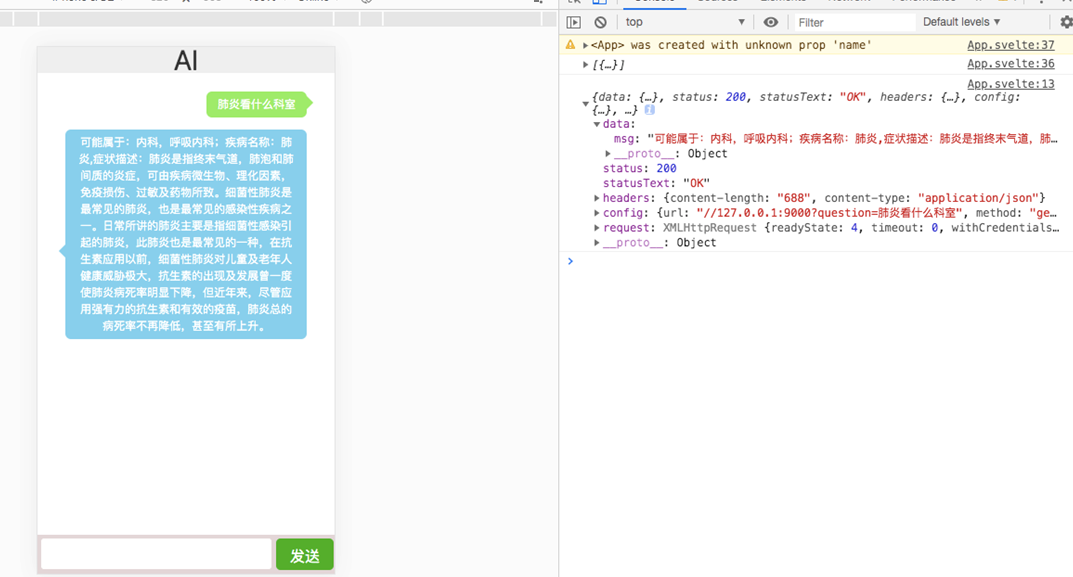
框架bug
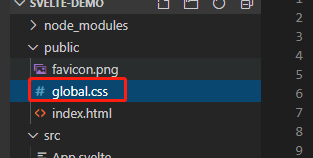
public的global.css在dev模式是不生效的。。所以只能把全局css放在index.html里面
编译结果
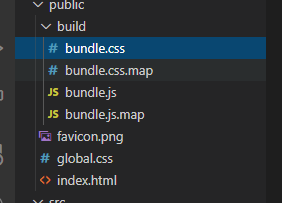
将所有资源编译成bundle(无runtime),体积小,速度快~