学习源码之前先看几个问题
- Handler引发的内存泄漏?
- 子线程为什么不能创建Handler?
- 主线程能更新UI,子线程为什么不行?
1、先来写这样一段代码:
//创建一个handler,接受到消息后打印消息并跳转到另个activity
private Handler mHandler = new Handler(new Handler.Callback() {
        @Override
        public boolean handleMessage(Message msg) {
            Log.e(TAG, "handleMessage========>: "+msg.obj);
            startActivity(new Intent(MainActivity.this, SecondActivity.class));
            return false;
        }
    });

    public void testHandler(View view) {
        new Thread(new Runnable() {
            @Override
            public void run() {
                //发送消息前模拟一个耗时操作
                try {
                    Thread.sleep(3000);
                } catch (InterruptedException e) {
                    e.printStackTrace();
                }
                message.obj = 5201314;
                message.what = 520;
                mHandler.sendMessage(message);
            }
        }).start();
    }

    @Override
    protected void onDestroy() {
        super.onDestroy();
        //activity销毁移除我们发送的消息
        mHandler.removeMessages(520);
        Log.e("MainActivity", "onDestroy:========>");
    }
下面我们运行程序点击testHandler()方法打印日志:


我们明明把消息移除了,为什么handler还是执行了呢?因为我们在点击返回键的时候,线程在执行耗时操作,message并没有被压入MessagQueue,MessagQueue里面根本就没有我们要移除的消息;
那我们可以这样写,重复上诉操作不会被唤醒:
//这里就跟刚才的例子对应,先将message压入了MessagQueue,所一我们在activity销毁移除消息就有效果
mHandler.sendMessageDelayed(message,3000);
如果你并不想这么写,这样也可避免内存泄露:
public void testHandler(View view) {
        new Thread(new Runnable() {
            @Override
            public void run() {
                //耗时操作
               ...
               //等于空就不执行sendMessage()
               if (mHandler != null) mHandler.sendMessage(message);
            }
        }).start();
    }

    @Override
    protected void onDestroy() {
        super.onDestroy();
        //保险起见,也移除一下
        mHandler.removeMessages(520);
        //销毁时将handler置空
        mHandler = null;
    }
2、我们现在子线程中创建一个handler看看
new Thread(new Runnable() {
            @Override
            public void run() {
               new Handler();
            }
        }).start();
显然是抛出异常

public Handler(Callback callback, boolean async) {
        //省略...
        mLooper = Looper.myLooper();
        if (mLooper == null) {
            //就是在这里抛出了异常
            throw new RuntimeException(
                "Can't create handler inside thread that has not called Looper.prepare()");
        }
        mQueue = mLooper.mQueue;
        mCallback = callback;
        mAsynchronous = async;
    }
这里mLooper等于空才抛出了这个异常,那么我们看一下Looper.myLooper()是如何获取值得:
public static @Nullable Looper myLooper() {
    //①这里通过一个sThreadLocal获取的Looper值,去看看这是个什么东西
    return sThreadLocal.get();
}

//②这里说了只要没有调用prepare()都会是空
// sThreadLocal.get() will return null unless you've called prepare().
static final ThreadLocal<Looper> sThreadLocal = new ThreadLocal<Looper>();

//③这里在为sThreadLocal赋值
private static void prepare(boolean quitAllowed) {
    if (sThreadLocal.get() != null) {
        //明确指出一个线程只能有一个Lopper
        throw new RuntimeException("Only one Looper may be created per thread");
    }
    sThreadLocal.set(new Looper(quitAllowed));
}

//④再去看看sThreadLocal.set()和sThreadLocal.get()做了些什么
public void set(T value) {
    //将当前线程单当做key,将value(Looper)作为值存在一个map中
    Thread t = Thread.currentThread();
    ThreadLocalMap map = getMap(t);
    if (map != null)
        map.set(this, value);
    else
        createMap(t, value);
}

//将当前线程作为key,去map中取Looper
public T get() {
    Thread t = Thread.currentThread();
    ThreadLocalMap map = getMap(t);
    if (map != null) {
        ThreadLocalMap.Entry e = map.getEntry(this);
        if (e != null) {
            @SuppressWarnings("unchecked")
            T result = (T)e.value;
            return result;
        }
    }
    return setInitialValue();
}

//⑤在去看看new Lopper()做了什么操作,感觉并不能解决我们的疑惑
private Looper(boolean quitAllowed) {
    mQueue = new MessageQueue(quitAllowed);
    mThread = Thread.currentThread();
}
看到这里你似乎有疑问,这还是也没有讲清楚为什么会为空啊?继续往下看源码,我们知道一个应用程序肯定都有一个main()方法,Android中虽然我们没有写,但是它是真是存在的,就在我们的ActivityThread中:
public static void main(String[] args) {
    //省略...

    //就是它,熟悉吧
    Looper.prepareMainLooper();

    //省略...

    //开启了loop循环,这里不是我们现在的重点
    Looper.loop();
}
main()中有一个Looper.prepareMainLooper()去看看在Looper中做了什么操作:
public static void prepareMainLooper() {
    prepare(false);
    synchronized (Looper.class) {
        if (sMainLooper != null) {
            throw new IllegalStateException("The main Looper has already been prepared.");
        }
        sMainLooper = myLooper();
    }
}
这里也调用了prepare()方法,经过上面的分析我们知道,prepare()是通过键值对的形式将Looper保存到sThreadLocal中,而key就是当前线程,而main()执行在主线程,所以当main()执行后,sThreadLocal的键值对是("main-Thread",Looper)形式存在,我们在子线程new Handler()时,就相当于get("work-Thread")这样根本就不存在,所以:
这里就抛出了这个异常
mLooper = Looper.myLooper();
    if (mLooper == null) {
        throw new RuntimeException(
            "Can't create handler inside thread that has not called Looper.prepare()");
    }
这就是子线程不能创建handler的原因了?不,这样说太绝对了,因为根本原因是looper为空,so?(PS:如果looper不等于空是不是就可以创建?这个下一篇再讲解)
3、子线程不能更新UI?那我们今天来个明知山有虎偏向虎山行
我们先来写这几句代码:
@Override
protected void onCreate(Bundle savedInstanceState) {
    super.onCreate(savedInstanceState);
    setContentView(R.layout.activity_main);
    textView = findViewById(R.id.text);
    testHandler();
}

private void testHandler() {
    new Thread(new Runnable() {
        @Override
        public void run() {
            textView.setText("5201314");
        }
    }).start();
}
按正常情况是不是应该要抛异常啊,那我们看看实际效果:
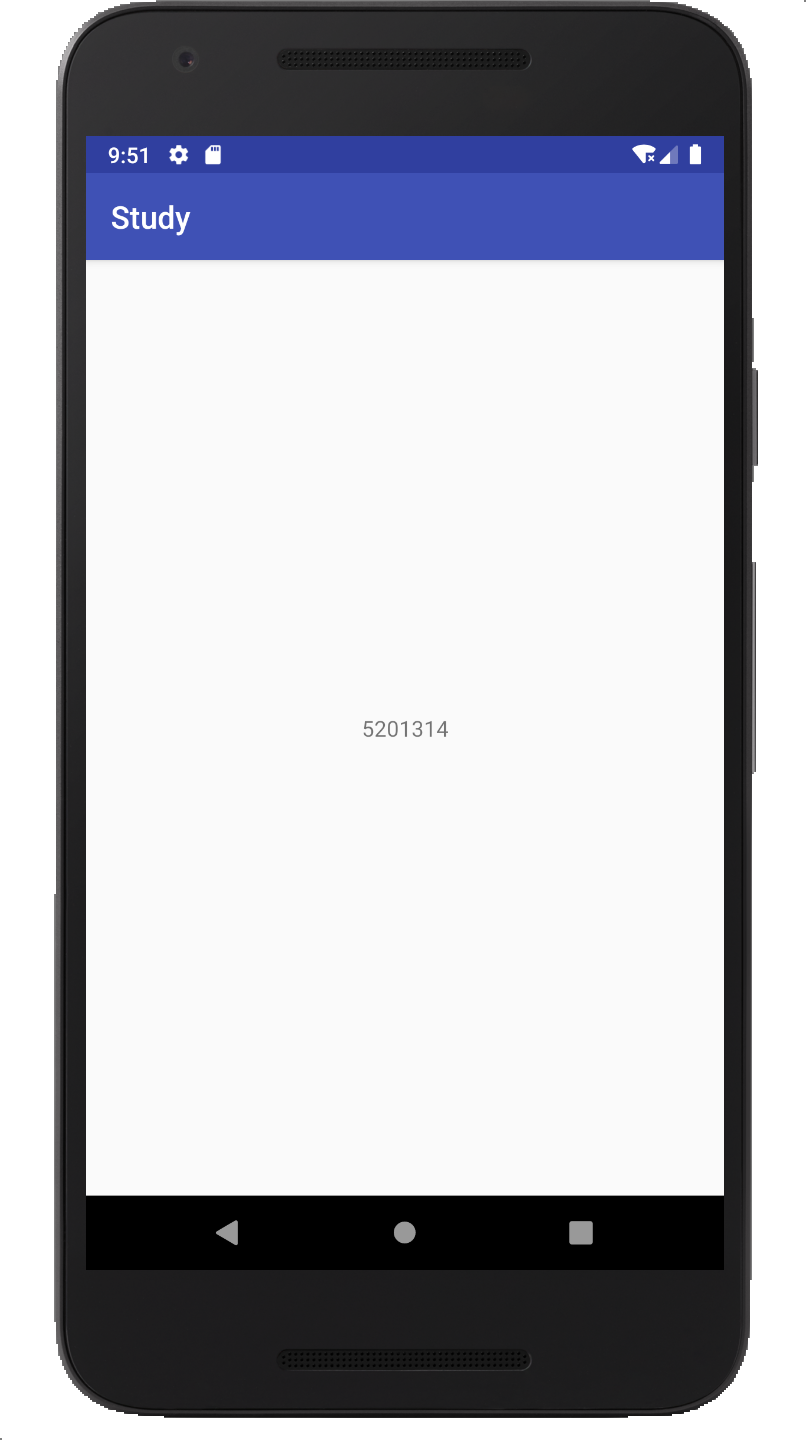
private void testHandler() {
    new Thread(new Runnable() {
        @Override
        public void run() {
            try {
                    Thread.sleep(3000);
                } catch (InterruptedException e) {
                    e.printStackTrace();
                }
            textView.setText("5201314"); //第44行
        }
    }).start();
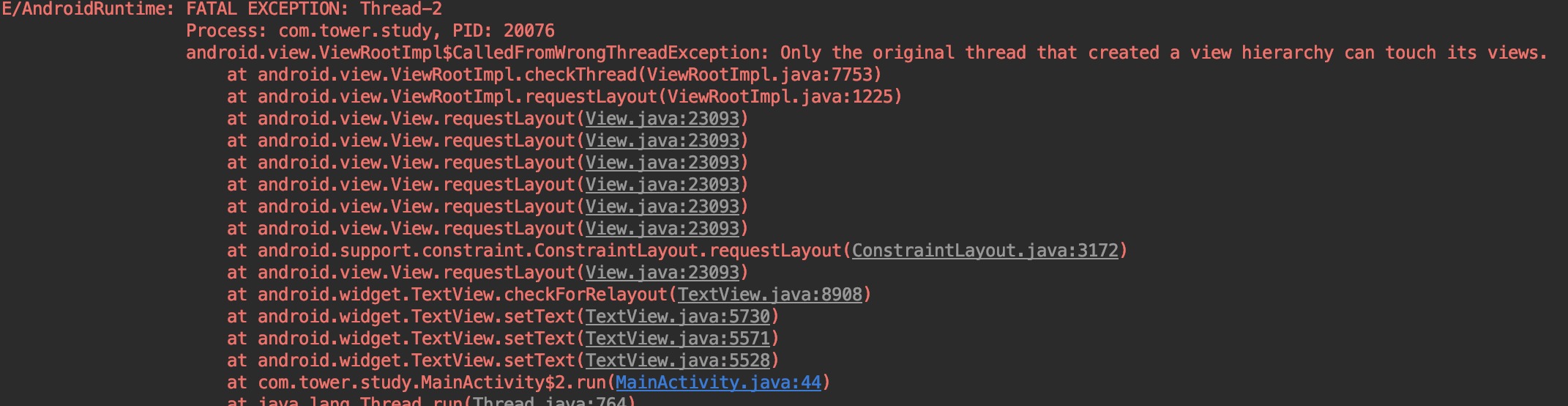
来看看效果,哦!抛出了如下异常:
private void checkForRelayout() {
        if ((mLayoutParams.width != LayoutParams.WRAP_CONTENT
            //...省略N行源码
            requestLayout();
            invalidate();
        } else {
            nullLayouts();
            requestLayout();
            invalidate();
        }
    }
虽然有if else语句但是都执行了requestLayout()和invalidate()方法,从上面的异常来看,最终的异常发生在requestLayout()方法中,其实是调用了View的requestLayout()方法,...,跟踪源码最终是调用了ViewParent的requestLayout()而ViewParent是一个接口,ViewRootImpl实现了它:
@Override
public void requestLayout() {
    if (!mHandlingLayoutInLayoutRequest) {
        checkThread();
        mLayoutRequested = true;
        scheduleTraversals();
    }
}
void checkThread() {
    if (mThread != Thread.currentThread()) {
        throw new CalledFromWrongThreadException(
                "Only the original thread that created a view hierarchy can touch its views.");
    }
}
这就是抛出异常的地方(当然直接看异常也可以定位的【手动滑稽】),就是在检查线程,我们当前在子线的调用的setText(),那也就是说mThread肯定是主线程,因为mThread是在ViewRootImpl实例化时创建,而ViewRootImpl是在ActivityThread经过一系列的操作实例化的,所以必然是主线程;
但是我们第一种的情况是是怎么导致的呢?我们一一道来,上面讲到在checkForRelayout()里执行了一个invalidate()其实是执行的刷新UI的操作;而我们两种操作不同的地方就是抛异常的代码执行了延时操作,也就是说可以这样理解:检查线程的代码比刷新UI代码先执行就会抛出异常,这就是比谁跑的快嘛;这其实就是打插边球,实际运用中我们在子线程会做一些耗时操作所以就肯定会抛异常了。