前言:
实际上这是我去面试时遇到的一个面试题,这个问题的难点,对于我来说是两个。第一个难点是微信小程序的环境,在这个环境中基本是不用dom操作。如果是原生写,就凭js的api实现这么个效果并不难。在小程序中就要遵循小程序的api以及规则,但是你会发现下拉又成了另一个难点。在微信小程序中是没有下拉事件的,有的也只是scroll-view的整页的下拉刷新,根本就实现不了我所要的效果。说到下拉回弹就不得不说到小程序的另一个组件movable-view,这个组件是可移动的视图容器,在页面中可以拖拽滑动。带有回弹效果,不过是触边回弹,也就是拖动到可移动范围外才会产生回弹。而且你会发现一个坑是回弹的范围不能设置,而且动画的类型也不可能进行设置,动画的类型说白了就是动画运行的曲线。
具体分析:
错误分析:(下拉)
实际上,小程序的下拉判断是其中最大的坑!为什么呢?因为小程序没有下拉事件,所以判断的时候大多数人都会通过小程序点击时移动的点来判断是否下拉。通常情况下,想都不用想,只要是点击事件,大家直接会想到tap。确实没毛病啊,下拉的时候确实触发了tap事件,因为对这个事件的定义是手指触摸后马上离开。接着就会想到,我获取一下这个点的纵坐标,在获取一下移动时的纵坐标,只要移动时的纵坐标大于点击时的纵坐标就是下拉。这思路正解,完全没毛病,老铁!然后接着就会去看移动事件的api——touchmove,对这个事件的解释是手指触摸后移动。当你触发这个事件时,确实是获取到了当前位置的纵坐标。下拉确实判断出来了,完全没毛病老铁!
具体代码如下:
- wxml部分:
<view class="drop-down" bindtap="tapFn" bindtouchmove="touchmoveFn"></view>
- wxss部分:
.drop-down{
  width: 100%;
  height: 400rpx;
  background-color: #666;
}
- js部分:
Page({
  data: {
    detailY:0
  },
  onLoad: function () {

  },
  tapFn:function(e){
    this.setData({
      detailY:e.detail.y
    });
  },
  touchmoveFn:function(e){
    if(e.touches[0].pageY-this.data.detailY>0){
      console.log("下拉事件");
    }
  }
})
- 具体效果:

来我们来仔细分析一下这俩事件:
- tap:
手指触摸后马上离开
解释起来也就很简单了,手指不光触摸了,而且还离开了,包含的事件动作实际上是两个:第一个是按下,第二个是松开。所以这个问题就很明显了,这并不是你想要的点,你想要的是开始按下的点,这就是陷入了思维定式!而且如果你用tap会发现另一个问题——touchend也就是手指松开的事件根本不会生效,根本获取不到手指松开的点,在此场景的致命错误是触发不了回弹动画了,而且上拉也会触发下拉判断中的打印语句!原因很简单tap和touchend事件冲突了!
- touchmove:
手指触摸后移动
这个是没有毛病的,手指触摸后移动一点儿问题都没有,获取移动的点一点儿问题都没有
正解:(下拉)
究竟下拉该如何正解?我们来分解一下事件就知道了。下拉包含的是:
手指触摸开始时=>手指触摸后移动(向下移动时下拉)=>手指触摸后离开
流程大概如下: 获取触摸开始时的y轴坐标=>获取触摸后移动时的y轴坐标=>判断移动时的坐标是否大于开始时的坐标(即移动时的坐标减去触摸是的坐标>0则为下拉)
具体代码:
- wxml部分:
<view class="drop-down" bindtouchstart="touchstartFn" bindtouchmove="touchmoveFn"></view>
- js部分:
Page({
  data: {
    pageY:0
  },
  onLoad: function () {
  },
  touchstartFn:function(e){
    this.setData({
      pageY:e.touches[0].pageY
    });
  },
  touchmoveFn:function(e){
    if(e.touches[0].pageY-this.data.pageY>0){
      console.log("下拉事件");
    }
  }
})
此时测试你会发现,下拉事件完全没有问题了,下拉时会打印该语句,其他情况下是不会打印的。
下拉动画:
下拉动画实际上不难实现根据坐标移动的位置,让该元素移动相同的距离即可,既然是动画,那么肯定会用到小程序的动画api的,至于怎么用,其实也很简单。
- wxml部分:
<view class="drop-down" bindtouchstart="touchstartFn" bindtouchmove="touchmoveFn" animation="{{animationData}}"></view>
- wxss部分:
.drop-down{
  width: 100%;
  height: 400rpx;
  background-color: #666;
  /* position: relative; */
}
注意:如果js是设置的top属性必加定位,如果没有定位是无法设置top属性的
- js部分:
Page({
  data: {
    pageY:0,
    animationData:{}
  },
  onLoad: function () {
  },
  touchstartFn:function(e){
    this.setData({
      pageY:e.touches[0].pageY
    });
  },
  touchmoveFn:function(e){
    let h = e.touches[0].pageY-this.data.pageY;
    if(h>0){
      this.getAnimation(10,h+'px');
    }
  },
  getAnimation(s,h){
    let animation = wx.createAnimation({//定义全局初始化动画
      duration: s,//定义动画持续的时间
      timingFunction: 'ease-in',//定义动画的进行
    })
    animation.translateY(h).step();//移动距离
    this.setData({
      animationData: animation.export()//将定义的动画赋值给animationData
    })
  }
})
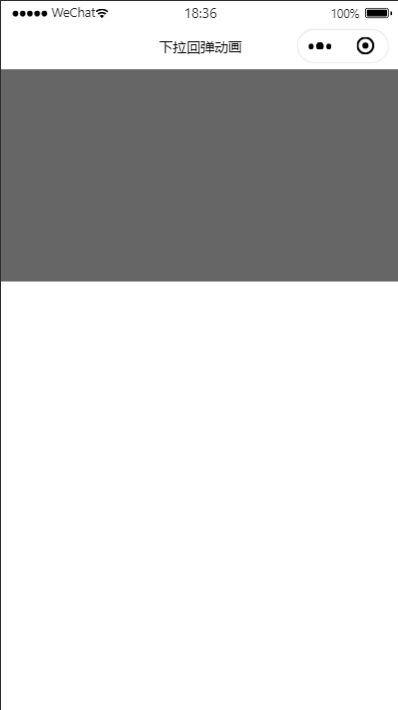
注意:animation.translateY(h).step();我设置的是y轴上的偏移单位是px,所以css没有设置定位。 4. 具体效果: 终于实现了从图一到图二的动画:
图一
图二
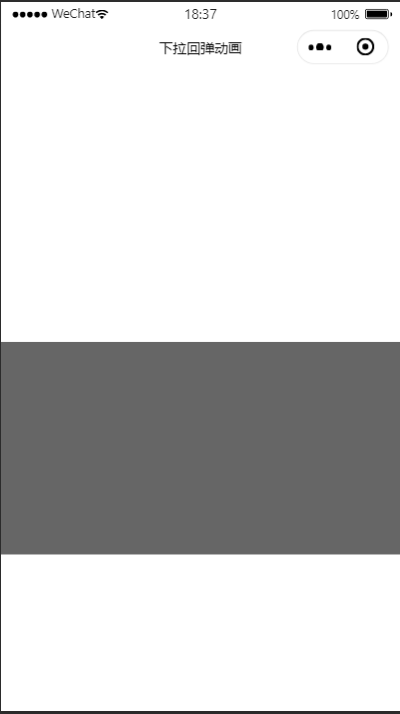
问题解决
- 动画生硬不连贯:
解决方法实际上有三个:1.css3过渡;2.调整动画的执行时间;3.改变动画运动曲线
wxss部分:
.drop-down{
  width: 100%;
  height: 400rpx;
  background-color: #666;
  /* position: relative; */
  transition: transform 2s;
}
js部分:
Page({
  data: {
    pageY: 0,
    animationData: {}
  },
  onLoad: function () {
  },
  touchstartFn: function (e) {
    this.setData({
      pageY: e.touches[0].pageY
    });
  },
  touchmoveFn: function (e) {
    let h = e.touches[0].pageY - this.data.pageY;
    if (h > 0) {
      this.getAnimation(100, h + 'px');
    }
  },
  getAnimation(s, h) {
    let animation = wx.createAnimation({ //定义全局初始化动画
      duration: s, //定义动画持续的时间
      timingFunction: 'ease', //定义动画的进行
    })
    animation.translateY(h).step(); //移动距离
    this.setData({
      animationData: animation.export() //将定义的动画赋值给animationData
    })
  }
})
- 阻止下拉之后再上拉还是会触发该事件:
移动的点,最后一个点始终大于上一个点的纵坐标即可:
js部分:
Page({
  data: {
    pageY: 0,
    animationData: {},
    touchmoveY: 0
  },
  onLoad: function () {
  },
  touchstartFn: function (e) {
    this.setData({
      pageY: e.touches[0].pageY
    });
  },
  touchmoveFn: function (e) {
    let h = e.touches[0].pageY - this.data.pageY;
    if (h > 0&& e.touches[0].pageY > this.data.touchmoveY) {
      this.getAnimation(100, h + 'px');
      console.log(this.data.touchmoveY, e.touches[0].pageY);
    }
    this.setData({
      touchmoveY: e.touches[0].pageY
    })
  },
  getAnimation(s, h) {
    let animation = wx.createAnimation({ //定义全局初始化动画
      duration: s, //定义动画持续的时间
      timingFunction: 'ease', //定义动画的进行
    })
    animation.translateY(h).step(); //移动距离
    this.setData({
      animationData: animation.export() //将定义的动画赋值给animationData
    })
  }
})
3.规定可移动范围:
js部分:
Page({
  data: {
    pageY: 0,
    animationData: {},
    touchmoveY: 0
  },
  onLoad: function () {
  },
  touchstartFn: function (e) {
    this.setData({
      pageY: e.touches[0].pageY
    });
  },
  touchmoveFn: function (e) {
    let h = e.touches[0].pageY - this.data.pageY;
    if (h > 0&& e.touches[0].pageY > this.data.touchmoveY && e.touches[0].pageY <= 200) {
      this.getAnimation(100, h + 'px');
      console.log(this.data.touchmoveY, e.touches[0].pageY);
    }
    this.setData({
      touchmoveY: e.touches[0].pageY
    })
  },
  getAnimation(s, h) {
    let animation = wx.createAnimation({ //定义全局初始化动画
      duration: s, //定义动画持续的时间
      timingFunction: 'ease', //定义动画的进行
    })
    animation.translateY(h).step(); //移动距离
    this.setData({
      animationData: animation.export() //将定义的动画赋值给animationData
    })
  }
})
回弹动画:
回弹动画比较简单,下拉之后鼠标松开移动到初始位置即可!
- wxml:
<view class="drop-down" bindtouchstart="touchstartFn" bindtouchmove="touchmoveFn" bindtouchend="touchendFn" animation="{{animationData}}"></view>
- wxss:
.drop-down{
  width: 100%;
  height: 400rpx;
  background-color: #666;
  /* position: relative; */
  transition: transform 2s;
}
- js部分:
Page({
  data: {
    pageY: 0,
    animationData: {},
    touchmoveY: 0
  },
  onLoad: function () {

  },
  //鼠标按下时获取该点y坐标
  touchstartFn: function (e) {
    this.setData({
      pageY: e.touches[0].pageY
    });
  },
  //鼠标移动时触发下拉动画
  touchmoveFn: function (e) {
    let h = e.touches[0].pageY - this.data.pageY;//移动的距离
    // e.touches[0].pageY > this.data.touchmoveY是否一直处于下拉状态
    // e.touches[0].pageY <= 200下拉的最大值
    if (h > 0&& e.touches[0].pageY > this.data.touchmoveY&& e.touches[0].pageY <= 200) {
      this.getAnimation(100, h + 'px');//下拉动画
      console.log(this.data.touchmoveY, e.touches[0].pageY);//移动后的点与上一次移动的坐标点进行比较
    }
    this.setData({
      touchmoveY: e.touches[0].pageY//将点的坐标存储起来用于移动时作比较
    })
  },
  //回弹动画
  touchendFn: function () {
    this.getAnimation(300, 0)
  },
  //全局动画函数
  getAnimation(s, h) {
    let animation = wx.createAnimation({ //定义全局初始化动画
      duration: s, //定义动画持续的时间
      timingFunction: 'ease', //定义动画的进行
    })
    animation.translateY(h).step(); //移动距离
    this.setData({
      animationData: animation.export() //将定义的动画赋值给animationData
    })
  }
})
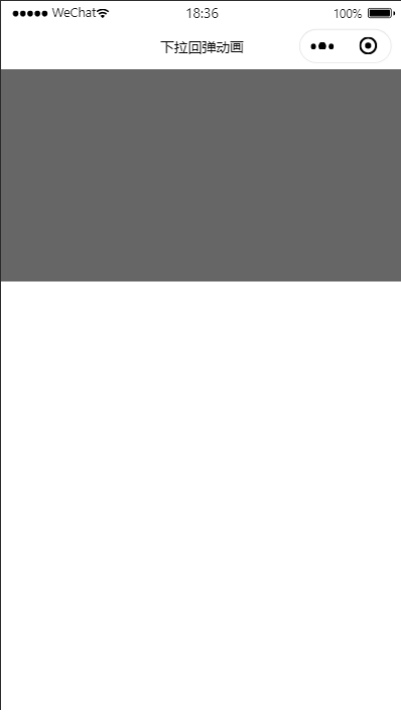
- 效果图:
后记:
该博客纯原创,参考文献仅仅小程序的api文档。另外最近发现很多人喜欢当网络喷子,别人干什么都喜欢说三道四。对于这种人我只想说:我接受你的指点,但不接受你的指指点点,谢谢!