Spring MVC 自动配置
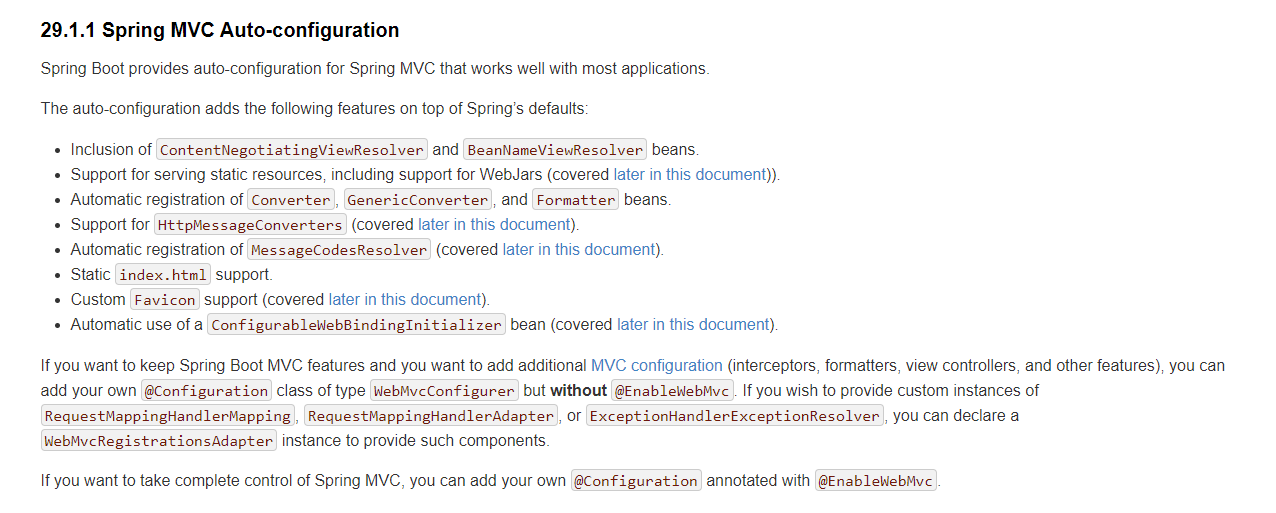
下面图片是Spring Boot 官网关于Spring MVC自动配置的描述
简述
Spring Boot为Spring MVC提供了自动配置,可与大多数应用程序完美配合。
自动配置在Spring的默认值之上添加了以下功能:
- 包含
ContentNegotiatingViewResolver和BeanNameViewResolver。 - 支持服务静态资源,包括对WebJars的支持(
- 自动注册
Converter,GenericConverter和Formatterbean类。 - 支持
HttpMessageConverters - 自动注册
MessageCodesResolver - 静态
index.html支持。 - 定制
Favicon支持 - 自动使用
ConfigurableWebBindingInitializerbean
如果您想保留Spring Boot MVC功能并想要添加其他MVC配置(拦截器,格式化程序,视图控制器和其他功能),则可以添加自己@Configuration的type类,WebMvcConfigurer但不添加 @EnableWebMvc。如果您希望提供,或的自定义实例RequestMappingHandlerMapping,则可以声明一个实例来提供此类组件。RequestMappingHandlerAdapter``ExceptionHandlerExceptionResolver``WebMvcRegistrationsAdapter
如果您想完全控制Spring MVC,则可以添加自己的@Configuration注释@EnableWebMvc。
下面对上面进行讲解
ContentNegotiatingViewResolver
-
包含
ContentNegotiatingViewResolver和BeanNameViewResolver-
自动配置了
ViewResolver视图解析器(根据方法的返回值得到视图对象View),视图对象决定如何渲染(转发或者重定向) -
ContentNegotiatingViewResolver:组合所有的视图解析器在
WebMvcConfiguration类中,我们查看源码,可以找到相关的配置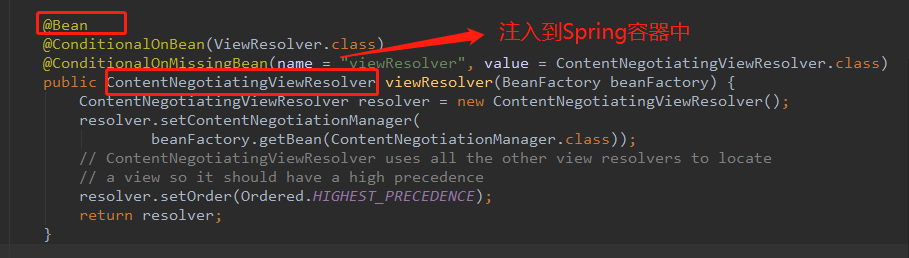
点击进入
ContentNegotiatingViewResolver,作为视图解析器,肯定有解析视图的方法,找到解析视图的方法resolveViewName。 可以看到spring mvc允许注册多个viewResolver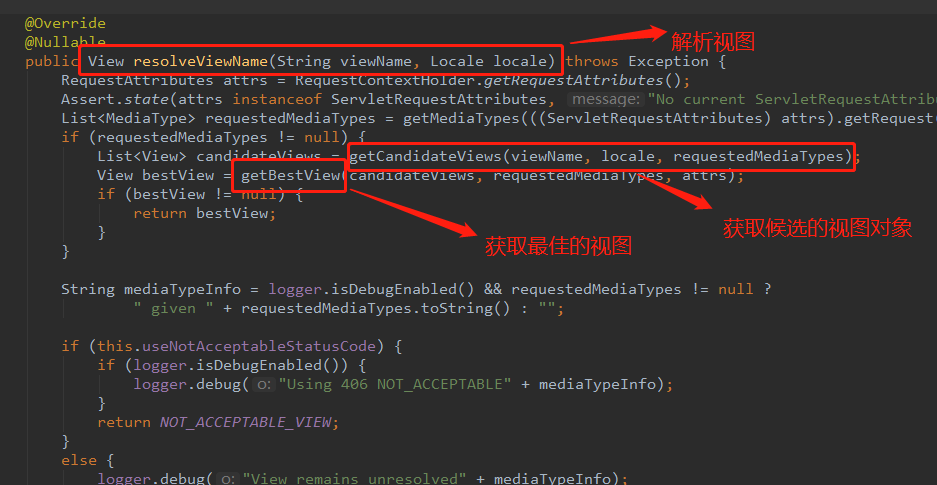
进入
getCandidateViews方法,查看具体做了什么操作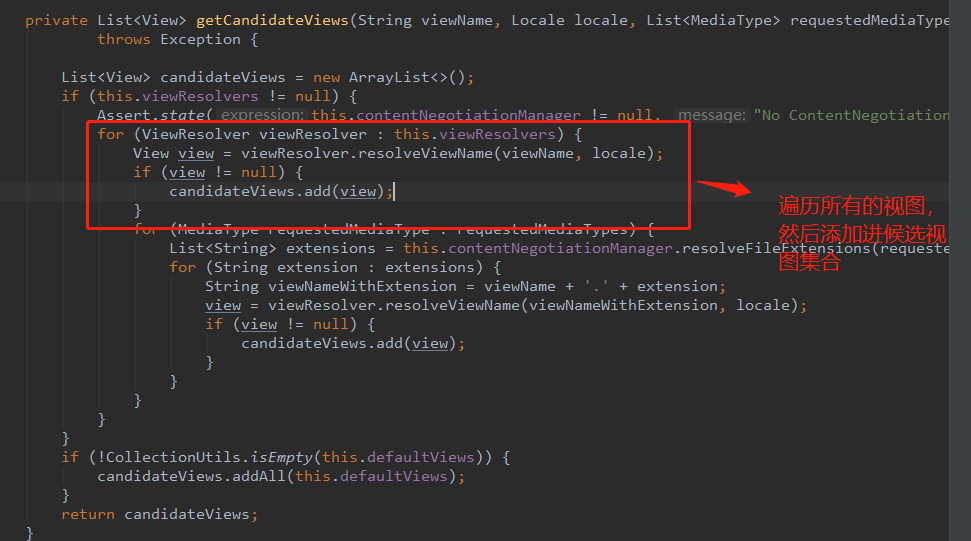
那么
getCandidateViews类中的viewResolvers是从哪里定义的呢?在类ContentNegotiatingViewResolver中已经定义了视图解析器集合,然后对其赋值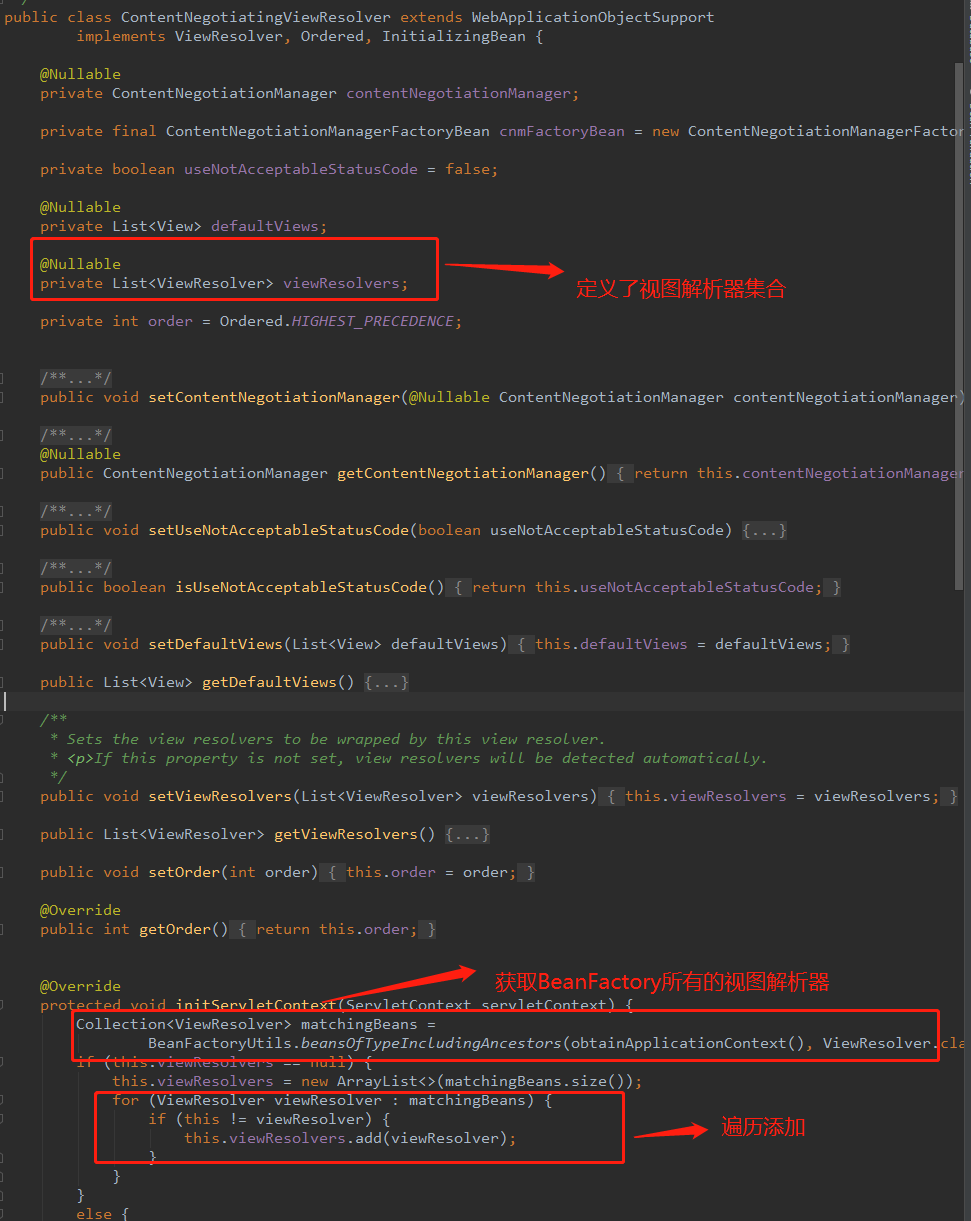
-
如何自定义视图解析器
-
定义视图解析器类
public class MyCustomViewResolver implements ViewResolver { @Override public View resolveViewName(String viewName, Locale locale) throws Exception { return null; } } -
定义配置类,将自定义视图解析器注入到容器中
@Configuration
public class CustomViewResolverConfig {

    @Bean
    public MyCustomViewResolver getCustomViewResolver() {
        return new MyCustomViewResolver();
    }
}
访问本项目下任意路径,会进入到
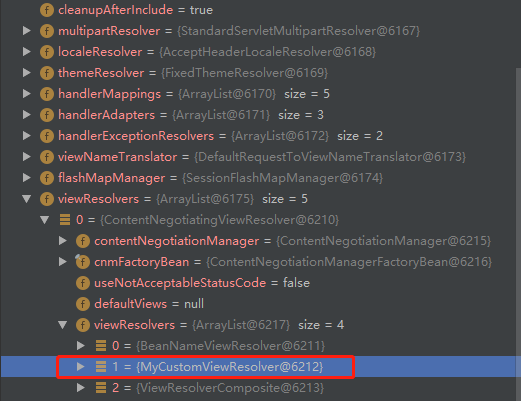
DispatcherServlet类中 doDispatch 方法中,通过打断点可以查看到我们已经成功自定义的视图解析器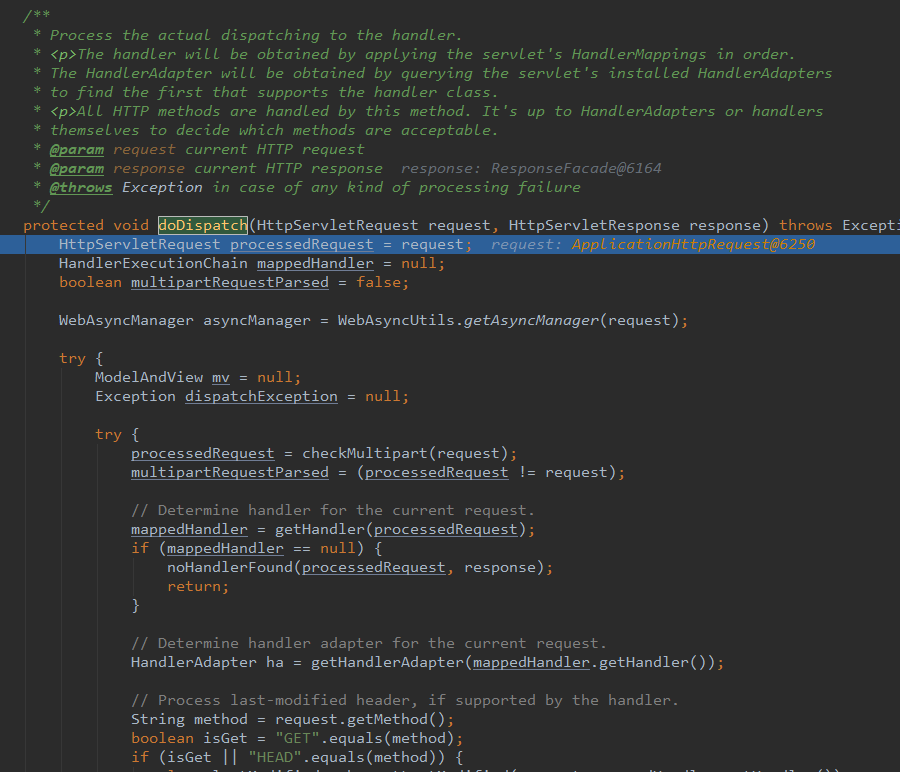
-
-
WebJars
-
查看 WebMvcAutoConfiguration 类
@Override public void addResourceHandlers(ResourceHandlerRegistry registry) { if (!this.resourceProperties.isAddMappings()) { logger.debug("Default resource handling disabled"); return; } Duration cachePeriod = this.resourceProperties.getCache().getPeriod(); CacheControl cacheControl = this.resourceProperties.getCache() .getCachecontrol().toHttpCacheControl(); if (!registry.hasMappingForPattern("/webjars/**")) { customizeResourceHandlerRegistration(registry .addResourceHandler("/webjars/**") .addResourceLocations("classpath:/META-INF/resources/webjars/") .setCachePeriod(getSeconds(cachePeriod)) .setCacheControl(cacheControl)); } String staticPathPattern = this.mvcProperties.getStaticPathPattern(); if (!registry.hasMappingForPattern(staticPathPattern)) { customizeResourceHandlerRegistration( registry.addResourceHandler(staticPathPattern) .addResourceLocations(getResourceLocations( this.resourceProperties.getStaticLocations())) .setCachePeriod(getSeconds(cachePeriod)) .setCacheControl(cacheControl)); } }- 所有的/webjars/**,都去classpath:/META-INF/resources/webjars/找资源
- webjars:以jar包的方式引入静态资源
- 所有的/webjars/**,都去classpath:/META-INF/resources/webjars/找资源
静态资源
-
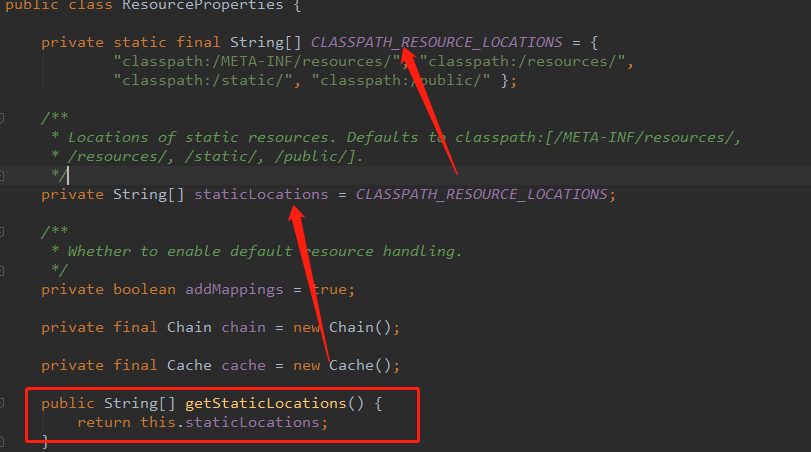
/** 访问当前项目的任何位置(静态资源的文件夹)
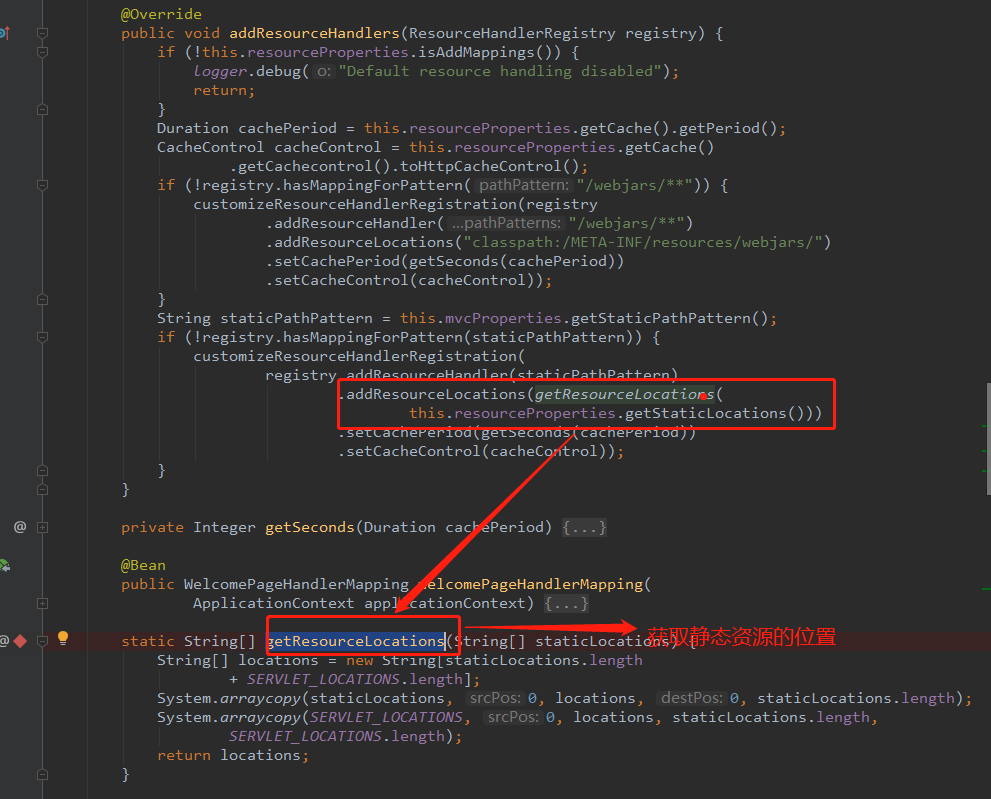
通过查看源码可以定位到静态资源位置
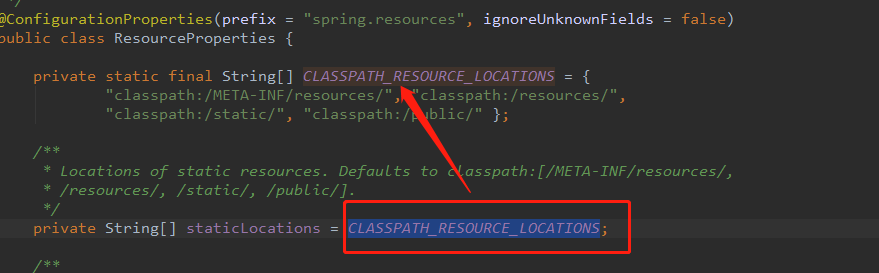
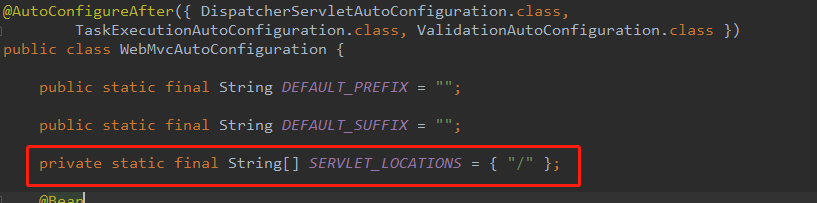
即以下路径
"classpath:/META-INF/resources/",
"classpath:/resources/",
"classpath:/static/",
"classpath:/public/"
"/":当前项目的根路径
Converter,GenericConverter和Formatter
-
自动注册了
Converter,GenericConverter,Formatterbeans -
Converter转换器, Converter 接口只支持从一个原类型转换为一个目标类型 -
GenericConverter转换器,GenericConverter 接口支持在多个不同的原类型和目标类型之间进行转换 -
Formatter格式化器 以Converter转换器为例进行讲解- 首先查看Converter接口的定义
public interface Converter<S, T> {
    T convert(S source);
}
我们可以看到这个接口是使用了泛型的,第一个类型表示原类型,第二个类型表示目标类型,然后里面定义了一个 convert 方法,将原类型对象作为参数传入进行转换之后返回目标类型对象。当我们需要建立自己的 converter 的时候就可以实现该接口。
-
在
WebMvcAutoConfiguration类中,可以看到自动注册了Converter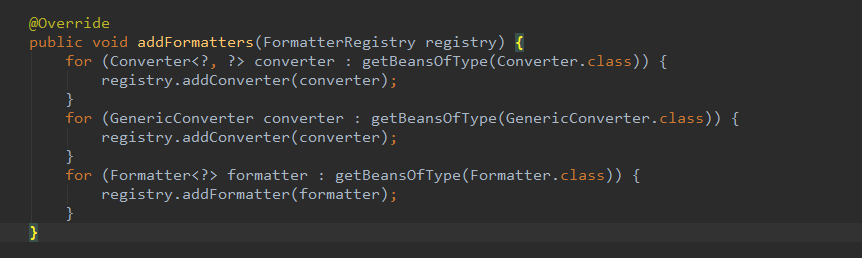
由上面的方法可以知道,我们可以自定义转换器,然后把它添加容器中即可
-
自定义转换器
@Component public class DateConverter implements Converter<String, Date> { @Override public Date convert(String source) { return null; } } -
配置转换器
@Configuration
public class CustomConverterConfig implements WebMvcConfigurer {

    @Autowired
    private DateConverter dateConverter;

    @Override
    public void addFormatters(FormatterRegistry registry) {
        registry.addConverter(dateConverter);
    }
}
欢迎页
private Optional<Resource> getWelcomePage() {
    // 去获取静态资源位置
    String[] locations = getResourceLocations(
        this.resourceProperties.getStaticLocations());
    return Arrays.stream(locations).map(this::getIndexHtml)
        .filter(this::isReadable).findFirst();
}
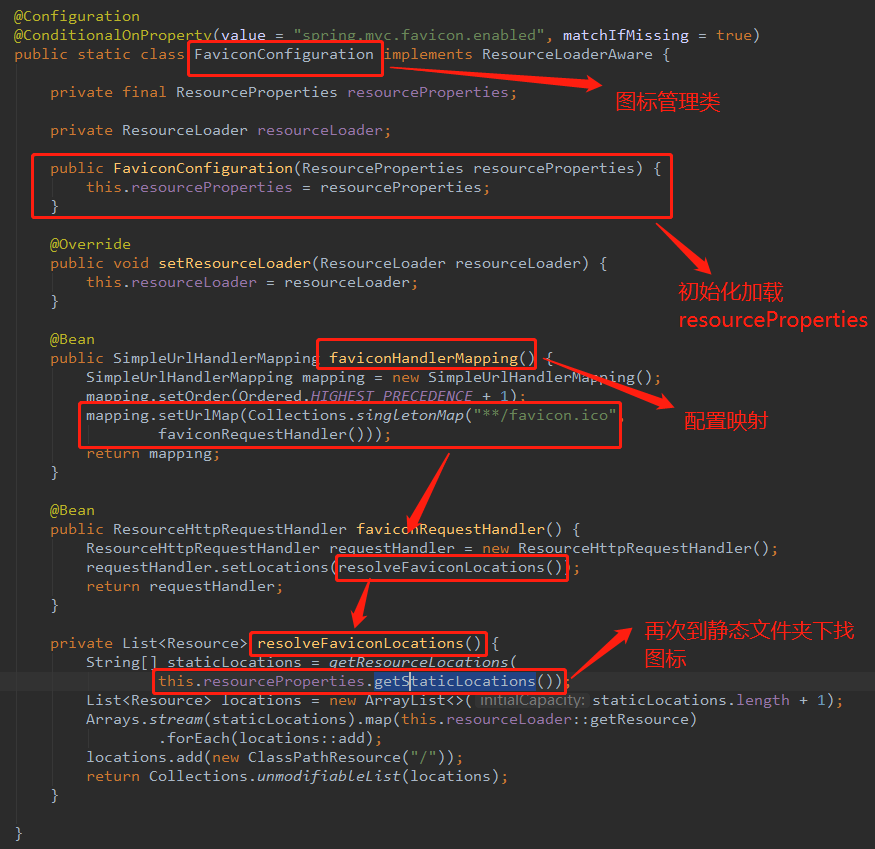
图标