我们平常开发的时候,经常会遇到复用组件的情况或者是开发了一个超级棒的组件,觉得别人也有可能在项目中用到。那我们怎么把组件分享给他人呢?
答案是: npm 包管理器
作为一个前端,肯定都用过 npm 下载各种包,各种组件。但是你有没有发布过自己的组件或者包呢?
以下教你制作一个 Vue 组件,并发布到 npm上面,然后下载使用。
注册 npm 账号
点击:注册,进入到 npm注册页面。
full name 填写全名
Public Email 填写邮箱
Username 填写用户名 (建议跟 GitHub 名字一样)
Password 填写密码
写好之后点击注册,我们就可以进入到 JavaScript 最大的包管理社区了。
写一个 Vue 组件
新建一个文件夹,比如:FristComponent
里面两个文件:
一个我们常见的 package.json (配置信息)
一个FristComponent.vue (vue组件)

package.json 内容如下:
{

    "name": "@moyu-hansome/fristcomponent",
    "version": "1.0.0",
    "description": "just come string",
    "license": "MIT",
    "repository": "moyu-hansome/fristcomponent",
    "main": "FristComponent.vue",
    "keywords": [
        "first",
        "npm",
        "package",
        "moyu-hansome"
    ]
}
- name: 我们项目的名字
- version: 项目的版本(最开始的时候是 1.0.0)
- description:项目描述
- license:项目许可
- repository:项目的GitHub地址,只需要把https://github.com/ 后面的写上
- main: 项目的入口(如果是普通的项目,就用 index.js)
- keywords: 关键字(到时候别人用关键字搜索到这个包)
FristComponent.vue 内容如下:
<template>
  <div>
    <h1 class="title">{{ title }}</h1>
    <div>{{ content }}</div>
  </div>
</template>
<script>
export default {
  data() {
    return {
      title: "first component",
      content: "congratulation"
    };
  }
};
</script>
<style scoped>
.title {
  color: #f6a623;
}
</style>
发布到 npm
- 打开终端
- 输入 npm login 然后依次输入用户名,密码,邮箱
- cd 打开FristComponent 文件夹
- 输入 npm publish --access=public
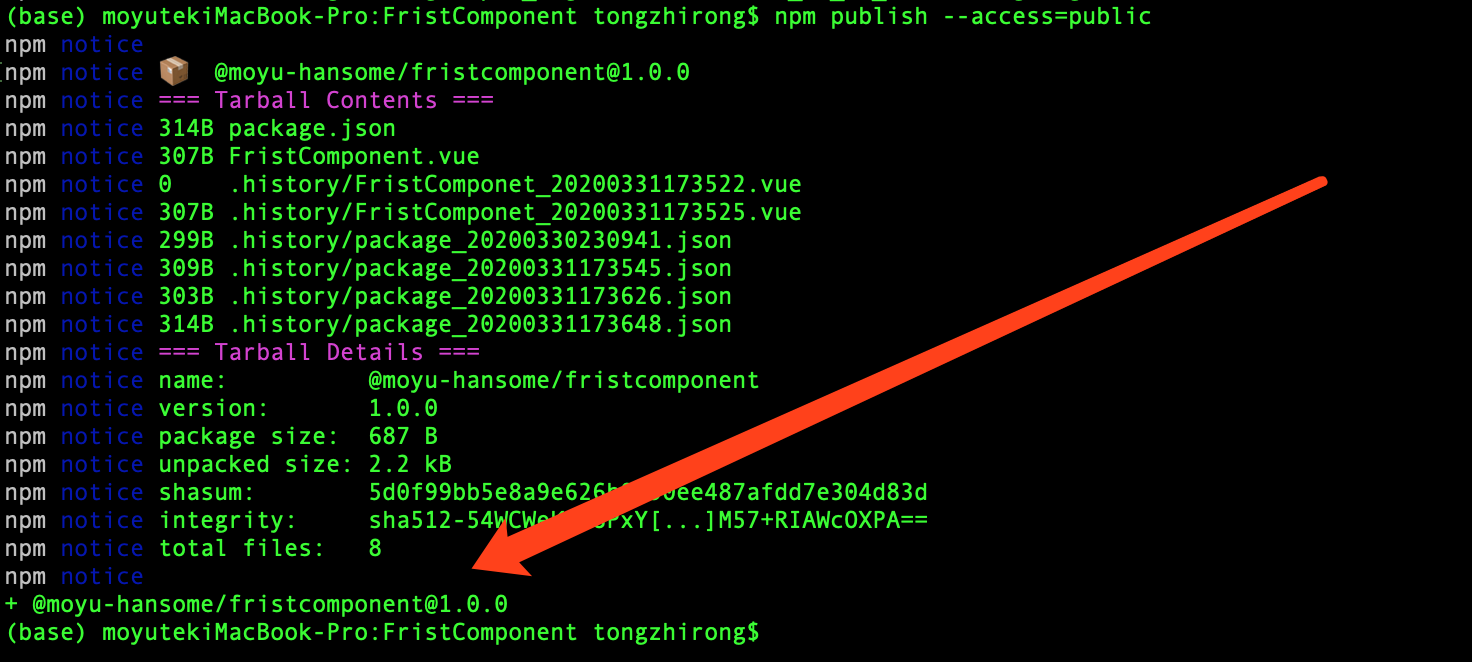
这样子我们就发布好了我们第一个组件。
可以在 npm 点击我的 profile 查看。
项目中使用组件
- 复制 npm 包的命令 。
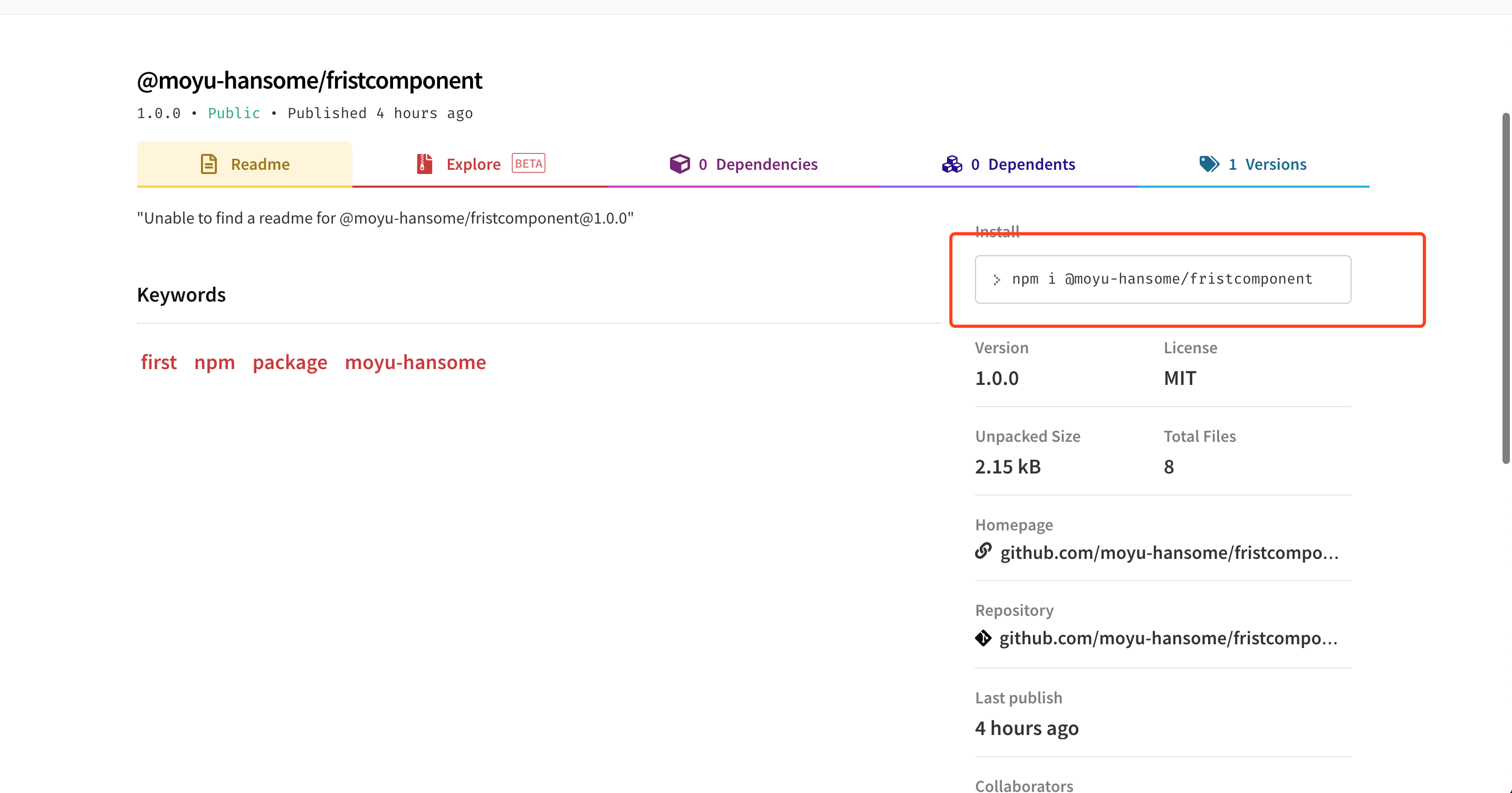
- 找一个 Vue 项目 ,打开终端,输入刚刚复制的命令。
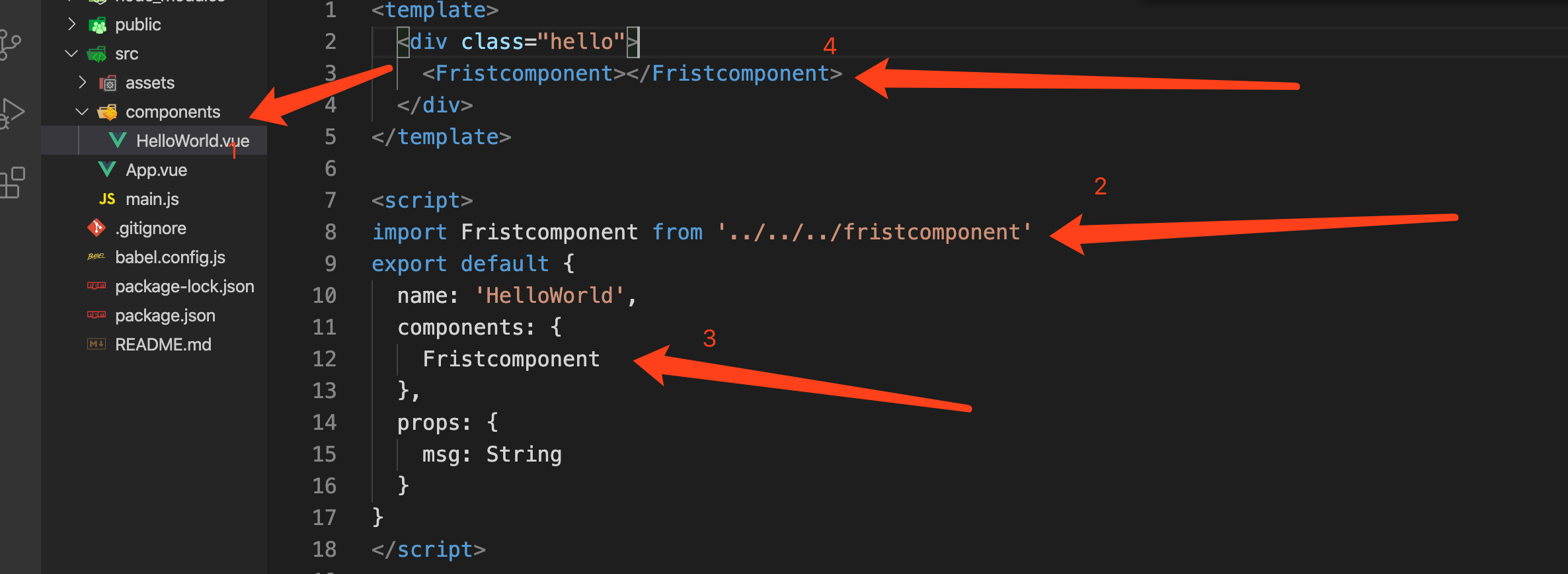
- 在 component 文件夹下面找一个 Vue文件。
- 使用 import Fristcomponent from '../../../fristcomponent' 引入组件。(如果不是 component 文件夹下的话,注意路径)
- 在 components 注册一下,然后就可以跟普通组件一样使用了。
如图所示:
最后
经过这四步,我们就可以把一个组件放到 npm 上面,供自己或者是他人使用啦。全程如果快得话,不需要十分钟。快来制作你的第一个 npm 包吧。