源码URL: github.com/michuanhaoh…
数据增广/数据增强,读代码的注释
from __future__ import absolute_import

from torchvision.transforms import *
from PIL import Image
import random

class Random2DTranslation(object):
    """
    With a probability, first increase image size to (1 + 1/8), and then perform random crop.
    把图像放大1/8,再随机裁剪

    Args:
        height (int): target height.
        width (int): target width.
        p (float): probability of performing this transformation. Default: 0.5.
    """
    def __init__(self, height, width, p=0.5, interpolation=Image.BILINEAR):
        self.height = height  # 裁剪完的高度
        self.width = width  # 裁剪完的宽度
        self.p = p  # 裁剪的概率
        self.interpolation = interpolation  # 双线性插值

    def __call__(self, img):
        """
        Args:
            img (PIL Image): Image to be cropped.

        Returns:
            PIL Image: Cropped image.
        """
        if random.random() < self.p:  # 如果不做数据增广
            return img.resize((self.width, self.height), self.interpolation)  # 直接放大到预定尺寸

        new_width, new_height = int(round(self.width*1.125)), int(round(self.height*1.125))
        resize_img = img.resize((new_width, new_height), self.interpolation)  # 放大到原图像尺寸的9/8
        x_maxrange = new_width - self.width  # 裁剪范围
        y_maxrange = new_height - self.height
        x1 = int(round(random.uniform(0, x_maxrange)))  # x方向的起点(随机)
        y1 = int(round(random.uniform(0, y_maxrange)))  # y方向的起点

        croped_img = resize_img.crop((x1, y1, x1+self.width, y1+self.height))  # 随机裁剪
        return img

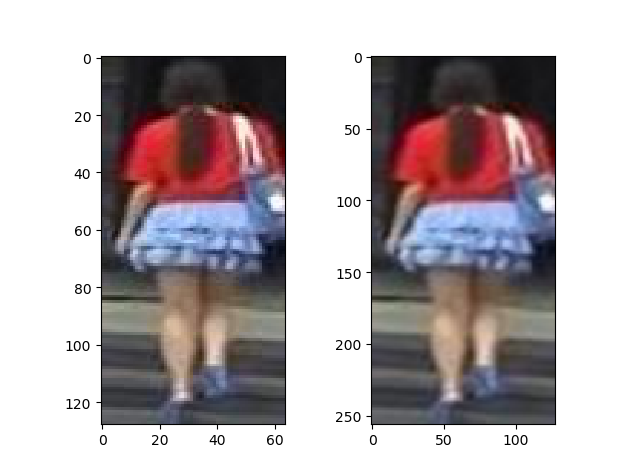
# demo展示效果
if __name__ == '__main__':
    img = Image.open("D:/Project/0010_c6s4_002502_02.jpg")
    transform = Random2DTranslation(256, 128, 0.5)
    img_t = transform(img)
    import matplotlib.pyplot as plt

    plt.figure(12)
    plt.subplot(121)
    plt.imshow(img)
    plt.subplot(122)
    plt.imshow(img_t)
    plt.show()
输出结果如下: