

一、创建一个weex项目
1、安装Node(已经安装过node,请忽略此过程);
参考官方教程,我们需要先安装Node。在Mac上也可以通过Homebrew直接进行安装:
在终端中执行: brew install node
安装之后可用 node -v 查询node版本的命令行来检查是否安装成功
2、接着我们需要安装Weex Cli。
在终端中执行: sudo npm install -g weex-toolkit ,安装weex手脚架
3、创建一个weex项目
在终端中执行:weex create appName, appName为你的项目名称,创建一个空的模版weex项目
4、运行项目
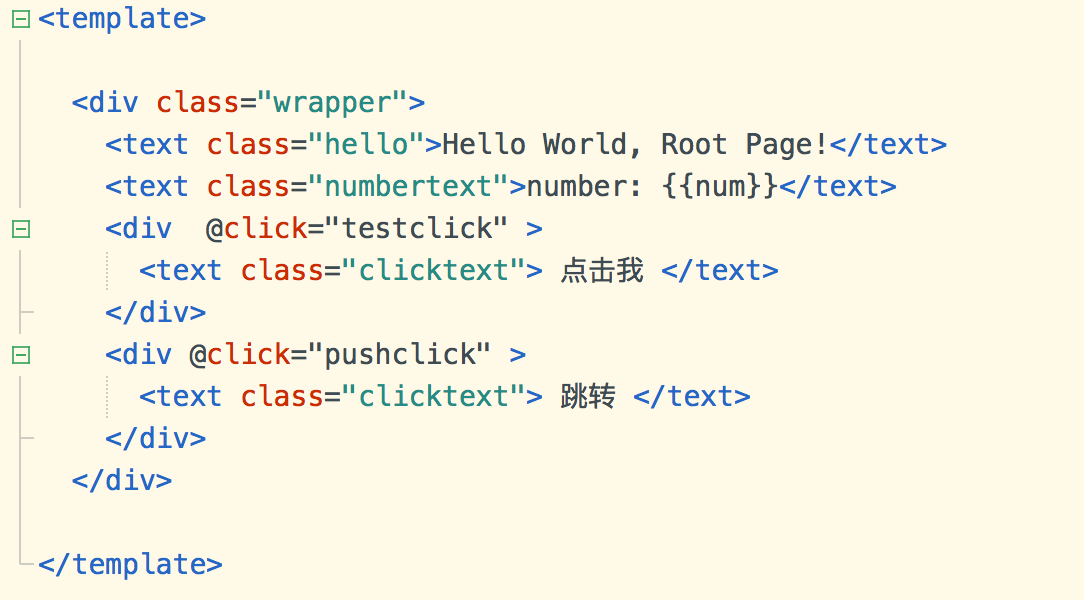
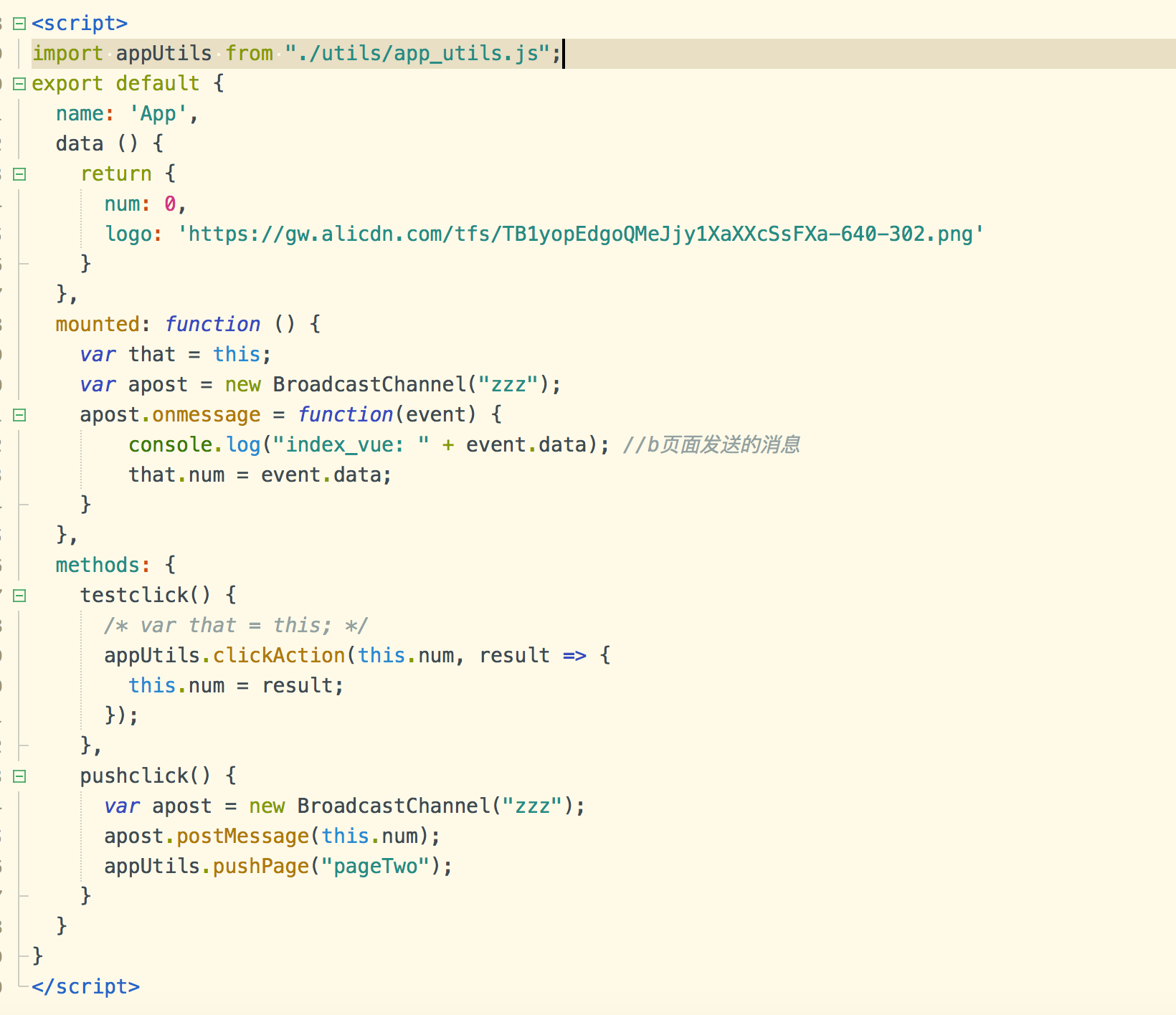
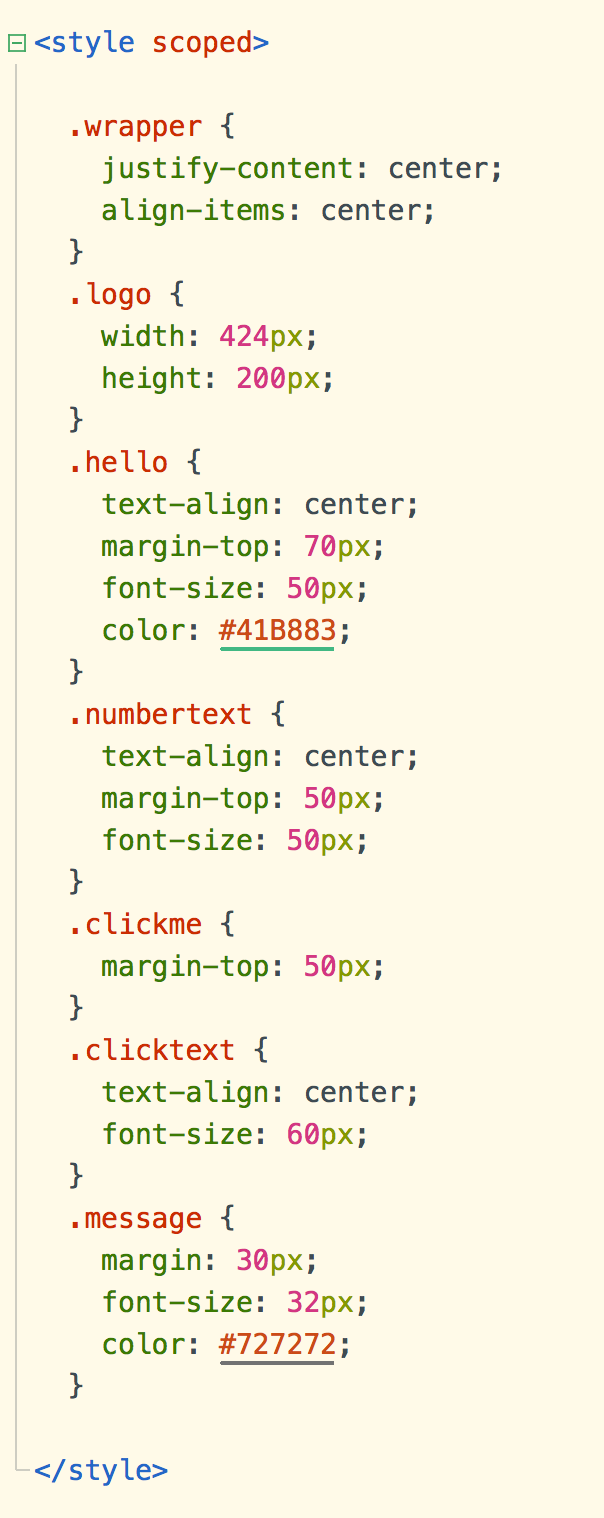
6、在终端中执行:npm run build,会生成dist文件,默认会把index.vue编译成index.js文件,可用来在Native中加载出页面;
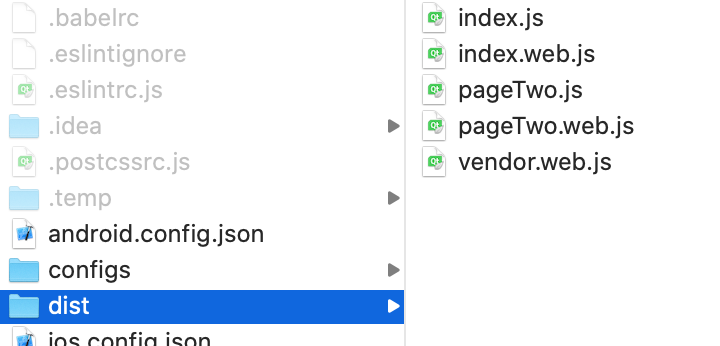
7、weex框架的工作原理 可参考这篇文章
https://esmeetu.gitbooks.io/weex/content/advanced/how-it-works.html
二、创建一个ios项目(假若你已经会创建ios项目,这里不再赘述)
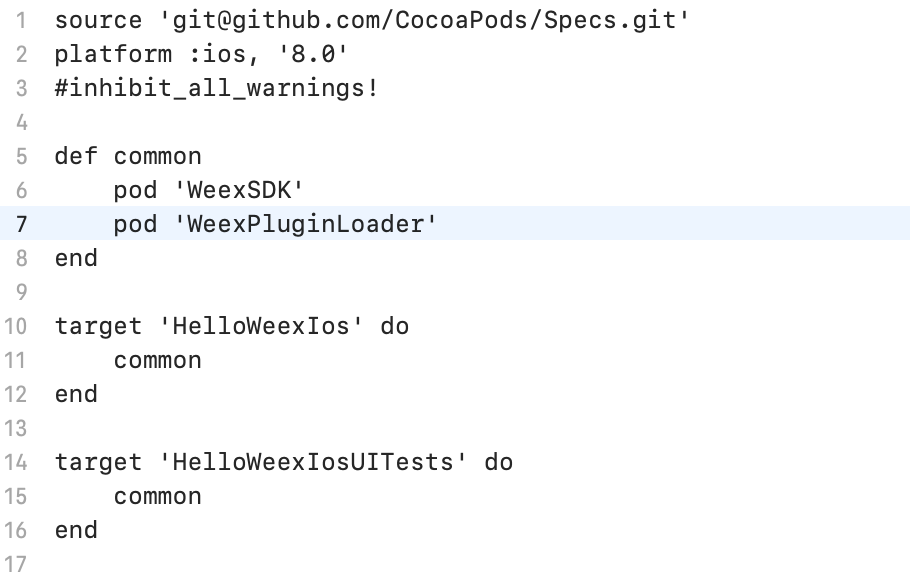 2、执行Podfile pod install ,加载第三方SDK
3、设置Weex相关配置
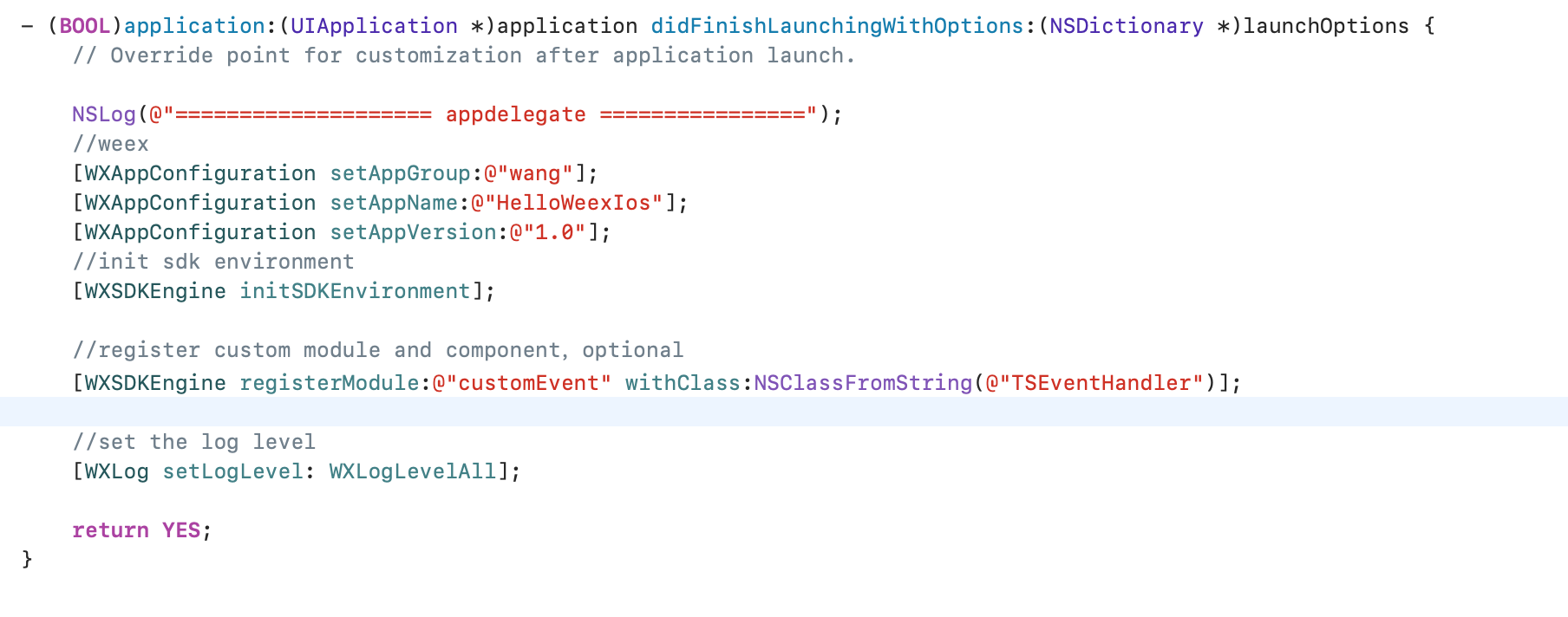
三、ios项目显示weex项目的.vue文件所要展示的页面
在这之前,你在使用命令行 npm run build ,build项目的时候生成了dist文件夹,
有两种方式:
1、加载本地js文件:
你可以将其中的.vue文件对应的js文件拖到ios项目的本地路径中,加载本地js文件,
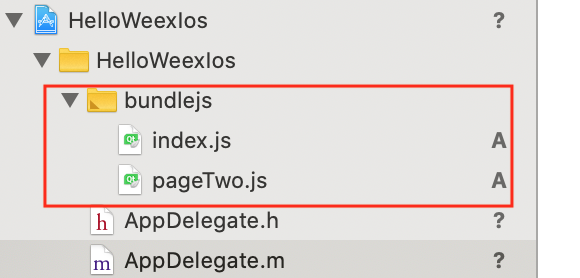

2、加载远程js文件:
[self _renderWithURL:[NSURL URLWithString:@"https:xxxx.js"]];- (void)_renderWithURL:(NSURL *)sourceURL { if (!sourceURL) return; [_wxInstance destroyInstance]; if ([WXPrerenderManager isTaskReady:[self.sourceURL absoluteString]]) { _wxInstance = [WXPrerenderManager instanceFromUrl:self.sourceURL.absoluteString];
} _wxInstance = [[WXSDKInstance alloc] init]; [_wxInstance setFrame:CGRectMake(0, 0, kScreenWidth, kScreenHeight - [UIApplication sharedApplication].statusBarFrame.size.height - self.navigationController.navigationBar.frame.size.height - self.tabBarController.tabBar.frame.size.height)]; _wxInstance.pageObject = self; _wxInstance.pageName = sourceURL.absoluteString; _wxInstance.viewController = self; NSString *newURL = nil; if ([sourceURL.absoluteString rangeOfString:@"?"].location != NSNotFound) { newURL = [NSString stringWithFormat:@"%@&random=%d", sourceURL.absoluteString, arc4random()];
} else { newURL = [NSString stringWithFormat:@"%@?random=%d", sourceURL.absoluteString, arc4random()]; }
[_wxInstance renderWithURL:[NSURL URLWithString:newURL] options:@{@"bundleUrl":sourceURL.absoluteString} data:nil]; _wxInstance.onCreate = ^(UIView *view) { [weakSelf.weexView removeFromSuperview];
weakSelf.weexView = view; [weakSelf.weexView setFrame:CGRectMake(0, [UIApplication sharedApplication].statusBarFrame.size.height, kScreenWidth, kScreenHeight - [UIApplication sharedApplication].statusBarFrame.size.height - self.navigationController.navigationBar.frame.size.height - self.tabBarController.tabBar.frame.size.height)]; [weakSelf.view addSubview:weakSelf.weexView]; }; _wxInstance.onFailed = ^(NSError *error) { NSLog(@"================= _wxInstance.onFailed ================"); NSLog(@"%@",error);
}; _wxInstance.renderFinish = ^(UIView *view) { [weakSelf updateInstanceState:WeexInstanceAppear]; NSLog(@"================= _wxInstance.renderFinish ================"); }; if ([WXPrerenderManager isTaskReady:[self.sourceURL absoluteString]]) { WX_MONITOR_INSTANCE_PERF_START(WXPTJSDownload, _wxInstance);
WX_MONITOR_INSTANCE_PERF_END(WXPTJSDownload, _wxInstance); WX_MONITOR_INSTANCE_PERF_START(WXPTFirstScreenRender, _wxInstance);
WX_MONITOR_INSTANCE_PERF_START(WXPTAllRender, _wxInstance); [WXPrerenderManager renderFromCache:[self.sourceURL absoluteString]]; return; }}- (void)updateInstanceState:(WXState)state { if (_wxInstance && _wxInstance.state != state) { _wxInstance.state = state;
if (state == WeexInstanceAppear) { [[WXSDKManager bridgeMgr] fireEvent:_wxInstance.instanceId ref:WX_SDK_ROOT_REF type:@"viewappear" params:nil domChanges:nil]; } else if (state == WeexInstanceDisappear) { [[WXSDKManager bridgeMgr] fireEvent:_wxInstance.instanceId ref:WX_SDK_ROOT_REF type:@"viewdisappear" params:nil domChanges:nil]; }
}}四、weex与native通信(js调用native中的方法)
1、首先在native注册Module,将你要让js端调用的方法export,这样你在js端就可以调用native里的方法
例如:WX_EXPORT_METHOD(@selector(log:))

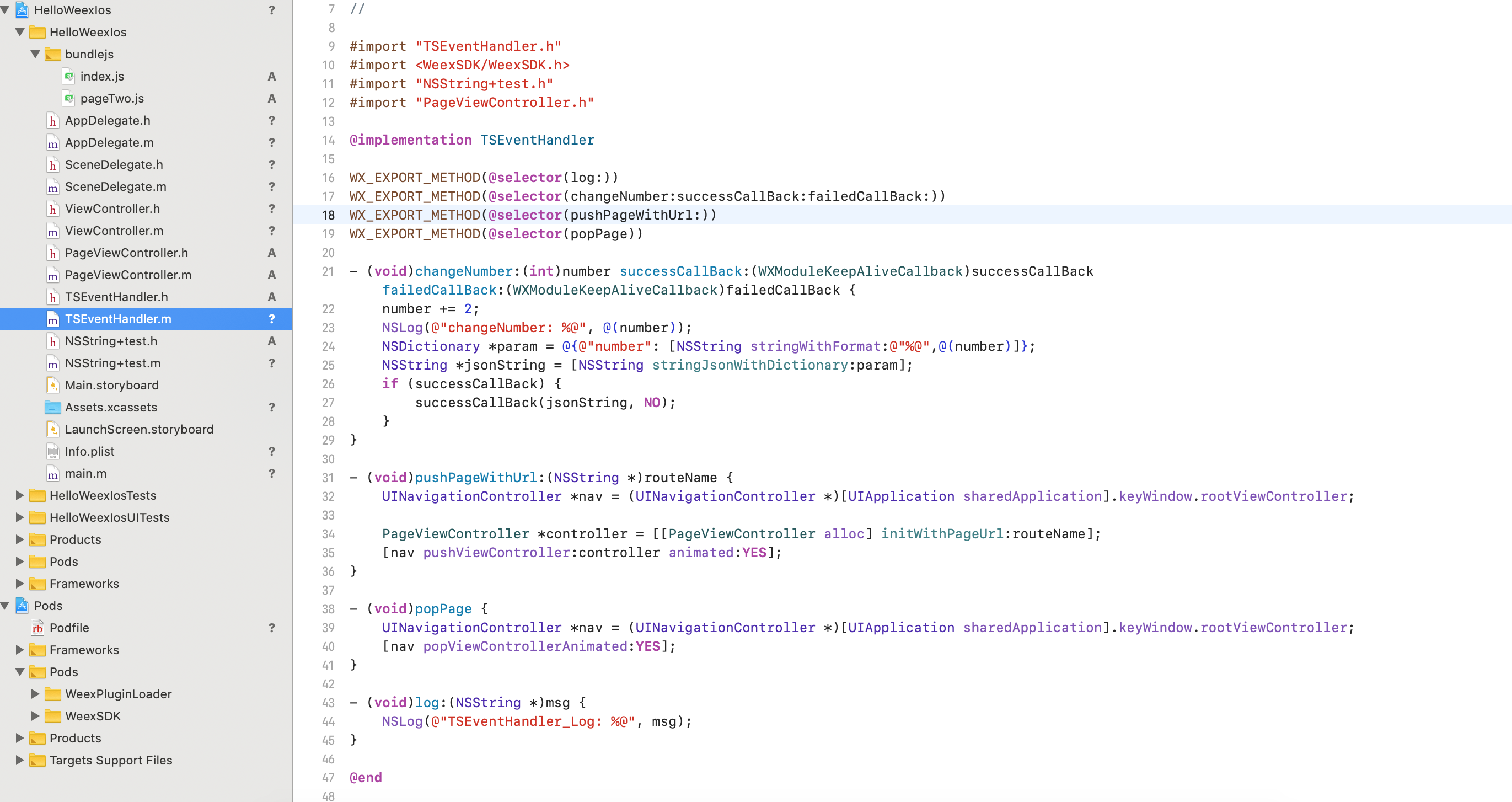
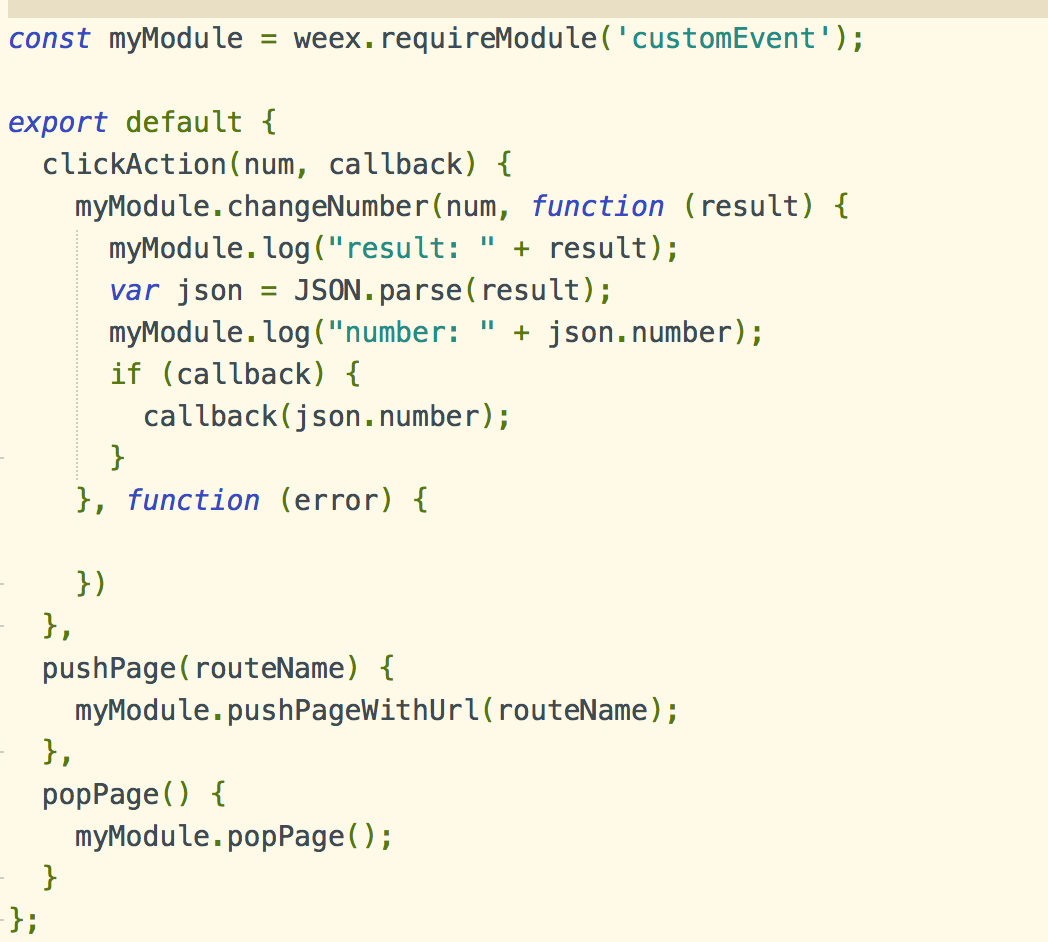
2、在js端调用native中的方法,注意这里requireModule的名称要与native中registerModule中的名称保持一致(此处js调用native的方法是带有回掉处理的);
五、native与weex之间的通信(native调用js端的函数)
1、native在需要触发的时候发送事件
[self.wxInstance fireGlobalEvent:@"xxx" params:@{}];
2、js端监听native的触发事件做相应的处理(注意:addEventListener里的函数function里面不能直接使用this,得先var that=this; 然后通过that调用)
mounted: function () {
    var that = this;
    var globalEvent = weex.requireModule('globalEvent');
    globalEvent.addEventListener('popPage', function(param){
        console.log("=================== globalEvent  Listener");
        that.pop();
    });
},六、weex页面之间的通信(pageOne 跳转到 pageTwo,pageTwo中的值的改变通知pageOne中作出相应的改变)
1、pageOne监听值的改变
mounted: function () {
    var that = this;
    var apost = new BroadcastChannel("zzz");
    apost.onmessage = function(event) {
        console.log("index_vue: " + event.data); //b页面发送的消息
        that.num = event.data;
    }
}
2、pageTwo值的改变通知pageOne作出相应的改变
var bpost = new BroadcastChannel("zzz");
bpost.postMessage(this.num);